-
 Ulph
UlphHello, hope you're well.
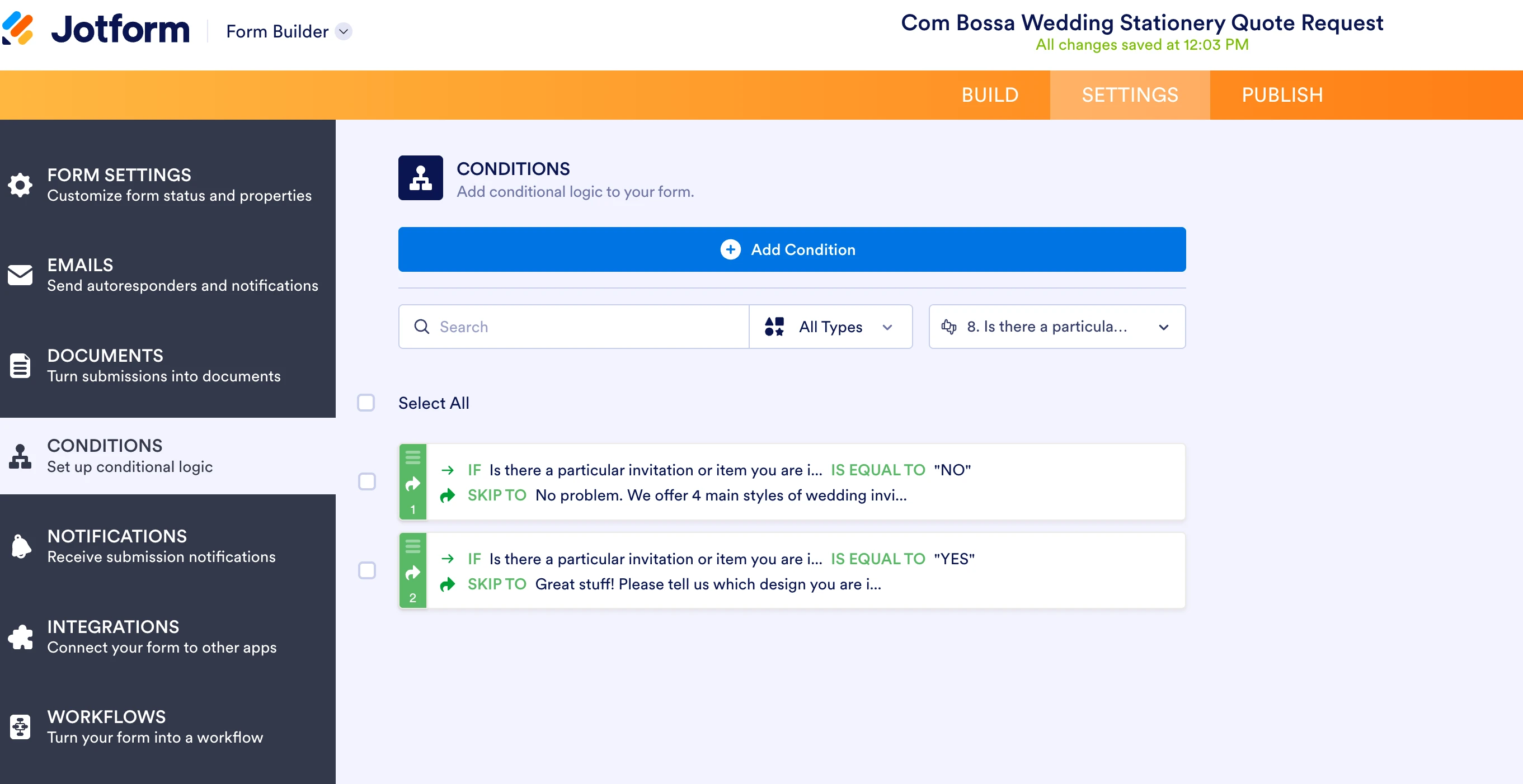
I set up some very simple conditions on my job form where if the person answers yes to a question it skips to the relevant question. If they answer no to a question it skips to the relevant question.
I can't see any conflict in the conditions and have them attached to the right question in the right way as far as I understand. But on the live form the regardless of whether the person answers yes or no, it goes to the next question and doesn't skip to the relevant question at all.
I provided a link to the form below along with a screenshot of the conditions.
If you could help please as this job form is embedded live in my e-commerce site and has been for a few weeks now.
I was wondering why my usual number of quote requests had dropped since switching to jot form. So it's not really the best start.
You can help. Thank you. Richard
 Page URL: https://form.jotform.com/260602432014037
 -
 Podo: Support Specialist
Hi Richard,
Skipping a page based on the user's response with conditional logic is simple. Let me show you how:
1. In Form Builder, in the orange navigation bar at the top of the page, click on Settings.
2. Next, in the menu on the left side of the page, click on Conditions.
3. Now, click on Skip To/Hide a Page to create your condition (if you already have a condition, first click on Add Condition and then click on Skip To/Hide a Page).
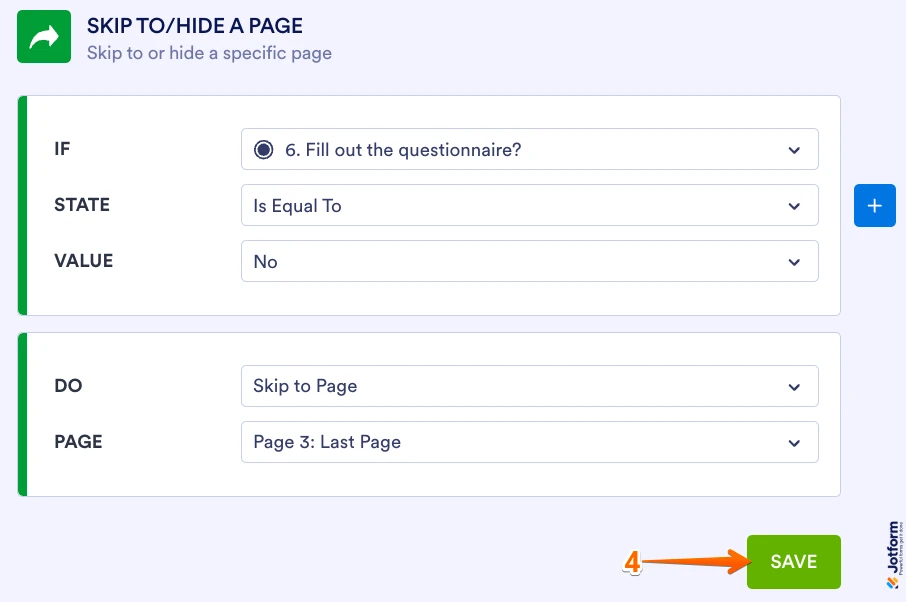
4. Set up the conditions as you see below and click on Save.
The condition is set to skip to the last page when the user selects No. Check out the screencast below to see what happens when the Skip Page condition is not met:
Check out the screencast below to see what happens when the Skip Page condition is met:
Reach out again if there’s anything else we can help you with.
Your Reply
Something Went Wrong
An error occurred while generating the AI response. Please try again!