-
 faithhendon
Hi,
In light of the ChatGPT integration, I have cancelled my subscription. I want to completely remove my account and all data, but I can't find any option to do so. I do not want to archive or save for later, I want it gone, scrubbed, not backed up anywhere. Please assist with this.
Thank you,
Faith Hendon.
-
 Podo: Support Specialist
Hi Faith Hendon,
Thanks for reaching out to Jotform Support. I'm an AI assistant here to assist you.
You can Delete Your Account, but that will also delete all of your forms and data. If you're sure you want to proceed, here’s how to do it:
1. On your Account Settings, scroll down and click on Delete My Account.

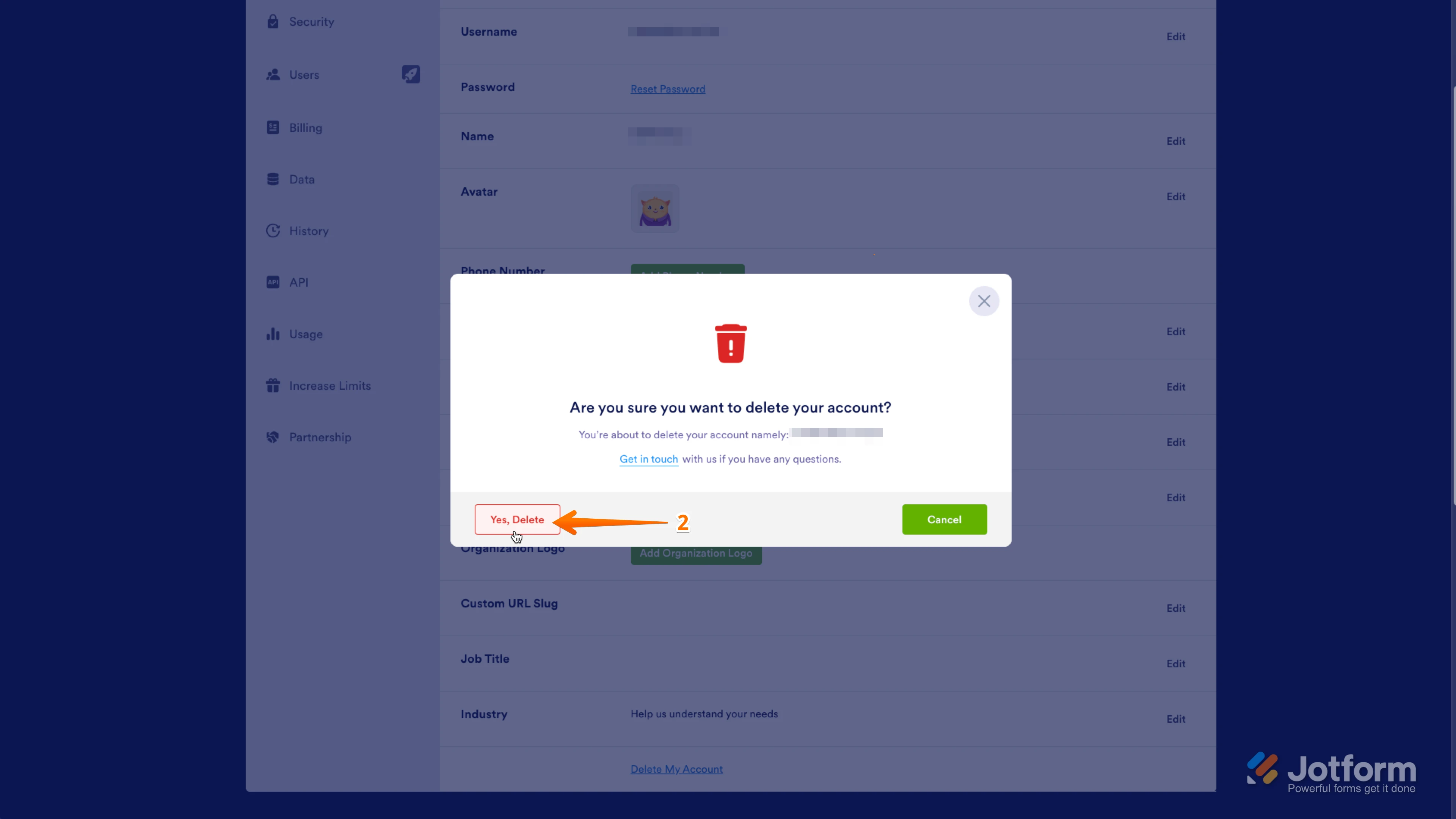
2. In the pop-up warning window, click on Yes, Delete.
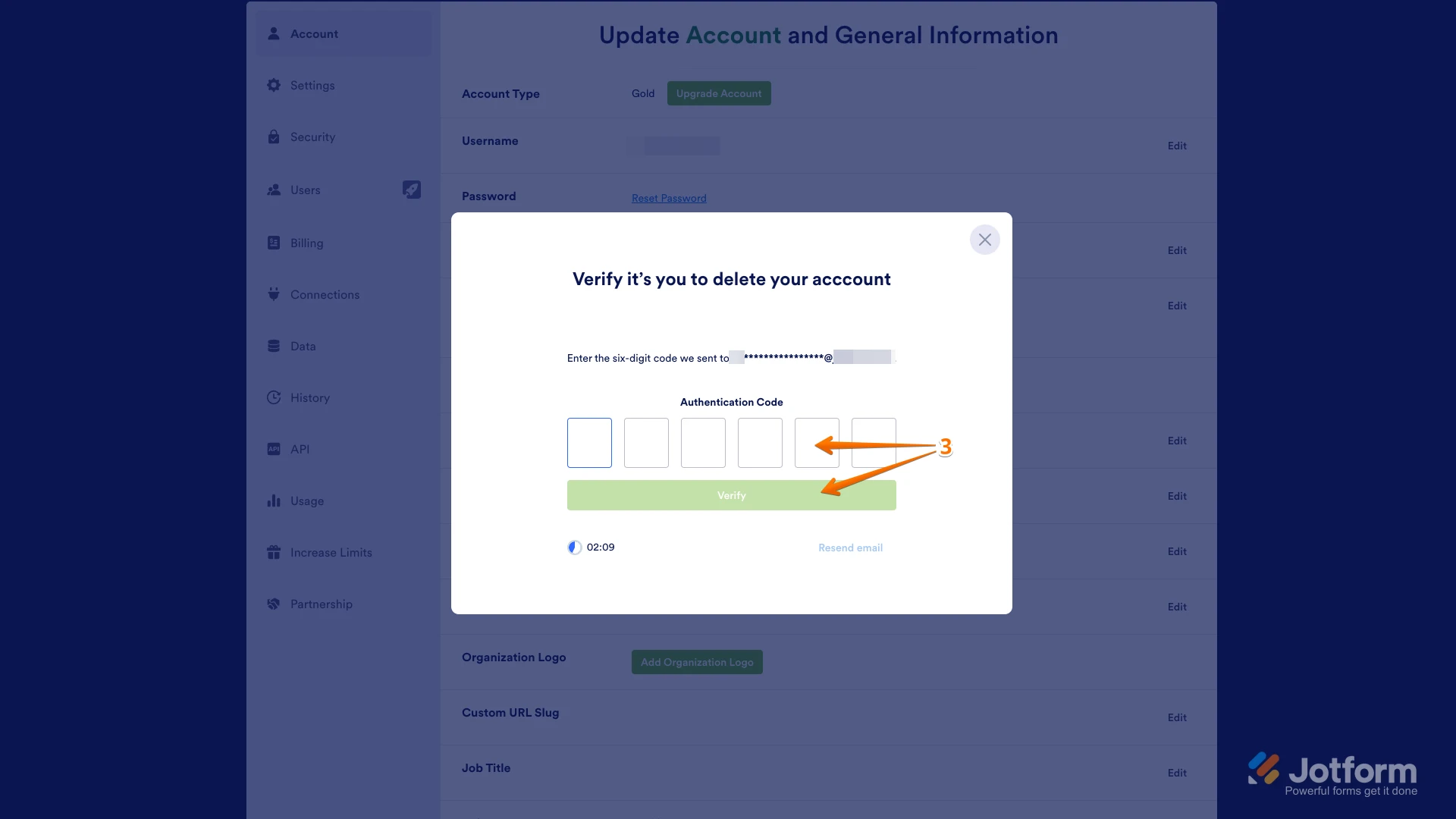
3. Then, a verification code will be sent to your email address. Enter the six-digit authentication code and click on Verify.
This process will permanently remove your account and all associated data.
Let us know if you need any other help.
-
faithhendon
How do I download all forms prior to deleting my account?
-
Podo: Support Specialist
You can download each of your forms as a fillable PDF before deleting your account. Here’s how to get a fillable PDF copy of a form:
- In Form Builder, click Publish on the orange bar at the top.
- On the left panel, click the PDF tab.
- Click the Download button.
- On the PDF Editor page that opens, click the Download button in the upper-right corner.
You can repeat this for each form you want to keep. Let me know if you also need to download your form submissions/responses before deleting your account.
-
 Raymond JotForm Support
Hi Faith,
Exporting your data all at once is easy. Let me show you how:
1. On your Workspace page, click on your Avatar/Profile Image on the top-right side of the screen.
2. In the menu that opens, click on Settings.
3. Next, in the menu on the left, click on Data.
4. Then, click on Download My Data in the Export Data section.
5. In the window that opens, click on Create New Report.
6. In the Select Time Frame section, choose a date range for the submissions you want to download, or select the All Time option to download all data starting from when your account was created.
7. In the Select Data to Export section, check the boxes next to the data you want to export.
8. Then, click on Prepare Download.


Your Reply
Something Went Wrong
An error occurred while generating the AI response. Please try again!