-
RRyan
I can not reset password and would like to chat with a real person
-
 Podo: Support Specialist
I can help with your password reset, and I’ll also get you over to a human agent.
First, so we can locate your account, what is the email address or username you use to log in to Jotform?
-
RRyan
-
Podo: Support Specialist
Hi Ryan,
One of our Support Team members will take it from here to follow up shortly.
-
 Joseph Christian JotForm Support
Hi Ryan,
Thanks for reaching out to Jotform Support. I checked our email logs and can confirm that the reset password emails were successfully sent to your email address. Can you try to check the Spam or Junk folder to see if the emails are there? You can also Whitelist Jotform IP Addresses and Domains and add noreply@jotform.com to your contact list to prevent emails from being marked as spam or blocked.
Resetting your Jotform account password is easy to do. Let me walk you through it:
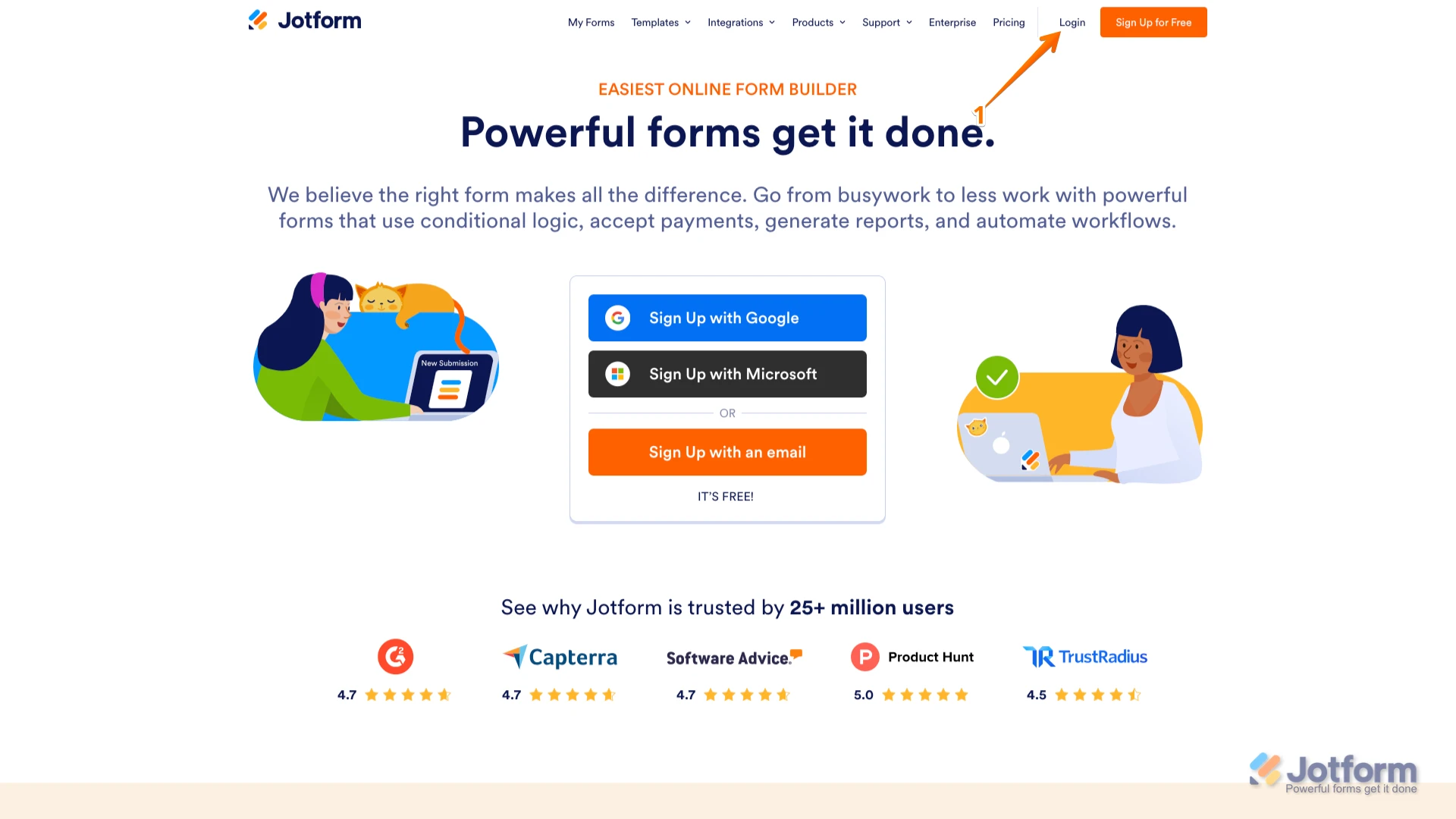
1. Go to the Jotform Main page and click on Login at the top-right corner of the page.

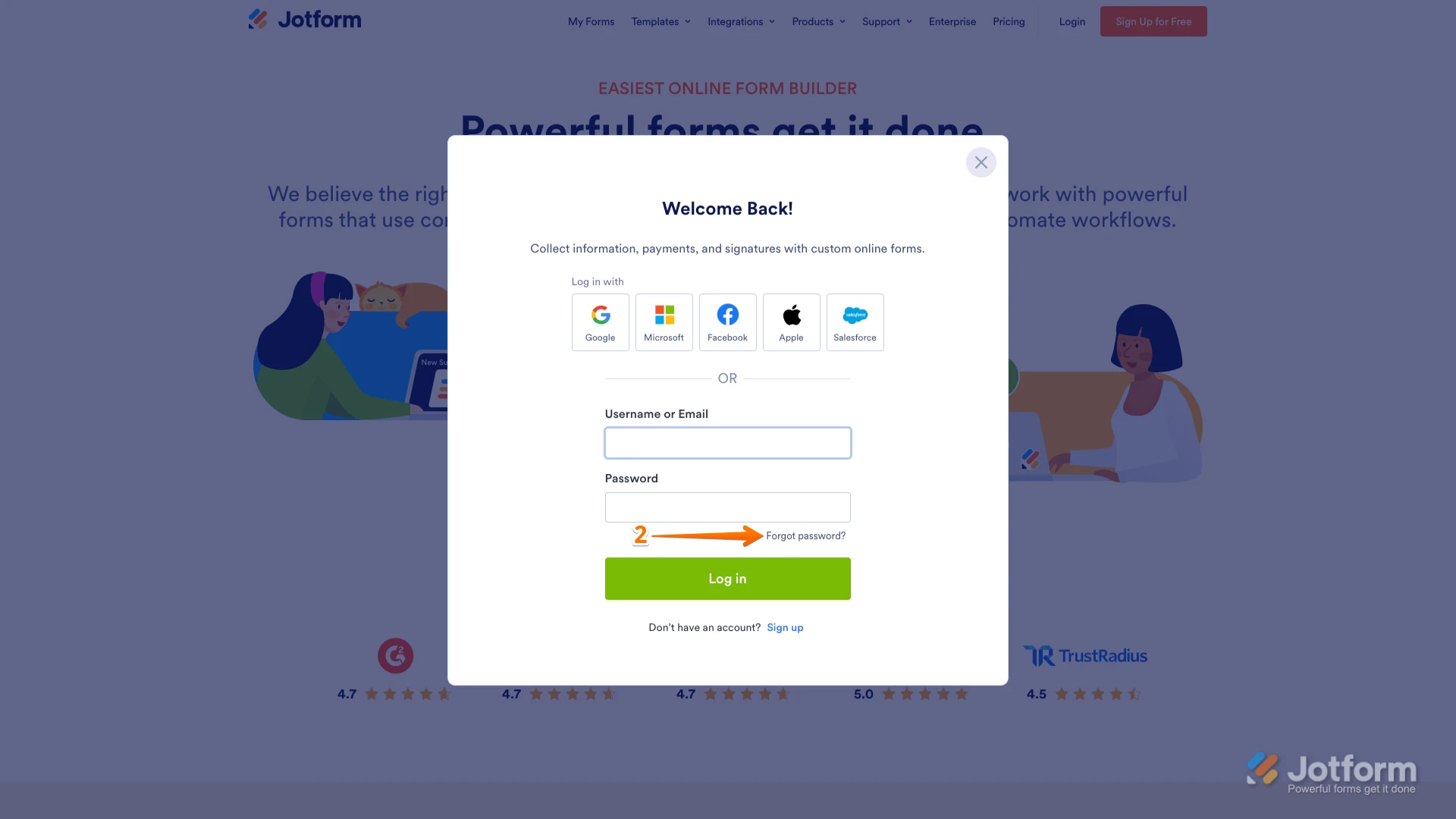
2. In the window that opens, click on Forgot Password?.
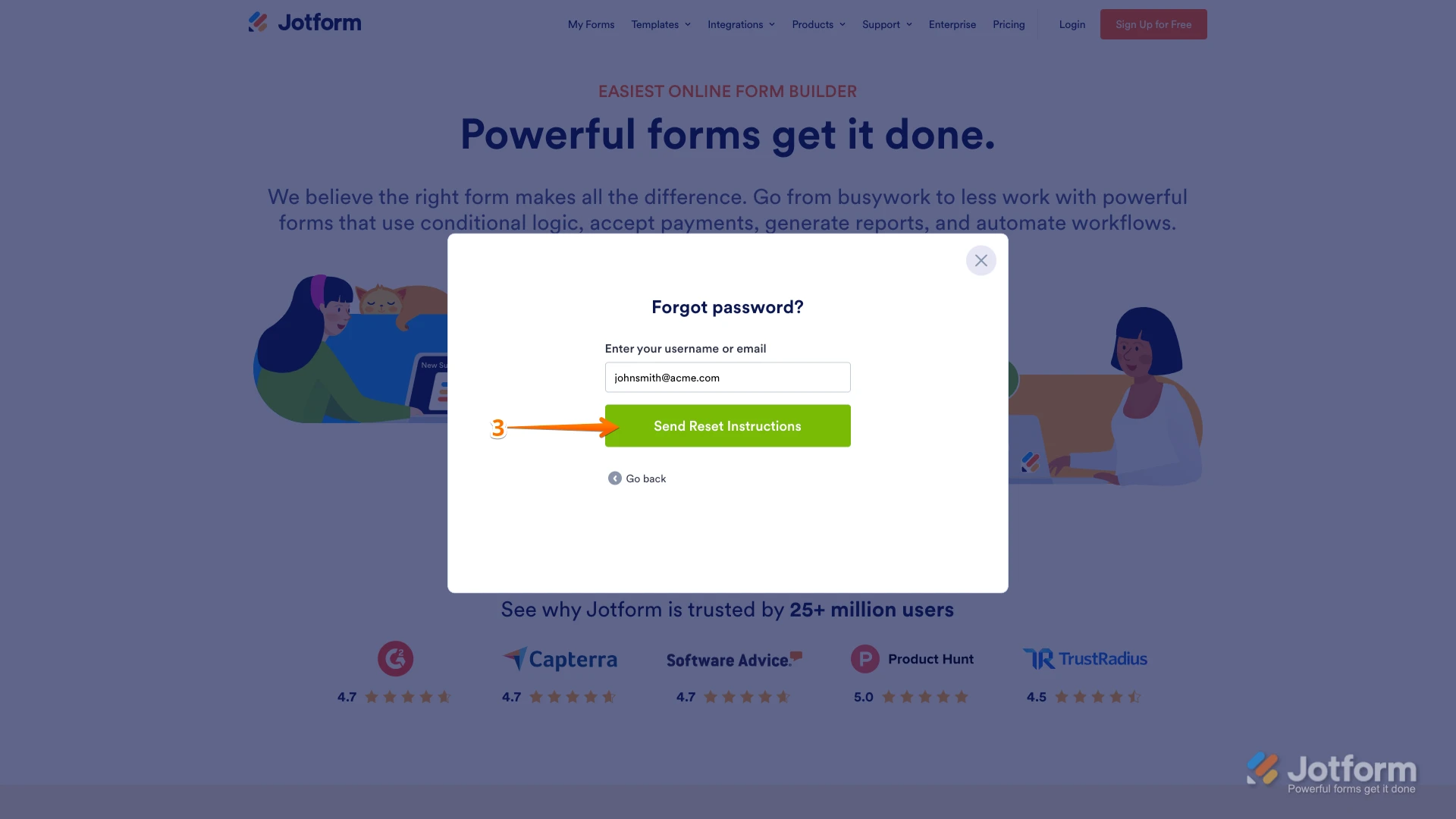
3. Enter your email address, and then click on Send Reset Instructions.
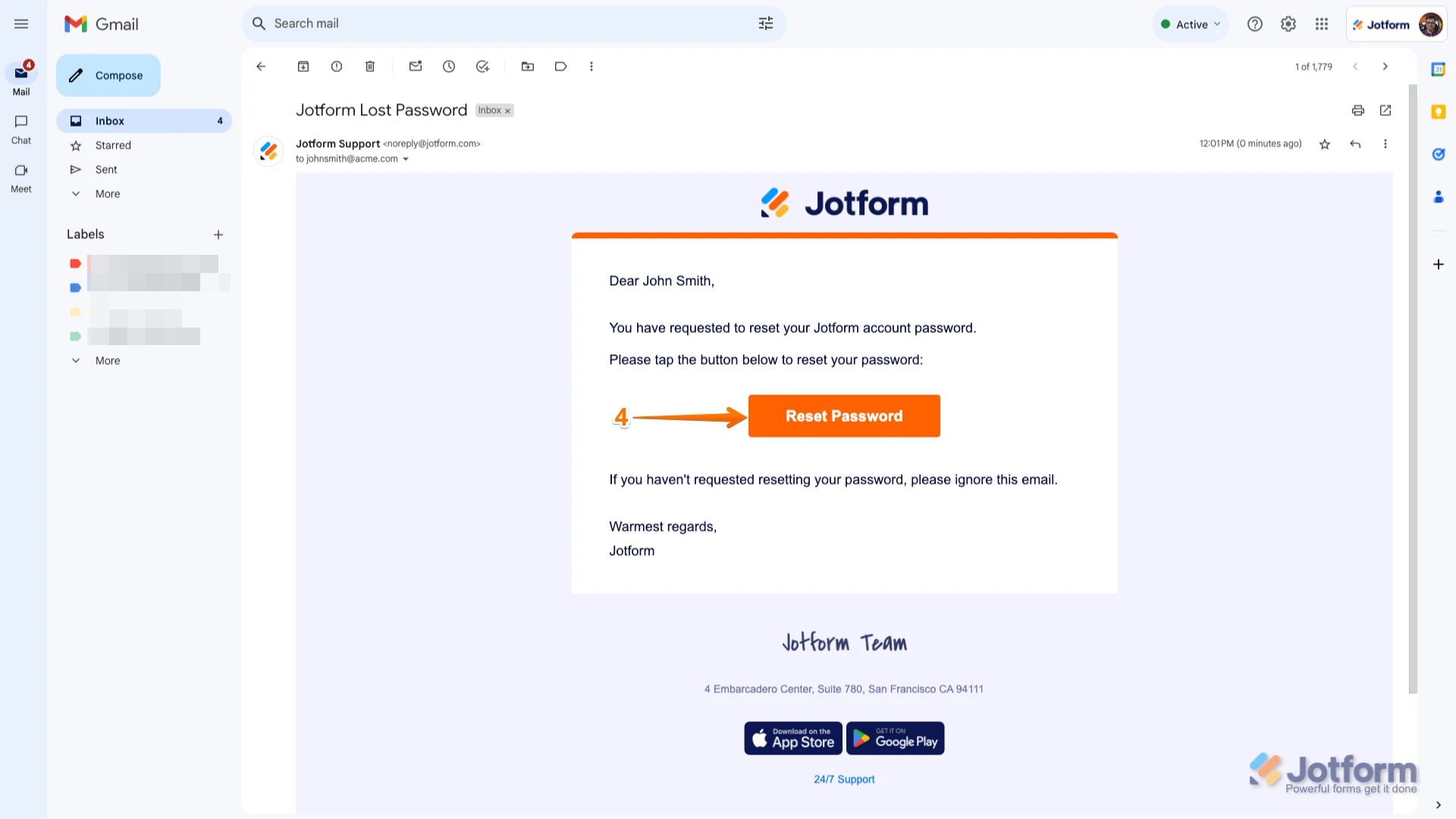
4. You'll receive an email with instructions on how to reset your password. Open the email and click on the Reset Password button.
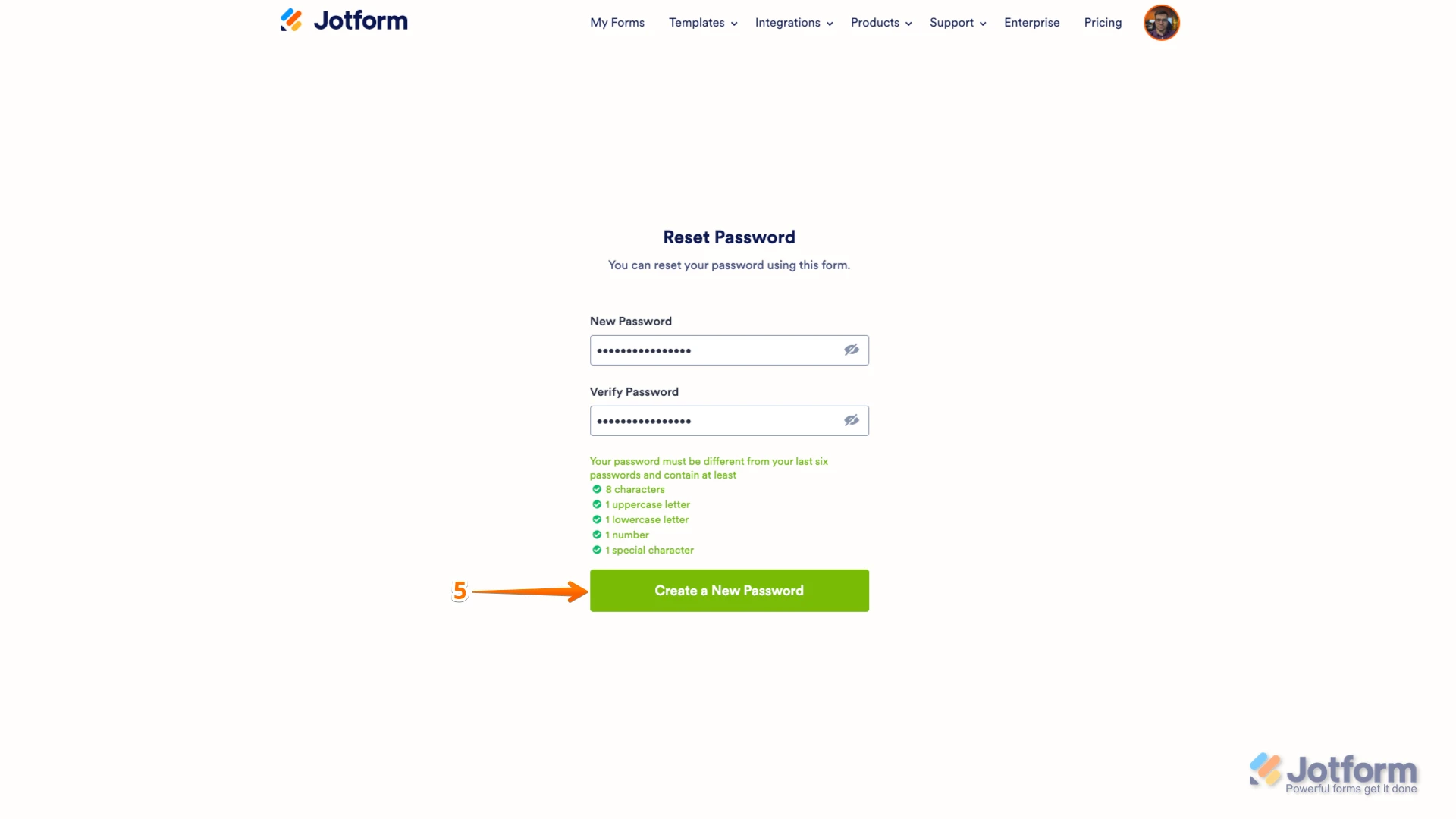
5. Enter your new password, enter it again to verify it, and then click on Create a New Password.
There you go. Your new password is now set, and you can use it to log into your Jotform account. You can also check out our How to Reset Your Jotform Password guide for more information.Reach out again if you need any other help.
Your Reply
Something Went Wrong
An error occurred while generating the AI response. Please try again!