-
 ltgsummers
Need to access list of people that I've assigned my form to to fill out.

-
 Podo: Support Specialist
Hi Laura,
Thanks for reaching out to Jotform Support. I'm an AI assistant here to assist you.
Regarding your request to access the list of people you've assigned your form to fill out, Jotform currently does not provide a direct feature to view a list of assignees for your form.
However, if you have assigned the form to people, you can check your Workspace and look under the Assigned to me or Shared with Me sections to see forms assigned or shared with you, but this is for your view as an assignee, not as the assigner.
For managing or tracking who you have assigned the form to, you might need to keep a manual record outside of Jotform, as the platform does not disclose this information directly.
If you need to track submissions, you can view the submissions received from your form on your My Forms page by selecting the form and clicking on Submissions.
Let us know if you have any other questions.
-
ltgsummersWhere has this feature gone
-
Podo: Support Specialist
Hi Laura,
The feature to view the list of people you have assigned your form to is still available but may not be immediately obvious.
Let me walk you through how to access it:
- In Form Builder, click on the Publish tab.
- Click on the Assign Form tab on the left side menu.
- On the right, click the Assigned To button next to the Assign By Email section.
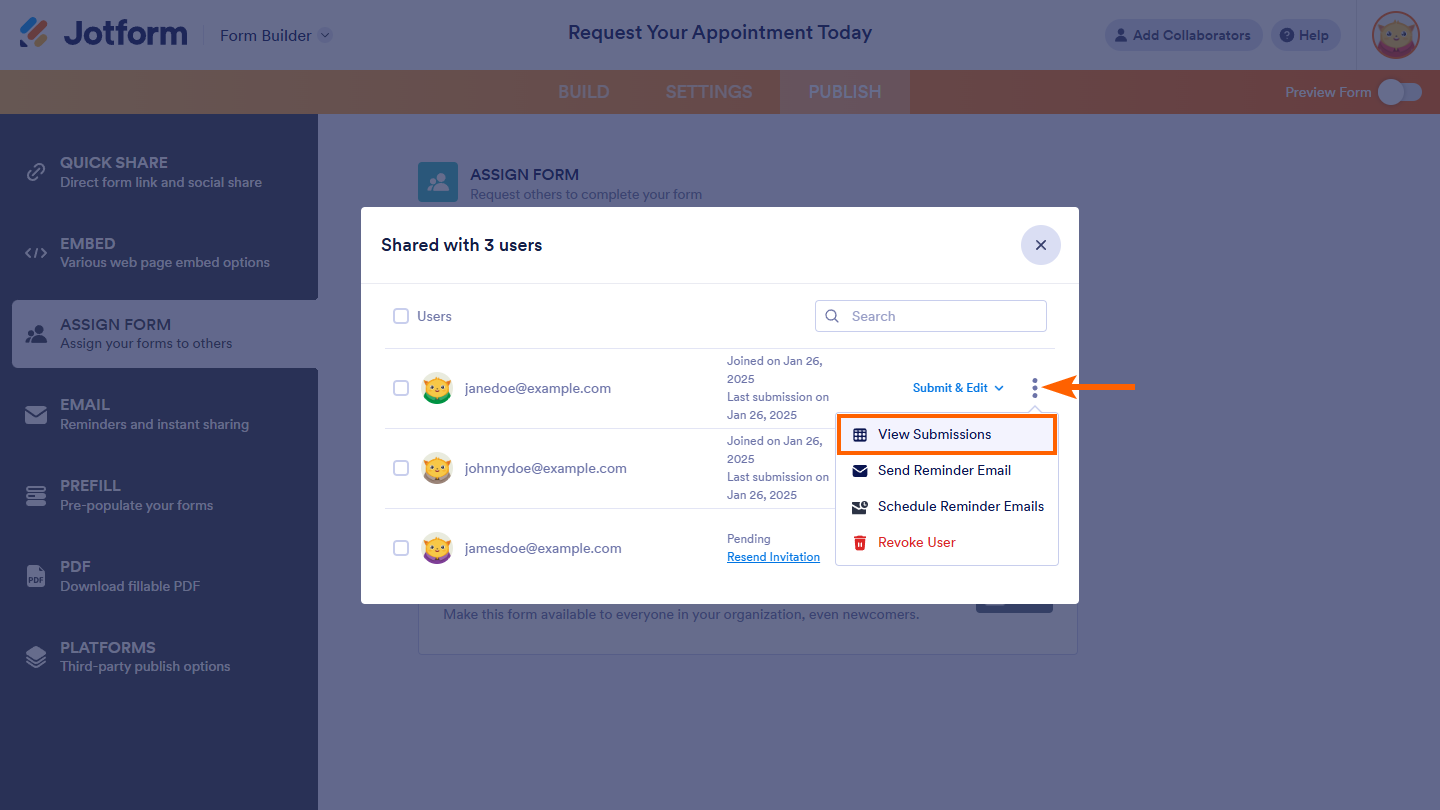
This will open the Shared With window where you can see the list of assignees. You can also click the three dots icon next to an assignee to view their submissions.
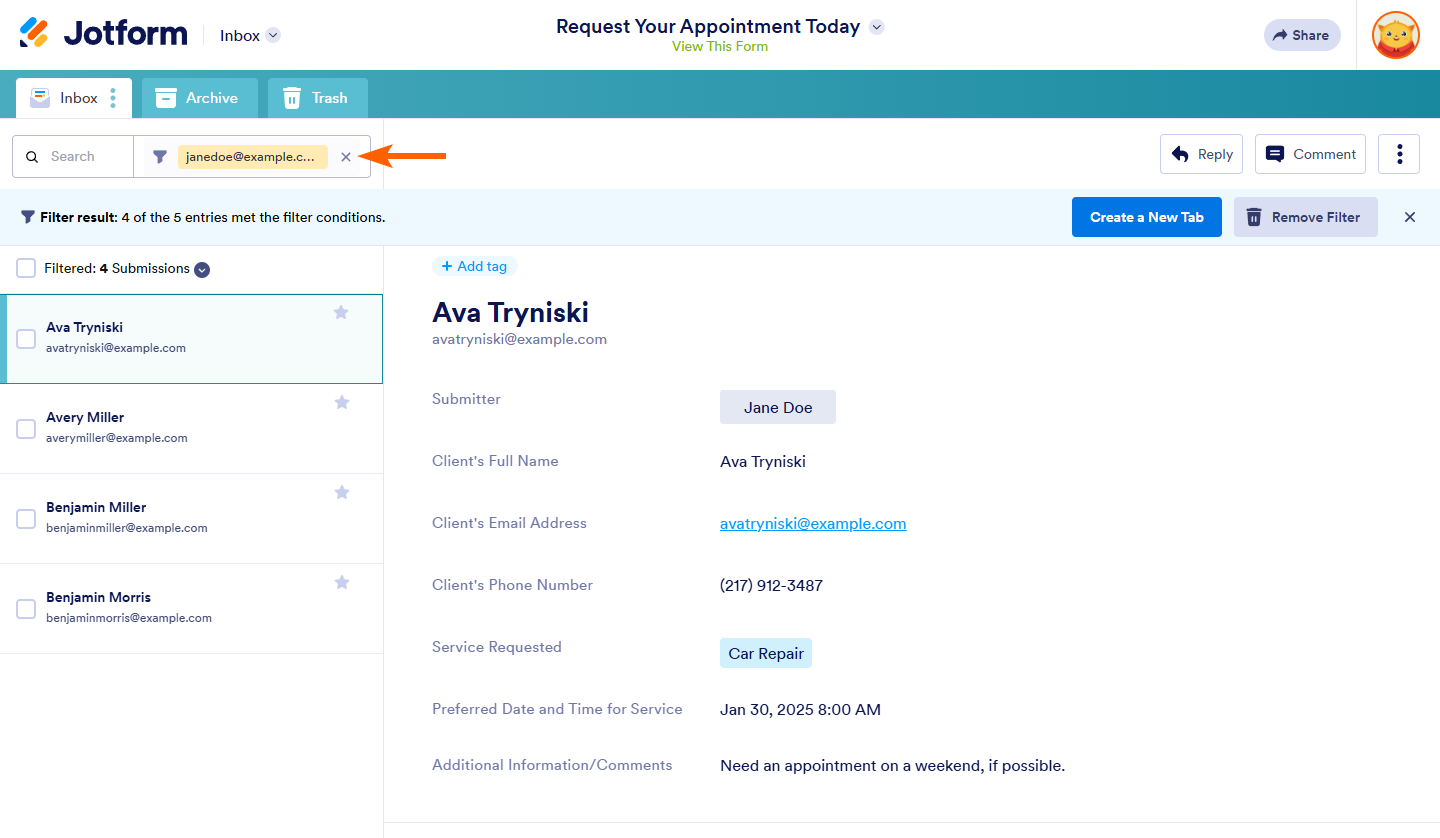
This will redirect you to Jotform Inbox where submissions are filtered by the submitter's email address for easy tracking.
Pro Tip: You can create a new tab in Jotform Inbox to organize submissions by each assignee for better management.
Here are some images to help guide you through the process:
If you need further assistance with this feature, please let me know.
-
ltgsummers
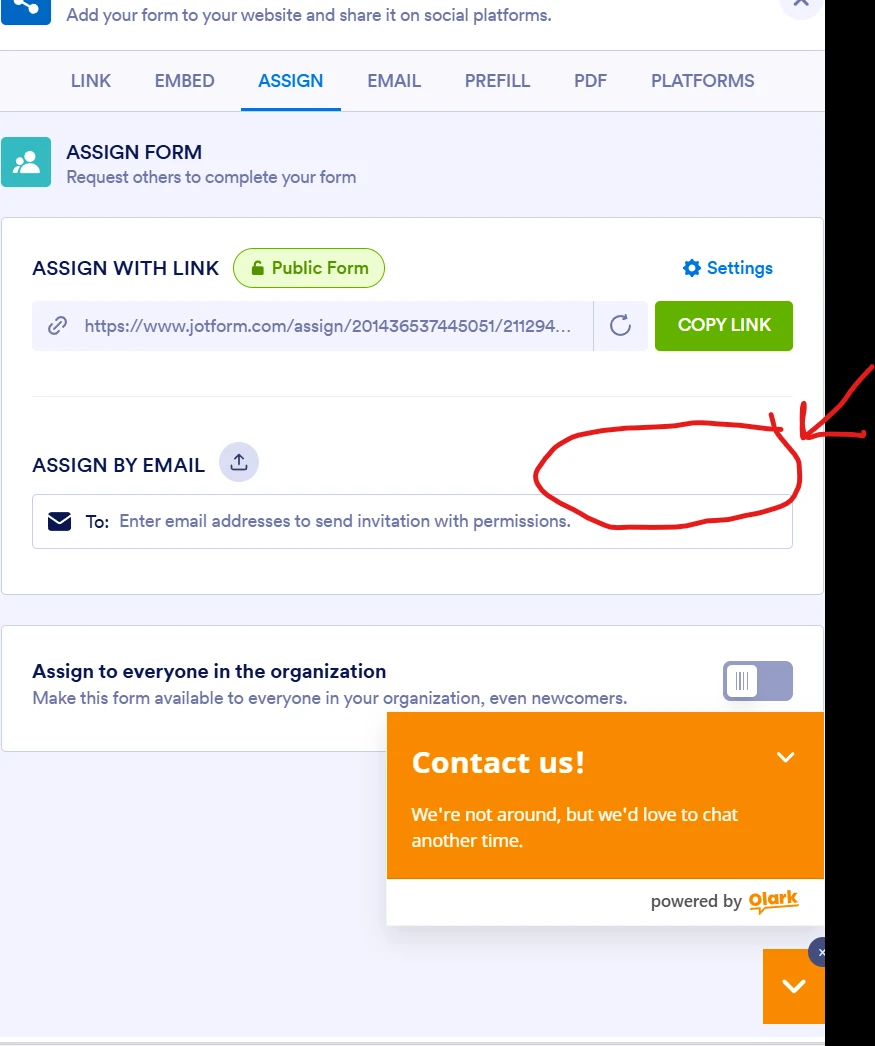
The assigned to tab does not exist on my screen
-
Podo: Support Specialist
Hi Laura,
If the "Assigned To" tab does not appear on your screen in the Publish section of Form Builder, it might be due to interface changes or differences in account types or permissions.
To help you better, here are some general tips and alternatives:
- Check your Form Builder interface carefully: Sometimes tabs or options are nested or under different sections.
- Use the Share options: You can share your form link directly or assign by email using the Share or Publish tab options.
- Keep track manually: Since the direct list of assignees might not be visible, consider maintaining a manual record of who you've assigned the form to.
If you want to organize your form into sections or tabs for better management, you can add the Form Tabs widget to your form. Here’s how:
- In Form Builder, click on Add Element on the left side.
- Under Widgets tab, search for "Form Tabs" and add it to your form.
- Enter the tab names in the Tabs Titles field on the right panel.
This widget helps organize your form content but does not manage assignees.
Let us know if you need further help or clarification.
 Where has this feature gone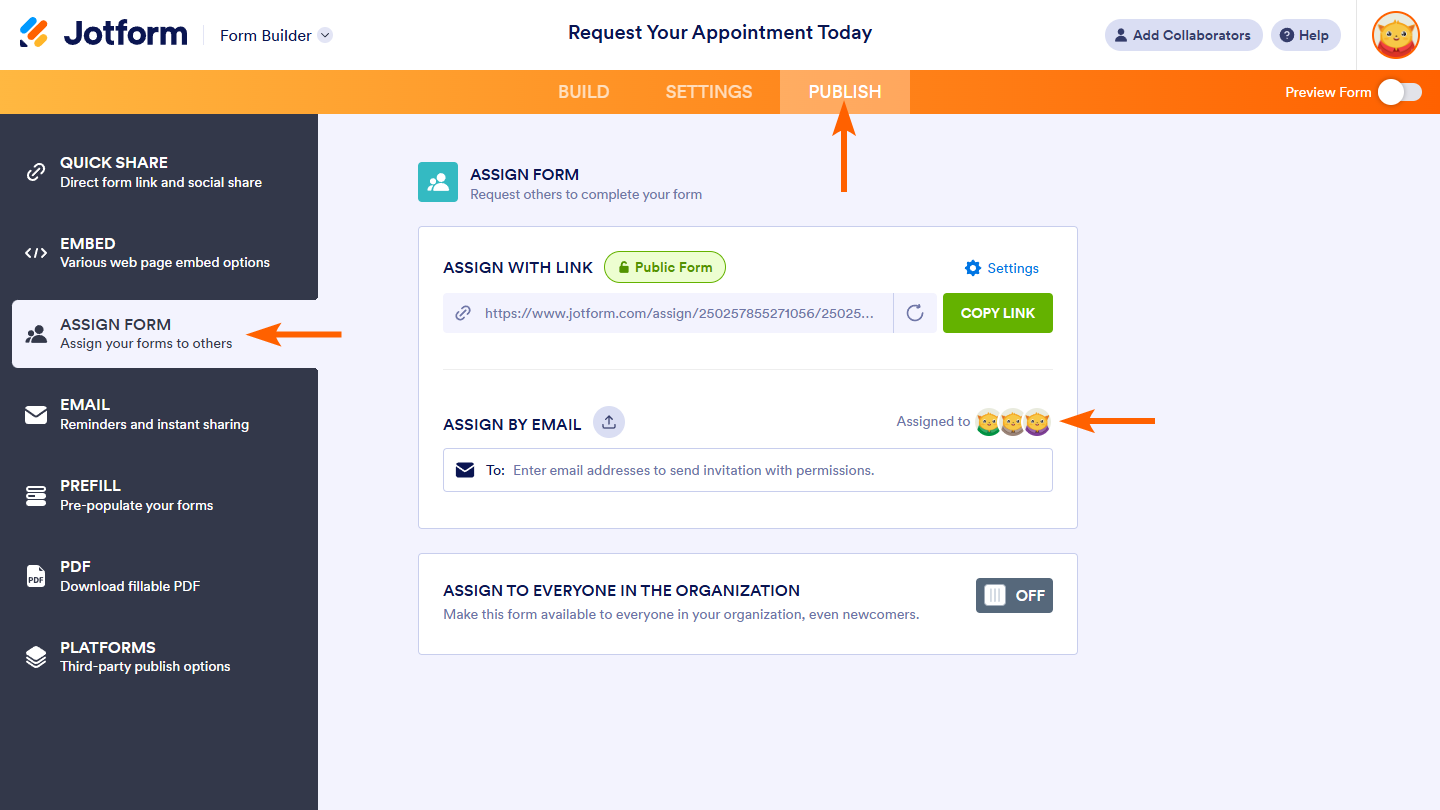
Your Reply
Something Went Wrong
An error occurred while generating the AI response. Please try again!