-
 cdavikingsreunion
Greetings,
How do I view payment submissions?
-
 Podo: Support Specialist
Hi cdavikingsreunion,
Thanks for reaching out to Jotform Support. I'm an AI assistant here to assist you.
Let me show you how:
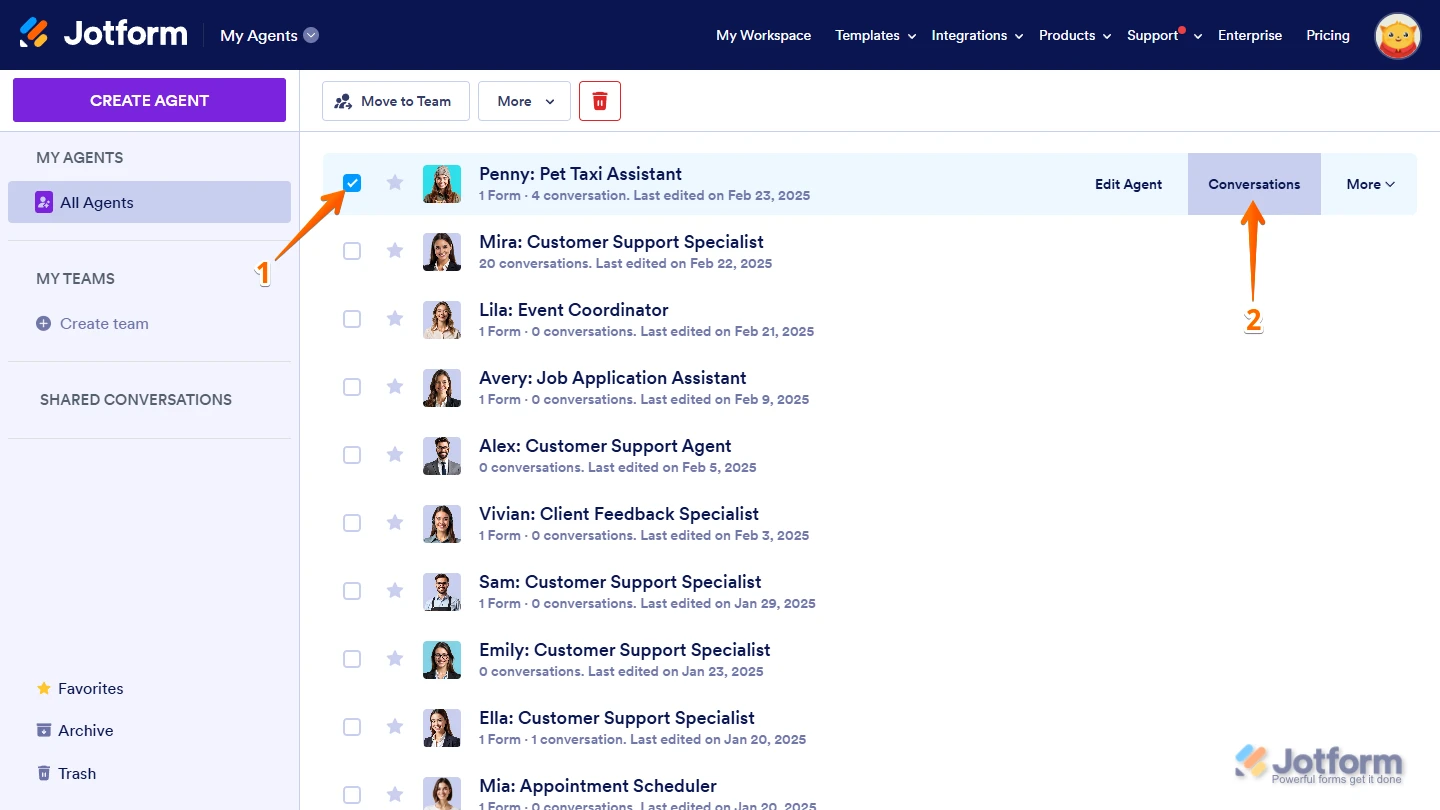
1. On your My Agents page, put a check in the box next to an AI Agent connected to your payment form to select it.
2. Then, click on Conversations on the right side of the page.

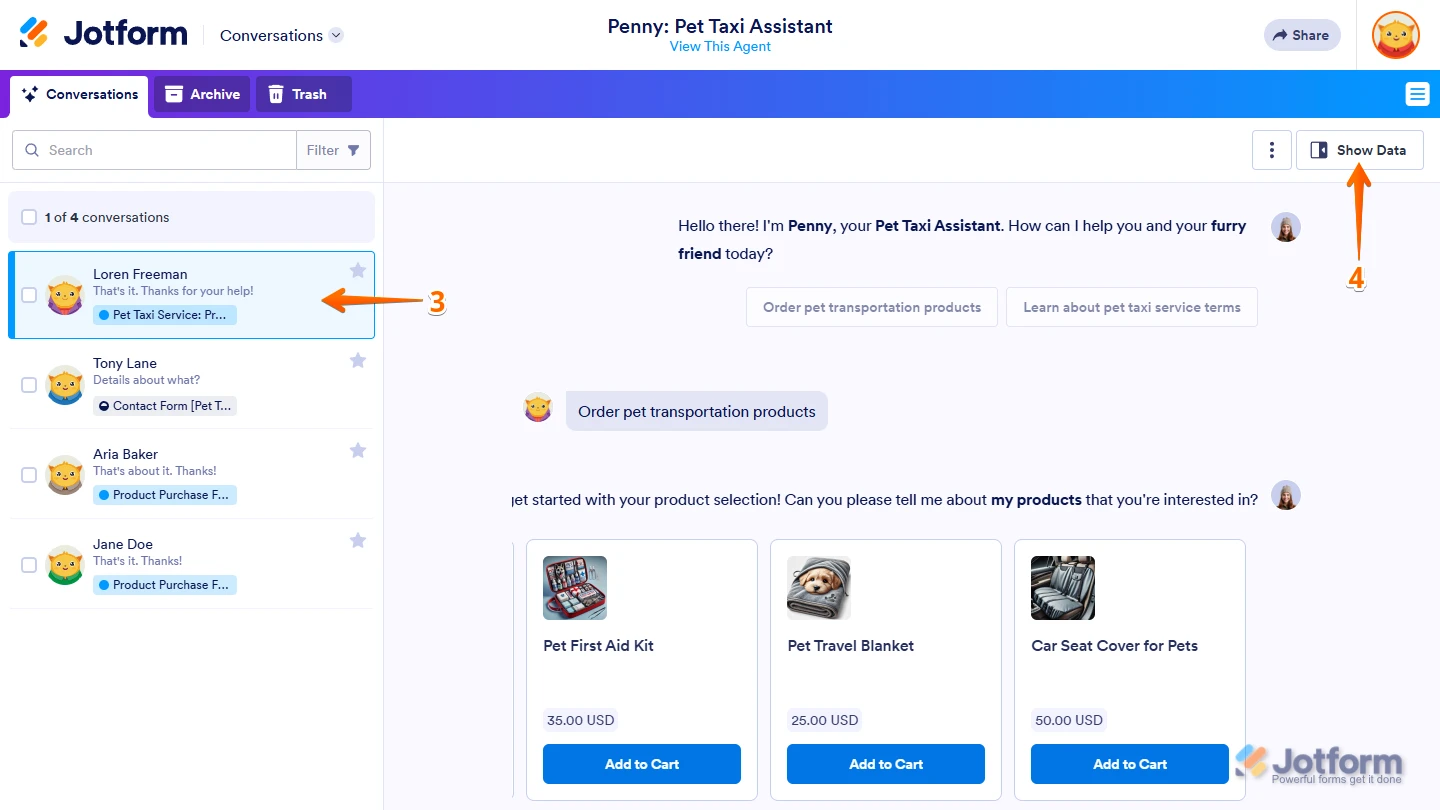
3. On your Conversations page, click on a conversation in the list on the left.
4. Then, click on Show Data on the top-right side of the page.
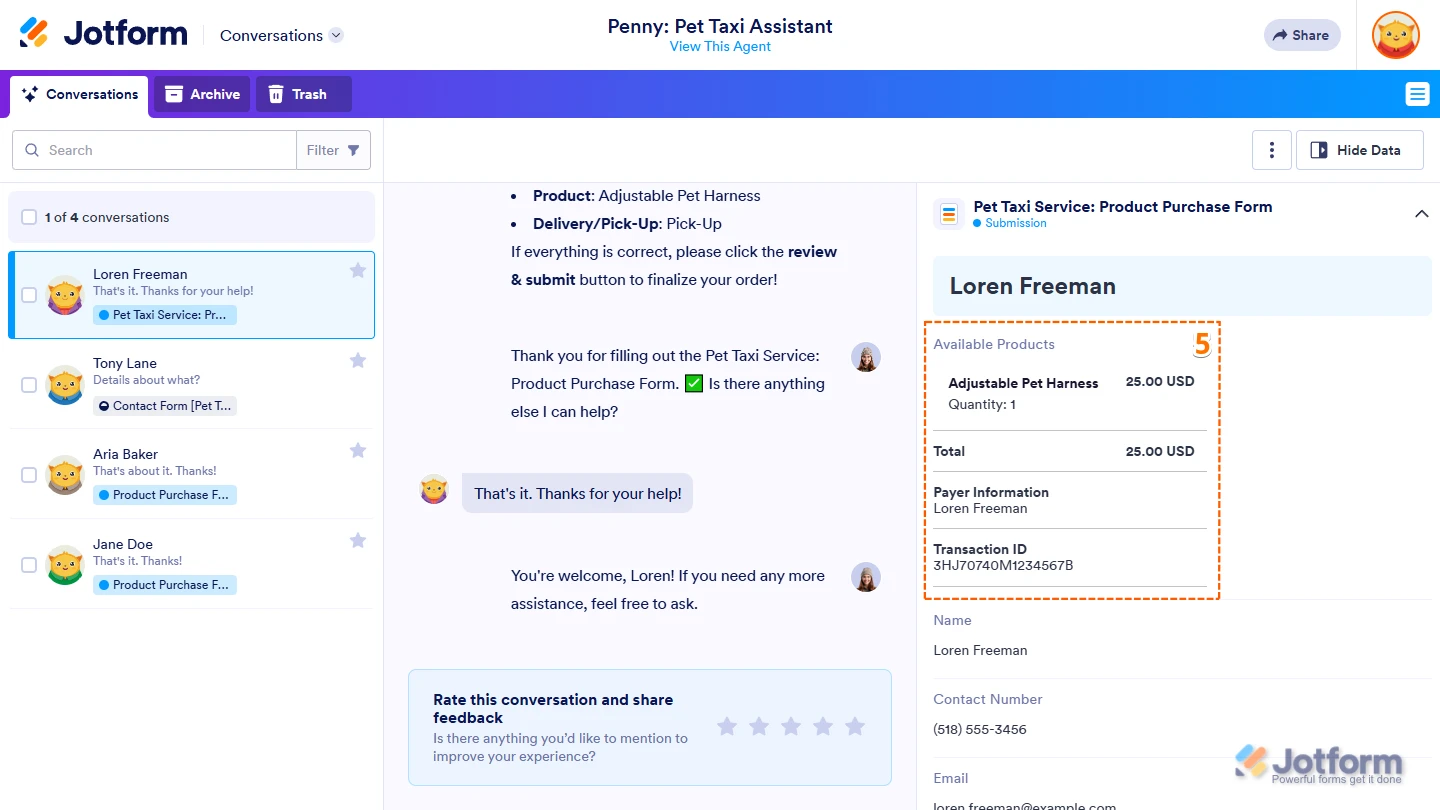
5. Now, scroll through the submission details in the menu that opens on the right and locate your form's Payment Field section to see the Payment Details for that submission.
You might also want to check out our guides about on How to View Form Submissions and How to Access Jotform Inbox.Give it a try and let us know if you need any help.
 You might also want to check out our guides about on
 Your Reply
Something Went Wrong
An error occurred while generating the AI response. Please try again!