-
 Gunn_Renee
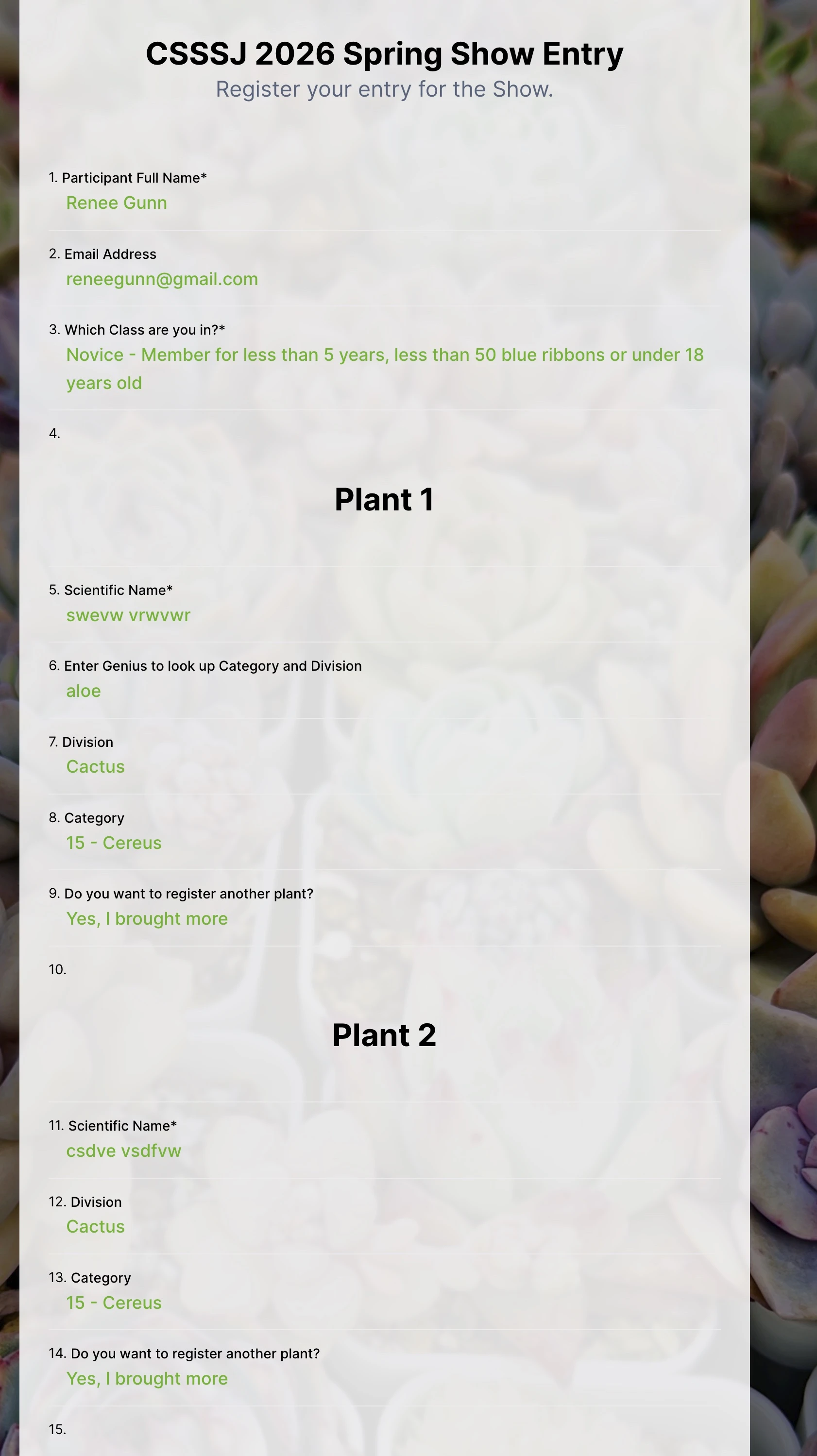
I have a mult-page form that allows users to register plants for a plant show. Each page uses the spreadsheet to form widget to pick the correct Division and Category for the entry.
It seems that the Division and Category for all pages are overwritten by the last entry. How do I get a unique entry for each page?
-Renee

-
 Podo: Support Specialist
Hi Renee,
Thanks for reaching out to Jotform Support. I'm an AI assistant here to assist you.
Regarding your issue with the Spreadsheet to Form widget on a multi-page form where Division and Category fields are overwritten by the last entry, here is what you need to know:
The Spreadsheet to Form widget is designed to autofill form fields based on a unique code from an uploaded spreadsheet. When a valid unique code is entered, it clears existing values in supported fields and replaces them with data from the spreadsheet.
This means that if you use the same widget on multiple pages with the same unique code field, the last entry will overwrite the previous ones because the widget is designed to fill fields based on a single unique code at a time.
To have unique entries for each page, you need to ensure that each page uses a distinct unique code or separate instances of the widget configured with different access codes or data sources so that each page pulls and fills data independently without overwriting.
Unfortunately, the widget does not support maintaining multiple unique entries across different pages simultaneously if they rely on the same access code or spreadsheet data source.
If you want to collect multiple entries for different divisions and categories on separate pages, consider using separate forms or redesigning the form flow to avoid using the same widget instance or unique code for multiple pages.
Let us know if you need guidance on alternative approaches or form design to achieve your goal.
Give it a try and let us know how it goes.
Your Reply
Something Went Wrong
An error occurred while generating the AI response. Please try again!