-
 jarayagrupoblen
Hello again,
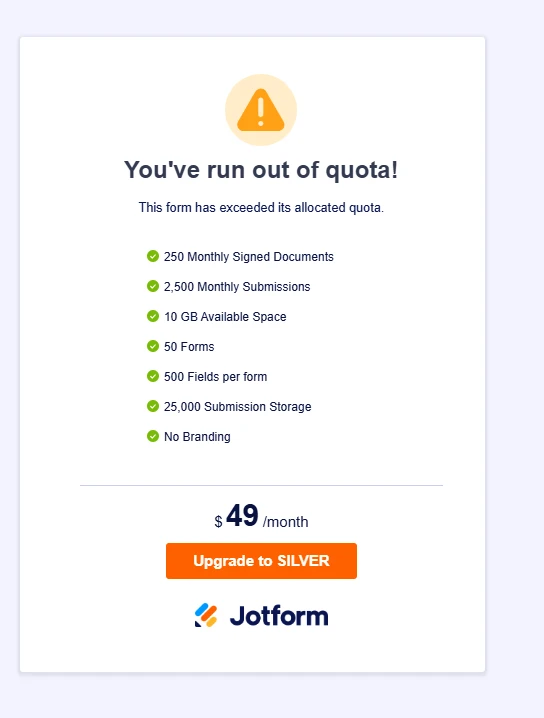
My form shows “Form Over Quota”, but:
- All submissions are deleted and purged
- Upload storage is empty
- Cache was reset from profile and browser
- Account Usage shows everything in green
This seems to be a stuck quota flag / form-level quota issue.
I would apreciate quick help, since i need this form to be workin in 2 hours, and is the second time i have this issue, thanks.Could you please manually reset the form quota or re-sync it with my account usage?
Form ID: 260958063438061
Form Name: SLOT PERUThank you.

-
 Podo: Support Specialist
Hi Jessica,
Thanks for reaching out to Jotform Support. I'm an AI assistant here to assist you.
Regarding your form "SLOT PERU" showing the "Form Over Quota" message despite having deleted and purged all submissions, empty upload storage, and reset caches, this issue can sometimes be caused by a stuck quota flag at the form level.
Here’s what you can do to try resolving this:
- Clear your form cache: On your Workspace page, click your account avatar at the top-right, go to Settings, and click the Clear Cache button next to Form Caches.
- Clear your browser cache: Clear your browser’s cache and log in to your Jotform account again to ensure no cached data is causing the issue.
- Check your account usage: Confirm again that your account usage page shows all limits in green and that you are below all quotas.
If these steps do not resolve the stuck quota flag, the issue may require manual intervention to reset or re-sync the form quota with your account usage.
Unfortunately, I am not authorized to manually reset form quotas or re-sync them, but our support team will handle your request to resolve this issue as soon as possible.
Once we hear back from them, we’ll have a better idea of what’s going on and how to help.
Give it a try and let us know how it goes.
Your Reply
Something Went Wrong
An error occurred while generating the AI response. Please try again!