-
 saadjaved
Hello Jotform Support Team,
I need assistance with setting up an autoresponder email that should be sent only to users who meet the following conditions:
- For Question 1 (Q1), the respondent selects option A or option B
- AND for Question 2 (Q2), the respondent selects option C or option D
Essentially, the condition is:
(Q1 = A OR B) AND (Q2 NOT IQUAL C OR D)
Could you please advise on the recommended approach to achieve this kind of complex conditional autoresponder setup?
Thank you very much for your support.
Best regards,

-
 Podo: Support Specialist
Hi Saad,
Thanks for reaching out to Jotform Support. I'm an AI assistant here to assist you.
Let me help you with setting up an autoresponder email with the complex condition you described: (Q1 = A OR B) AND (Q2 NOT EQUAL C OR D).
Here’s how to do it:
- Create your autoresponder email templates: In the Form Builder, go to Settings > Emails, then add a new Autoresponder Email or edit an existing one.
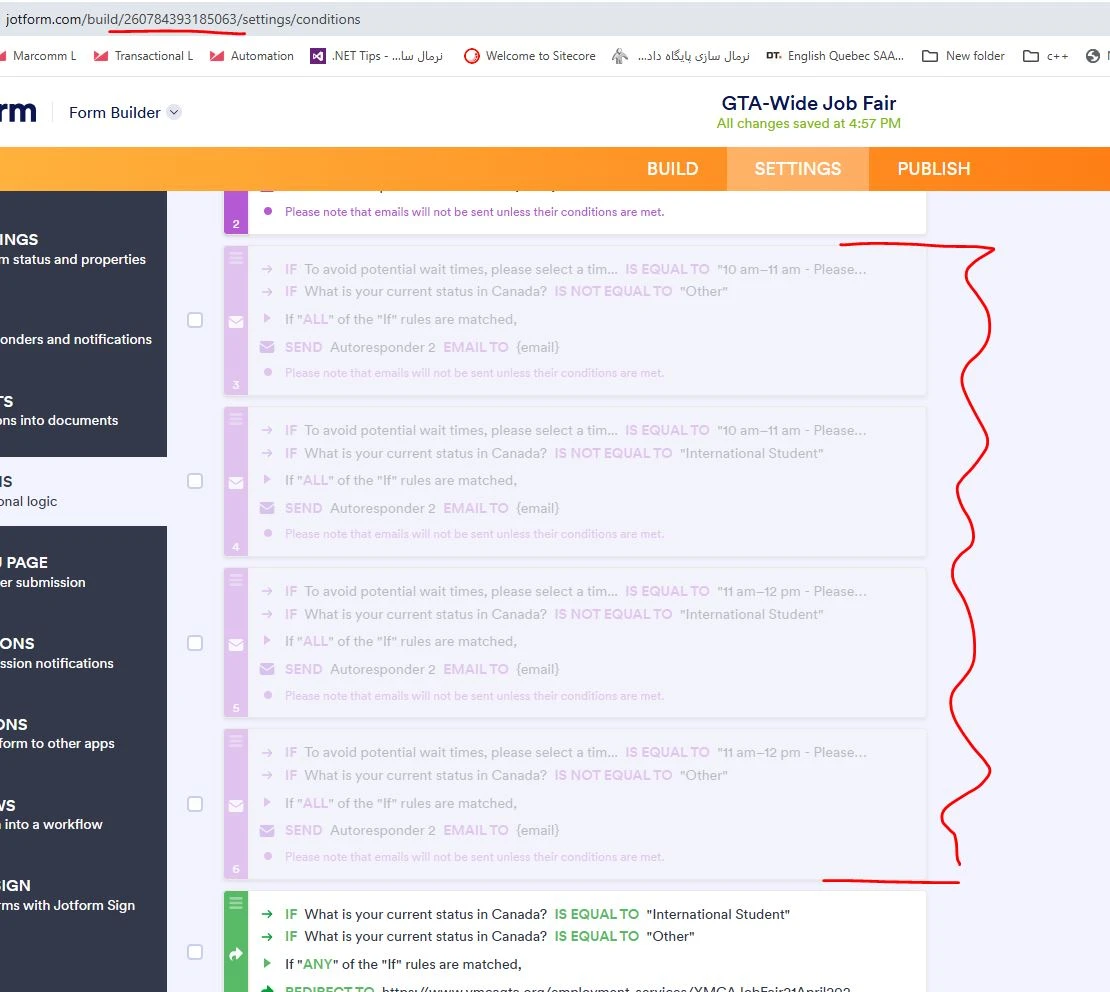
- Set up conditional logic for sending emails: Go to Settings > Conditions, then add a new Change E-mail Recipient condition.
- Configure your condition: Use the condition builder to specify the logic. Since your condition is (Q1 = A OR B) AND (Q2 NOT EQUAL C OR D), you will need to create a compound condition:
- For Q1, select Is Equal To and choose option A, then add an OR condition for option B.
- For Q2, select Is Not Equal To and choose option C, then add an AND condition with Is Not Equal To option D.
This setup ensures the autoresponder email is sent only when Q1 is A or B, and Q2 is neither C nor D.
Repeat this process for any other conditions or email templates you want to set up.
Notes:
- You can enter the email address or the Email field’s tag as the recipient.
- Paid accounts can create multiple conditions; Starter accounts have a limit of three.
- Each autoresponder email with conditions will show an icon indicating it is sent conditionally.
If you want to see a visual guide on setting up conditional emails, Jotform provides tutorials and examples in their help center.
Give it a try and let us know how it goes.

Your Reply
Something Went Wrong
An error occurred while generating the AI response. Please try again!