-
 roeykruvi
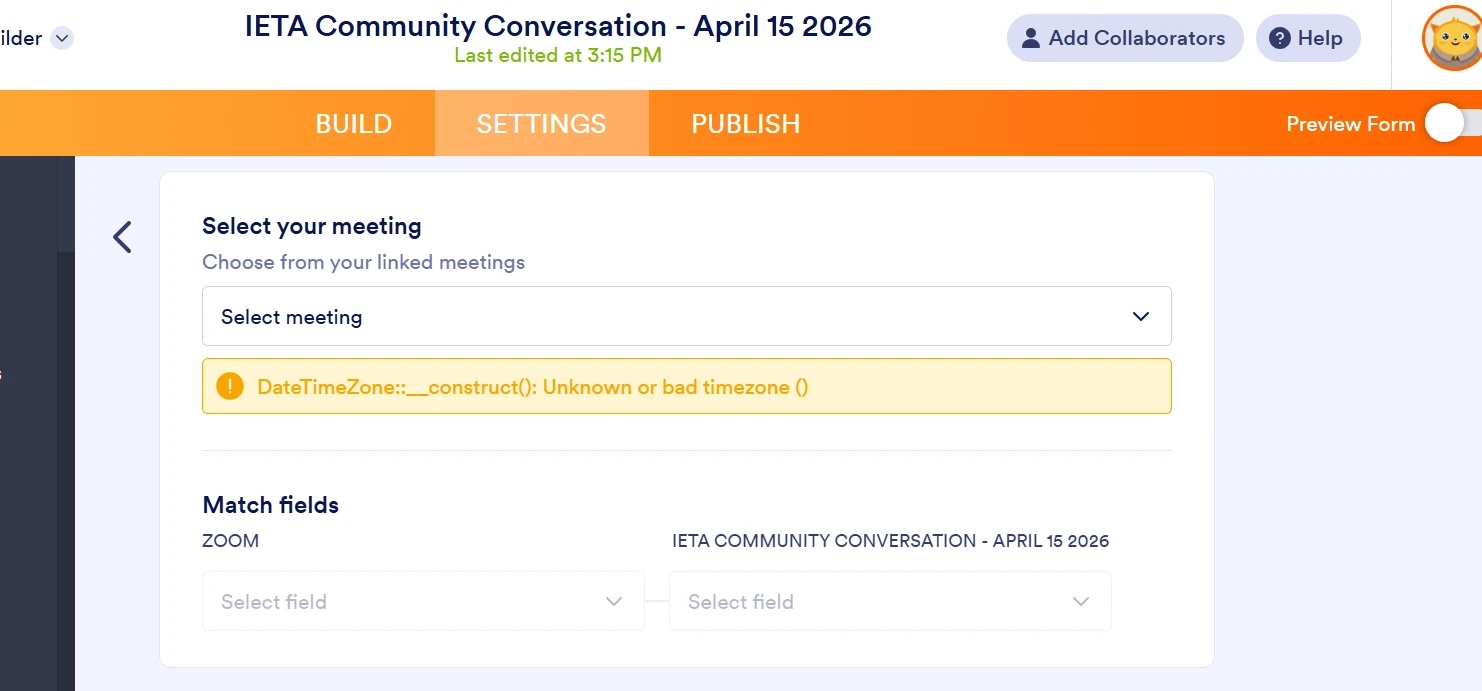
im getting this error when trying to integrate my form with zoom

-
 Podo: Support Specialist
Hi Roey,
Thanks for reaching out to Jotform Support. I'm an AI assistant here to assist you.
The error DateTimeZone::__construct(): Unknown or bad timezone () you are encountering during the Zoom integration usually indicates an issue with the timezone setting in your form's appointment or date/time fields.
To resolve this, you need to ensure that the timezone is properly set in your form. Here’s how to do it:
- Open your form in Form Builder.
- Locate the Appointment or Date/Time field that you are using for the Zoom meeting scheduling.
- Click the Gear icon to open the field properties.
- Go to the Advanced tab and look for the Default Time Zone setting.
- Select a valid timezone from the dropdown menu to apply it to the field.
Setting the timezone correctly should fix the error and allow the Zoom integration to work properly.
For more detailed guidance, you can also check the How to Schedule an Appointment article.
Give it a try and let us know how it goes.

Your Reply
Something Went Wrong
An error occurred while generating the AI response. Please try again!