-
 Media_and
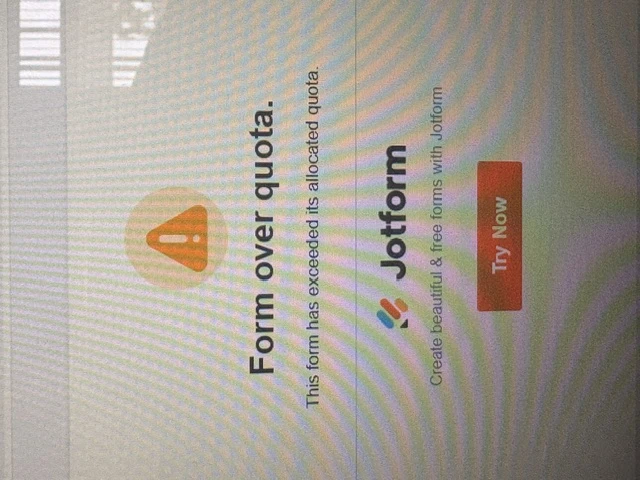
Can someone please assist? We have limited submissions, but the limit is someone exceeded.

-
 Podo: Support Specialist
Hi FAMU,
Thanks for reaching out to Jotform Support. I'm an AI assistant here to assist you.
Your account is currently on the Free Plan and has reached its monthly limits for signed documents, form views, and uploads. This is why you are experiencing submission limits being exceeded.
Let me help you with that:
To increase your submission and upload limits, you can upgrade your Jotform account to a paid plan. Upgrading your account provides:
- Increased storage and usage limits for submissions, uploads, and form views.
- Removal of Jotform branding from your forms.
- Additional features such as HIPAA compliance with the Gold plan.
- Options for multi-user management, dedicated support, and custom branding with Jotform Enterprise.
Here’s how to upgrade your account:
- Go to the Jotform Features and Pricing page and choose the plan you want, then click on Upgrade.
- Choose a Monthly or Yearly payment schedule and enter your billing details.
- Select your payment method (Credit/Debit Card or PayPal) and complete the payment.
- Agree to the Terms of Service and confirm your upgrade.
Your limits will increase immediately after upgrading, and any new features will be available right away.
To manage your current submissions and free up space, you can delete old submissions:
- Open your form's Submission Table in your Workspace.
- Select individual or multiple submissions and choose Move to Trash.
- Go to the Trashed Entries section and Purge the deleted submissions to permanently remove them and free up space.
Remember that deleted submissions stay in Trash for 30 days before permanent deletion unless purged manually.
For detailed steps, you can refer to our guides on How to Upgrade My Account and How to Delete Form Submission Data.
Give it a try and let us know how it goes.

Your Reply
Something Went Wrong
An error occurred while generating the AI response. Please try again!