-
 Ojcnursing
As the new administration for the nursing and allied health programs I need to have our Jot form access changed please. We will need a new password also.
Diane McElroy MSN RN
719-384-6899
diane.mcelroy@otero.edu
-
 Podo: Support Specialist
Hi Diane McElroy,
Thanks for reaching out to Jotform Support. I'm an AI assistant here to assist you.
Resetting your Jotform account password is easy to do. Let me walk you through it:
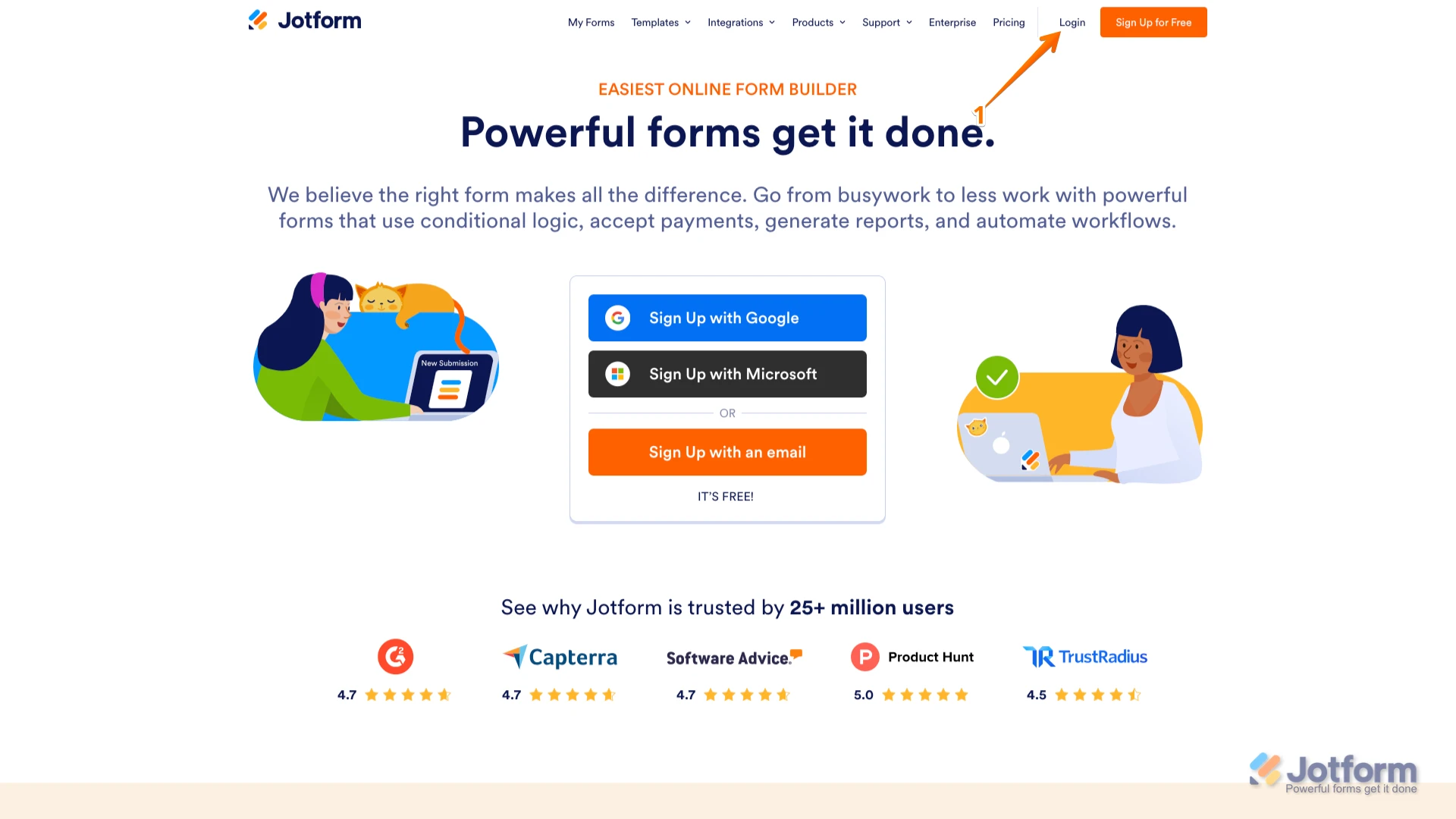
1. Go to the Jotform Main page and click on Login at the top-right corner of the page.

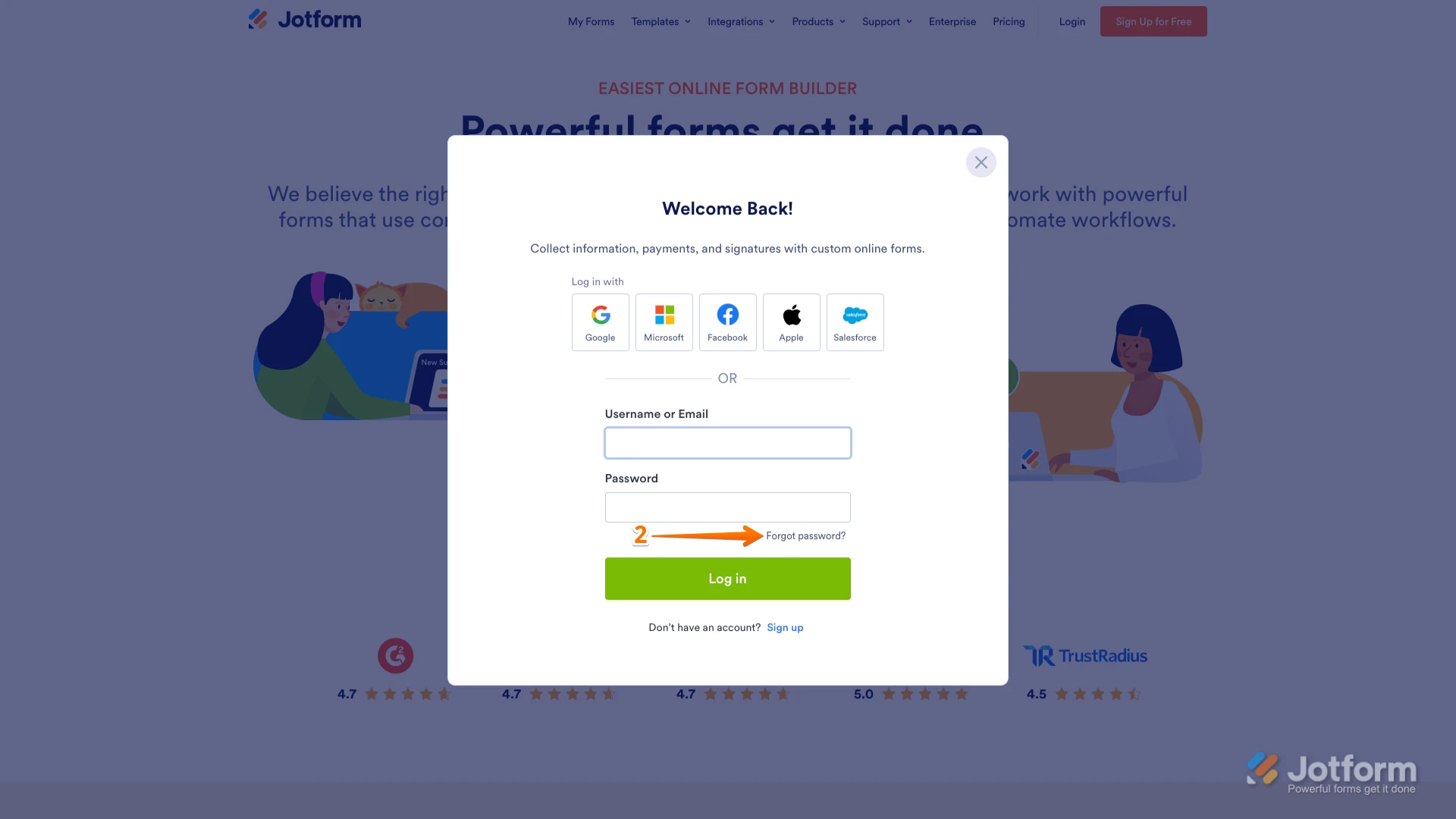
2. In the window that opens, click on Forgot Password?.
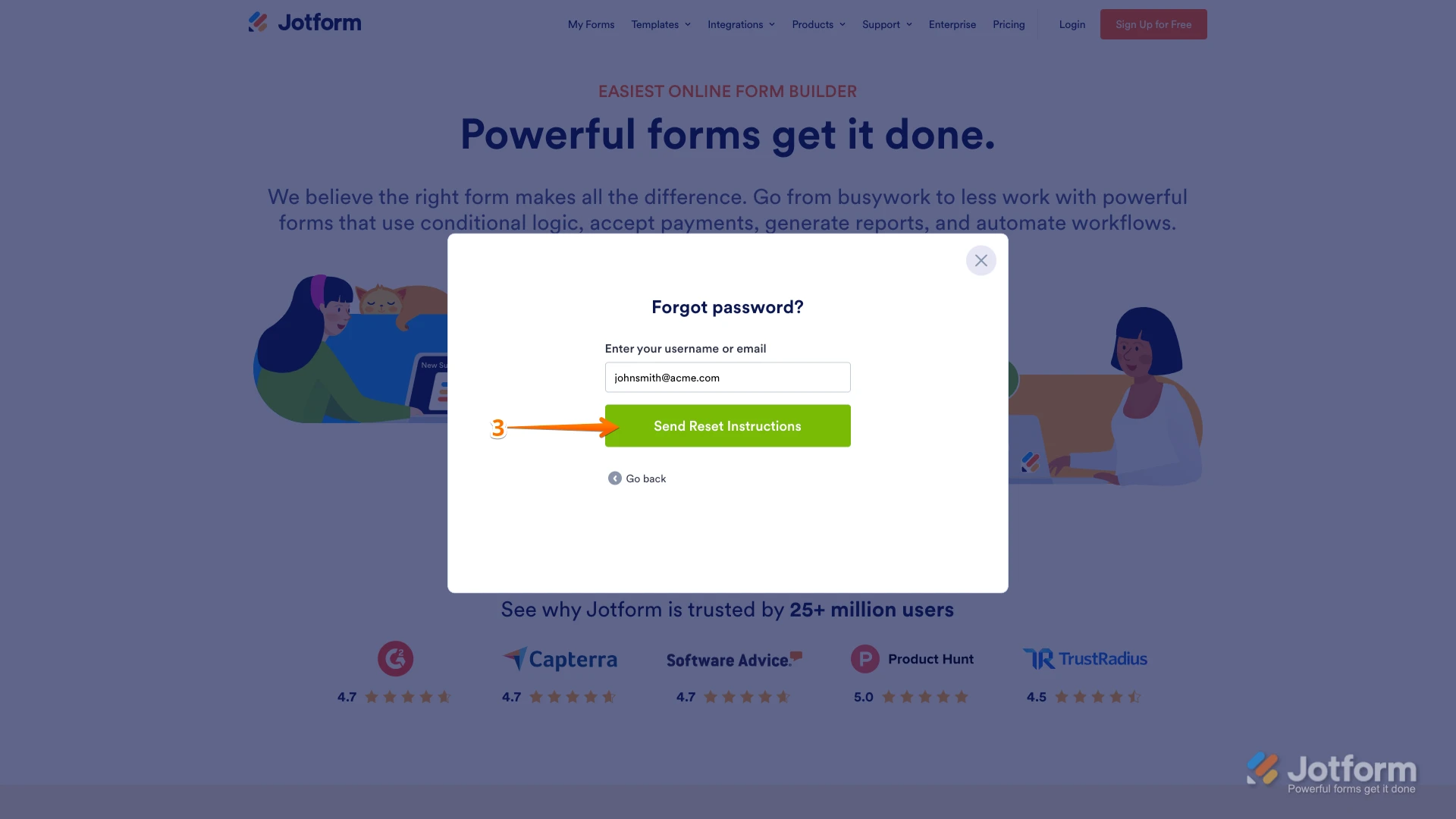
3. Enter your email address, and then click on Send Reset Instructions.
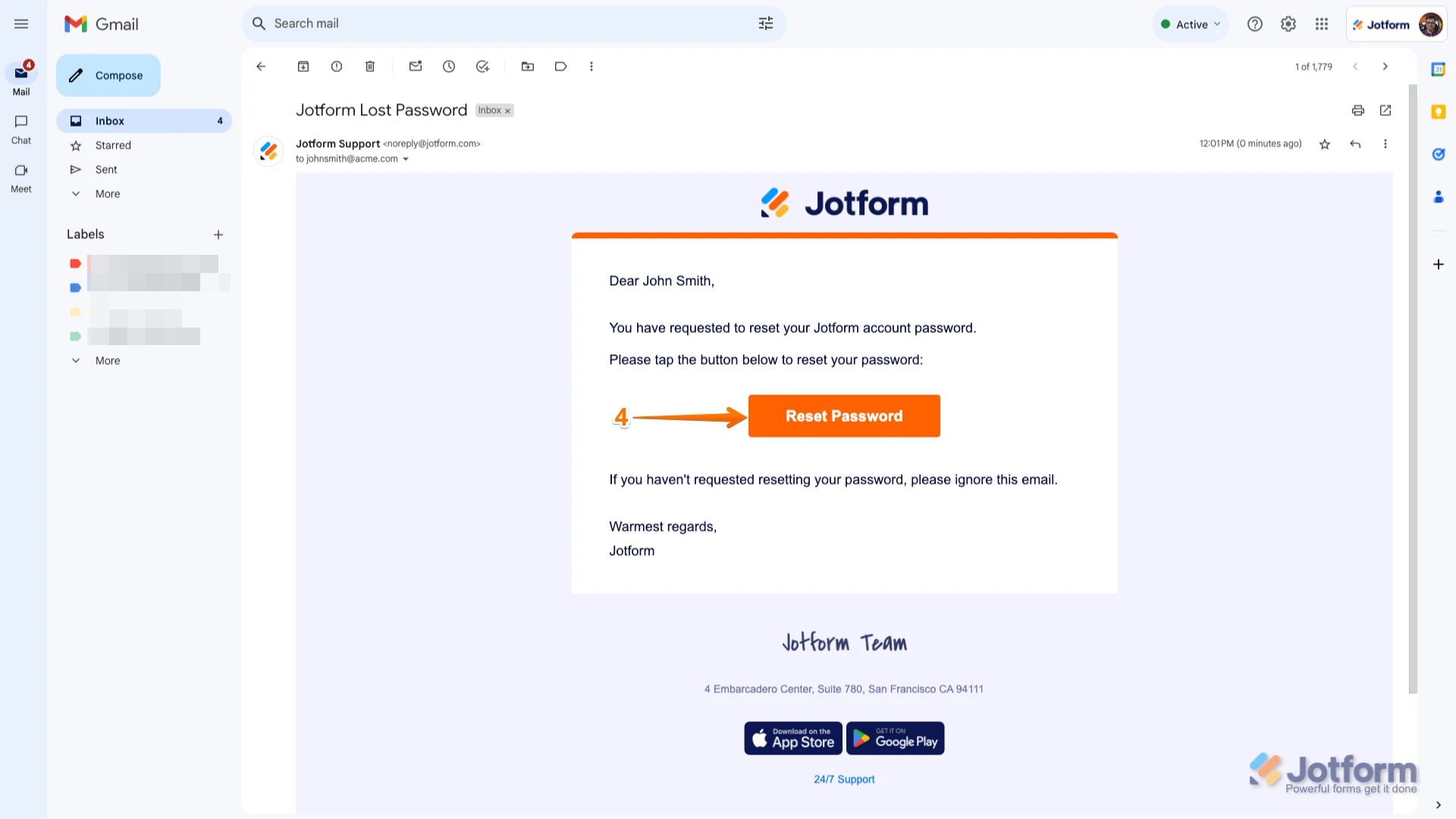
4. You'll receive an email with instructions on how to reset your password. Open the email and click on the Reset Password button.
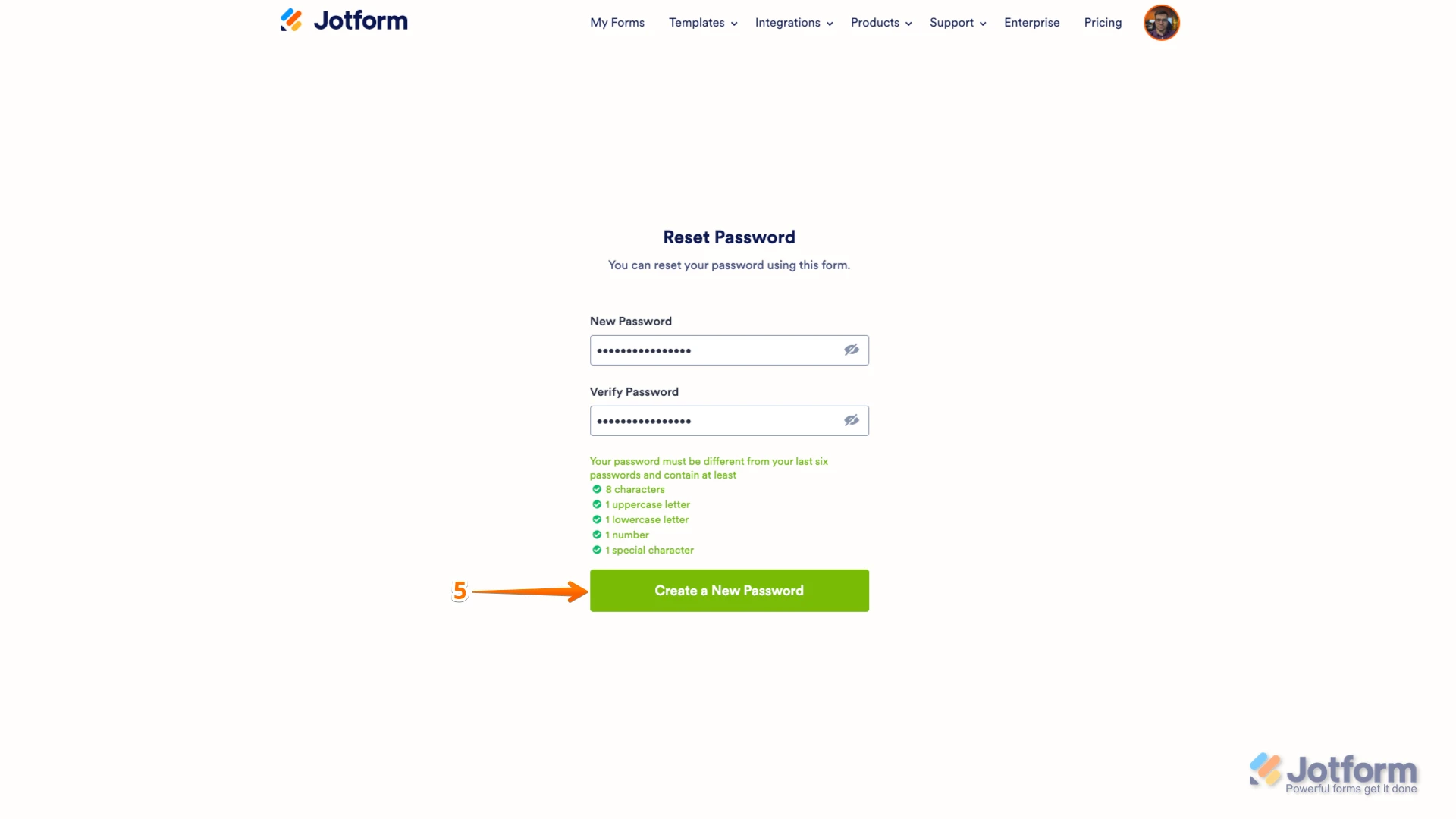
5. Enter your new password, enter it again to verify it, and then click on Create a New Password.
Your new password is now set, and you can use it to log into your Jotform account.
Regarding changing access for your nursing and allied health programs, our support team may redirect your request to the related team to assist with access changes.
Reach out again if you need any other help.
-
Ojcnursing
Administration change?
-
Podo: Support Specialist
Hi Diane McElroy,
Thanks for using Jotform. Although you can't modify the BAA or sign your own BAA using your current subscription plan, this option is available for Jotform Enterprise users.
If you're interested in Jotform Enterprise, fill out this Contact our sales team form, and our sales team will get in touch with you.
Reach out again if you have any other questions.
-
 Mikhail JotForm Support
Hi Diane,
Do you mean you'd like to change the account's email address? If so, changing your account email address only takes a minute. Let me show you how:
1. On your Workspace page, click on your Avatar/Profile Image in the top-right corner of the screen.
2. In the Dropdown menu that comes up, click on your name.
3. On the right side of the page, under the Email section, click on Edit.
4. Next, enter the new email address you want to use and click on Save.
5. In the Confirmation window that opens, enter the Authentication Code sent to your new email and click on Verify.
Reach out again if there’s anything else we can help you with.



Your Reply
Something Went Wrong
An error occurred while generating the AI response. Please try again!