-
 A800
A800Hi,
https://form.jotform.com/253527476221053
how can I set the approver based on choice selected?
English - Approver A
HPE - Approver B
Science - Approver C
ThanksAboo
Page URL: https://form.jotform.com/253527476221053 -
 Podo: Support Specialist
Hi Aboo,
Thanks for reaching out to Jotform Support. I'm an AI assistant here to assist you.
To set the approver based on the choice selected in your form, you can use the Approval element in Jotform Workflows and configure it to assign approvers dynamically based on the form field selection.
Here’s how to do it:
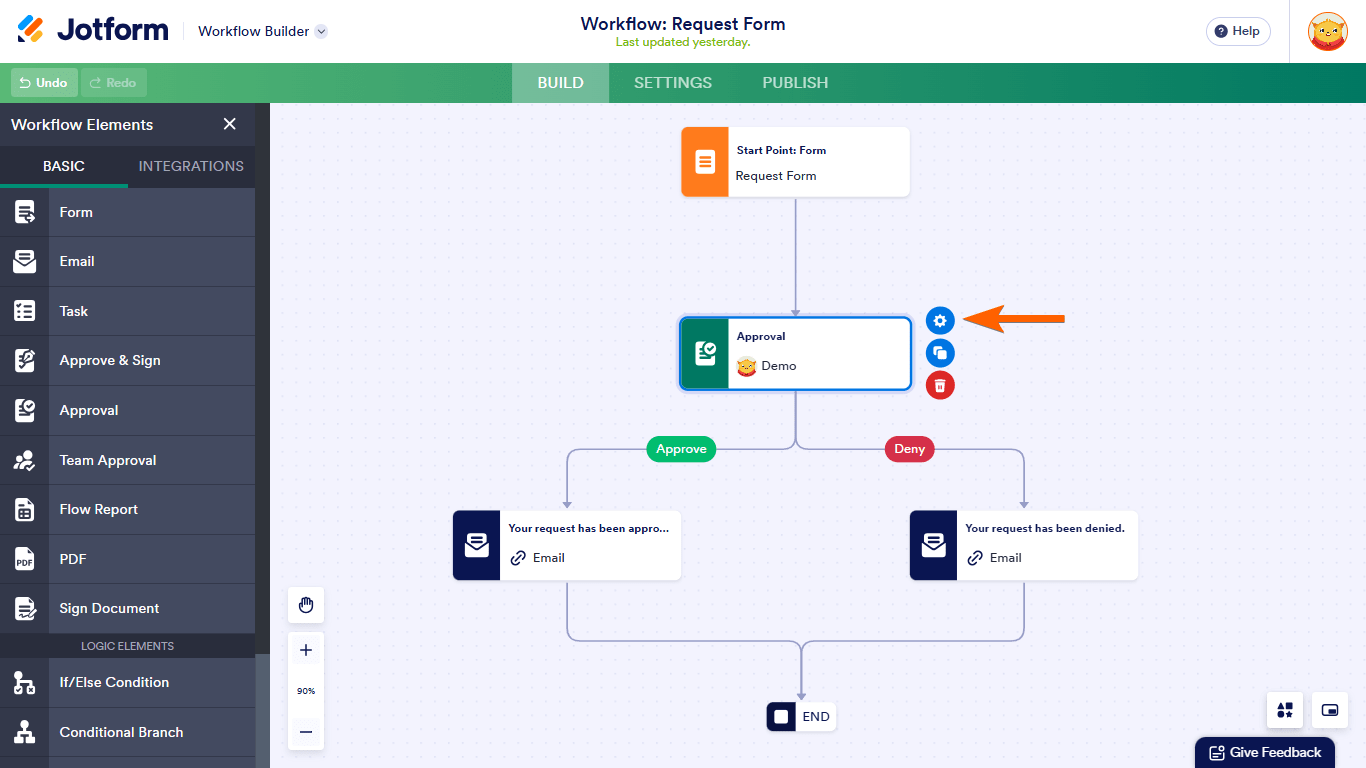
- Go to Workflow Builder and add an Approval element to your flow.
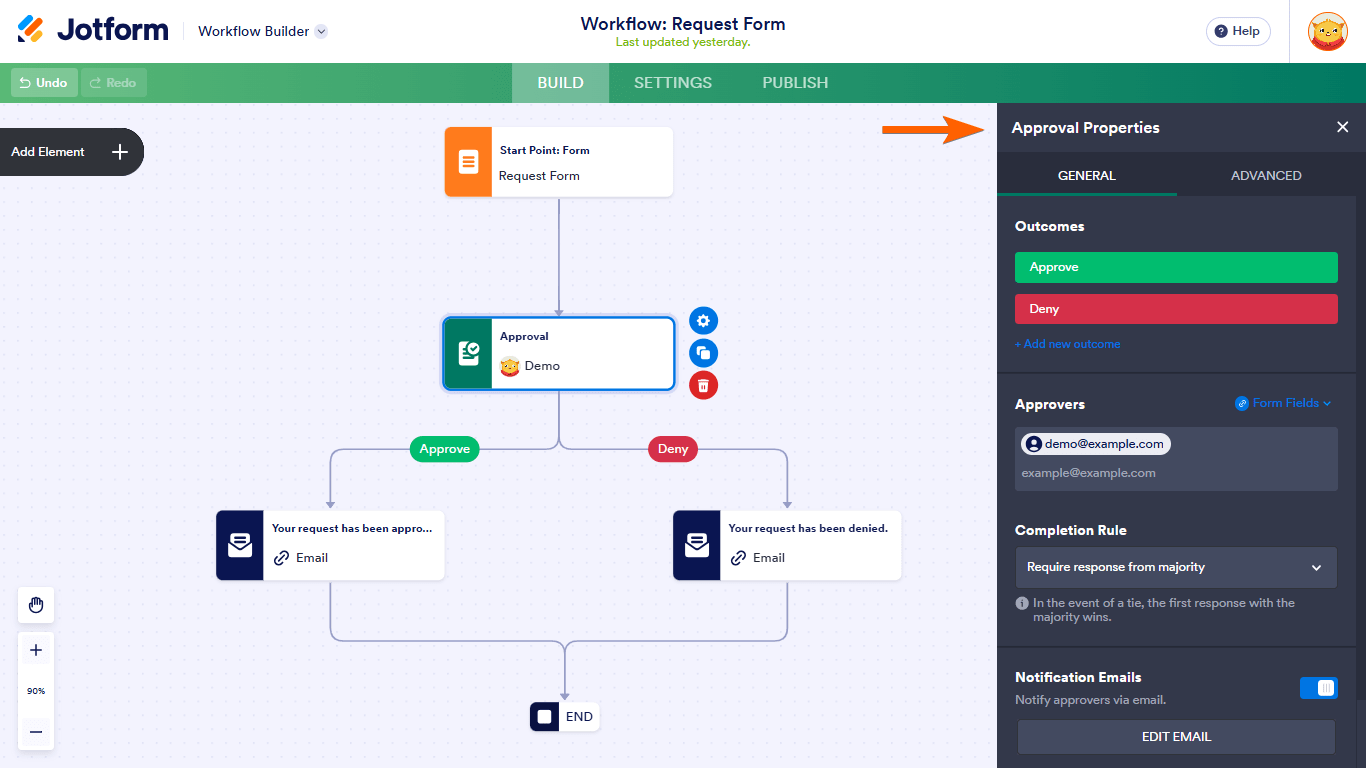
- Select the Approval element's gear icon to open its properties panel.
- Under the General tab, find the Approvers setting. Instead of a fixed email, use the Form Fields dropdown to map the approver's email dynamically based on the choice selected in your form.
- For example, if your form has a dropdown or multiple-choice field with options like English, HPE, and Science, you can map each choice to the corresponding approver's email (Approver A, Approver B, Approver C).
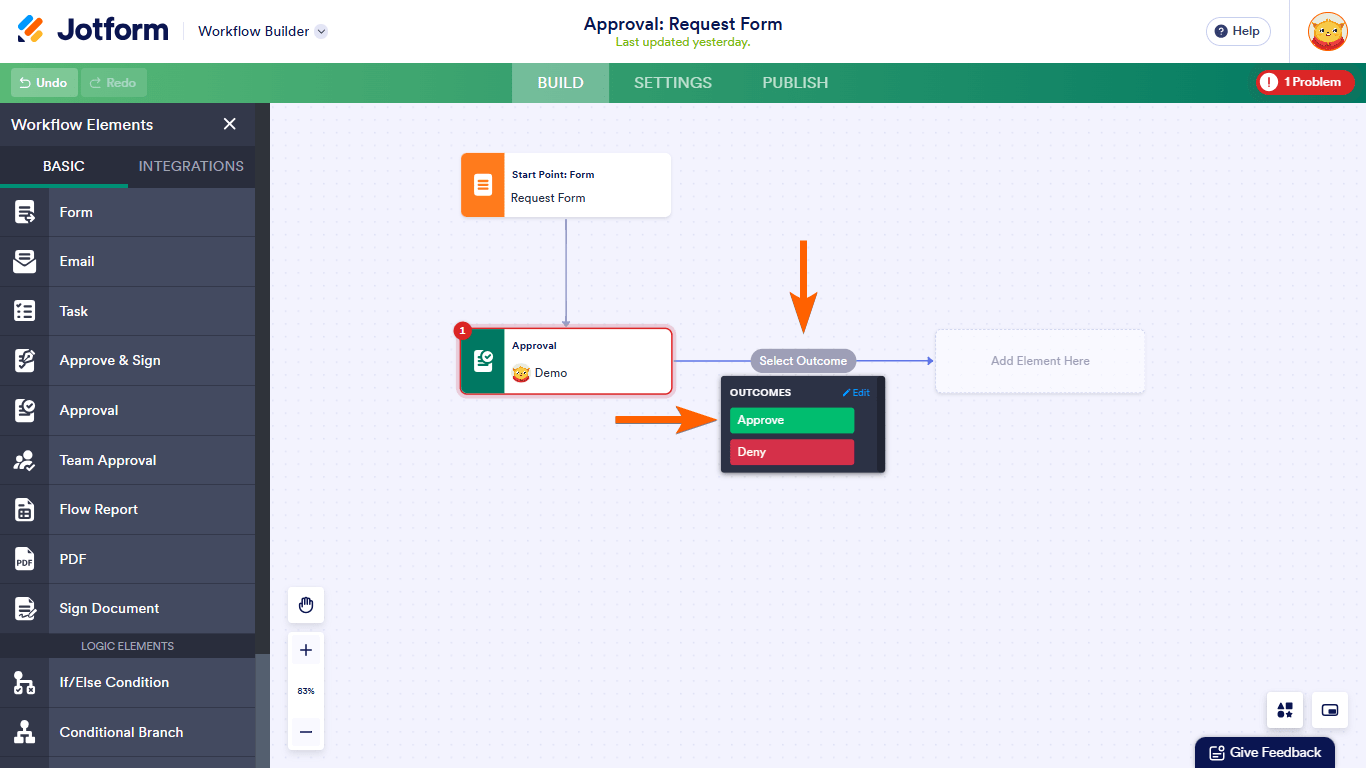
- Complete your workflow by connecting the Approval element to the rest of your flow and save it.
This setup allows the approval request to be sent to the correct approver based on the user's selection in the form.
Here are some visuals to guide you through the process:

For more detailed steps, you can also refer to the Jotform guide on How to Set Up Approval in Jotform Workflows.
Give it a try and let us know how it goes.
-
 Sheena JotForm Support
Hi Aboo,
You can set up different approvers based on the answers in your form using the Conditional Branch element in Jotform Workflows. Here’s how:
- In Workflow Builder, click on Add Element on the upper-left side of the screen.
- Under the Basic tab, scroll down to the Conditional Branch element and add it to your Workflow.
- Next, click on Add Condition.
- Set up multiple branches like one you see below then click on Save.
- Then, you can connect different branches to different approval recipients and you're done.
Give it a try and let us know if you need any help.


Your Reply
Something Went Wrong
An error occurred while generating the AI response. Please try again!