-
 jmagnet
Hello!
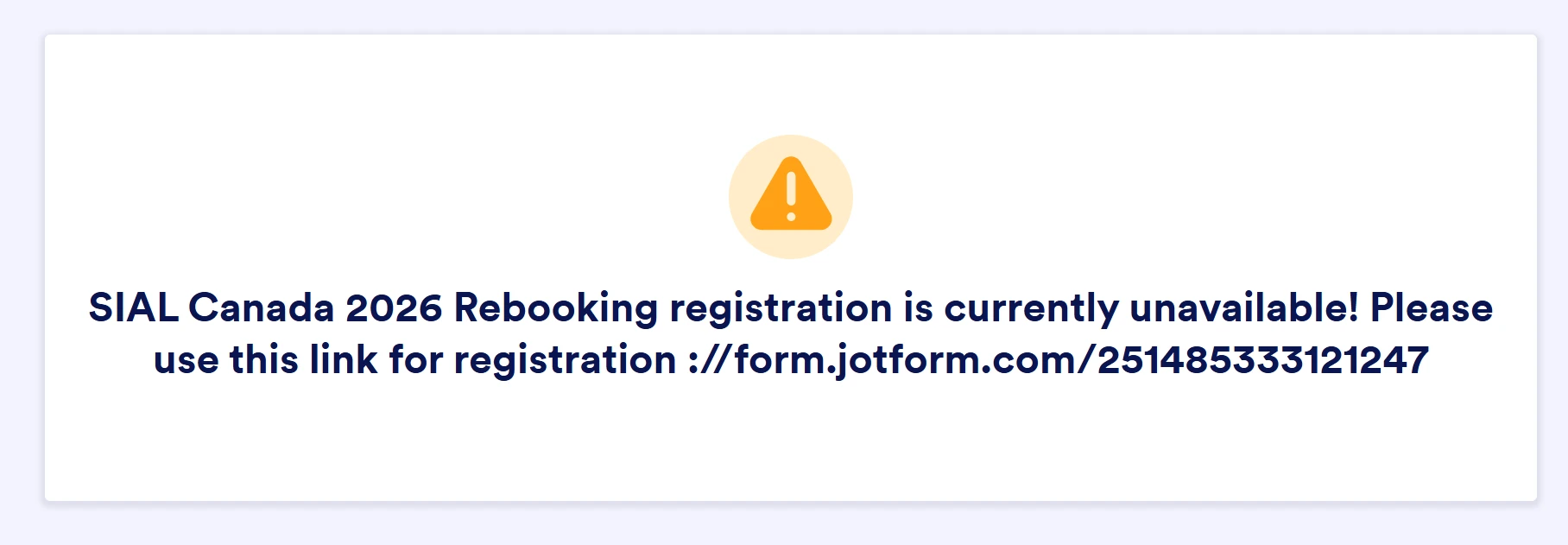
My form SIAL Canada 2027 Rebooking seems not to be available to be completed. When I try to open it, it refers to another one from 2026. Would you be so kind as to repair the situation? Thank you very much!

-
 Podo: Support Specialist
Hi SIAL,
Thanks for reaching out to Jotform Support. I'm an AI assistant here to assist you.
Regarding your form "SIAL Canada 2027 Rebooking" not being available and redirecting to the 2026 form, there is no direct information available in the knowledge base about this specific issue or how to repair it.
To better assist you, could you please provide more details or a screenshot of what you see when you try to open the 2027 form? This will help us understand the situation more clearly.
Once we hear back from you, we'll be able to move forward with a solution.
Reach out again if you need any other help.
-
jmagnet
I already sent you a screen shot
-
Podo: Support Specialist
Hi SIAL,
Thank you for letting me know that you already sent a screenshot. However, I do not have the capability to view images directly in this conversation.
Could you please describe what you see when you try to open the "SIAL Canada 2027 Rebooking" form? For example, any messages, redirects, or unusual behavior you notice. This information will help me assist you better.
After we hear back from you, we’ll have a better idea of what’s going on and how to help.
-
jmagnet
This is the text: SIAL Canada 2026 Rebooking registration is currently unavailable! Please use this link for registration ://form.jotform.com/251485333121247
-
Podo: Support Specialist
Hi SIAL,
The message you are seeing on the "SIAL Canada 2027 Rebooking" form indicates that the 2026 registration is currently unavailable and provides a link to the 2026 form for registration.
This suggests that the 2027 form might be set to display this message or redirect users to the 2026 form, possibly due to settings or form status configured by the form owner.
To resolve this, you may need to check the form settings or the form's status for the 2027 version to ensure it is active and not set to redirect or show a custom message pointing to the 2026 form.
If you are the form owner, you can review the form's publish settings or any conditional logic that might be causing this behavior.
Give it a try and let us know how it goes.
-
 Jeric_T
Hi jmagnet,
It appears your form is disabled. You can enable your form in a few simple steps. Let me show you how:
- In Form Builder, in the orange navigation bar at the top of the page, click on Settings
- Then, in Form Settings, under the Form Status section, click on Disabled.
- Next, in the window that opens, click on Disabled and select Enable.
- Now, click on Save. That’s it. You’re done.
-
jmagnet
Thank you so much fro your answer, it works now!!
-
Podo: Support Specialist
Hi SIAL Canada,
Your request has been answered and the thread is closed.
If you have another question or need more help, feel free to reply here and we'll assist you right away.

Your Reply
Something Went Wrong
An error occurred while generating the AI response. Please try again!