-
 ExploreRPM
Hi Team,
Please assist me in using email validator widget. I have added support@explorerpm.com as and sender email in smtp. still I am not able to send email to get the verification code. Could you please help me in what is the issue please?
Thanks,
Rit | Explorerpm Team
-
 Podo: Support Specialist
I’ve made a few changes to help resolve the problem. The email to support@explorerpm.com is currently in a "WAITING" status, which means it has not yet been fully sent or delivered. Please allow some time for the delivery process to complete. Meanwhile, you can check your spam or junk folder just in case. If the status does not change after a while, please let us know so we can assist further. Here are a few tips to help prevent future email delivery issues:
- You can view your https://www.jotform.com/help/293">Email Logs to see what's happening with your form emails
- https://www.jotform.com/help/145-whitelisting-jotform-ip-addresses-and-domains/">Whitelist Jotform IP Addresses and Domains
- If the issue persists, https://www.jotform.com/help/244">Setting Up a Custom SMTP to use your own email provider as the sender may help
-
ExploreRPM
now code is coming but its to complicated
-
 Anna JotForm Support
Hi ExploreRPM,
Thanks for reaching out to Jotform Support. I didn’t fully understand the issue. Can you explain a bit more about the issue so I can get a clearer idea of what’s happening? If you can take a screenshot of what’s happening, that'll help us to understand better what’s going on. Let me show you how to post a screenshot to our Help Center:
1. On the Help Center page, scroll down to the Your Answer section and click on the Image icon.
2. Drag and drop your image into the Upload box, or click on it and select your file.
3. Then, click on the Add button in the bottom-right corner of the window.

4. To resize it, click on your screenshot and then click on one of the boxes in the corners, and drag it inward.
5. Once you're finished, click on the Post Answer button at the bottom right of the Your Answer section.
-
ExploreRPM
I want to add an otp validation before my jotform is filled so, for that I used email validator widget but that widget is not consistent in sending code and also, the code received is in hash code kind of. I want a six digit numberic code verification and reliable. this widget take time to send email that to cannot be sure that it will send everytime.
this type to email I am getting:
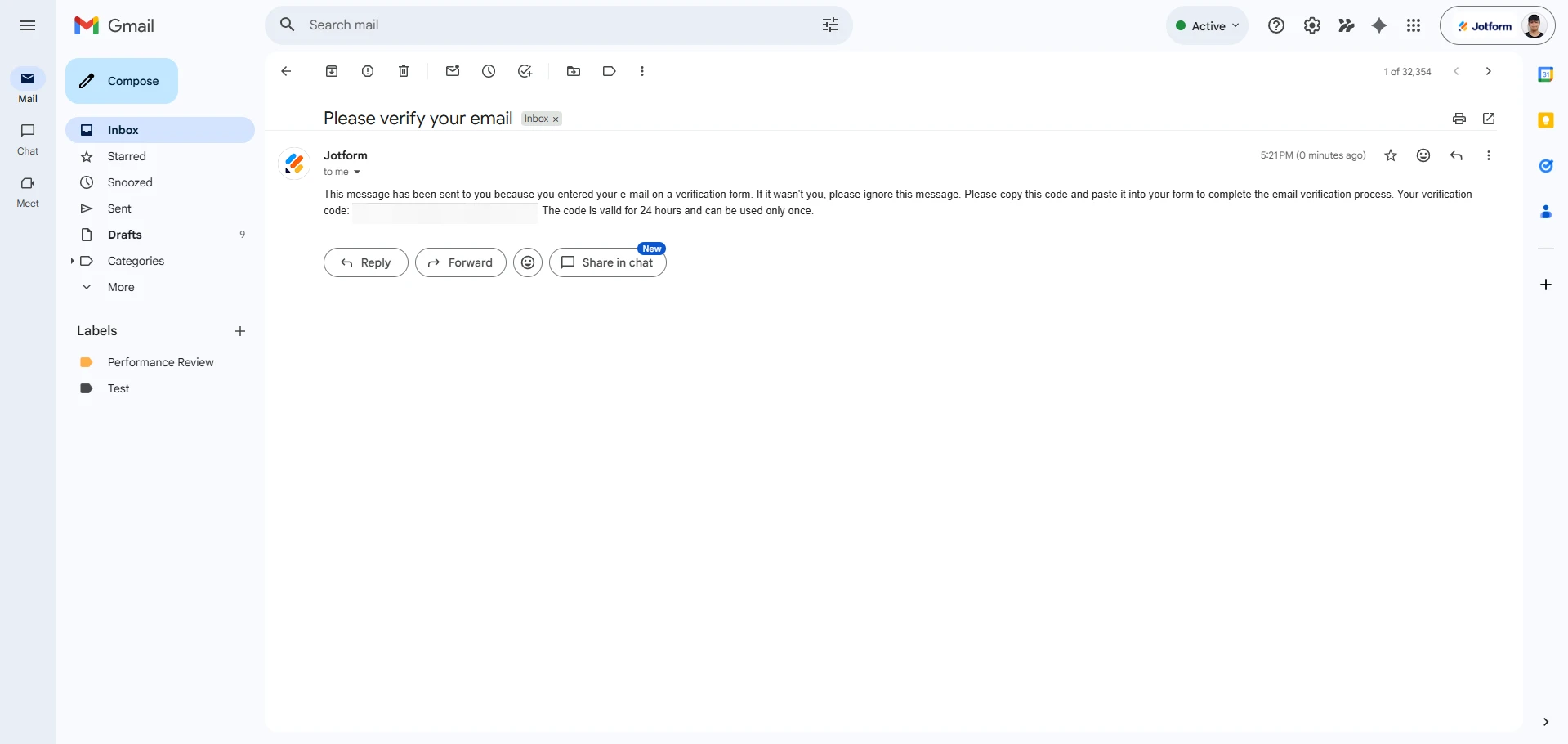
This message has been sent to you because you entered your e-mail on a verification form. If it wasn't you, please ignore this message. Please copy this code and paste it into your form to complete the email verification process. Your verification code: c2cff0581e2aa6abbb9b4b4051be1676 The code is valid for 24 hours and can be used only once. -
 Jason Enterprise Support
Hi ExploreRPM,
Note that the Email Validator widget sends a verification code consisting of a long combination of characters to the user’s email address. This code is required to confirm the validity of the email before proceeding. Currently, the verification code generated by the Email Validator widget cannot be customized or controlled. The number and format of the codes are set by default and cannot be modified.
Additionally, the SMTP settings configured in your account cannot be used as the sender for verification emails sent by the Email Validator widget. By default, the email will be coming from Jotform's sender email, noreply@jotform.com. On the other hand, I cloned your ExploreRPM Owner Authorization form with the email validator widget, and I received the verification code. Check out the screenshot below to see my results.
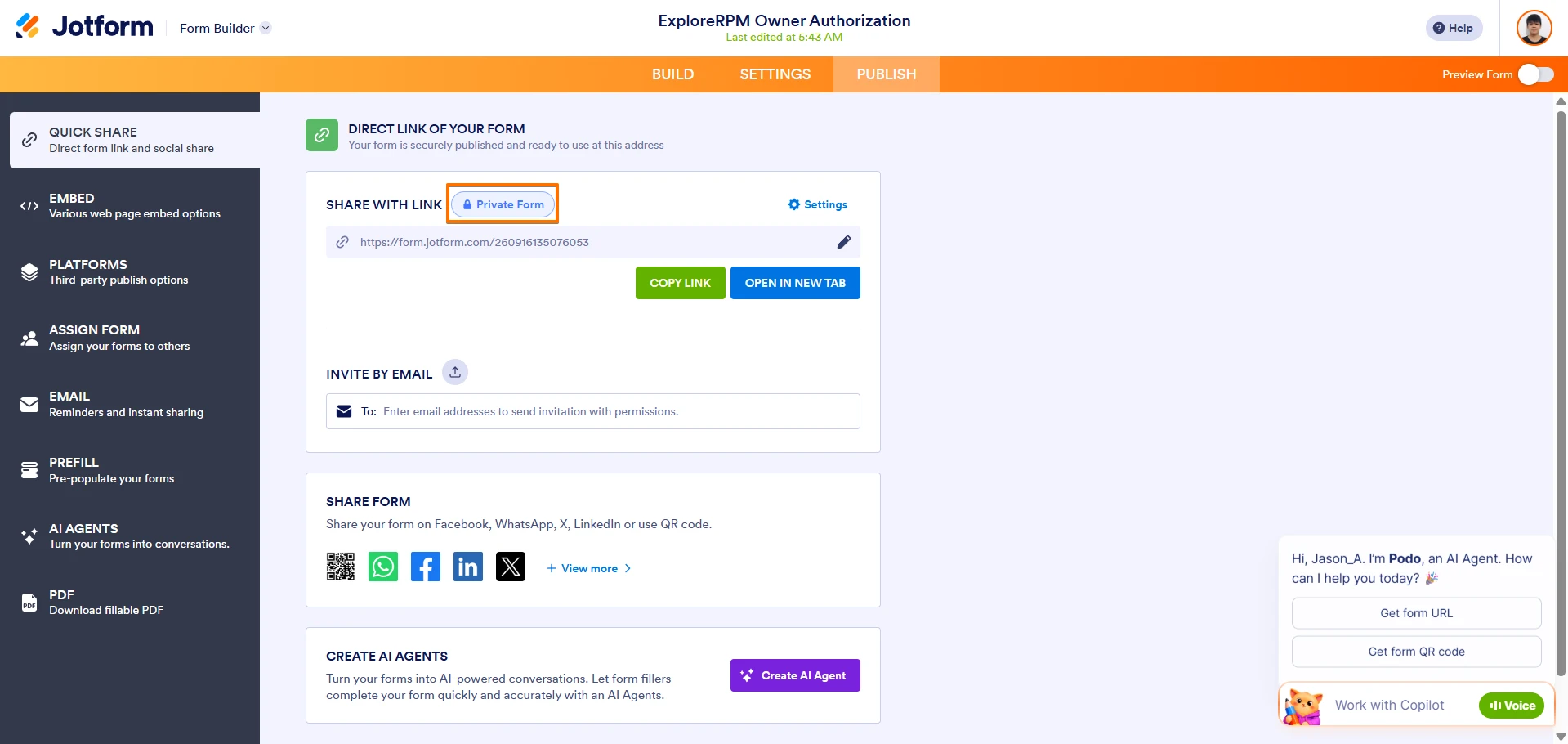
Can you confirm the email address you entered in the email validator widget, where you didn't receive the verification code? Will you also allow us to try your form and see if we can replicate the issue? If you agree, can you set your form to public so we can test it? Currently your form is set to private.
When we hear back from you, we’ll be ready to move forward.
-
ExploreRPM
Sure, I will set the form to public. Also, to confirm the email came from Jotform<noreply@jotform.com> email as you mentioned. But if its a numeric code it would help.
-
 Sheena JotForm Support
Hi ExploreRPM,
You can set your Sender Email if you set up SMTP in your account. However, it appears that the SMTP is not yet configured in your account. Could you take a screenshot of your Email Validator widget settings and share it with us?
If you require a numeric OTP code and more control over the verification process, you might need to consider alternative methods outside the Email Validator widget, such as using third-party OTP services integrated via custom scripts or other widgets.
Let us know if you need any other help.
-
Sheena JotForm Support
Hi ExploreRPM,
Additionally, while the feature you're looking for isn't available at Jotform right now, we've gone ahead and escalated your request to our developers. Exactly when or if it's developed depends on their workload, how viable it is, and how many other users also request it. If there are any updates, we’ll circle back to this thread and let you know.
Thanks for your patience and understanding, we appreciate it.
-
ExploreRPM
-
 Camila JotForm Support
Hi ExploreRPM,
I’ve gone ahead and moved your other question to a separate thread to keep things tidy, and someone from our Support Team will help you out with it here.
Let us know if you have any other questions.



Your Reply
Something Went Wrong
An error occurred while generating the AI response. Please try again!