-
 garcia_kelsee
Hi! My account is under all limits, but my forms still show "over quota"
https://form.jotform.com/240948670366062 (username garcia_kelsee)
Page URL: https://form.jotform.com/240948670366062 -
 Podo: Support Specialist
Hi garcia_kelsee,
Thanks for reaching out to Jotform Support. I'm an AI assistant here to assist you.
Your account is currently on the Free Plan, and it has reached the form count limit allowed for this plan. This is why your forms are showing the "over quota" message despite being under other limits.
To resolve this, you can upgrade your account to a paid plan, which will increase your form count limits along with other benefits such as more submissions, storage, and removal of branding.
Here’s how to upgrade your account:
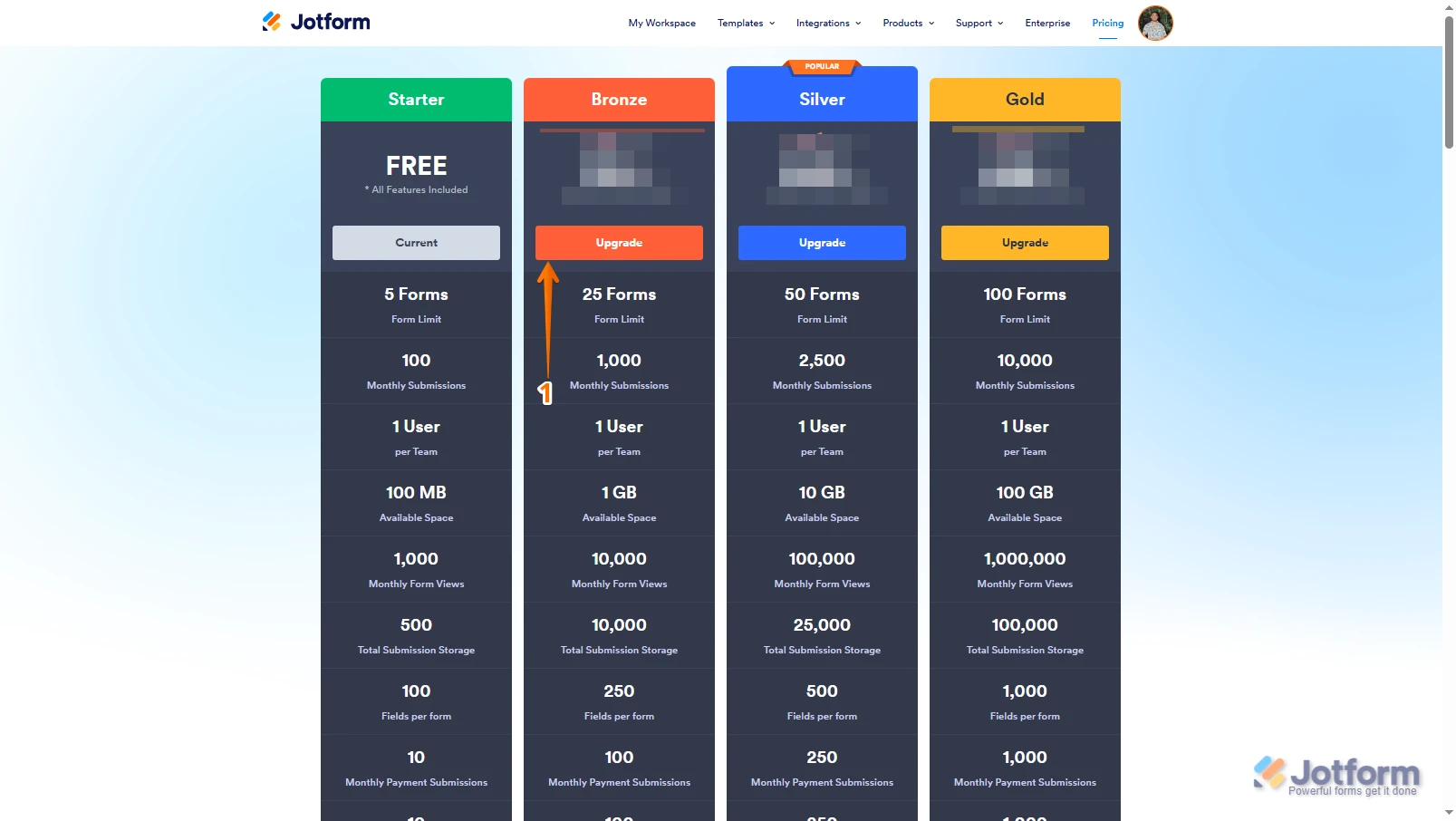
- Go to the Jotform Features and Pricing page, choose the plan you want, and click on Upgrade.
- Choose a Monthly or Yearly payment schedule and enter your billing details.
- Select your payment method (Credit/Debit Card or PayPal) and complete the payment.
Your limits will increase immediately after upgrading, and any additional features included with your new plan will be available right away.
Give it a try and let us know how it goes.
-
garcia_kelsee
I'm not over the form count limit, I only have 4/5 forms
-
Podo: Support Specialist
Hi garcia_kelsee,
I understand you have 4 out of 5 forms and are not over the form count limit, yet your forms still show the "over quota" message. According to the latest recalculation of your account limits, your Free Plan has reached the form count limits allowed for this plan.
This means the system still considers your form count at the limit for the Free Plan, which causes the "over quota" message to appear.
To resolve this, upgrading to a paid plan will increase your form count limits and remove this restriction. Upgrading also provides additional benefits such as increased submissions, storage, removal of branding, and more.
Here’s how to upgrade your account:
- Go to the Jotform Features and Pricing page, choose the plan you want, and click on Upgrade.
- Choose a Monthly or Yearly payment schedule and enter your billing details.
- Select your payment method (Credit/Debit Card or PayPal) and complete the payment.
Your limits will increase immediately after upgrading, and any additional features included with your new plan will be available right away.
Give it a try and let us know how it goes.
-
garcia_kelsee
But if I'm not over limit, why do I have to upgrade?
-
Podo: Support Specialist
Hi garcia_kelsee,
Upgrading your account is easy. Let me show you how:
1. Log in to your Jotform account, go to the Pricing page, and click on Upgrade under the subscription plan you want.

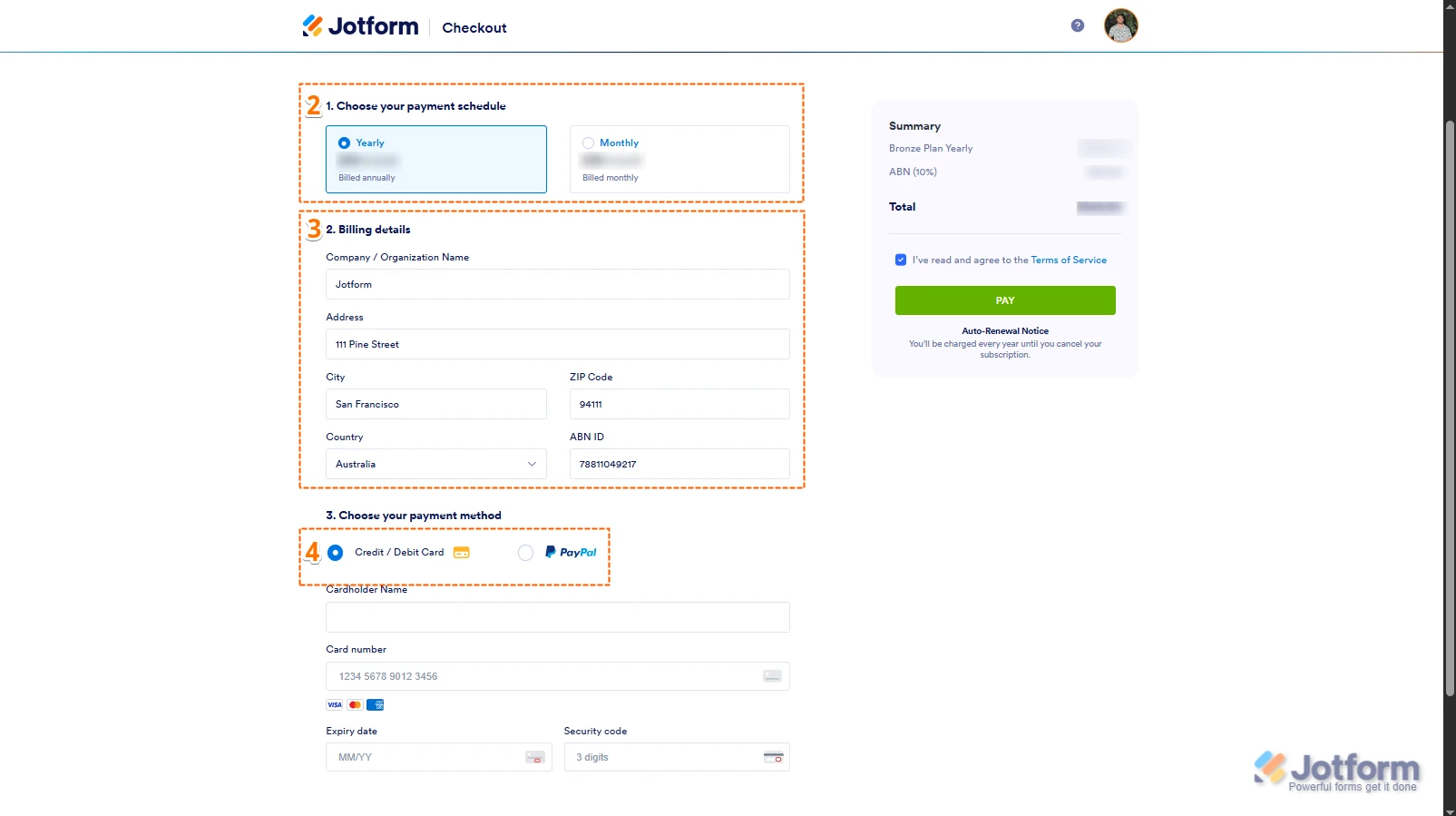
2. In the Choose Your Payment Schedule section, select Yearly or Monthly.
3. Enter your billing details in the Billing details section.
4. In the Choose your Payment Method section, select Credit/Debit Card or PayPal.
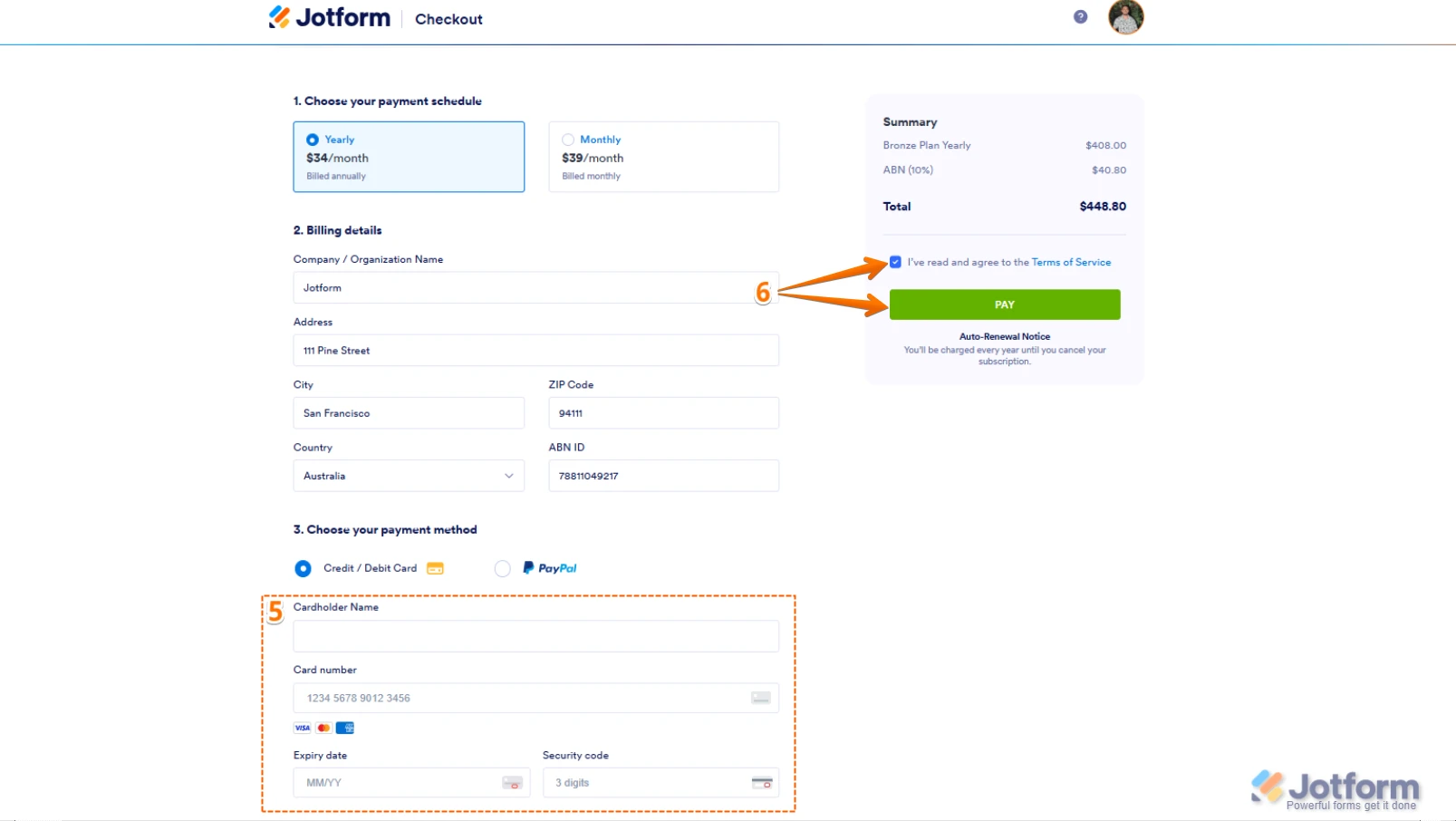
5. If you choose Credit/Debit Card, enter your card information below the Credit/Debit Card option.
6. In the Summary section at the top-right, tick the box next to I’ve read and agree to the Terms of Service, and click Pay.
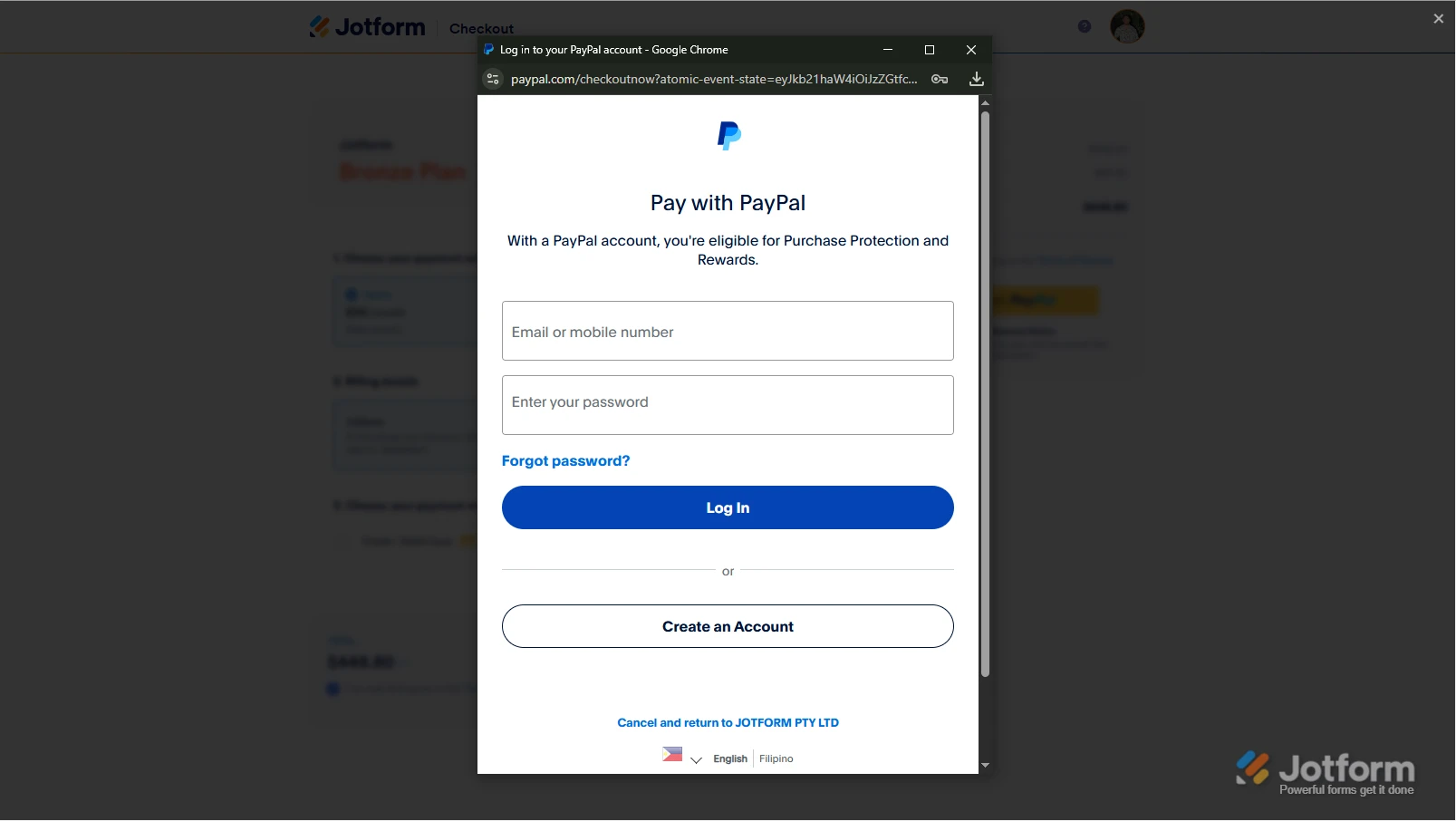
If you select PayPal, a PayPal Payment window will open for you to log in and complete your payment after clicking Pay with PayPal.
After successful payment, the features and limits of the chosen subscription plan will be applied to your account immediately.
Reach out again if you have any other questions.
-
garcia_kelsee
Can I talk to an agent?
-
Podo: Support Specialist
Hi garcia_kelsee,
One of our Support Team members will take it from here to follow up shortly.
-
 Eduardo_Ca
Hi kelsee,
I've recalculated your account's storage space and you shouldn't have any issues now.
Let us know if there’s anything else we can help you with.
Your Reply
Something Went Wrong
An error occurred while generating the AI response. Please try again!