-
SSteve Njenga
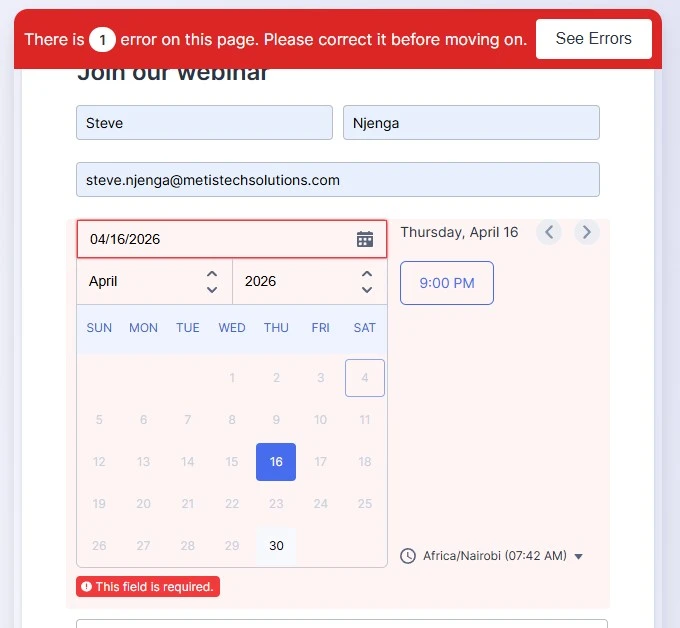
...despite having a date in the date field

-
 Jason Enterprise Support
Hi Steve,
Thanks for reaching out to Jotform Support. I checked the only existing form from your account, but it doesn't have a date field. If you have another account where the form is associated with, can you share the form link with me so I can take a closer look? You can easily find your form's URL in Form Builder. Let me show you how:
- In Form Builder, in the orange navigation bar at the top of the page, click on Publish.
- In the Quick Share tab, click on Copy Link in the Share With Link section.
Once you share the form URL with us, we’ll be able to help you better with this. -
SSteve Njenga
-
 Jerlan JotForm Support
Hi Steve,
It looks like you didn't click the time. The date and time should be turned blue. Take a look at the screenshot below:
Give it a try and let us know how it goes.
 Once you share the form URL with us, we’ll be able to help you better with this.
 Give it a try and let us know how it goes.
Your Reply
Something Went Wrong
An error occurred while generating the AI response. Please try again!