-
DD. Alan Fowler
Hello, JotForm.
My name is Alan Fowler, I am the Executive Director at the Georgia Music Educators Association.
Our Operations Manager is Laura Webb.
We are having a problem and I need you to call Laura. Here email is lauraw@gmea.org and her phone number is: 404-663-4247
Our former colleague, Brandie Barbee (brandieb@gmea.org) created JotForms when she worked with us that still are being used. We need to update some aspects of those forms and since her account created them we cannot make some specific changes -- in this case it has to do with the Authorize.net integration.
Please call Laura -- This is an URGENT matter.
Laura is now our official JotForm chief and needs full access.
Thank you.
-
 Podo: Support Specialist
Hi Alan,
Thanks for reaching out to Jotform Support. I'm an AI assistant here to assist you.
Regarding the issue with updating forms created by your former colleague and the Authorize.Net integration, please note that to make changes to forms owned by another account, ownership or collaboration access needs to be transferred or shared.
Let me show you how to integrate Authorize.Net using reusable payment connections, which might help once you have access:
1. In Form Builder, click on Add Element on the top-left side of the page, then click on the Payments tab.
2. Under the Payments tab, click on Authorize.Net to add it to your form.
3. In the menu on the right, in the Payment Connection section, click on the Plug icon next to the Trash Can icon.

4. In the window that opens, select Test Mode or Live Mode under the X button on the right.
5. Enter a Connection Name, your Authorize.Net’s API Login ID, Transaction Key, and Client Key.
6. Click on Connect with Authorize.Net.
7. Once you see the confirmation that the connection was successful, click on Save.
8. Select your Authorize.Net Integration.
9. Finally, click on Use.
You can also check out our guide on How to Integrate Authorize.Net with Jotform to learn more.
For the ownership and access issue, I don't have the capability to call or transfer ownership directly. Our support team may redirect your request to the related team to assist with transferring form ownership or providing access to Laura.
Reach out again if you have any other questions.
-
 Eduardo_Ca
Hi Alan,
Thanks for reaching out to Jotform Support. We don’t offer phone support, but I’ll guide you through everything right here. Regarding your request to update forms created by your former colleague and to provide full access to Laura Webb, here is how form ownership transfer works in Jotform:
To make changes to forms owned by another account, the form ownership needs to be transferred from the original owner to the new user. This process can only be initiated by the current form owner. Transferring Your Forms and Data to Another Account is easy. When you transfer a form, all its submission data moves with it, and the receiving account becomes the new owner. There are a few things you need to be aware of:
- If you're using a custom URL, it’ll automatically update from https://form.jotform.com/{yourUsername}/{your-custom-url-slug} to https://form.jotform.com/{New_Owner_Username}/{your-custom-url-slug}.
- The transfer can’t be undone unless the new owner agrees to send the forms back.
- It's not possible to transfer forms to or from HIPAA-friendly accounts.
Now, let me show you how to do it:
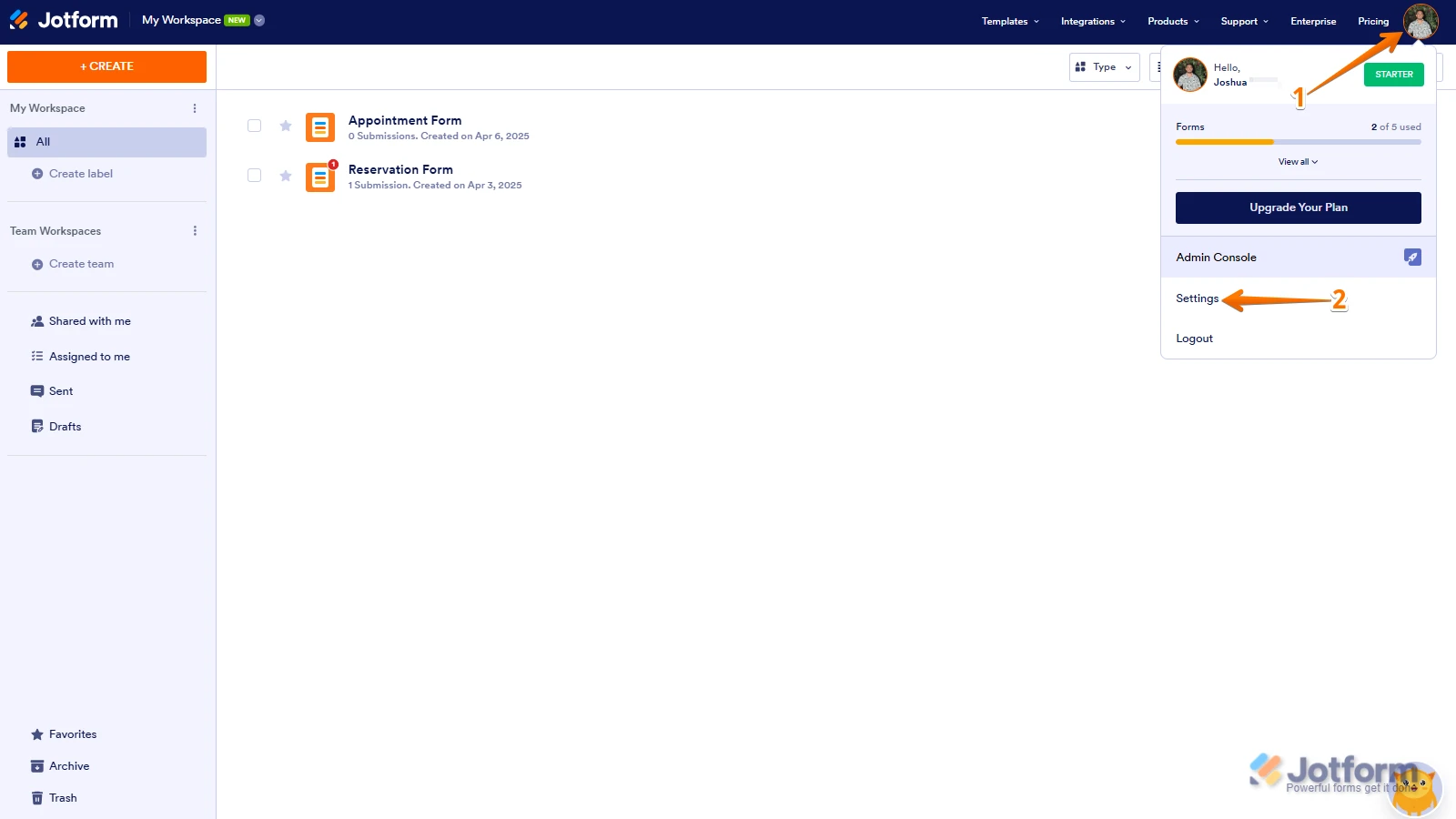
1. On your Workspace page, click on your Avatar/Profile Image in the top-right corner of the screen.
2. In the window that opens, click on Settings.
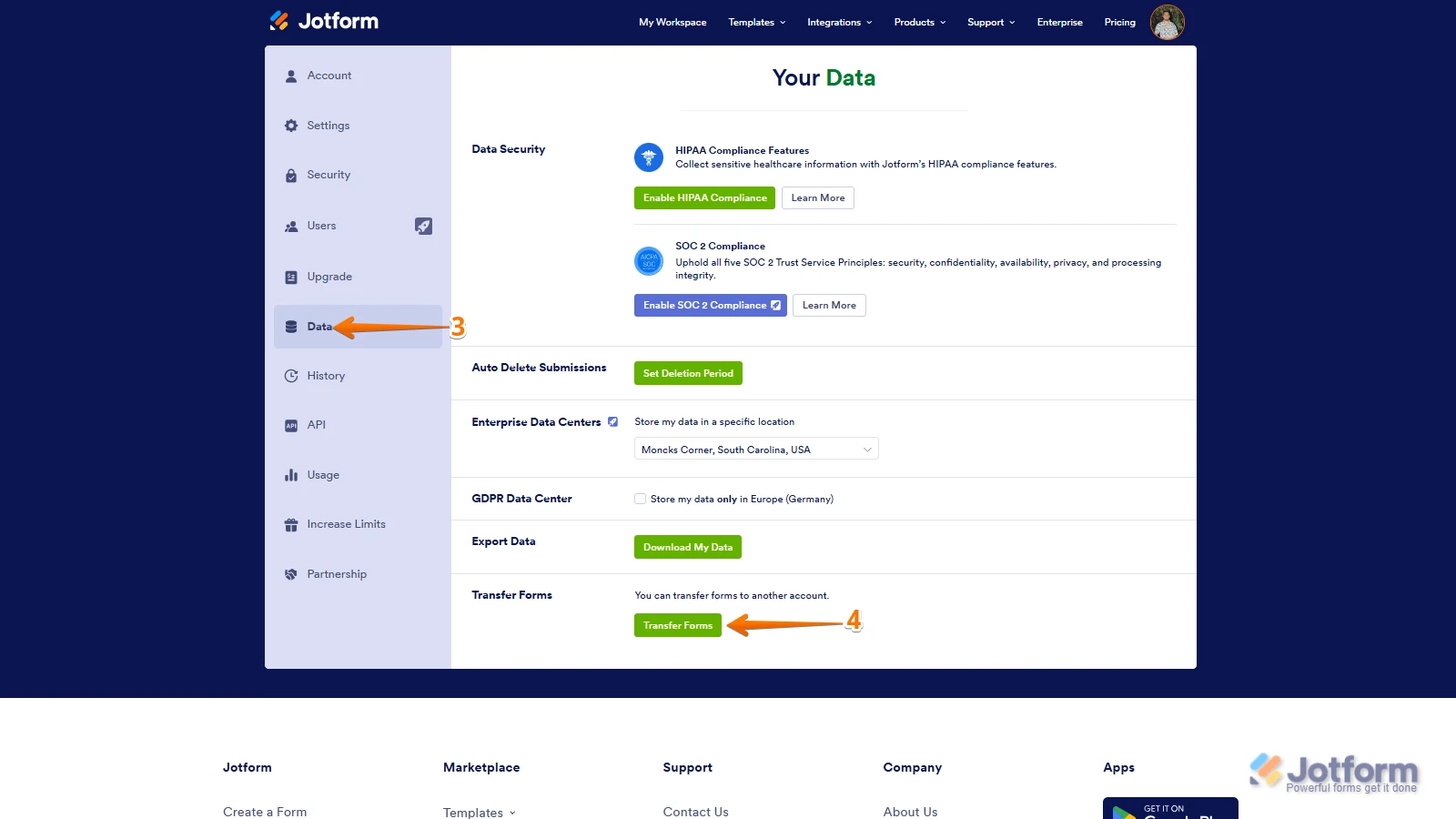
3. Then, click on the Data tab on the left.
4. In the Transfer Form section, click on Transfer Form.
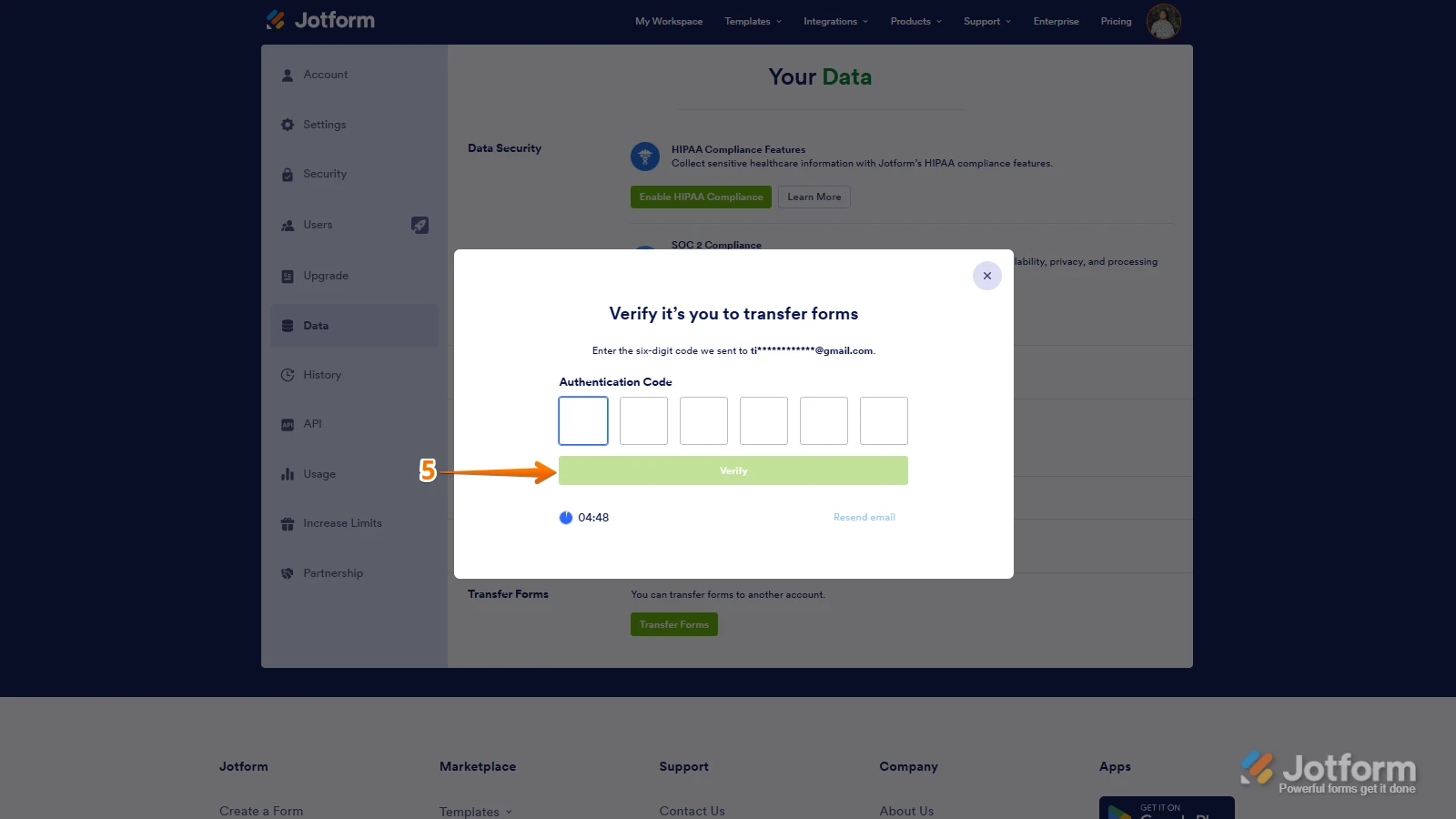
5. Next, enter the Authentication Code that is sent to your email address, and click on Verify.
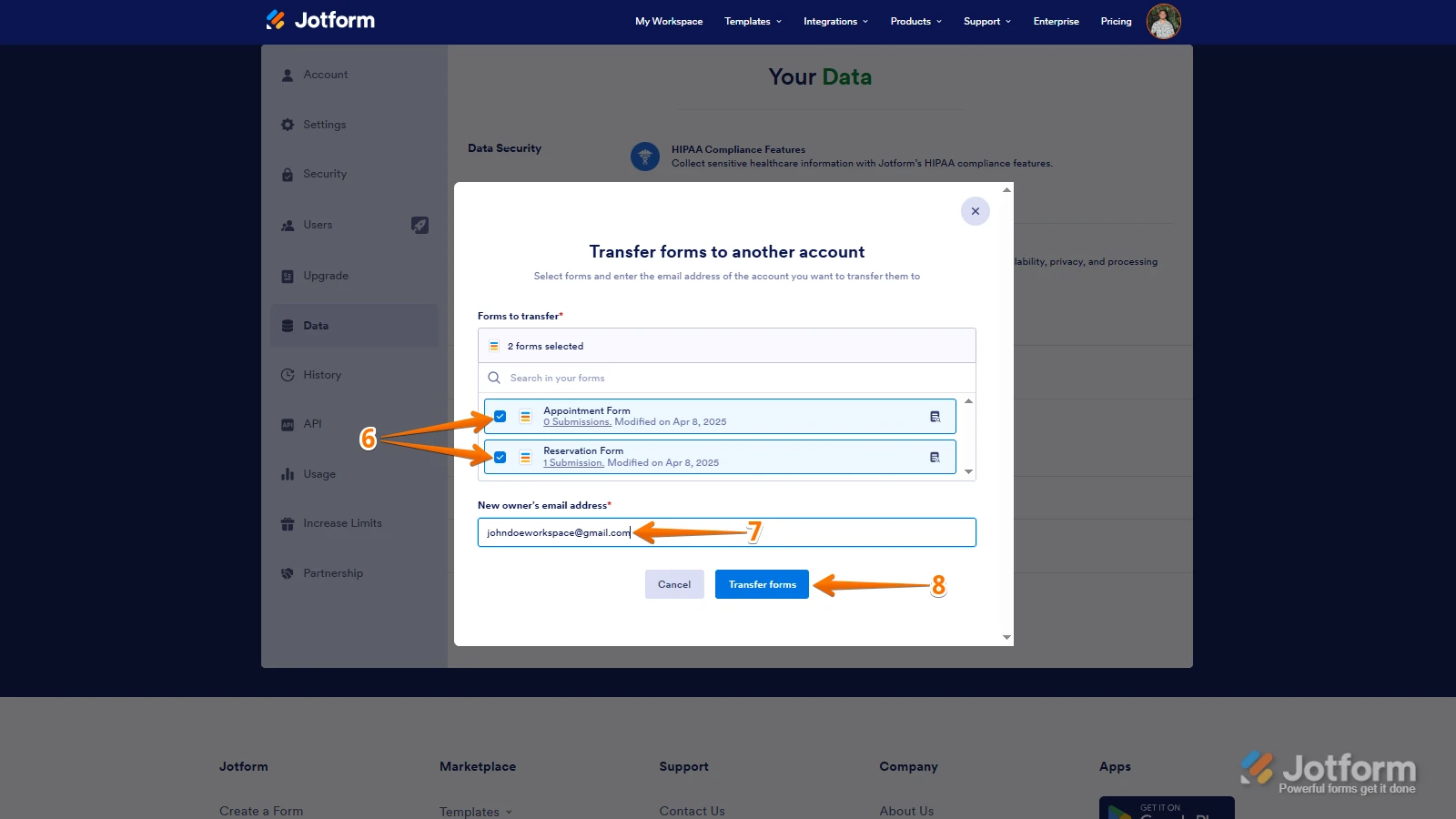
6. In the window that opens, tick the box next to the name of the form you want to transfer.
7. In the New Email Owner’s Email Address field, enter the email address of the account that you want the forms to be transferred to.
8. Now, click on Transfer Form.
Keep in mind that you can only send one form transfer at a time. You can also cancel the current transfer request. Let me show you how:1. While you are still on the Data page, click on the View Details button in the Pending Transfer section.
2. Then, click on Cancel Request.
3. Finally, click on Yes, Cancel.
Once the forms are transferred, the owner of the account receiving the forms will get an email notification. From that email, they can click on the View Transfer button, then click on Accept to complete the transfer. Check out the screencast below:Once accepted, Laura will have full ownership and editing rights to the forms, including the ability to update Authorize.Net integration.
Unfortunately, for security and privacy reasons, Jotform support can't transfer ownership or access on behalf of users. The original owner (Brandie Barbee) will need to initiate this process.
Let us know if there’s anything else we can help you with.


 Keep in mind that you can only send one form transfer at a time. You can also cancel the current transfer request. Let me show you how: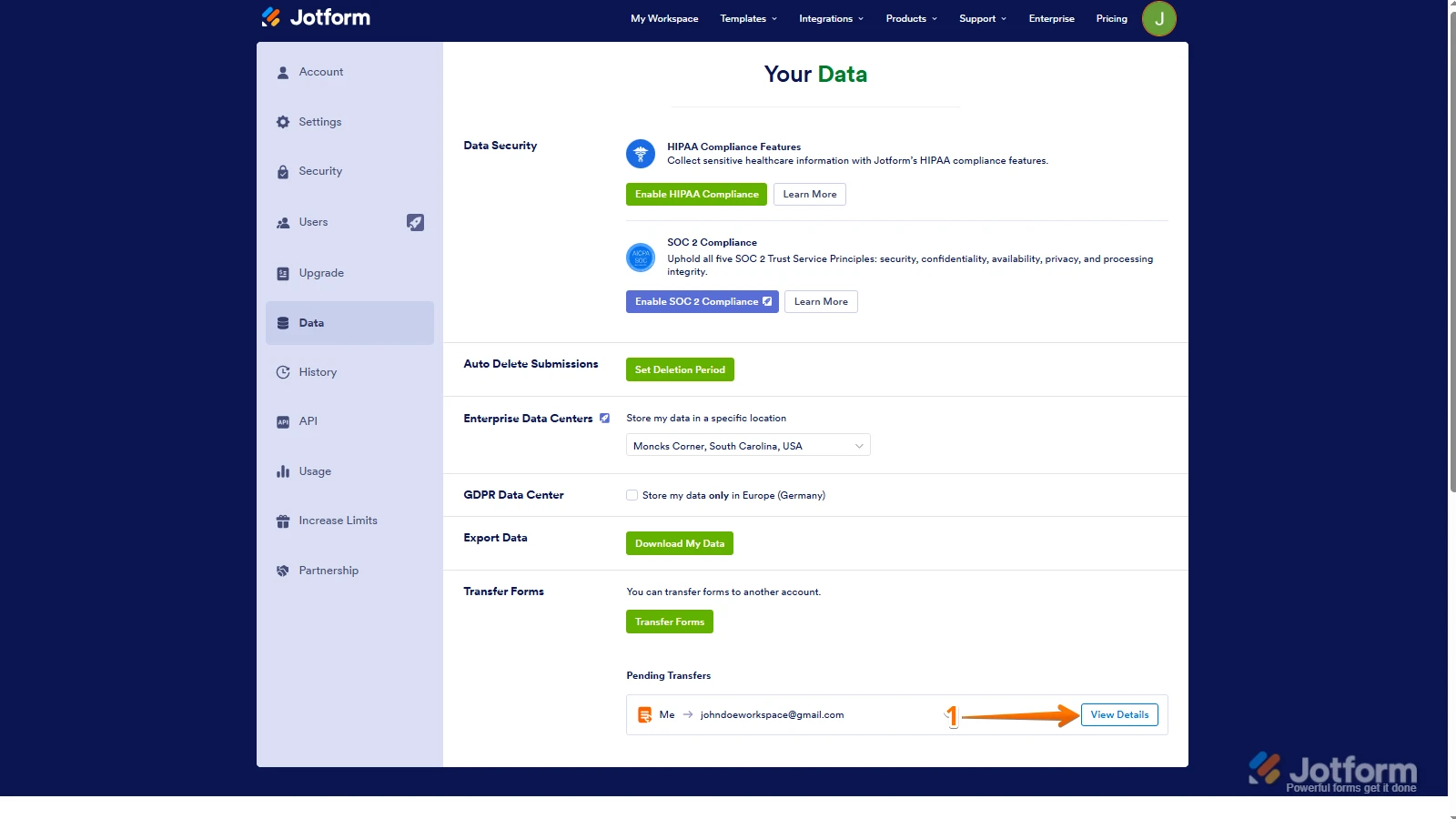
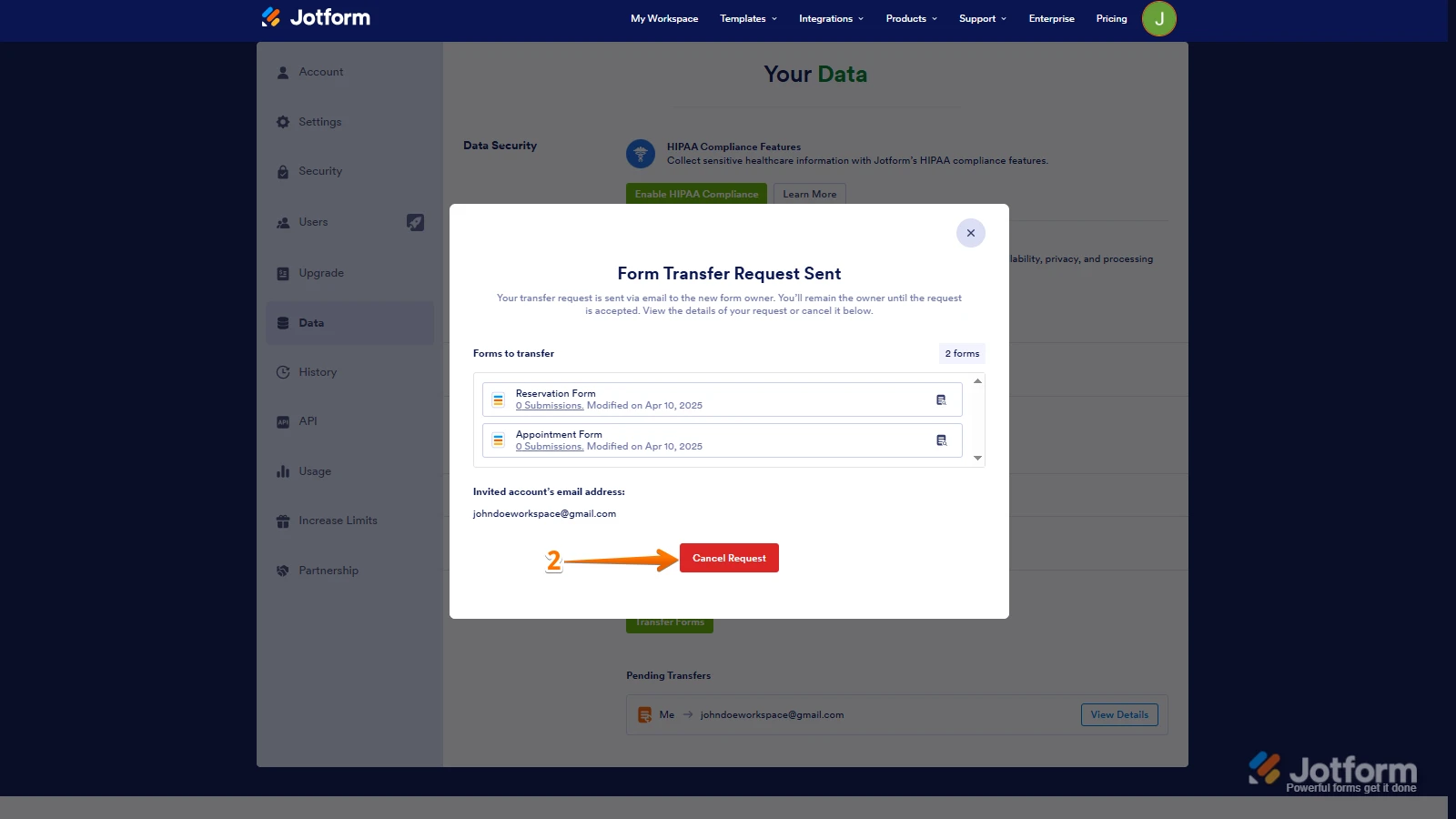
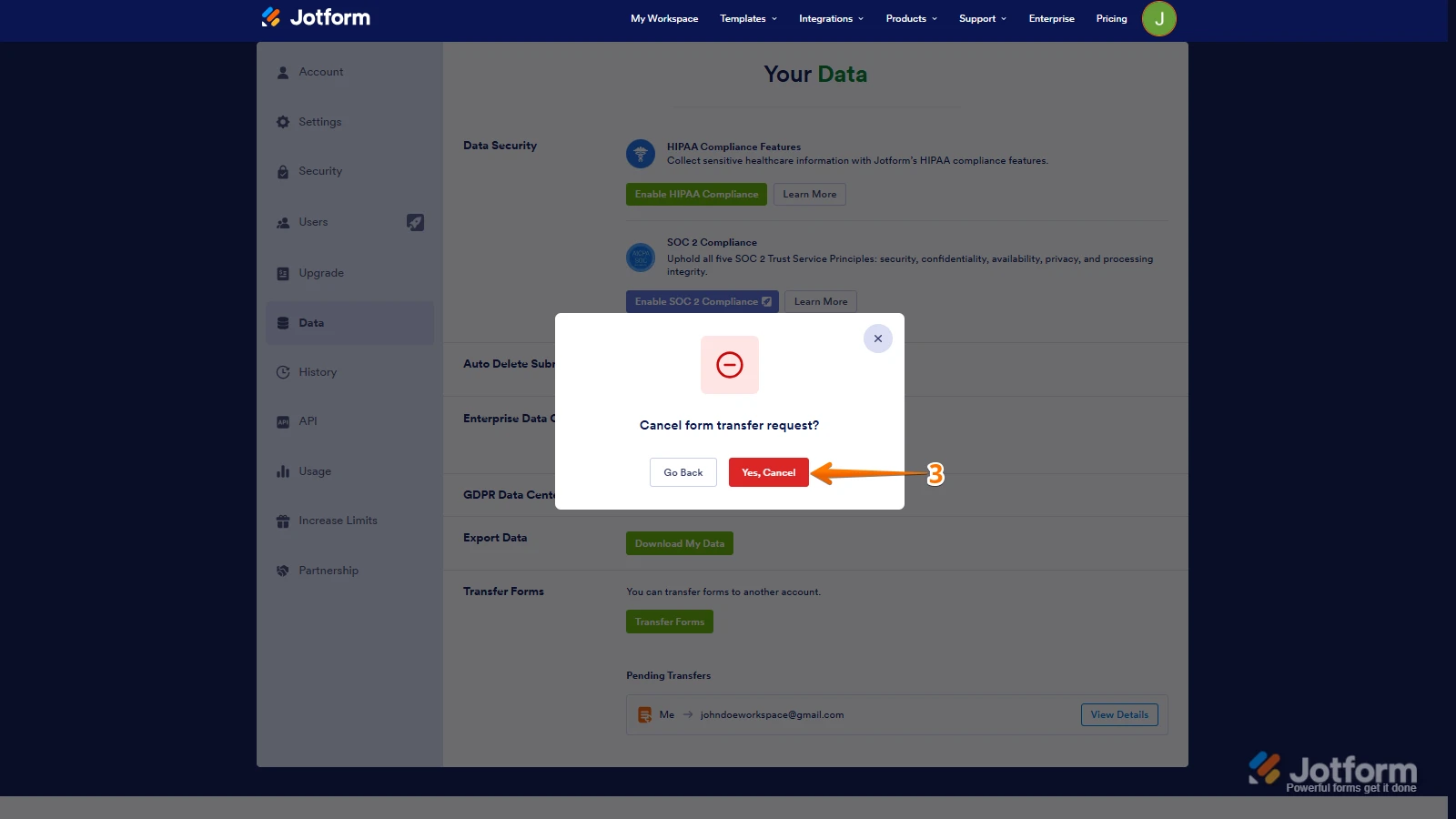 Once the forms are transferred, the owner of the account receiving the forms will get an email notification. From that email, they can click on the View Transfer button, then click on Accept to complete the transfer. Check out the screencast below:
Your Reply
Something Went Wrong
An error occurred while generating the AI response. Please try again!