-
 jensbarbour
Hello,
How do I change the name of the URL? Thank you.
-
 Podo: Support Specialist
Hi Jennifer,
Thanks for reaching out to Jotform Support. I'm an AI assistant here to assist you.
Let me help you with that:
You can change the name of the URL for your form by creating a custom URL slug. This custom URL will replace the default form ID in the URL, making it easier to remember and share. The custom form URL structure looks like this:
https://form.jotform.com/{yourUsername}/{your-custom-url-slug}
Here’s how to give your form a custom URL:
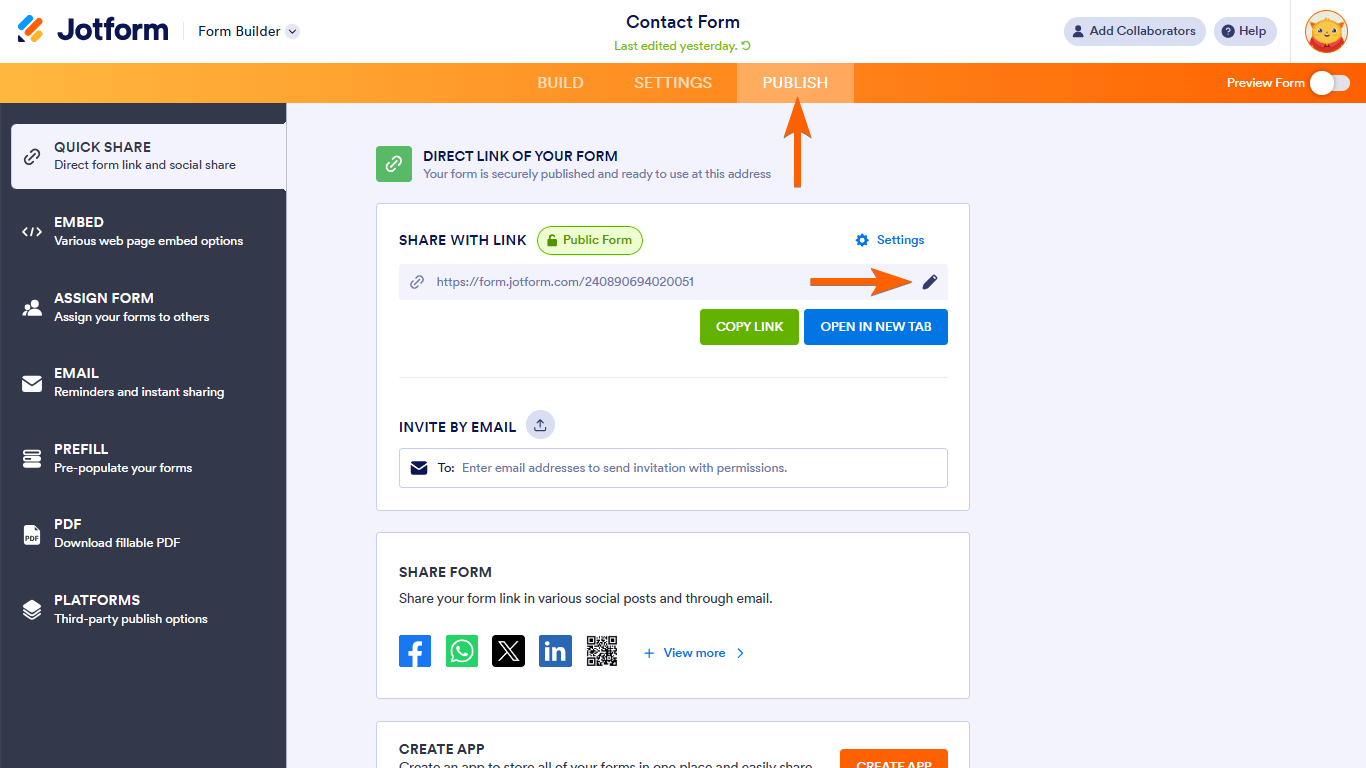
- Go to the Form Builder and click on Publish at the top.
- Under Share With Link, click the pencil icon next to your form URL.
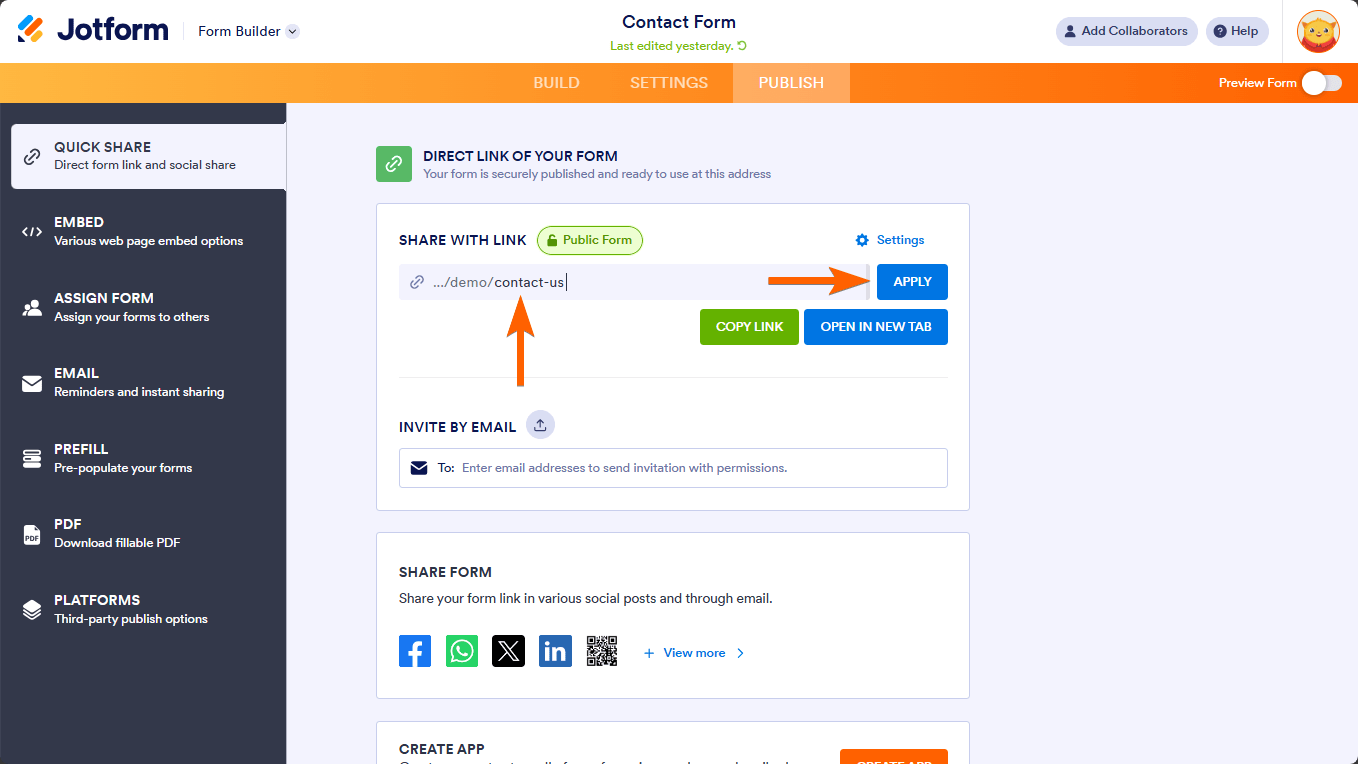
- Enter your desired URL slug and then click Apply.
You can now share your form using this custom URL. If you want to remove the custom URL, click the reset icon under Share With Link.

Note that changing the form’s slug will invalidate the old custom URL, but the original form URL will still work regardless of slug changes.
If you want to change the page title that appears on the browser tab or link previews, you can do that separately in the form settings.
Give it a try and let us know how it goes.
-
jensbarbour
-
Podo: Support Specialist
Hi Jennifer,
You’re welcome. If you have any more questions or need further assistance, feel free to ask.
Give it a try and let us know how it goes.

Your Reply
Something Went Wrong
An error occurred while generating the AI response. Please try again!