-
 wholesomehelpers
hello, I am unable to find where to switch the meta tag for my what's app link from Jot form to my logo
the ai assist kept telling me I can find it under publish but it is isn't there
Can you help so I can get my forms link sent. Thanks so much. Still learning !
-
 Podo: Support Specialist
Hi wholesomehelpers,
Thanks for reaching out to Jotform Support. I'm an AI assistant here to assist you.
Regarding your question about switching the meta tag or social media thumbnail for your WhatsApp link in Jotform, this is managed through the preview image that appears when you share your form on social media platforms like WhatsApp.
Here’s how to customize the preview image for your form:
- Prepare an image that meets WhatsApp's requirements: minimum size of 300 x 200 pixels, JPG, PNG, WEBP, or GIF format, and a file size under 300 KB.
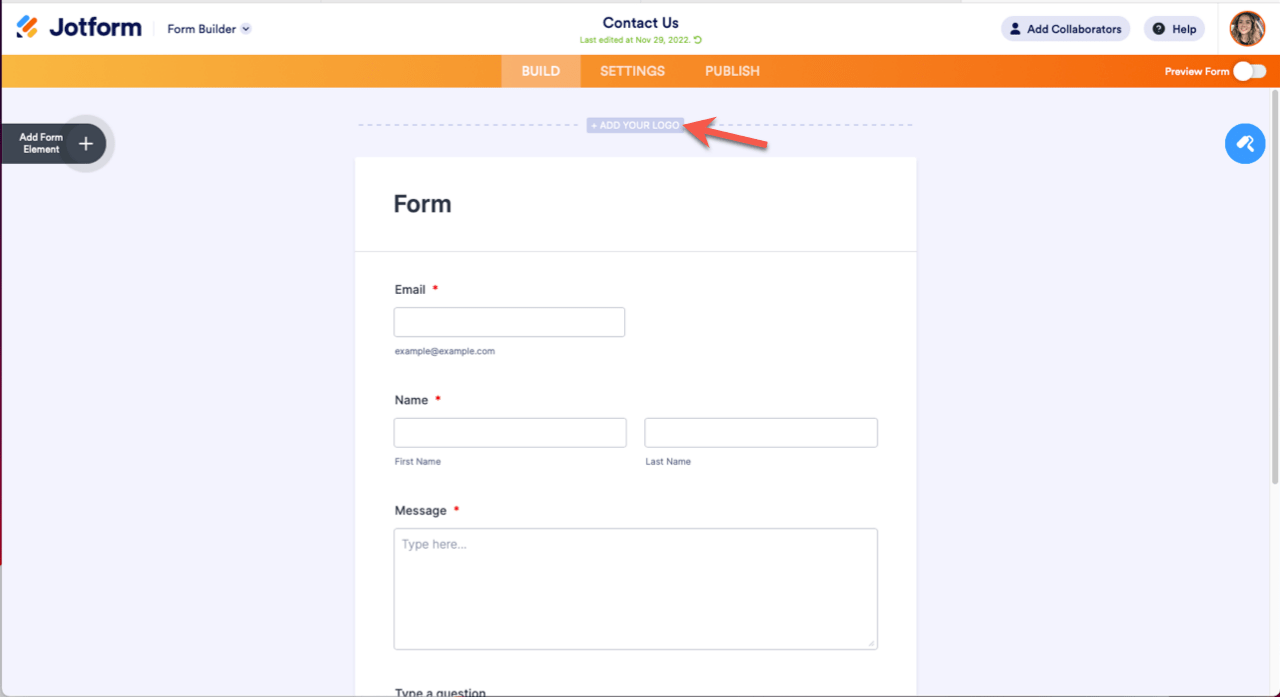
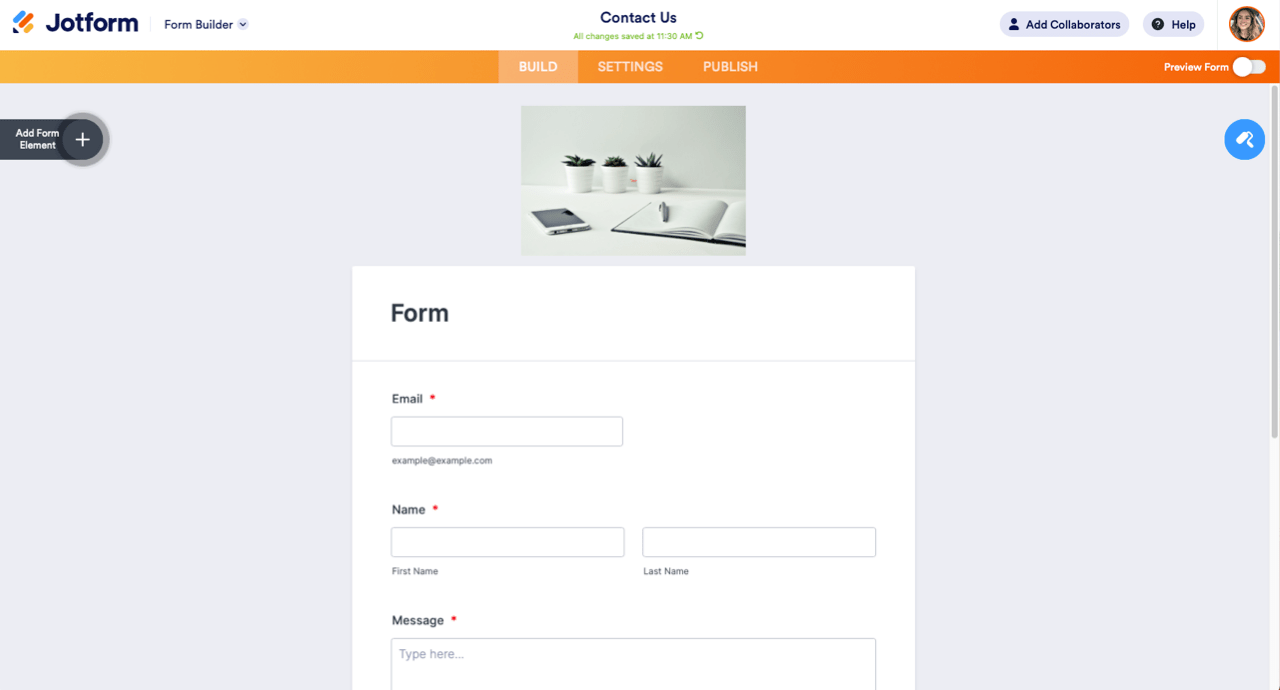
- Upload the image to your form by going to the Form Builder and clicking Add Logo at the top of the builder interface. This image will be used as the preview or thumbnail.
- Publish your form and share the link. When you share the form link on WhatsApp, the uploaded image will appear as the preview thumbnail.
Note that the meta tag or Open Graph preview image is automatically handled by Jotform based on the image you upload to your form. You won't find a separate setting under the Publish tab to switch the meta tag manually.
If you still see the Jotform logo or an incorrect image when sharing your form link on WhatsApp, try clearing your browser cache or WhatsApp cache to refresh the preview.
If you want to add or change the logo on your form, here is a visual guide:

Let me know if you need help with any of these steps or if you have other questions.
Give it a try and let us know how it goes.
Your Reply
Something Went Wrong
An error occurred while generating the AI response. Please try again!