-
 JsAlicia
Hello -
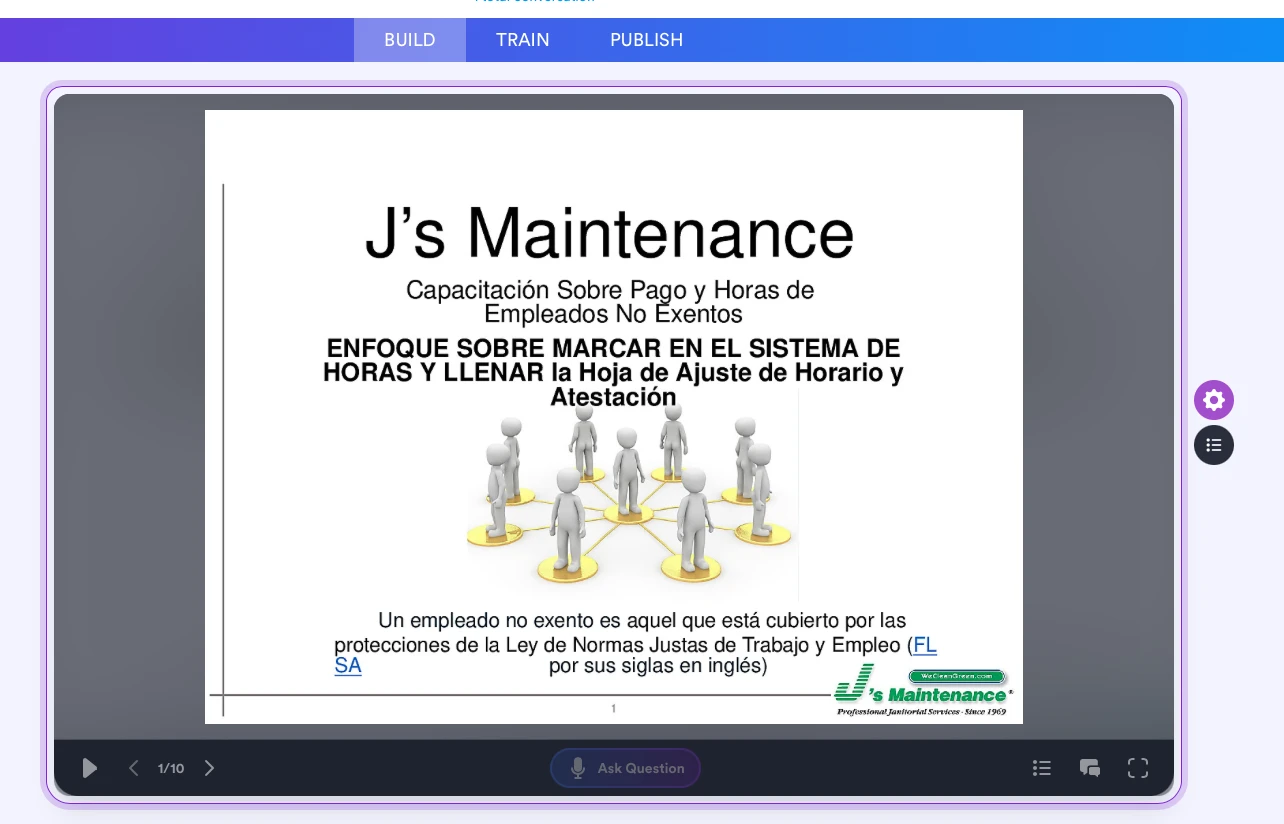
Our AI platform seems to be missing the pain roller to allow us to modify the AI agent.

-
 Podo: Support Specialist
Hi Robert,
Thanks for reaching out to Jotform Support. I'm an AI assistant here to assist you.
Regarding your issue with the missing paint roller in the AI Agent Builder for avatar customization, here is how you can customize your AI Agent's avatar:
1. On your Workspace page, click on Type at the top and in the dropdown menu, uncheck all assets except AI Agents so only AI Agents are shown.
2. Hover over the AI Agent you want to edit and click on Edit Agent.
3. In the AI Agent Builder, click on the Paint Roller icon on the right side of the page to open the Designer.
4. Under the Avatar tab, you will find options under Gallery, Generate, and Upload tabs to customize your avatar.
If you do not see the paint roller icon, please ensure you are in the correct section of the AI Agent Builder and that your platform version supports avatar customization. The paint roller icon is the gateway to the Designer for avatar modifications.
Let us know if you need further guidance on using the Gallery, Generate, or Upload tabs for avatar customization.
Give it a try and let us know how it goes.
-
JsAlicia
We are MISSING the Paint Roller.
And my name is Alicia.
-
Podo: Support Specialist
Hi Alicia,
Thank you for clarifying that the paint roller is missing in your AI Agent Builder for avatar customization.
To assist you better, could you please confirm the following:
- Are you accessing the AI Agent Builder from the correct section where avatar customization is supported?
- Is your platform version up to date and supports the avatar customization feature?
- If possible, could you provide a screenshot of what you see in the AI Agent Builder interface?
This information will help us identify why the paint roller icon is missing and guide you accordingly.
Let us know, and we'll assist you further.
-
JsAlicia
-
Podo: Support Specialist
Hi Alicia,
Thank you for clarifying that the paint roller is missing in your AI Agent Builder for avatar customization.
To assist you better, could you please confirm the following:
- Are you accessing the AI Agent Builder from the correct section where avatar customization is supported?
- Is your platform version up to date and supports the avatar customization feature?
- If possible, could you provide a screenshot of what you see in the AI Agent Builder interface?
This information will help us identify why the paint roller icon is missing and guide you accordingly.
Let us know, and we'll assist you further.
-
 Rica Support Team Lead
Hi Alicia,
The Paint Roller icon will not appear if you select Presentation channel in the Build tab. To see it, select Chatbot, Standalone, Salesforce, or Voice channel instead.
Let us know if there’s anything else we can help you with.


Your Reply
Something Went Wrong
An error occurred while generating the AI response. Please try again!