-
 dvaa1931
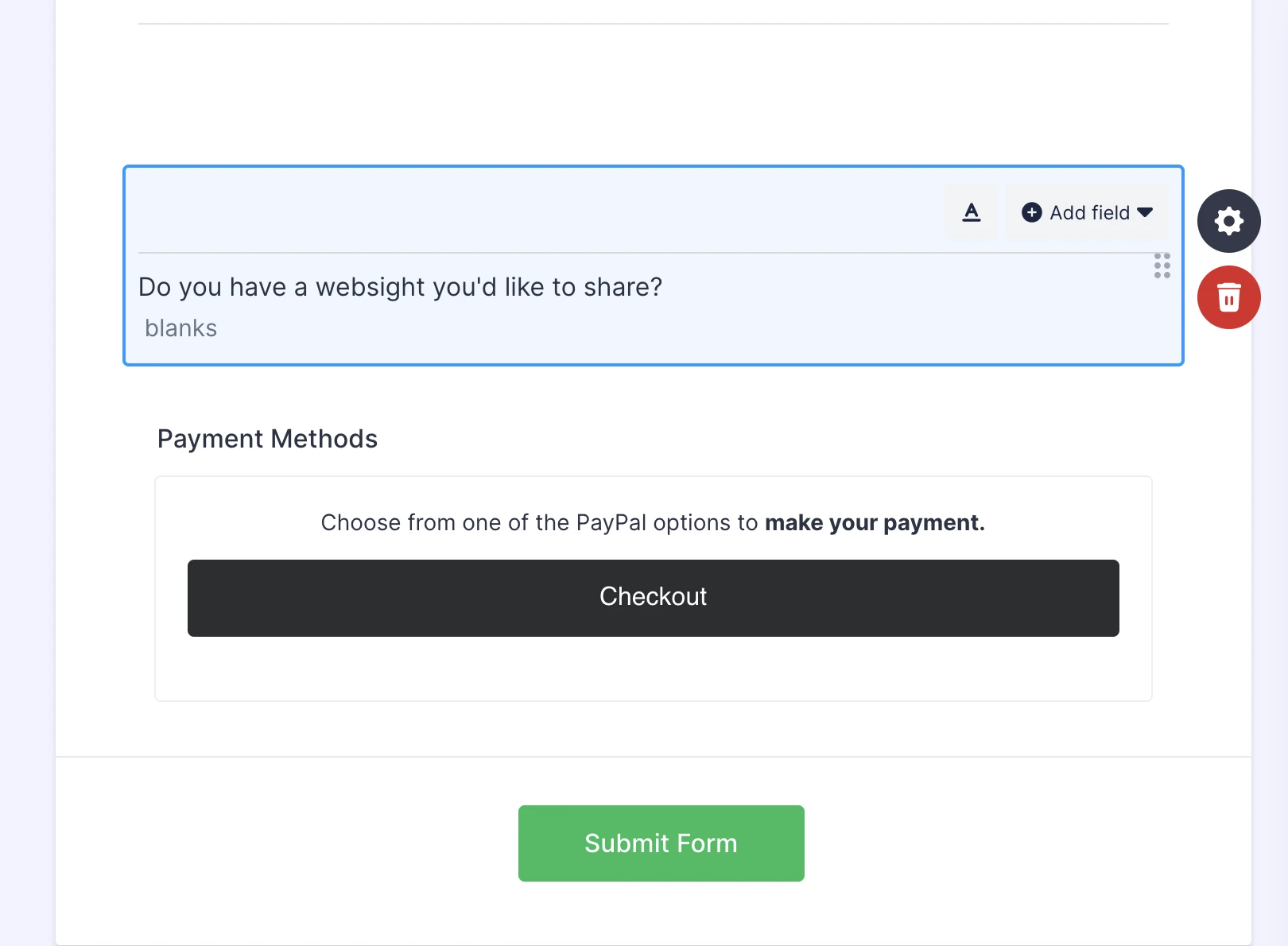
HI, I'm working on a Membership Form, and somehow Payment Methods followed by Choose a PayPal Option have separated from their original field, and now appear at the bottom of the form before Checkout. The AI assistant cannot see the lines in question, and cannot delete them. I cannot seem to be able to delete them. No field appears and it doesnt respond to my curser. Thanks for helping. you'll see it on the screenshot

-
 Podo: Support Specialist
Hi Cindy,
It's easy to remove an existing payment integration from your form. Let me show you how to do it:
- In Form Builder, find your Product List field and click on it.
- Then, click on the Credit Card icon to remove the payment integration.
Reach out again if there’s anything else we can help you with.
-
dvaa1931
You don't understand.
NO FIELD appears around the lines I need deleted. They are strays from setting up the payment method.
Is a human available?
-
Podo: Support Specialist
Hi Cindy,
One of our Support Team members will take it from here to follow up shortly.
-
dvaa1931
Thank You!
-
 Brandon
Hi Cindy,
Thanks for reaching out to Jotform Support. The team would be happy to take a look. Can you send over the link to your form so they can check it over? Thanks!
Your Reply
Something Went Wrong
An error occurred while generating the AI response. Please try again!