-
 shayila
I would like my workflow to trigger from a "Sign Document" not a form. Podo mentioned to have you configure my account to do this.
-
 Podo: Support Specialist
Hi Shayila,
Thanks for reaching out to Jotform Support. I'm an AI assistant here to assist you.
You can set up your workflow to trigger from a "Sign Document" instead of a form using Jotform Workflows with the Sign Document element. Here's how you can configure this:
Adding and Setting Up the Sign Document Element in Workflow Builder:
- Open Workflow Builder and click on Add Element on the left side to open the Workflow Elements menu.
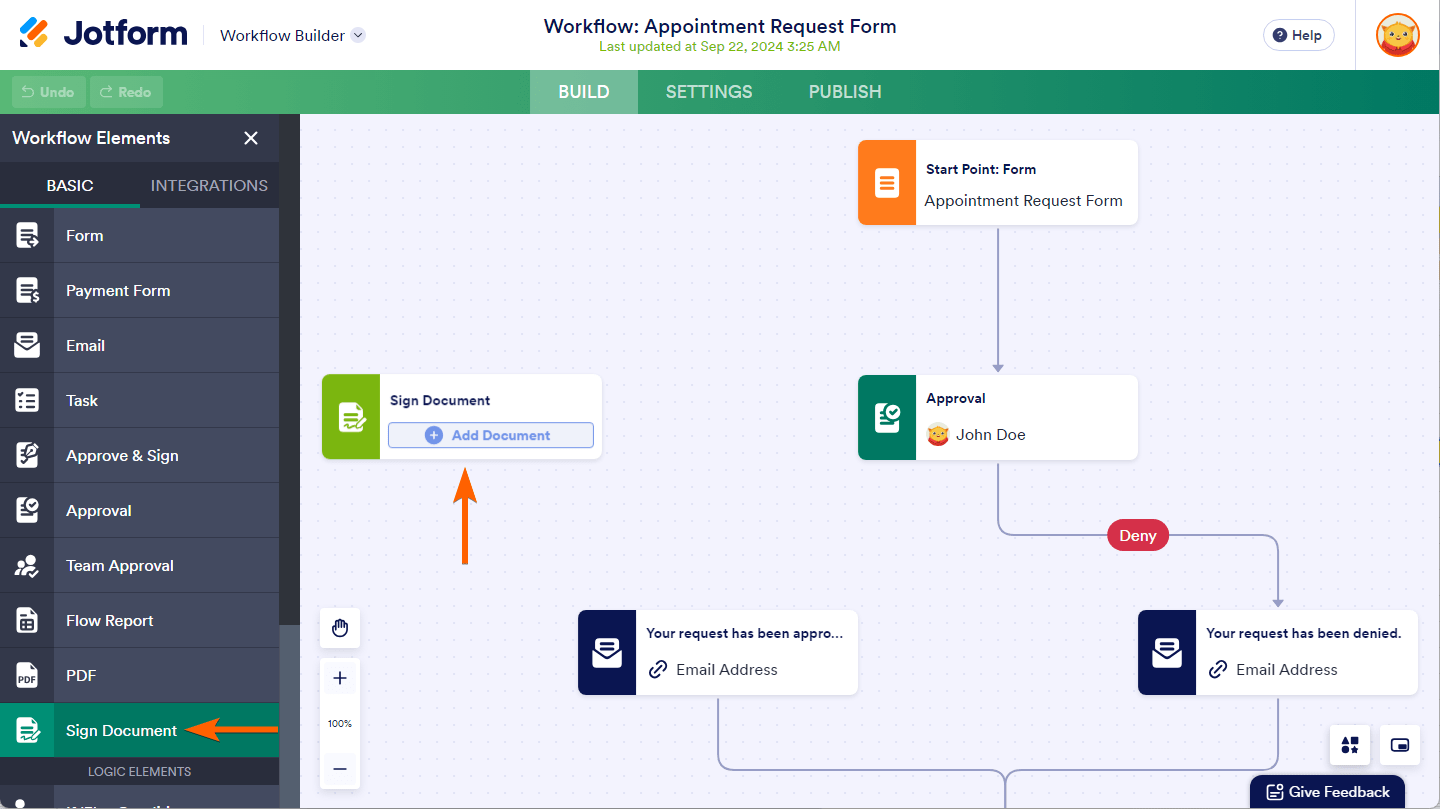
- Drag and drop the Sign Document element from the Basic tab onto your workflow canvas.
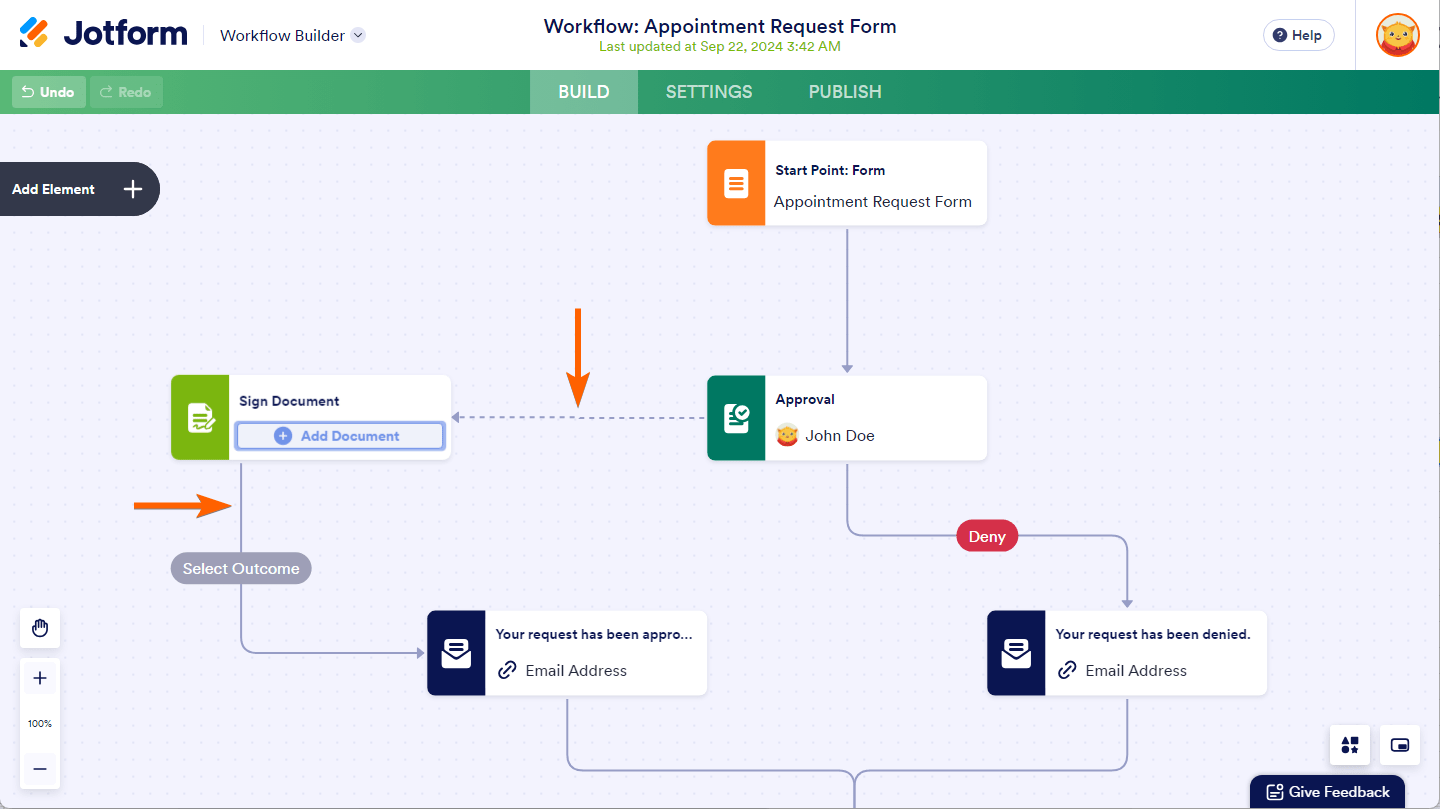
- Connect the Sign Document element by drawing flow lines to and from it to other elements in your workflow.
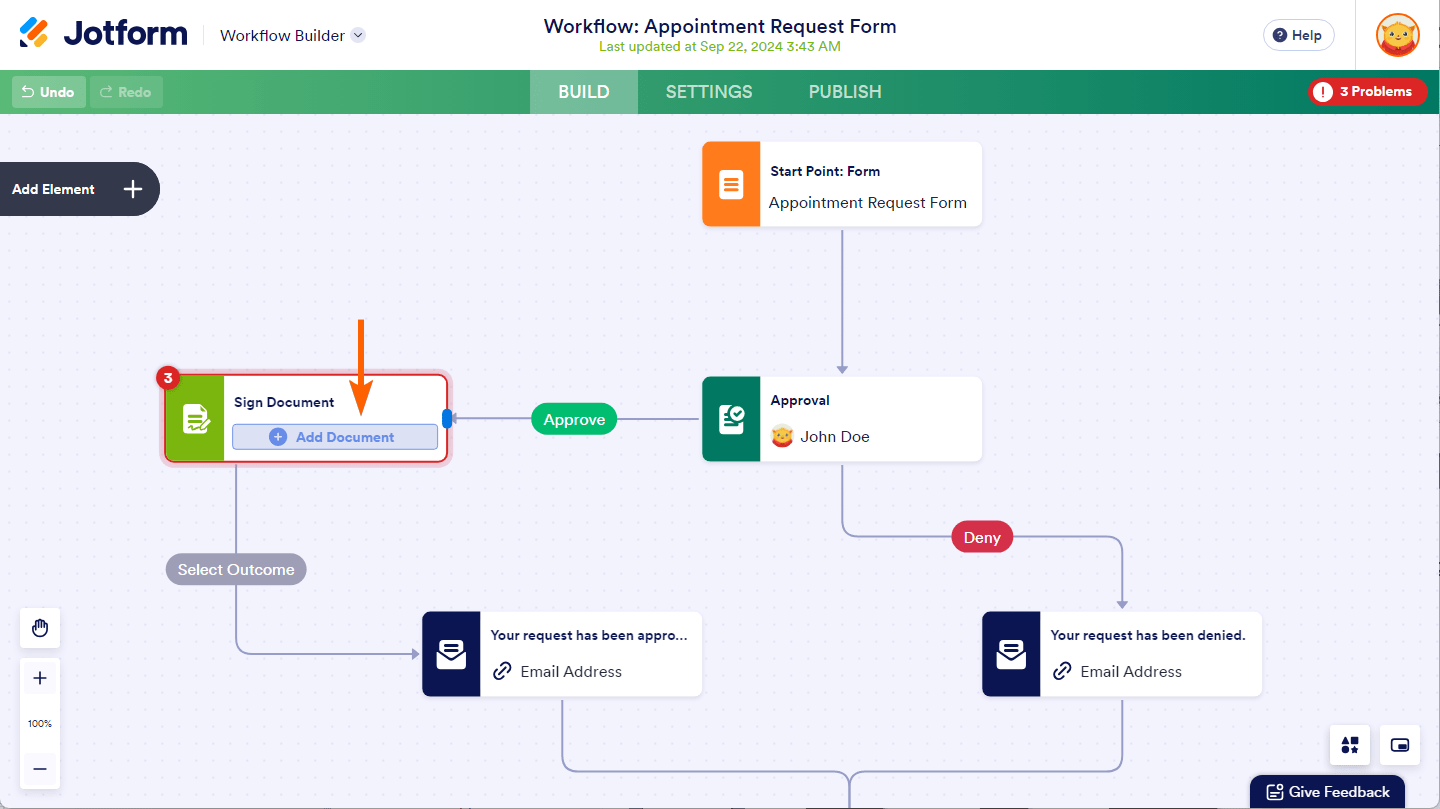
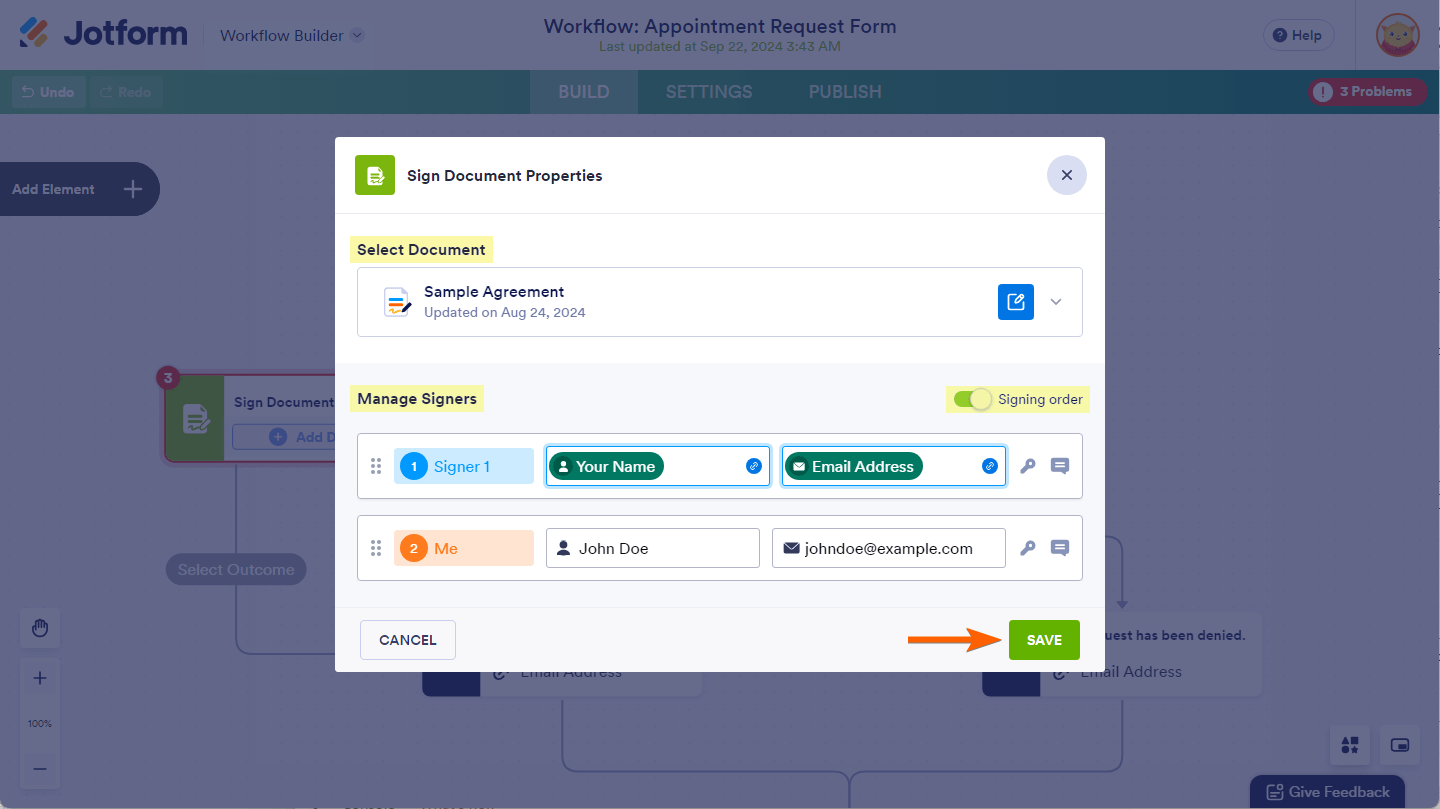
- Click the Add Document button on the Sign Document element to select a document from your account and assign signer roles by providing their names and email addresses.
- Configure signer settings such as signing order, access codes, and custom messages for signers.
Setting Outcomes and Paths: You can set different workflow paths based on the outcome of the signing process, such as Signed, Declined, or Canceled. Connect the Sign Document element to other elements in your workflow using flow lines and select the desired outcome to determine the next steps.
Tracking and Managing Signed Documents: Signed documents can be tracked and managed in the Sign Inbox, accessible from your workspace or Jotform Inbox.
This setup allows your workflow to trigger and proceed based on the signing of documents rather than form submissions.
Here are some images to illustrate the process:

Let me know if you need detailed steps or assistance with any part of this setup.
Give it a try and let us know how it goes.
Your Reply
Something Went Wrong
An error occurred while generating the AI response. Please try again!