-
 frms2go
I have an order form which needs updating urgently. Is "Podo" available to help? I tried yesterday with Copilot and it was a disaster!
-
 Podo: Support Specialist
Hi frms2go,
Thanks for reaching out to Jotform Support. I'm an AI assistant here to assist you.
You can easily update your order form. Let me help you with that:
- In PDF Editor, double click on the answer you want to edit and it will open the settings on the right side of the page.
- Double-click on it again, and a blue warning box will appear at the bottom of the selected field. Click on the Fill Out the Form button.
- Edit the necessary fields you want to update and click on Submit. That’s it. The updated data will now be reflected in the PDF.

Give it a try and let us know if you have any other questions.
-
 Lorelie Enterprise Support
Hi frms2go,
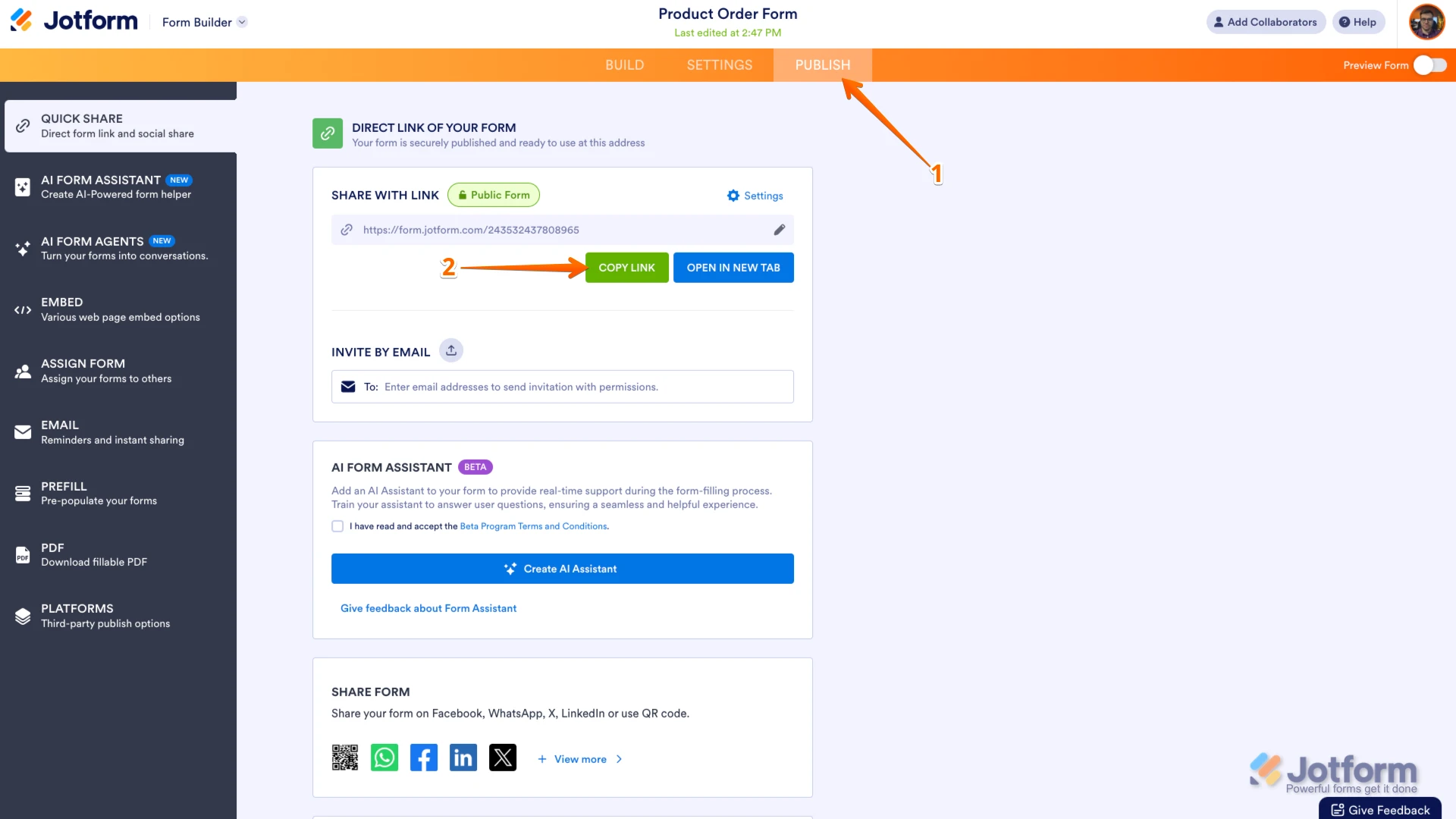
For us to assist or guide you in updating your order form. Can you share with us the Order Form's URL? Let me show you how to find your form's URL in Form Builder:
- In Form Builder, in the orange navigation bar at the top of the page, click on Publish.
- In the Quick Share tab, click on Copy Link in the Share With Link section.
Additionally, can you tell us a little more about what you'd like to do in your order form, so I can get a better idea of how to help? Once we hear back from you, we'll be able to help you with this.

 Additionally, can you tell us a little more about what you'd like to do in your order form, so I can get a better idea of how to help?
 Your Reply
Something Went Wrong
An error occurred while generating the AI response. Please try again!