-
 vagrantweb
Hello,
I am looking for the list of sites using the forms we've configured. At present we are unable to see the required information. The previous administrator managing this area is no longer working with us and we are clueless on the requested informationPlease help!
Regards,
Susheel Rao
-
 Podo: Support Specialist
Hi Susheel Rao,
Thanks for reaching out to Jotform Support. I'm an AI assistant here to assist you.
To find the list of sites using the forms you've configured and see the URLs where the forms are embedded, here’s how you can do it:
1. Find Your Form URLs:
- In Form Builder, click on Publish.
- Click on Copy Link under Share With Link to get the unique URL of each form.
This URL is the direct link to your form, which you can share or check where it is used.
2. Capture the Page URL Where the Form is Embedded:
- If your form is embedded on multiple sites and you want to know which site the submission came from, use the Get Form Page URL widget.
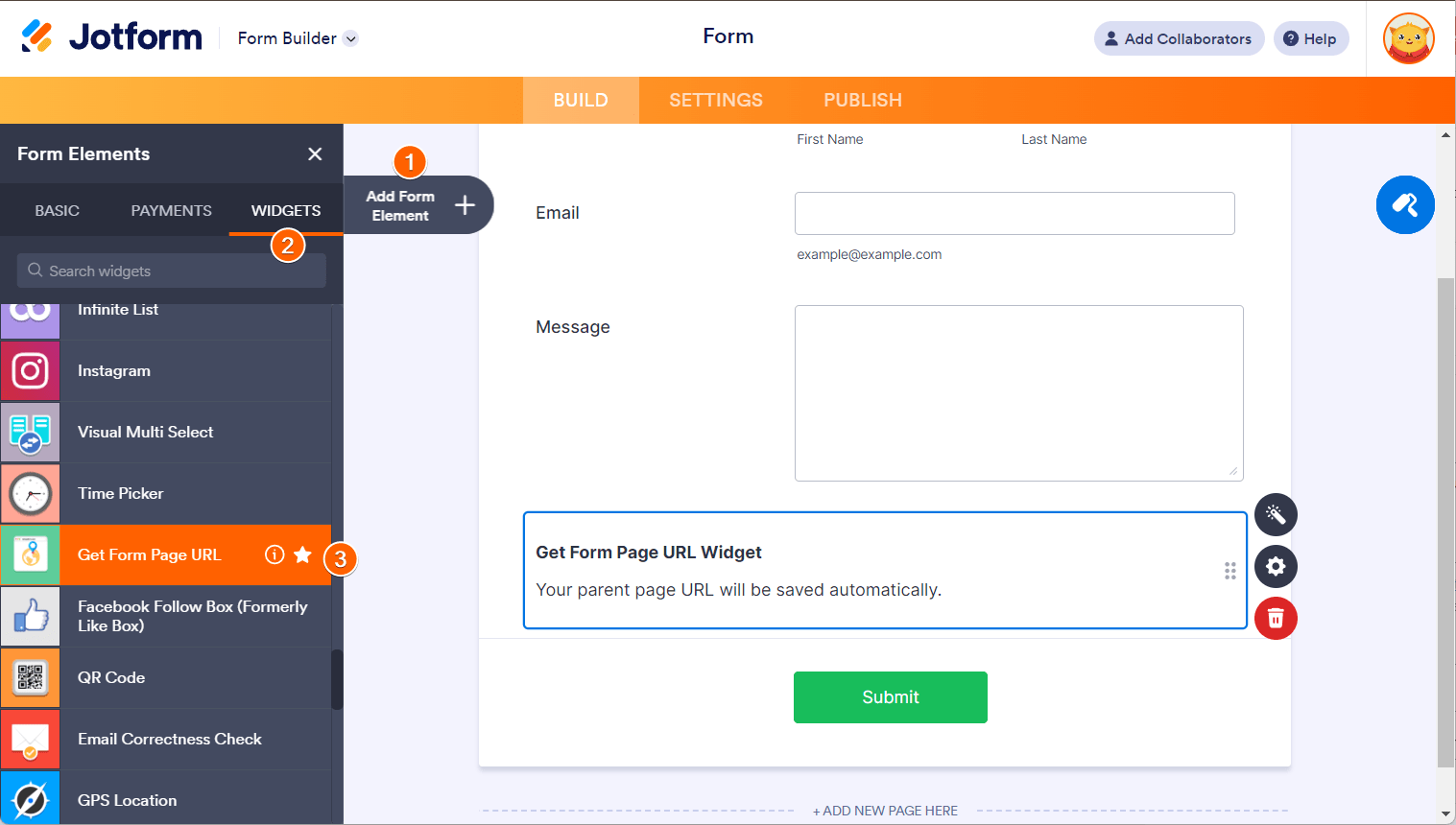
- To add it, go to Form Builder, click Add Form Element, then under the Widgets tab, search for and add Get Form Page URL.
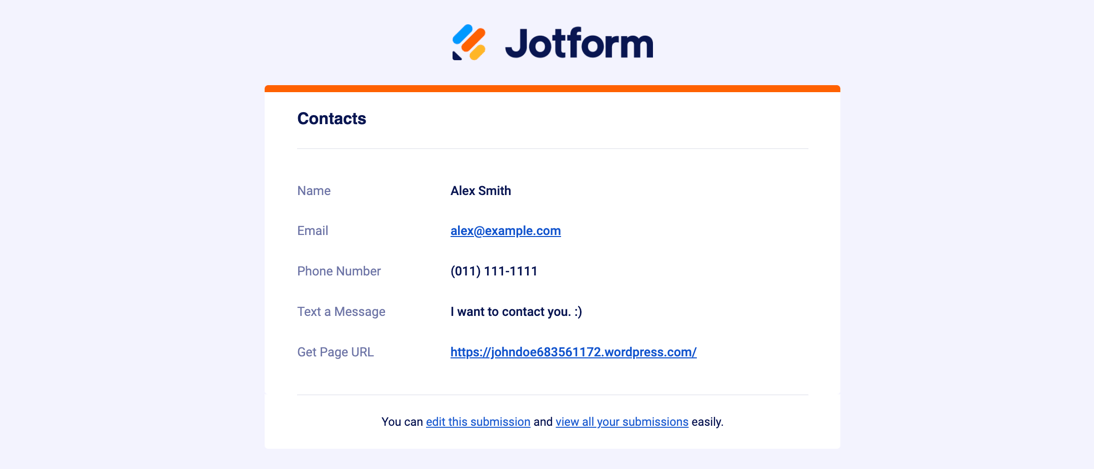
This widget automatically captures the URL of the page where the form was filled out and sends it with the submission data.
Here is an example of how the widget looks in the form builder:

And an example of the captured page URL in submission data:
Using this method, you can track which sites are using your forms by reviewing the submission data.
If you need to see all your forms, you can find them on your My Forms page. To see submissions, select a form and click on Submissions.
Let us know if you need further assistance with this.
Give it a try and let us know how it goes.

Your Reply
Something Went Wrong
An error occurred while generating the AI response. Please try again!