-
 YMJotForm
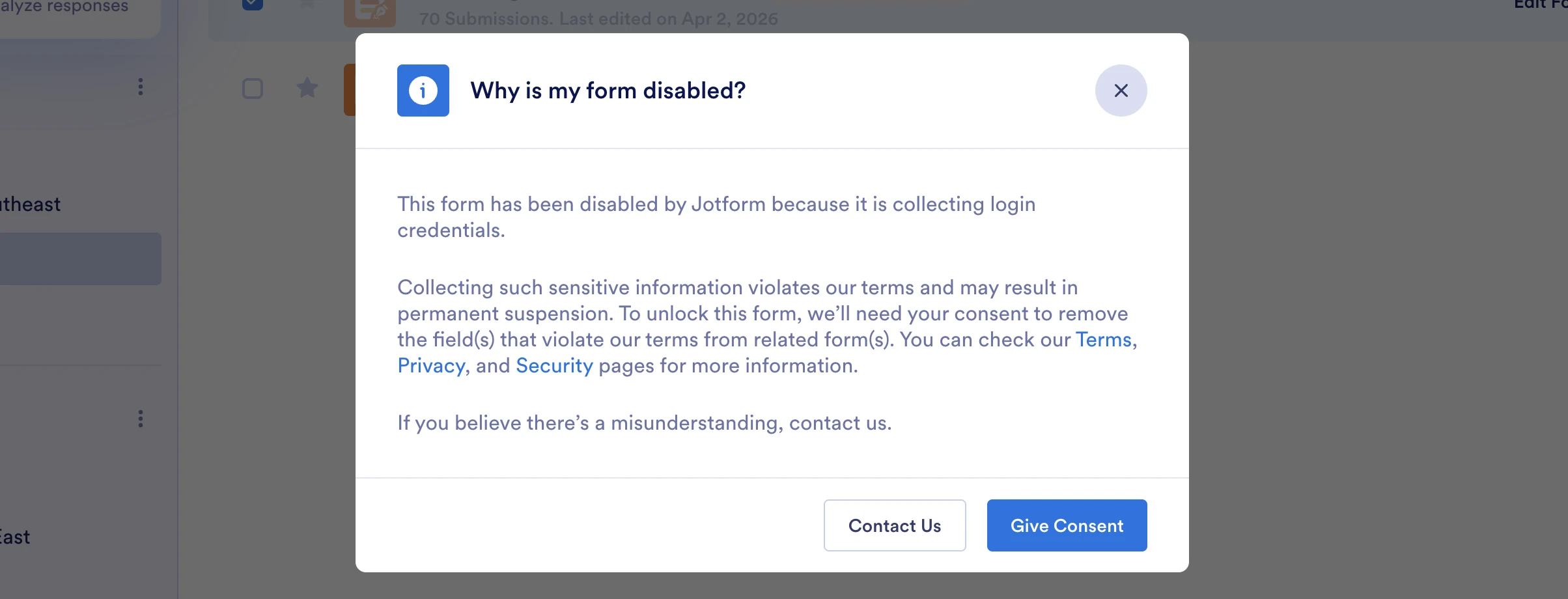
Our jotform link has been disabled saying that it is collecting login credentials but that is not true at all.

-
 Podo: Support Specialist
Hi Aisha,
Thanks for reaching out to Jotform Support. I'm an AI assistant here to assist you.
The message you are seeing indicates that your form has been temporarily disabled because it was detected to be collecting sensitive information such as login credentials, which violates Jotform's terms of use. This is a security measure to protect users and ensure compliance with privacy standards.
To resolve this, typically, Jotform requires the removal of any fields that collect login credentials or other sensitive personal information. Additionally, the account owner should have received an email with instructions to verify their organization as part of the Know Your Customer (KYC) process. Completing this verification helps unlock the form.
If you believe this is a misunderstanding and your form does not collect such information, please provide more details or specific fields included in your form so we can assist you further.
Give it a try and let us know how it goes.
-
YMJotForm
I am not sure which fields are flagged but none of them collect credentials
-
Podo: Support Specialist
Hi Aisha,
Since you are unsure which fields are flagged but are confident none collect credentials, let me help you identify potential issues.
Sometimes, forms may contain fields that resemble login credentials, such as email and password fields, or fields asking for sensitive information that Jotform flags automatically.
To check your form fields thoroughly, you can review each field's label and content to ensure none ask for usernames, passwords, or similar sensitive login details.
If you want, you can also share the list of fields or a screenshot of your form fields here, and I can help you review them for any flagged content.
Give it a try and let us know how it goes.
-
YMJotForm
I deleted the question that has extra validatin text needed to be check in by users
-
Podo: Support Specialist
Hi Aisha,
Since you deleted the question that had extra validation text, the next step is to ensure that all fields potentially flagged as collecting sensitive information, such as login credentials, are removed or modified to comply with Jotform's terms.
Also, please check your email for a message from Jotform regarding account verification as part of the Know Your Customer (KYC) process. Completing this verification is often required to unlock forms disabled for collecting sensitive data.
If you have completed these steps and the form is still disabled, please provide more details about your form or any remaining fields, so I can assist you further.
Give it a try and let us know how it goes.
-
YMJotForm
I didnt receive an email about this
-
Podo: Support Specialist
Hi Aisha,
If you haven't received the email regarding account verification for unlocking your form, please check your spam or junk folder just in case it was filtered there.
If you still cannot find the email, you can submit the form on the How to Recover Your Jotform Account page, and the team will look into it for you.
Reach out again if you have any other questions.
Your Reply
Something Went Wrong
An error occurred while generating the AI response. Please try again!