-
 procurementgreatlakes
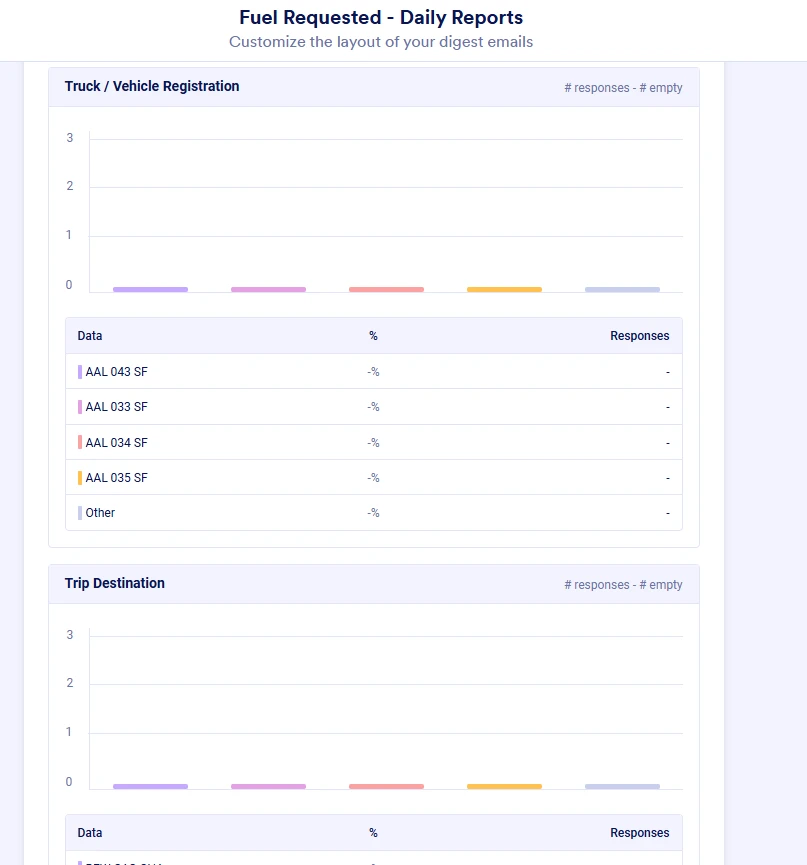
As per screenshot, the Charts are not picking Vehicle or Trip Destination details instead the charts are categorizing the submissions as "other".

-
 Podo: Support Specialist
Hi procurementgreatlakes,
Thanks for reaching out to Jotform Support. I'm an AI assistant here to assist you.
Regarding the issue where charts are not picking up Vehicle or Trip Destination details and instead categorizing submissions as "other," this usually happens when the chart is not properly summarizing or grouping the data from the specific columns in Jotform Tables.
Let me show you how to properly generate and view answer summary charts in Jotform Tables to ensure your data is categorized correctly:
- Open Jotform Tables and locate the column for Vehicle or Trip Destination.
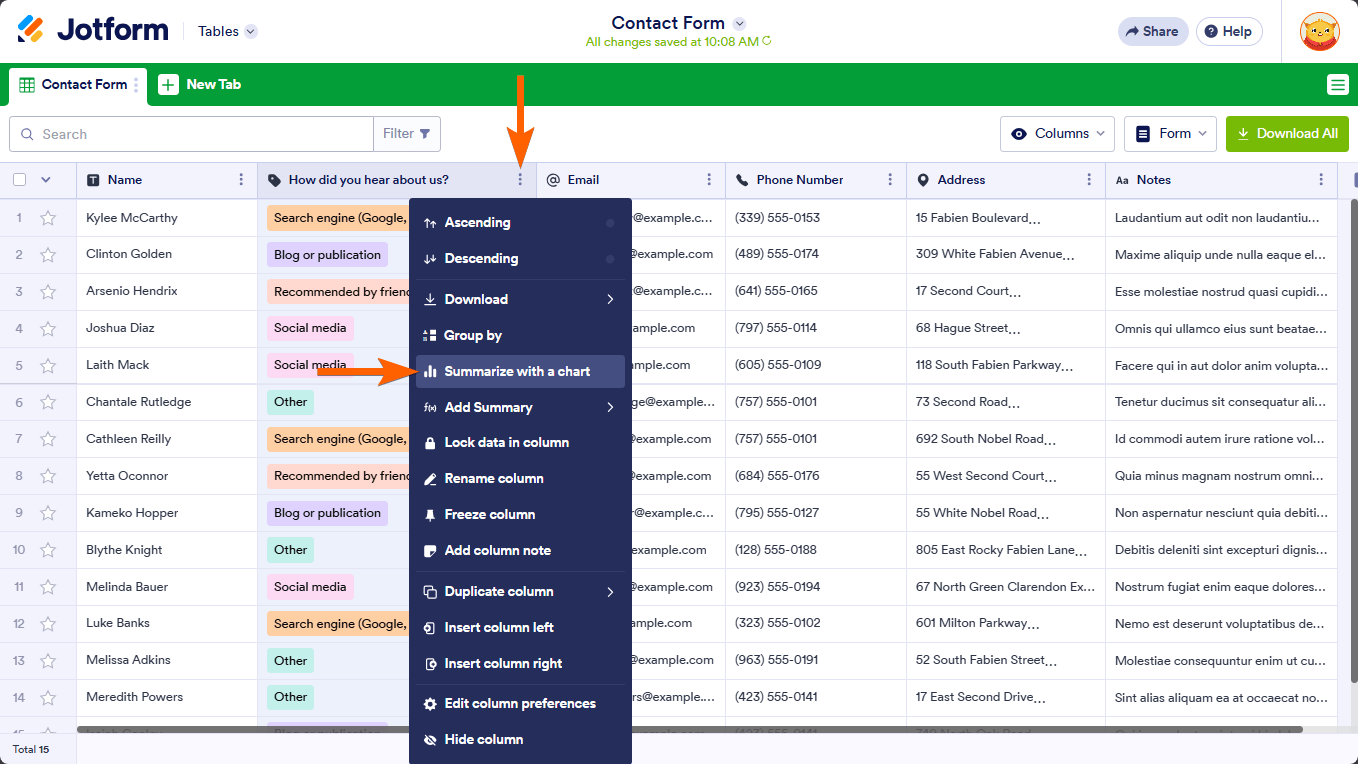
- Click on the column's menu at the top of that column.
- Select "Summarize with a chart" from the menu. This will open the summary panel on the right side.
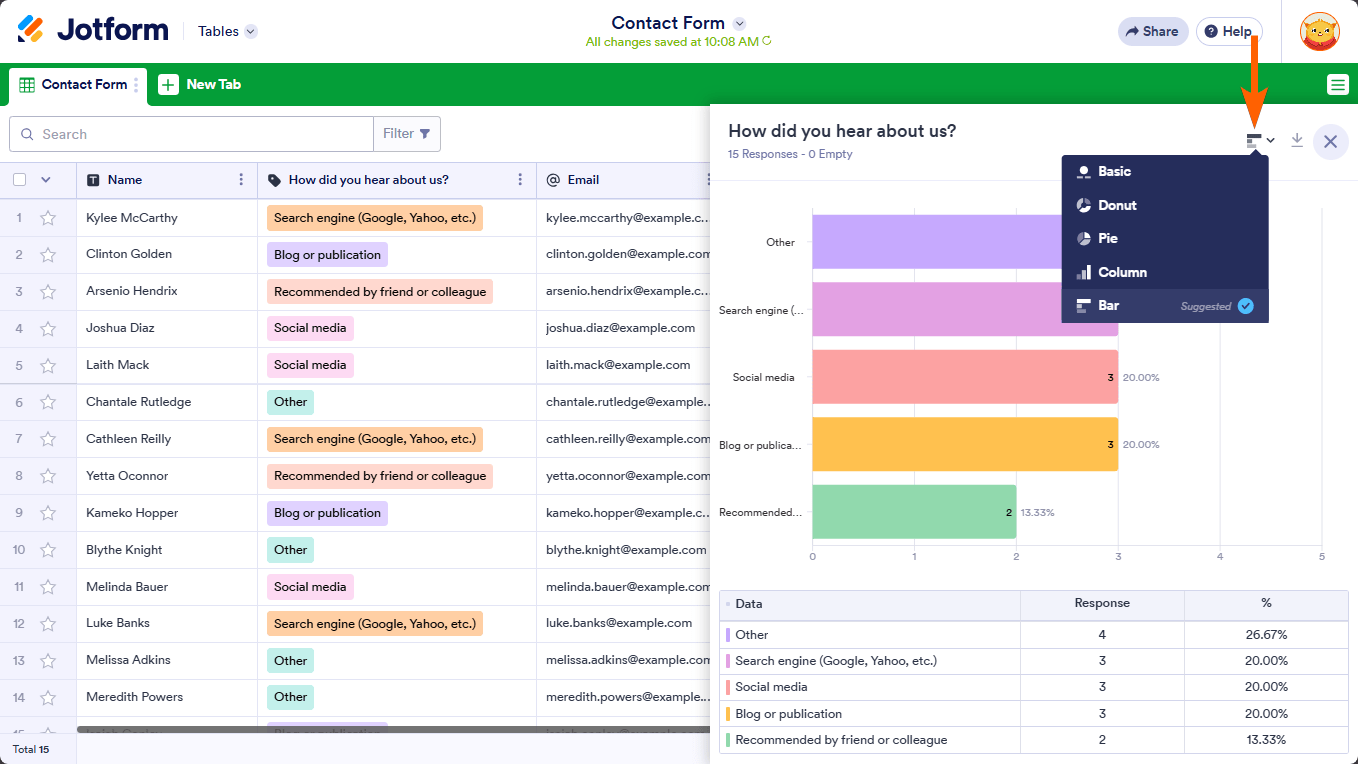
- Check the chart type by clicking the chart icon in the upper-right corner of the summary panel and select the appropriate chart type that best represents your data.
- Ensure the data entries in your form submissions for Vehicle or Trip Destination are consistent and correctly filled, as inconsistent or empty entries might be grouped under "other" in the chart.
If you want to group entries by answers for better structured data:
- Open the column's menu in Jotform Tables.
- Select Group by from the menu (available for Single Choice, Multiple Choice, and Dropdown column types).
- The entries will be grouped by their answers, which helps in better categorization in charts.
Also, make sure that no columns are hidden or filtered out in your table view, as this might affect the data shown in charts.
Here is an illustration of the "Summarize with a chart" feature:
And the chart type selection:
Give it a try and let us know how it goes.
-
 Lorenz JotForm Support
Hi procurementgreatlakes,
I assume the chart you're expecting is from the Digest Email you've set up on your form, right? I cloned your form, tested the Digest email and the submission is reflecting as expected. Check this out:
Let me take a look at this for you. To do that, we’ll need your permission to access your account. Don’t worry, you can turn it off again once we’re done. Let me show you how to do it:
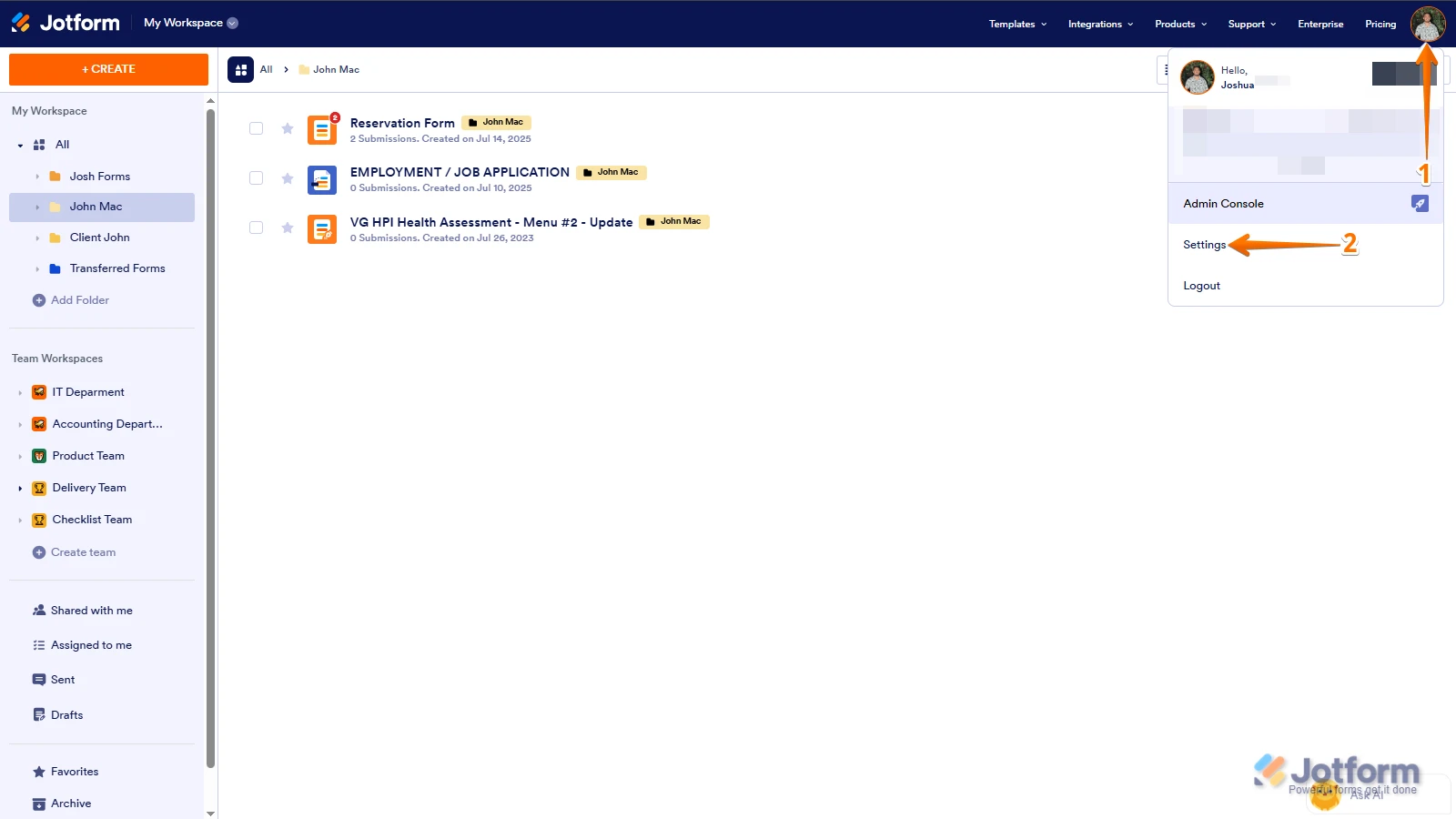
1. In the top-right corner of your Workspace page, click on your Avatar/Profile Image icon.
2. Then, in the Dropdown menu that opens, click on Settings.
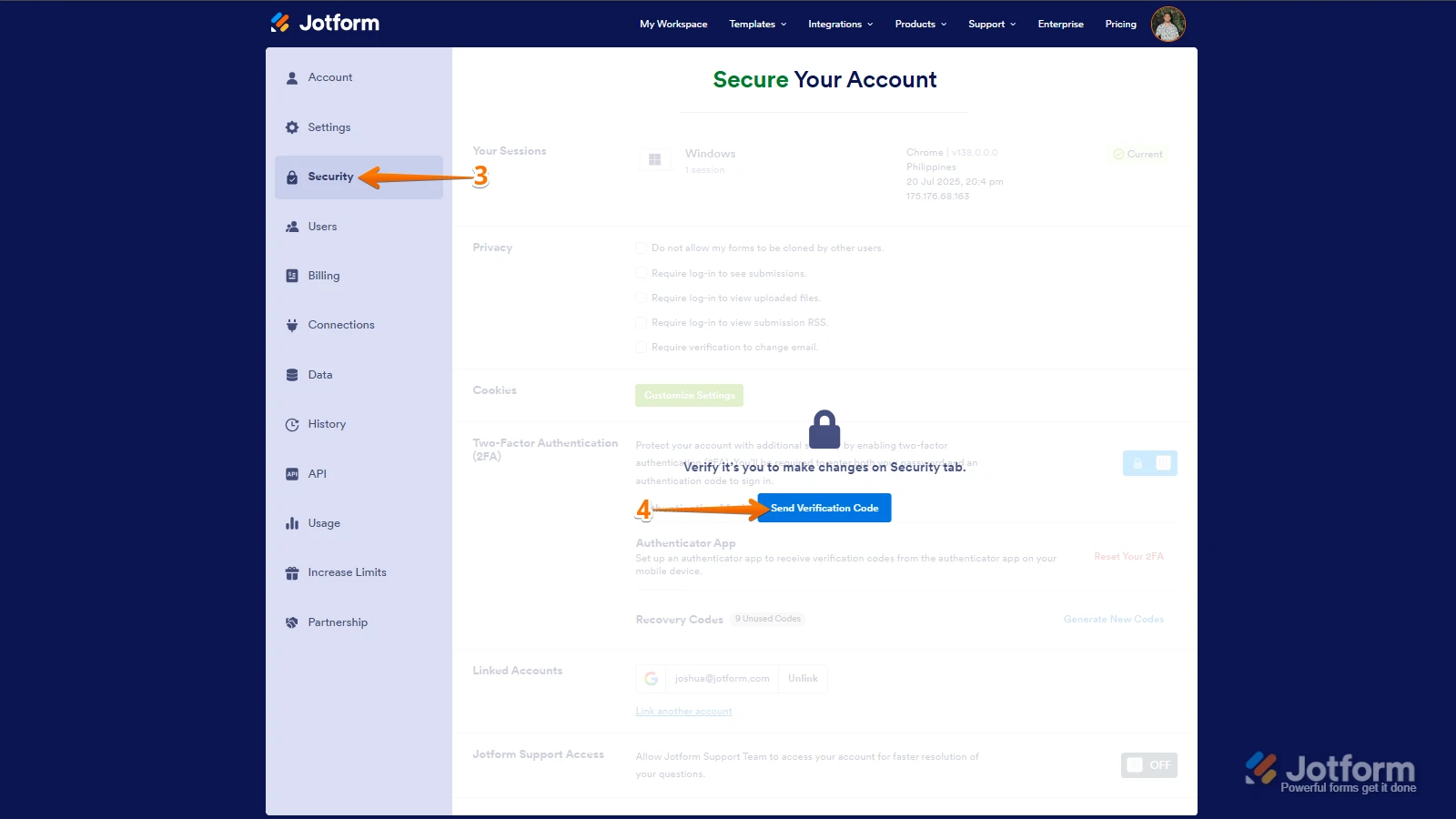
3. Next, in the panel on the left, click on the Security tab.
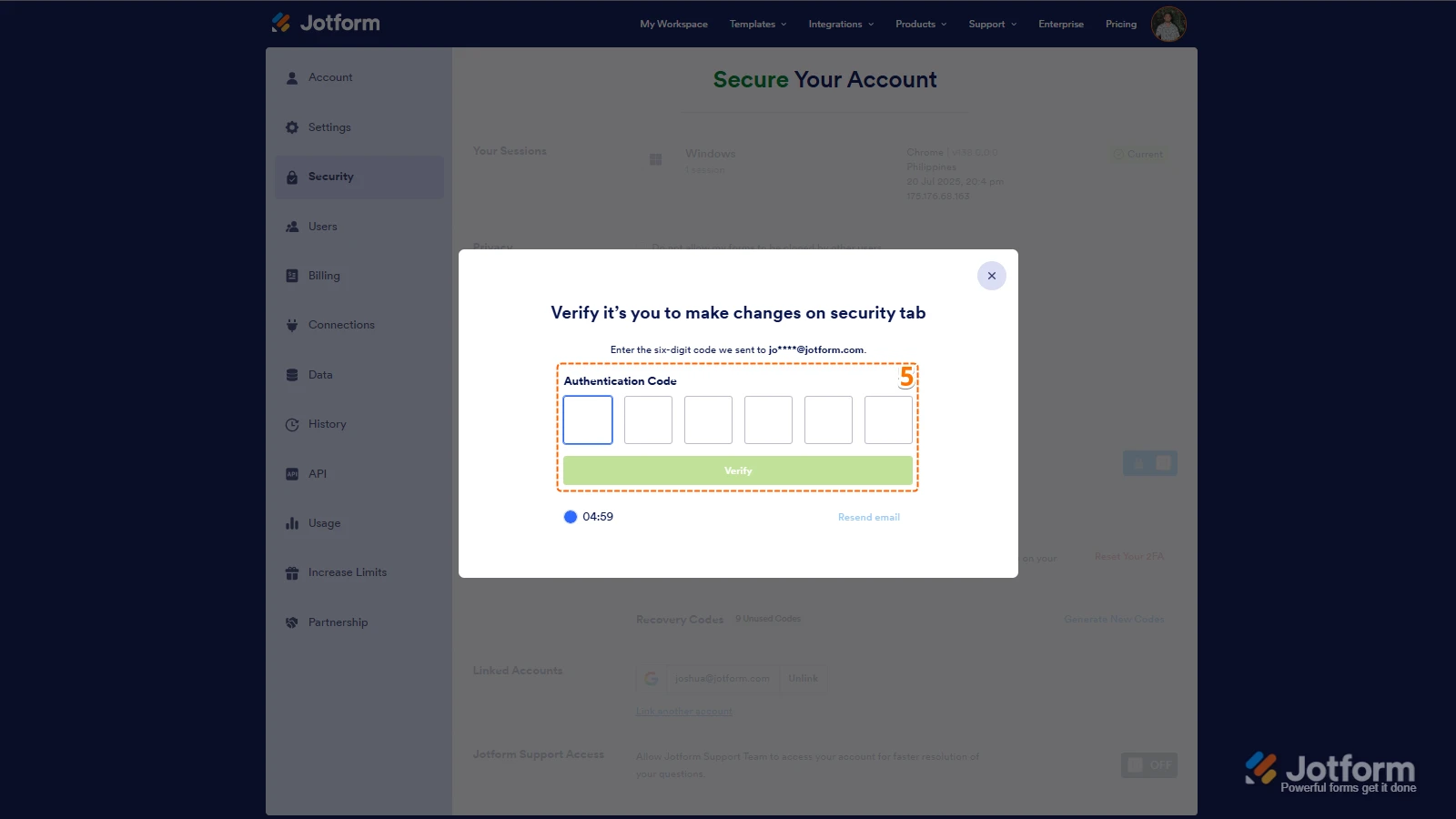
4. If you haven’t opened your Security page in a while, it’ll ask you to verify. To do that, click on Send Verification Code.
5. Then, enter the Verification Code you receive in your email.
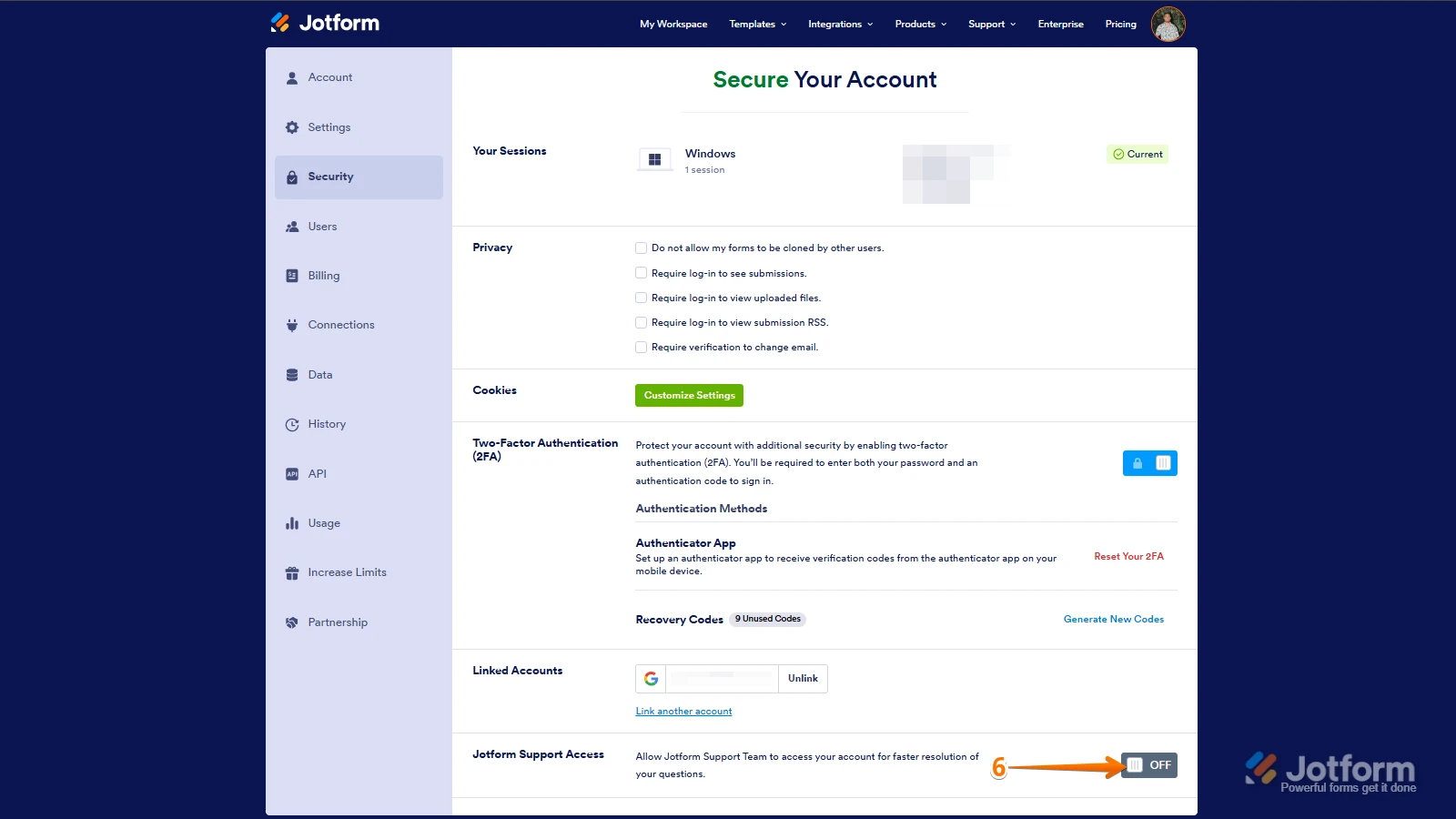
6. Finally, at the bottom of the page, toggle on Jotform Support Access.
After we hear back from you, we’ll have a better idea of what’s going on and how to help.

 After we hear back from you, we’ll have a better idea of what’s going on and how to help.
Your Reply
Something Went Wrong
An error occurred while generating the AI response. Please try again!