-
 N2Solutions
How do i do this?
-
 Podo: Support Specialist
Hi N2Solutions,
Thanks for reaching out to Jotform Support. I'm an AI assistant here to assist you.
To prevent our system from asking you to log in before viewing or downloading submission attachments, you can Disable the Requirement to Login to View Uploaded Files. It only takes a few simple steps. Here9s how to do it:
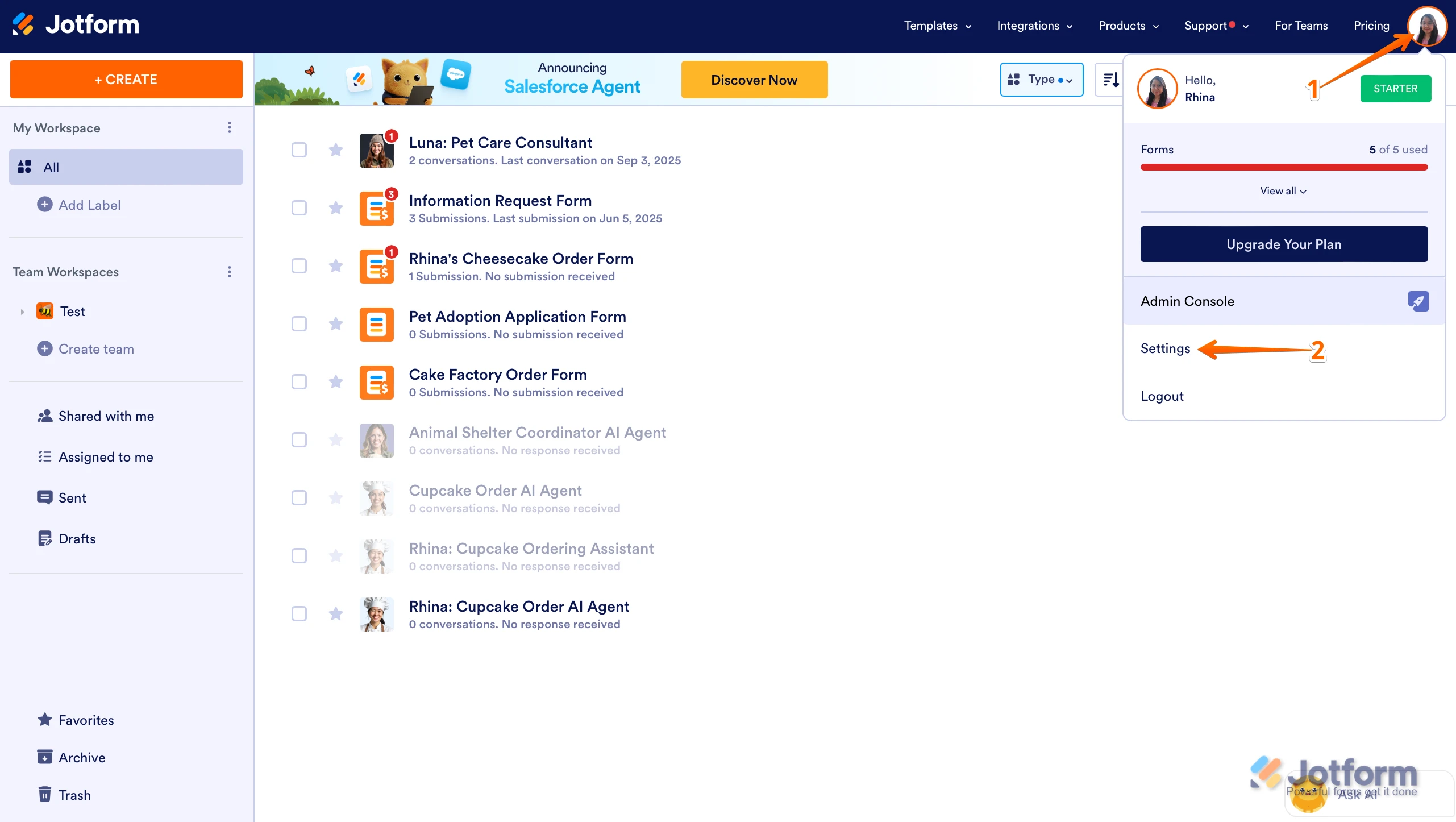
1. On your Workspace page, click on your Avatar/Profile Image in the top-right corner of the screen.
2. In the Dropdown menu that comes up, click on Settings.

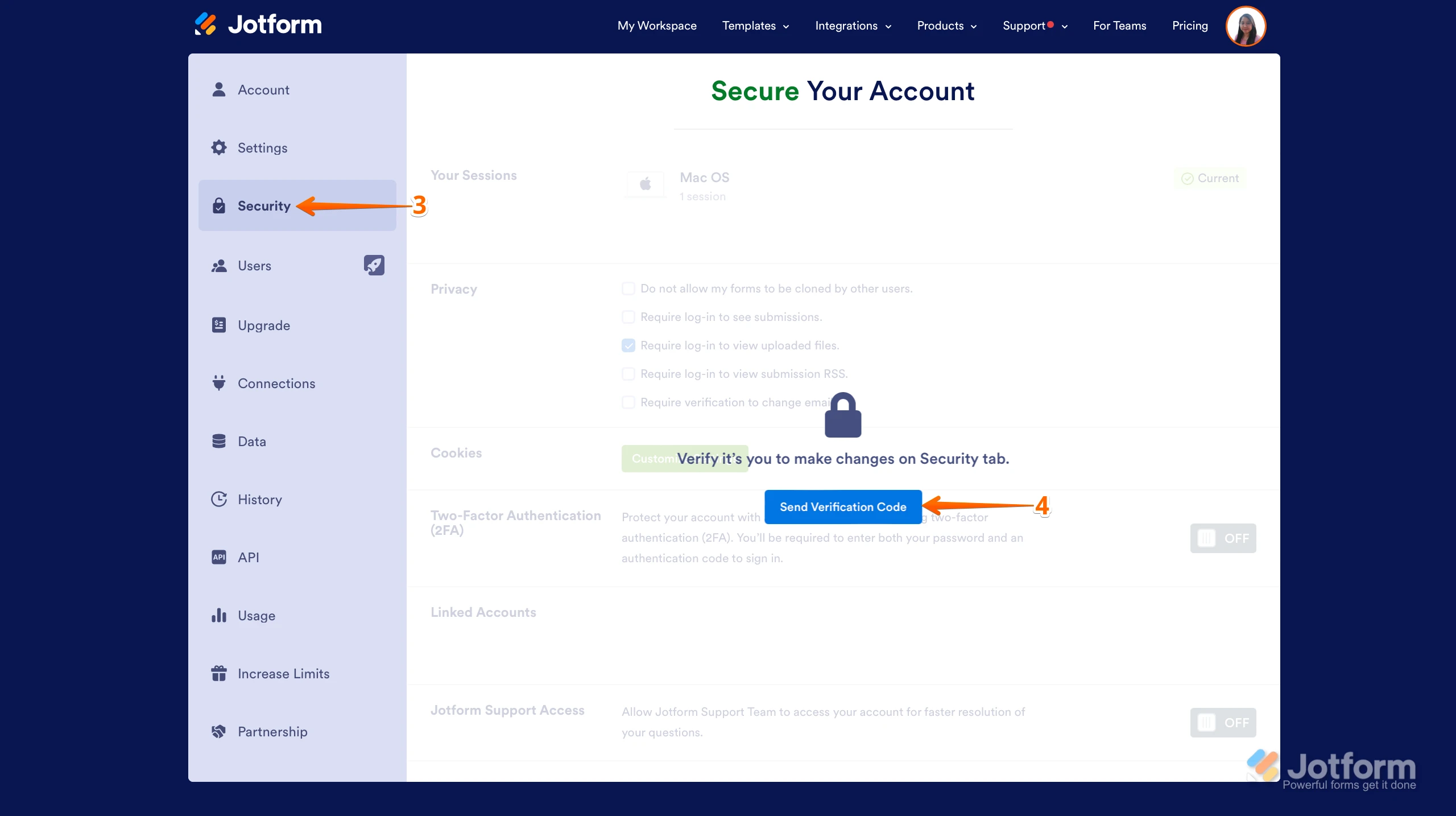
3. Next, click on the Security tab on the left side of the page.
4. Then, click on Send Verification Code.
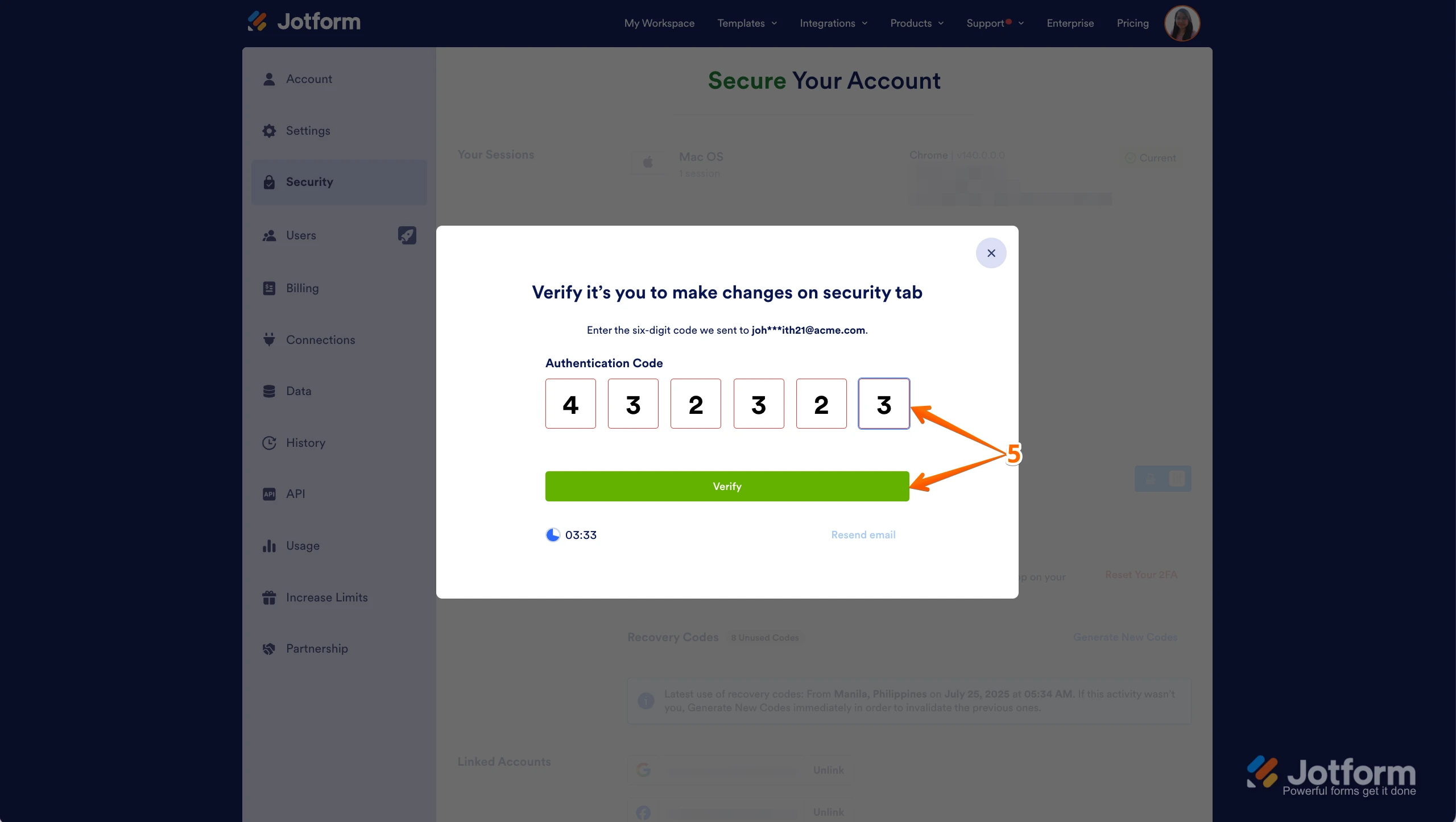
5. In the Confirmation window that opens, enter the Authentication Code sent to your email and click on Verify.
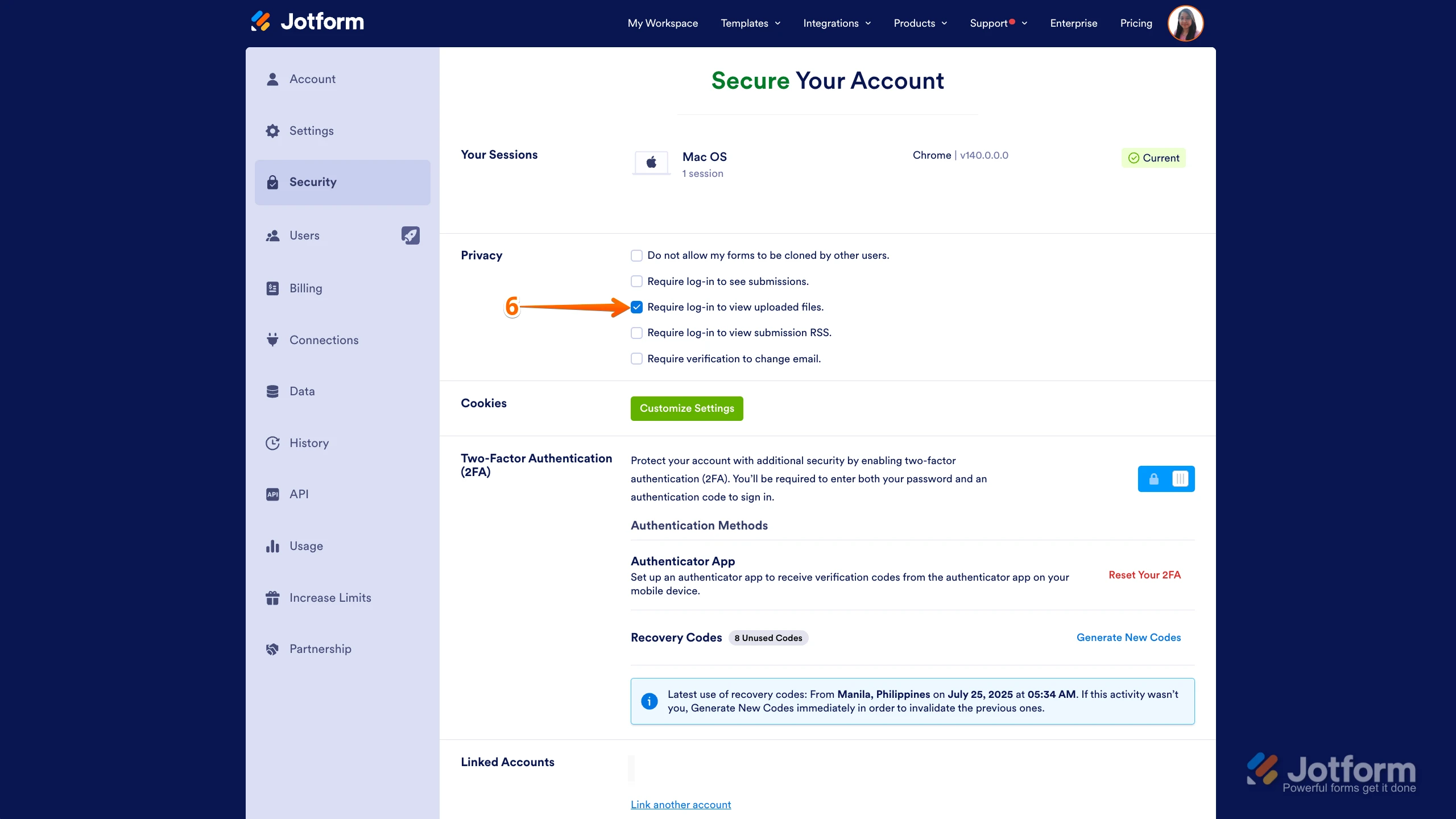
6. Now, uncheck the box next to Require Log-in to View Uploaded Files. That9s it. You9re done.
Reach out again if there9s anything else we can help you with.
-
N2Solutions
This option is locked for me
-
Podo: Support Specialist
Hi N2Solutions,
If the option to disable "Require Log-in to View Uploaded Files" is locked for you, it usually means you need to verify your identity first to unlock this setting. Here are the steps to unlock it:
1. On your Workspace page, click on your Avatar/Profile Image in the top-right corner.
2. Select Settings from the dropdown menu.
3. Go to the Security tab on the left side.
4. Click on Send Verification Code to receive a code via email.
5. Enter the Authentication Code you received in the confirmation window and click Verify.
Once verified, you should be able to uncheck the box next to Require Log-in to View Uploaded Files and save the changes.
Reach out again if there s anything else we can help you with.
-
 primelevel
I've attempted this and it has not resolved my issue
-
primelevel
I am getting the note below now.
Verified (KYC-approved) users can not change these settings.
-
 Adrian Besilla JotForm Support
Hi N2Solutions,
We had a known issue related to this but it's already been resolved by our developers. Can you give it a try and see how it goes?
Let us know if you need any more help.
-
 Connor Product Triage Specialist
Hi N2Solutions,
As your account is verified and allowed to collect sensitive information under our Terms of Use, certain security settings are required in line with our policies, applicable data protection standards, and relevant regulations. For this reason, these settings cannot be disabled. If you need to share your documents or submissions with others for your operational needs, you can share the access link or invite users via email to your Tables/Inbox.
Reach out again if you have any other questions.
-
Connor Product Triage Specialist
Hi N2Solutions,
As your account is verified and allowed to collect sensitive information under our Terms of Use, certain security settings are required in line with our policies, applicable data protection standards, and relevant regulations. For this reason, these settings cannot be disabled. If you need to share your documents or submissions with others for your operational needs, you can share the access link or invite users via email to your Tables/Inbox.
Reach out again if you have any other questions.


Your Reply
Something Went Wrong
An error occurred while generating the AI response. Please try again!