-
 docs.iamcpn
Im using zpeair and one of the triggers pulls the information form jotform and it the uplaoded document but when the zap trys toread the pdf it redirect them to the JOT form login page and thats never happen befor whats going ?
-
 Podo: Support Specialist
Hi,
When your Zap in Zapier tries to read the uploaded PDF from Jotform but gets redirected to the Jotform login page, this usually happens because of Jotform's privacy settings requiring users to be logged in to access uploaded files.
Here's what might be causing this and how to fix it:
- Jotform requires login to view uploaded files by default for security reasons.
- If your Zap is trying to access the PDF directly via a link, it may be hitting this login requirement, causing the redirect.
- To fix this, you can disable the login requirement for viewing uploaded files so that the PDF can be accessed directly without authentication.
Let me walk you through how to disable the login requirement to view uploaded files:
- Go to your Jotform account settings.
- Find the Privacy settings related to uploaded files.
- Disable the option that requires login to view uploaded files.
- Save your changes.
This will allow Zapier or any other integration to access the PDF files directly without being redirected to the login page.
For more detailed instructions, you can check the guide on How to Unrequire Log-in to View Uploaded Files.
Give it a try and let us know how it goes.
-
docs.iamcpn
Iv followed your instructions and it wont let be disable the option from seetng because im verified
-
docs.iamcpn
can you give me an alternitave method
-
Podo: Support Specialist
Hi,
Since you mentioned you cannot disable the login requirement due to verification restrictions, here is an alternative method to handle your PDF files with Zapier:
Use the PDF Link in Email Notifications:
- In your form, go to the Settings tab.
- Select Emails from the left menu.
- Edit the notification or autoresponder email template.
- Add the PDF Link tag {pdf-link} in the email content where you want the PDF download link to appear.
- Save the changes.
This way, the email will contain a direct download link to the PDF submission. However, please note that if your privacy settings require login to view uploaded files, the link will still require authentication.
Unfortunately, if you cannot disable the login requirement, the PDF link will redirect to the login page as a security measure.
Another approach is to use Zapier's built-in file handling or third-party PDF processing apps that can work with authenticated APIs, but this requires more advanced setup.
If you want, I can guide you through setting up such integrations or explore other options.
Give it a try and let us know how it goes.
-
docs.iamcpn
i need a live rep
-
Podo: Support Specialist
Hi,
One of our Support Team members will take it from here to follow up shortly.
-
 Gian_D JotForm Support
Hi docs.iamcpn,
Thanks for reaching out to Jotform Support. I saw that you're being redirected to the Jotform Login page when trying to view the PDF document uploaded via the Zapier integration. Also, I saw that you can't disable the Require Login to View Uploaded Files option in your Security page.
Can you make sure that the account is authenticated properly? Follow these steps to get it set up:
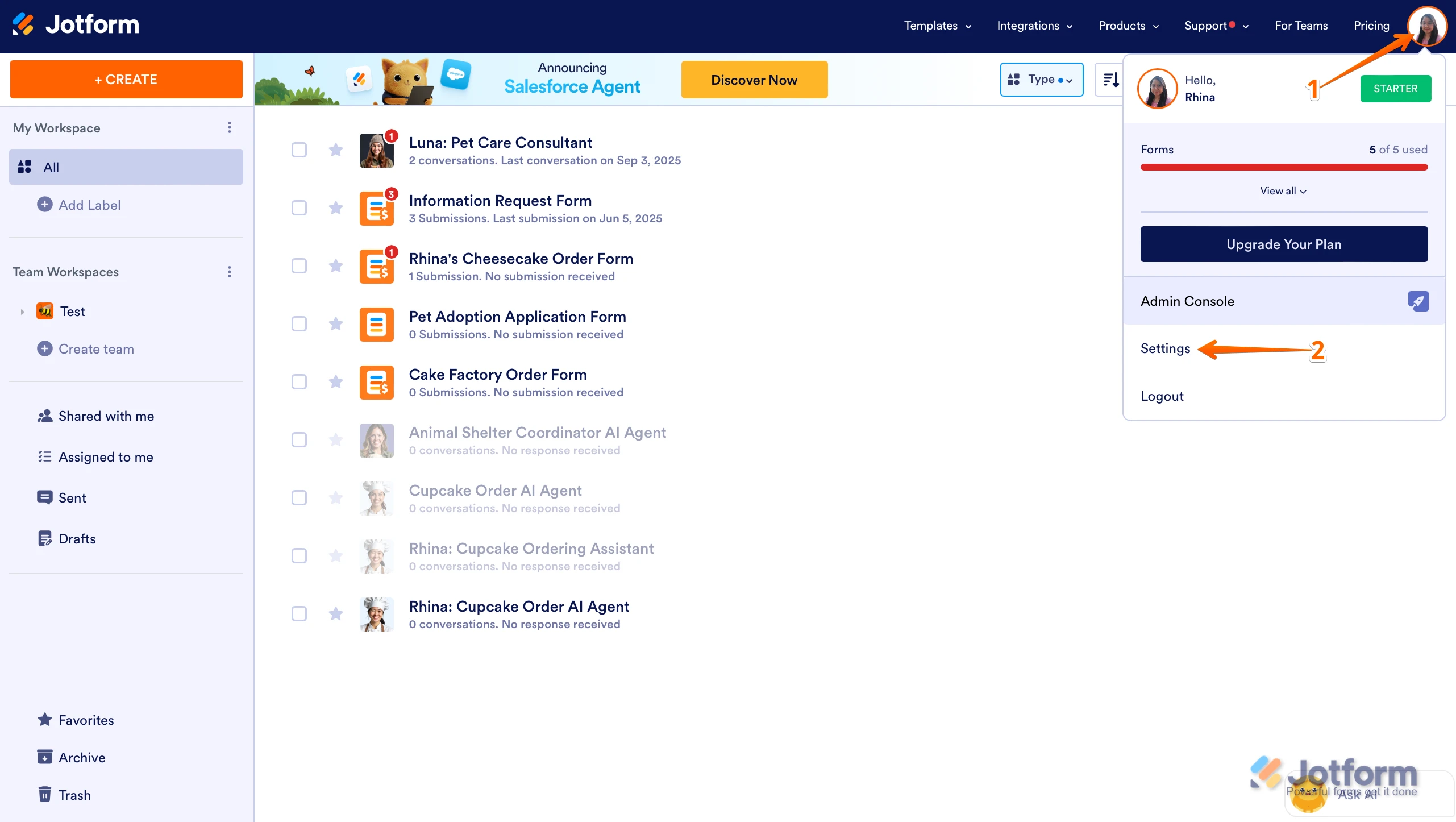
1. On your Workspace page, click on your Avatar/Profile Image in the top-right corner of the screen.
2. In the Dropdown menu that comes up, click on Settings.
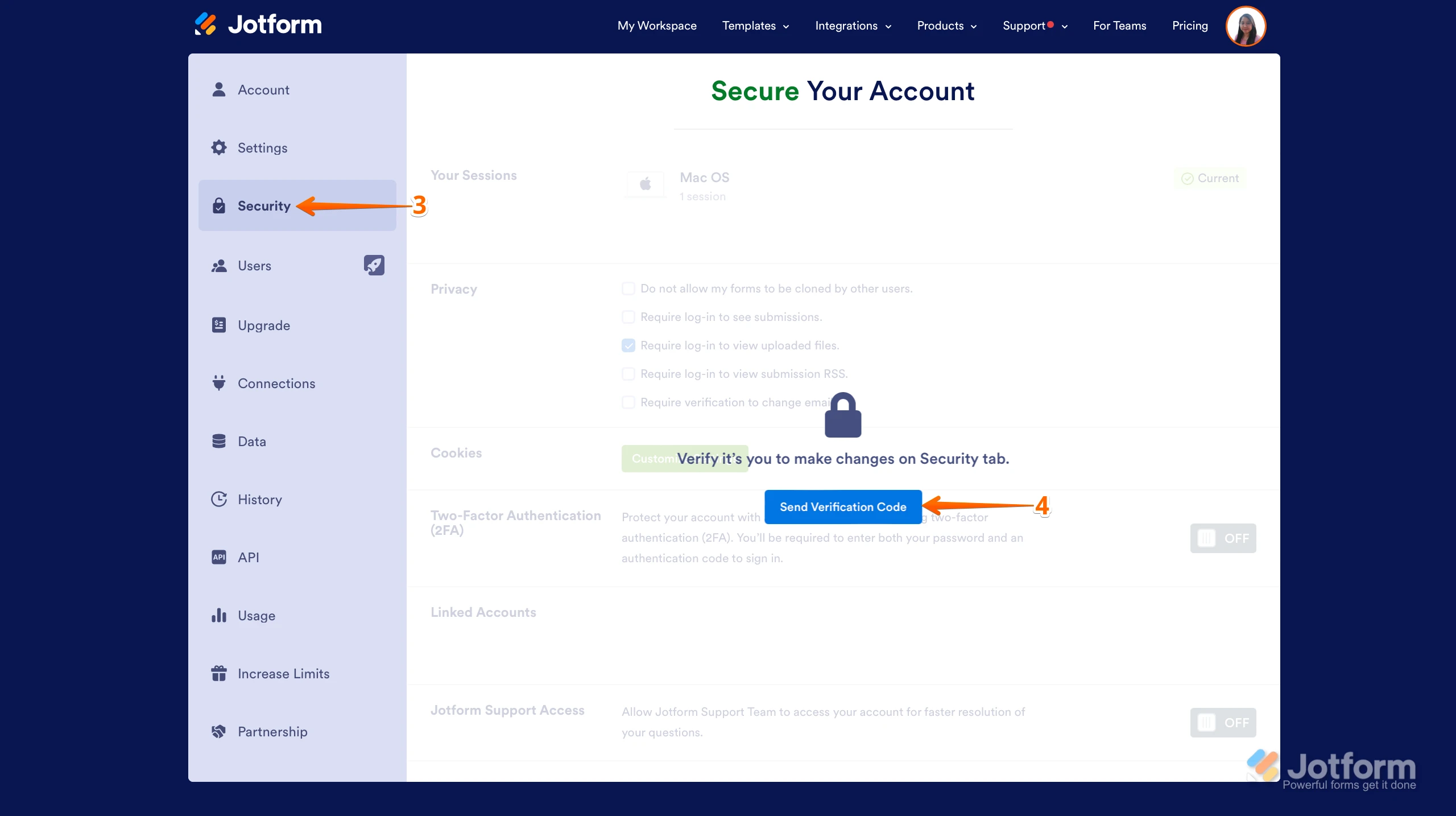
3. Next, click on the Security tab on the left side of the page.
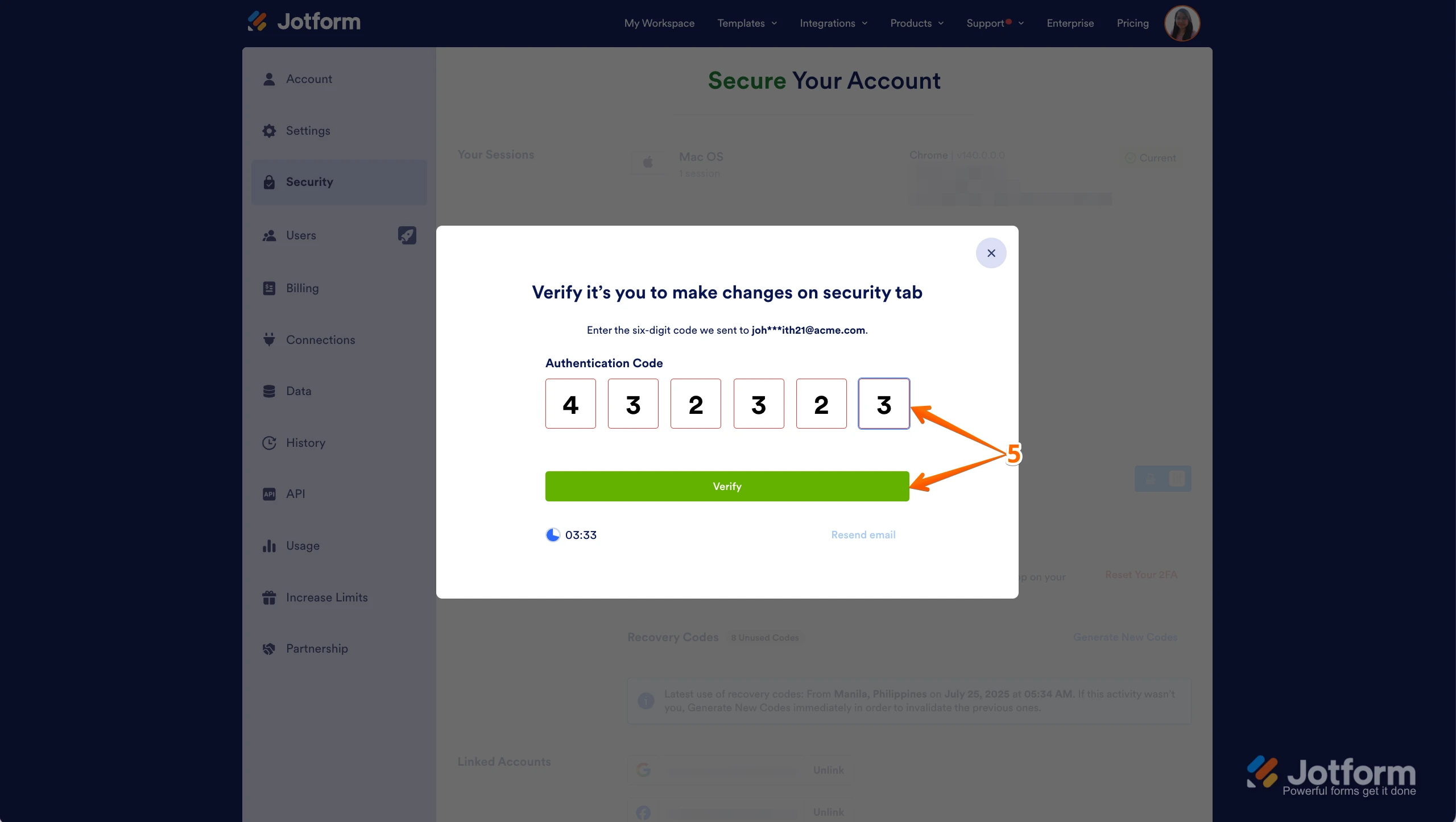
4. Then, click on Send Verification Code.5. In the Confirmation window that opens, enter the Authentication Code sent to your email and click on Verify.
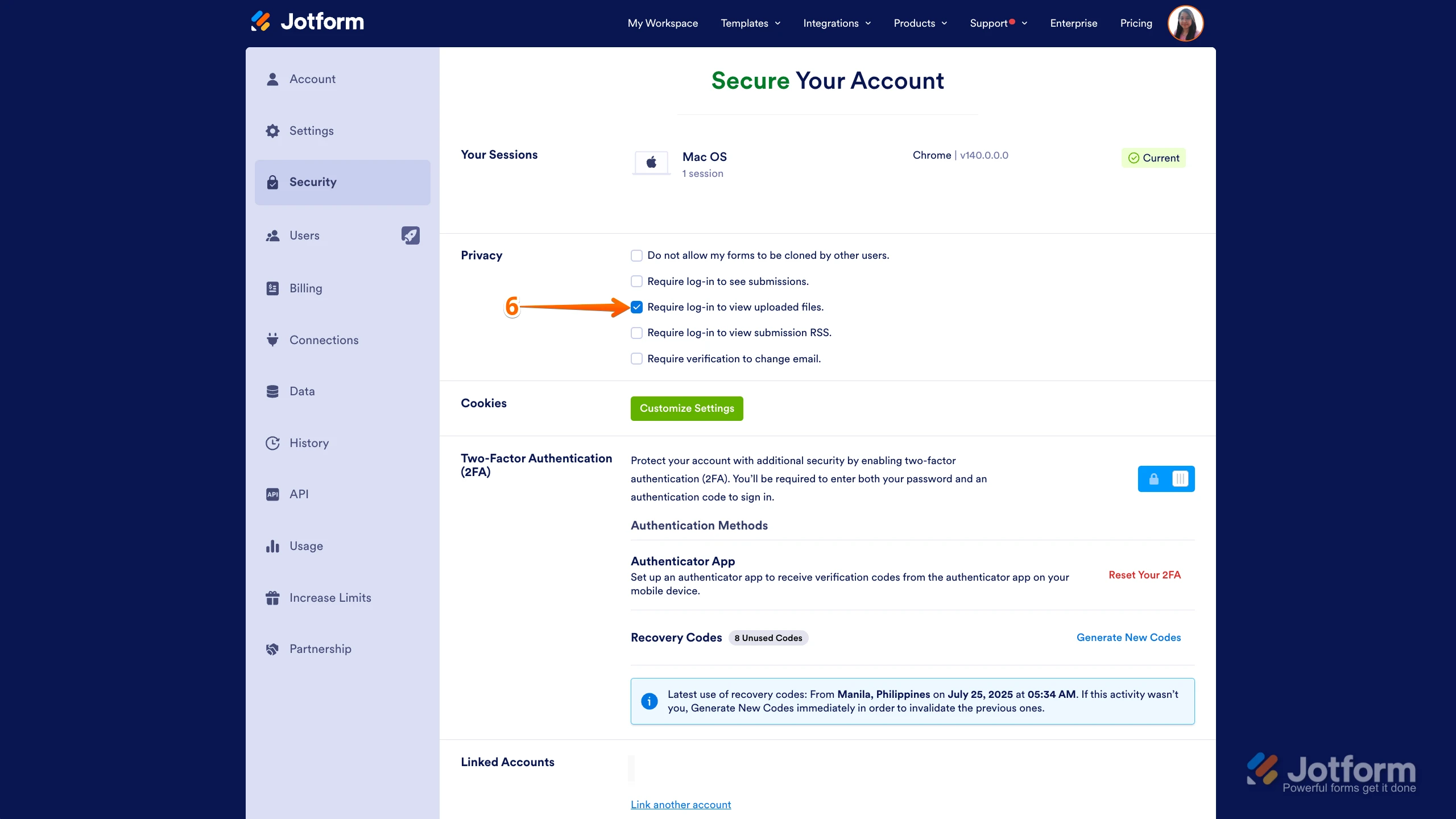
6. Now, uncheck the box next to Require Log-in to View Uploaded Files. That’s it. You’re done.
As soon as we hear back from you, we can work on getting you a solution for this.
-
 Connor Product Triage Specialist
Hi docs.iamcpn,
As your account is verified and allowed to collect sensitive information under our Terms of Use, certain security settings are required in line with our policies, applicable data protection standards, and relevant regulations. For this reason, these settings cannot be disabled. If you need to share your documents or submissions with others for your operational needs, you can share the access link or invite users via email to your Tables/Inbox.
Reach out again if you have any other questions.
-
Connor Product Triage Specialist
Hi docs.iamcpn,
As your account is verified and allowed to collect sensitive information under our Terms of Use, certain security settings are required in line with our policies, applicable data protection standards, and relevant regulations. For this reason, these settings cannot be disabled. If you need to share your documents or submissions with others for your operational needs, you can share the access link or invite users via email to your Tables/Inbox.
Reach out again if you have any other questions.


Your Reply
Something Went Wrong
An error occurred while generating the AI response. Please try again!