-
 Jessica_jwalker_Walker
Hello,
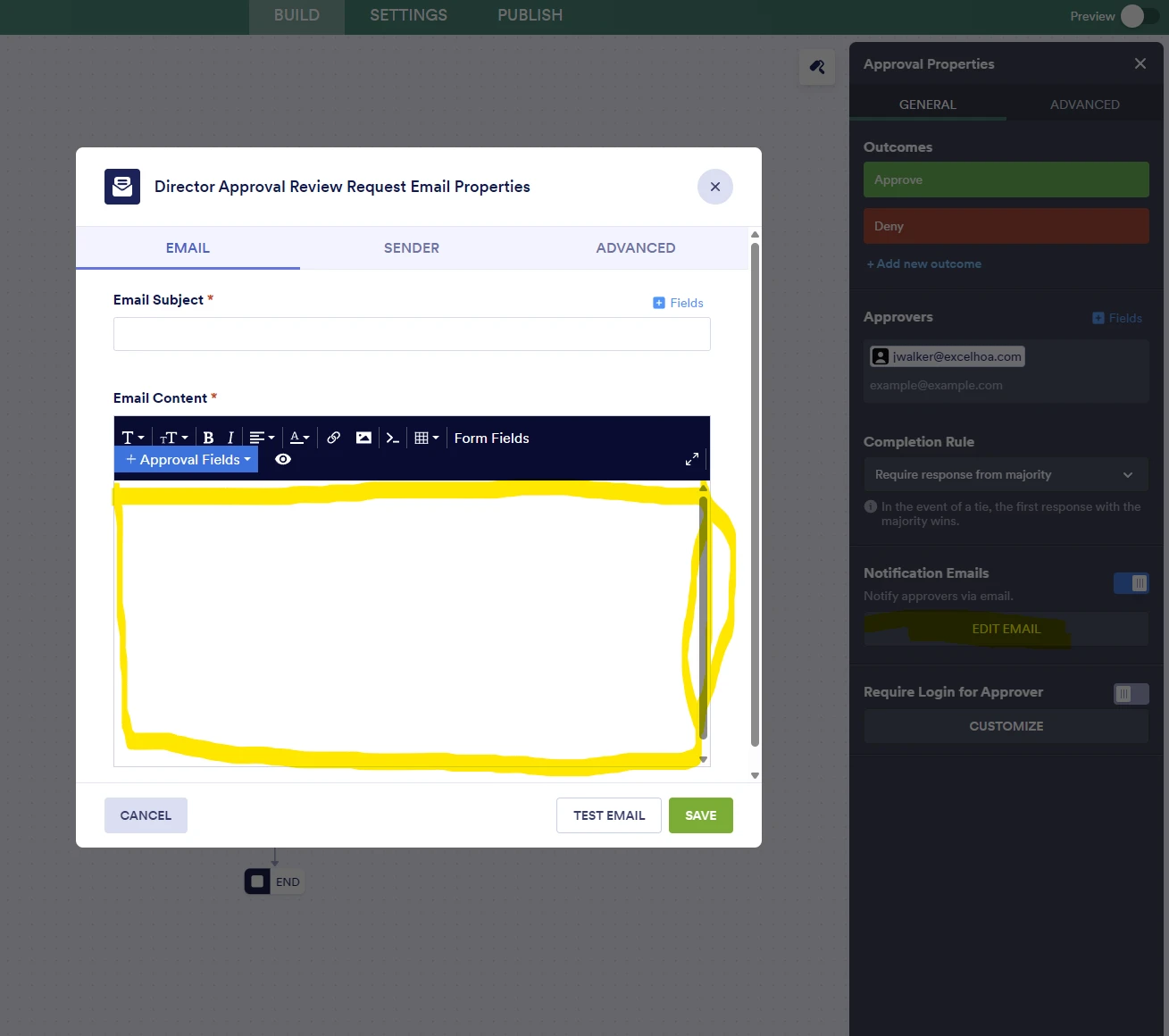
I am trying to edit the notification email for the Director Approval Review step, however, the form where I would add text to the email will not keep any text. It keeps clearing out my text constantly, so I am unable to save anything in the text box, and therefore unable to edit the notification email.
I tried using the AI assistant, it told me to contact Technical Support.

-
 Podo: Support Specialist
Hi Jessica,
Thanks for reaching out to Jotform Support. I'm an AI assistant here to assist you.
Let me show you how to address the issue with editing the notification email text that won't save:
- In Form Builder, click on Settings in the orange navigation bar at the top of the page.
- Click on Emails in the menu on the left side.
- Hover over the Notification Email for the Director Approval Review step and click Edit.
- Try adding your text in the Email Content section and then click Save.
If the text still clears out and won't save, you might want to try deleting the existing notification email and creating a new one to ensure it reflects the latest form fields. Here's how:
- Under the Emails tab, click the Three Dots icon next to the Notification Email and select Delete.
- Confirm by clicking Yes, Delete.
- Click Add Email and select Notification Email.
- Set the recipient email and add your desired text in the email content.
- Click Save Email.
If you want, I can guide you through these steps with images and more details.
Reach out again if there’s anything else we can help you with.
-
Jessica_jwalker_Walker
No, I just said that none of that works. That's why I need someone other than AI to assist.
-
Podo: Support Specialist
Hi Jessica,
One of our Support Team members will take it from here to follow up shortly.
-
 Kevin JotForm Support
Hi Jessica_jwalker_Walker,
I have been performing some tests and was unable to replicate the same issue. The system keeps the approval buttons since it is required in this email:
However, if I add some text, it is saved.
In order to troubleshoot the issue further directly on your form, we would like to request access to your account. This can be done from your account settings at this link. Then enable the Jotform Support Access option:
Let us know once this is done, so we can have a look at your form directly.
Looking forward to your response.

Your Reply
Something Went Wrong
An error occurred while generating the AI response. Please try again!