-
TTamiko Cherry Burrell
I wanted to send a representative a copy of the vendor forms that we have to have completed to purchase from your company.
-
 Podo: Support Specialist
Hi Tamiko,
Thanks for reaching out to Jotform Support. I'm an AI assistant here to assist you.
Regarding your request to send a representative a copy of the vendor forms required to purchase from our company, Jotform primarily provides tools for creating and managing online forms. However, there is no specific information available about vendor forms that need to be completed for purchasing from Jotform.
If you have specific vendor forms you need to share or complete, it might be best to prepare those forms yourself or provide them directly to your representative. Jotform can help you create and manage such forms if needed.
Let us know if you need assistance with creating or managing forms using Jotform.
Give it a try and let us know how it goes.
-
 Jerlan JotForm Support
Hi Tamiko,
If you want to share your form through email it only takes a minute. Let me show you how:
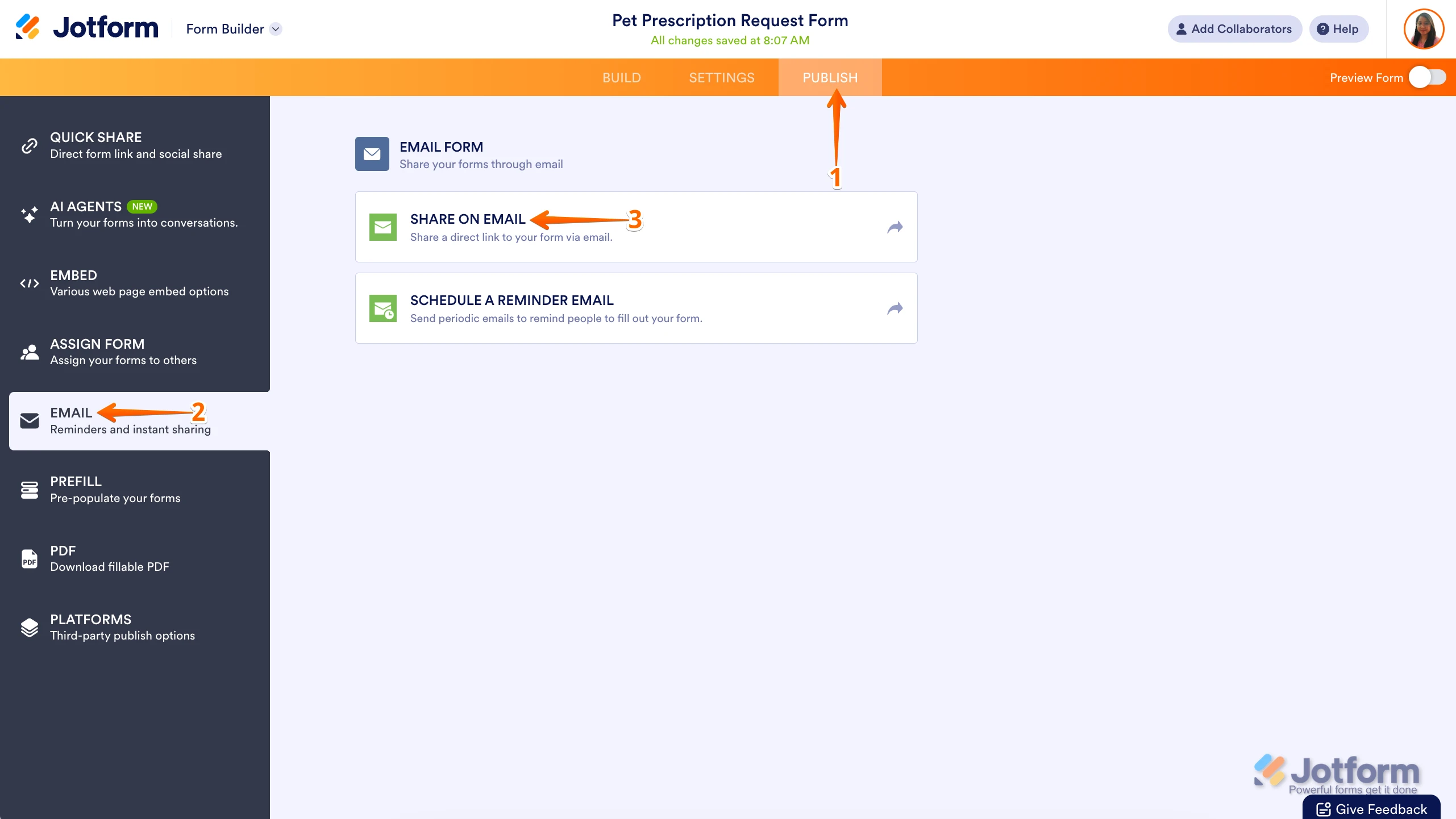
1. In Form Builder, in the orange navigation bar at the top of the page, click on Publish.
2. Next, in the menu on the left side of the page, click on Email.
3. Then, under the Email tab, click on Share on Email.

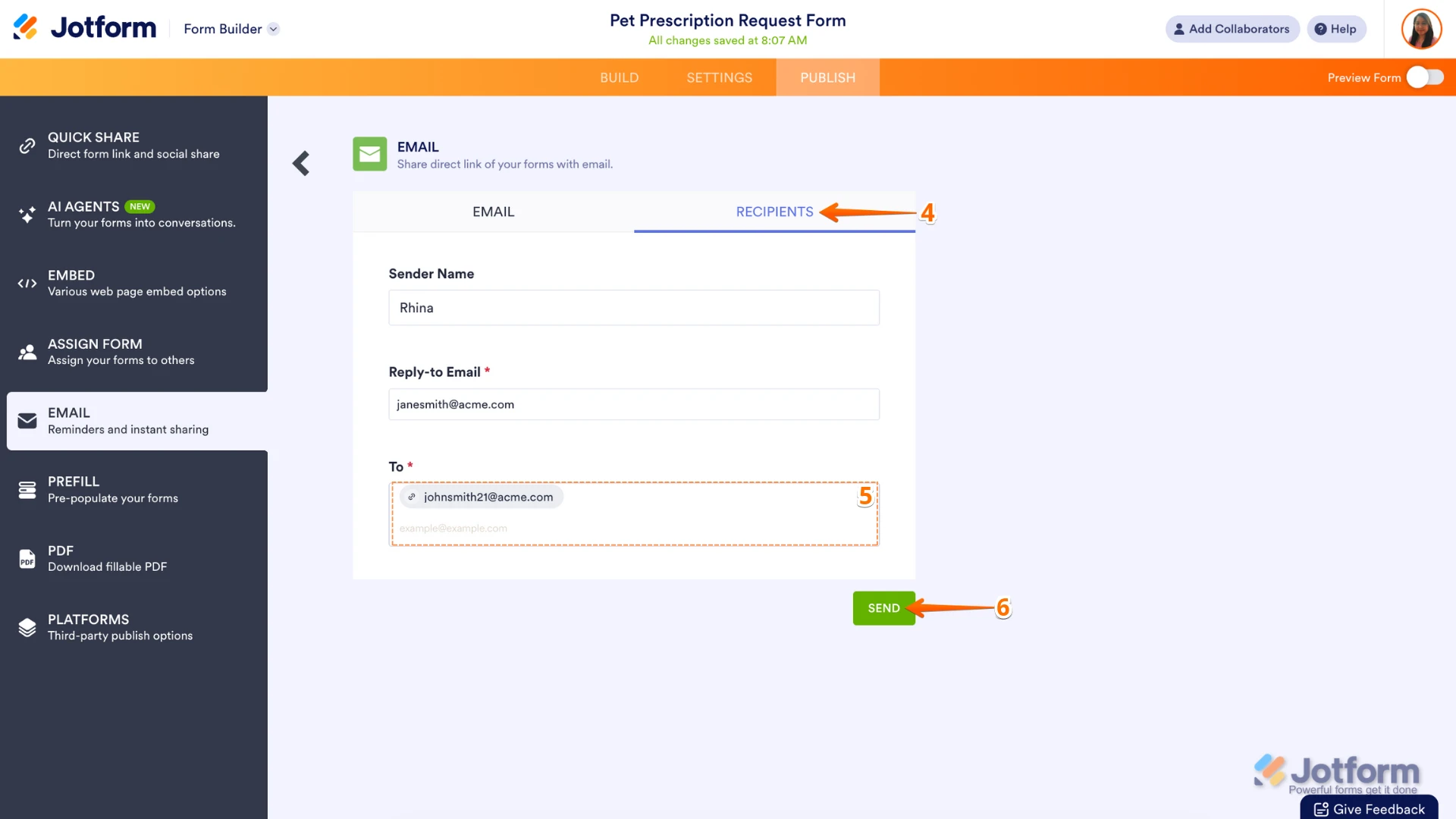
4. Next, in the Email section, go to the Recipients tab.
5. Then, enter the recipient's email address to the To section.
6. Now, in the Email section at the bottom right, click on Send.
If that’s not quite what you’re looking for, can you share a bit more info so I can help you better?Reach out again if there’s anything else we can help you with.
 If that’s not quite what you’re looking for, can you share a bit more info so I can help you better?
Your Reply
Something Went Wrong
An error occurred while generating the AI response. Please try again!