-
 Domeq
DomeqHello,
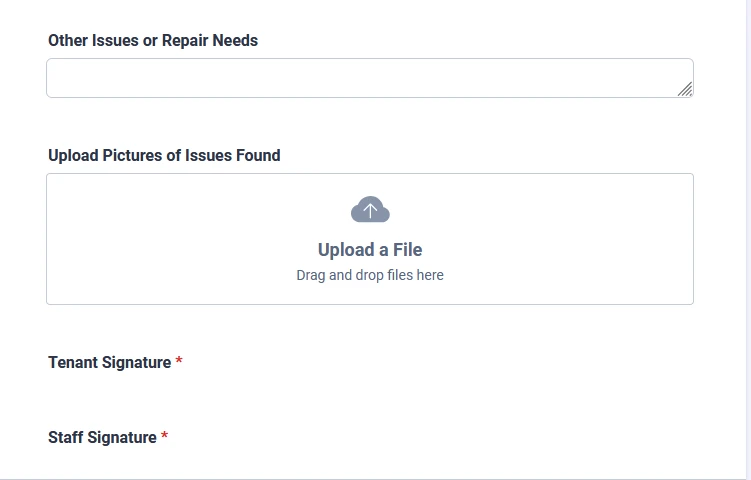
when I press preview form, there is down bellow 2 signatures collum, but I cant delete them, can you help me with it please?
 Page URL: https://form.jotform.com/260883406274057
 -
 Podo: Support Specialist
Hi Domeq,
Thanks for reaching out to Jotform Support. It sounds like you are seeing two signature fields in the preview of your form that you cannot delete from the builder. Let me help you with that:
- Check the Form Builder carefully to see if the signature fields are present but possibly hidden or placed in sections you might have overlooked.
- Look for any widgets or elements related to signatures that might be added twice. Sometimes signature fields can be added as widgets or standard fields.
- If you cannot find them in the builder, try clearing your browser cache or try a different browser to ensure it's not a preview glitch.
- Also, check if the signature fields are part of a PDF or document linked to the form that might appear in the preview but are not editable in the form builder.
If after these steps the issue persists, please provide a screenshot or more details about where exactly you see these signature columns in the preview, so I can assist you further.
Give it a try and let us know how it goes.
-
Domeq
I cant even export the form, because it want to sign it, but there is not place to sign it..
Please, I want to connect with human. -
Podo: Support Specialist
Hi Domeq,
One of our Support Team members will take it from here to follow up shortly.
-
 Joeni JotForm Support
Hi Domeq,
I checked your form but couldn’t find any Tenant or Staff Signature fields. What I did notice, though, is that there are two question fields included. Take a look at the screenshot below:
It looks like those fields are meant for Tenant and Staff signatures based on the labels. To confirm they’re not affecting your submission data, try hiding them in the form builder, then preview your form again. Let me show you how:- In Form Builder, select the Tenant Signature field and click on the Gear icon.
- Now, go to the Advanced tab and toggle on the Hide Field option.
-
Domeq
Hello,
It worked, thank you so much!!That will be everything from me.
Kind regards,
-
Podo: Support Specialist
Hi Domeq,
Your request has been answered and the thread is closed.
If you have another question or need more help, feel free to reply here and we'll assist you right away.
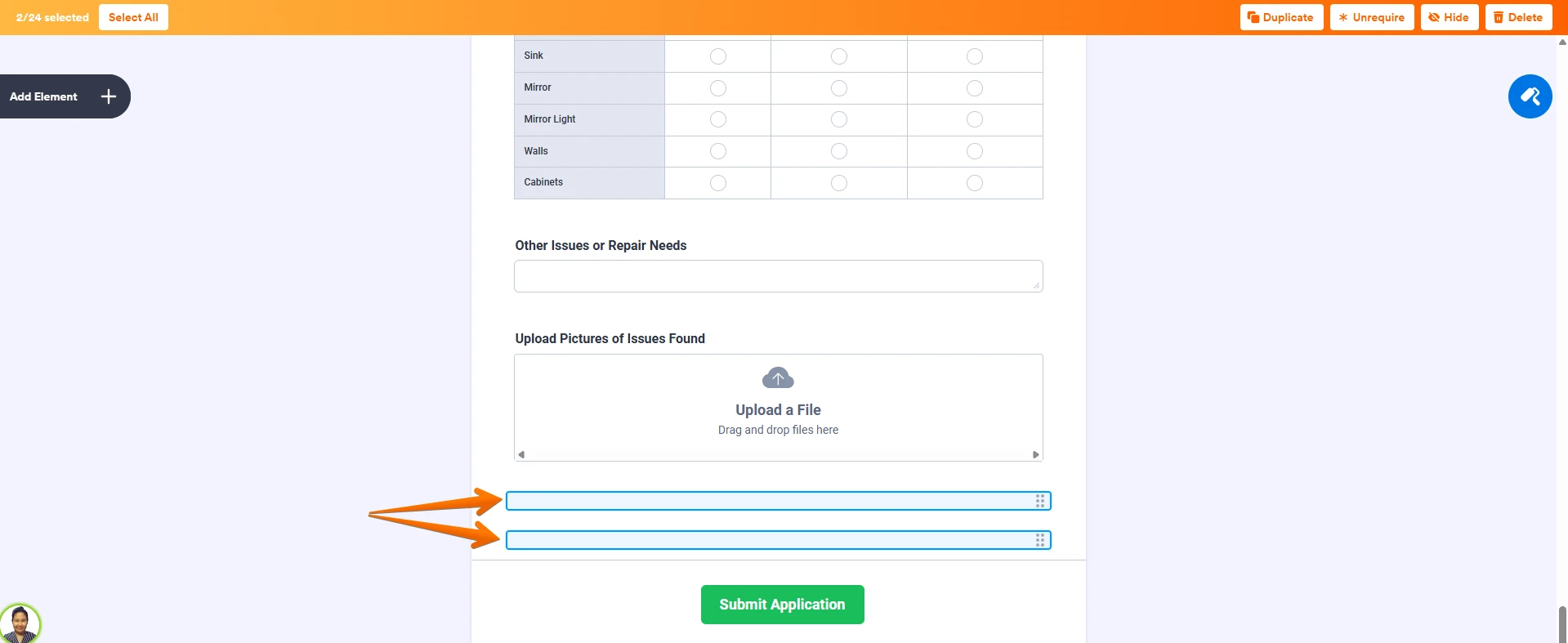 It looks like those fields are meant for Tenant and Staff signatures based on the labels. To confirm they’re not affecting your submission data, try hiding them in the form builder, then preview your form again. Let me show you how:
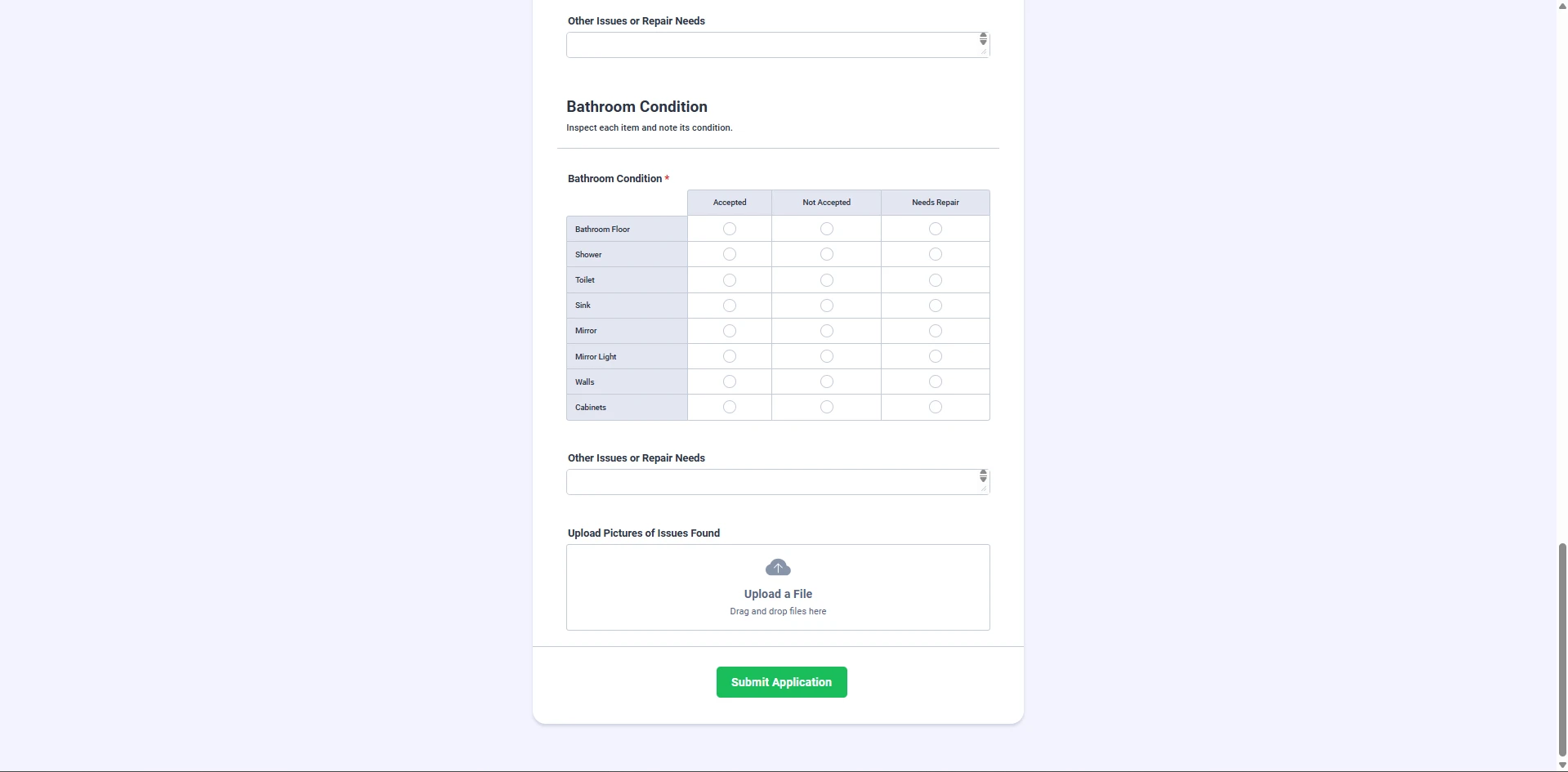 Give it a try and let us know how it goes.