-
 lyndalalleyn
 -
 Lorenz JotForm Support
Hi Lyndal,
Thanks for reaching out to us for help. I checked your account and you have the Pet Sitting Booking Form ,and it's app version. The app you created actually have the same form in it, so basically, you can share either of the assets, but keep in mind that they come with a different sharing link.
Now, I notice the app has been deleted already. Can you confirm if you still need help with either your app or form?
Reach out again if there’s anything else we can do for you.
-
lyndalalleyn
Hi Lorenze,
I think I've made a mistake by deleting this. I am wanting to know which one I'm meant to send to people on mobile, and which to send to desktop. I do have the app, but other people dont have the app. So I'm just wanting a link that suits both people booking on a computer and on their phone. Is the form still in my workspace for both mobile and desktop use? or did I delete it?
-
Lorenz JotForm Support
Hi Lyndal,
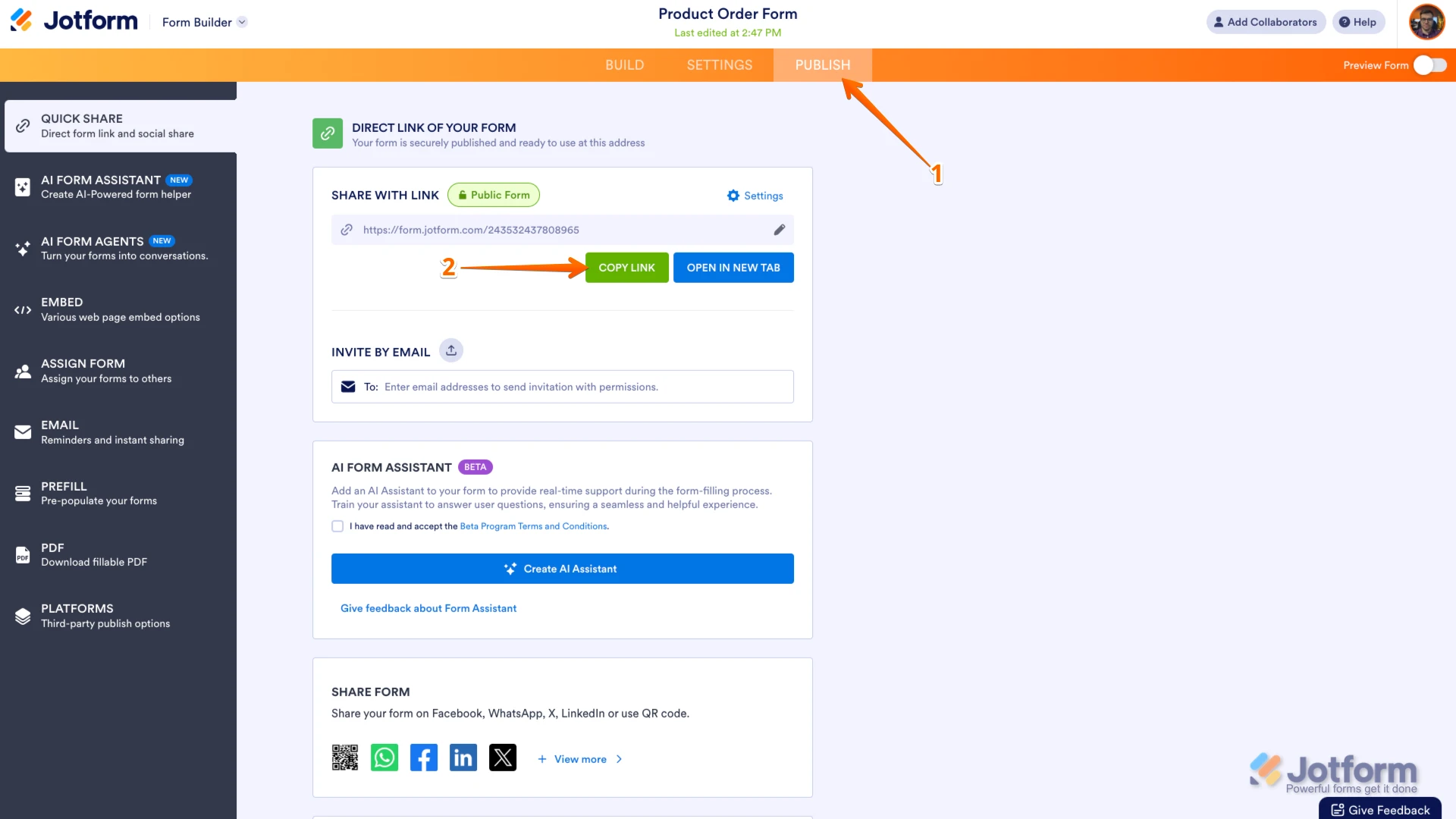
You can share either of the two, they actually works both on mobile and desktop. They simply need to open the link they've been shared with using their browser. Since you've deleted the app already, you can just share with them the link to the form. You can easily find your form's URL in Form Builder. Let me show you how:
- In Form Builder, in the orange navigation bar at the top of the page, click on Publish.
- In the Quick Share tab, click on Copy Link in the Share With Link section.
 After copying the form URL, you can share it to people using your own email client, or post it on social media platforms to reach a wider audience. Additionally, there's also an option in Jotform to share it via email. Sharing your form through email only takes a minute. Let me show you how:
 1. In Form Builder, in the orange navigation bar at the top of the page, click on Publish.
2. Next, in the menu on the left side of the page, click on Email.
3. Then, under the Email tab, click on Share on Email.
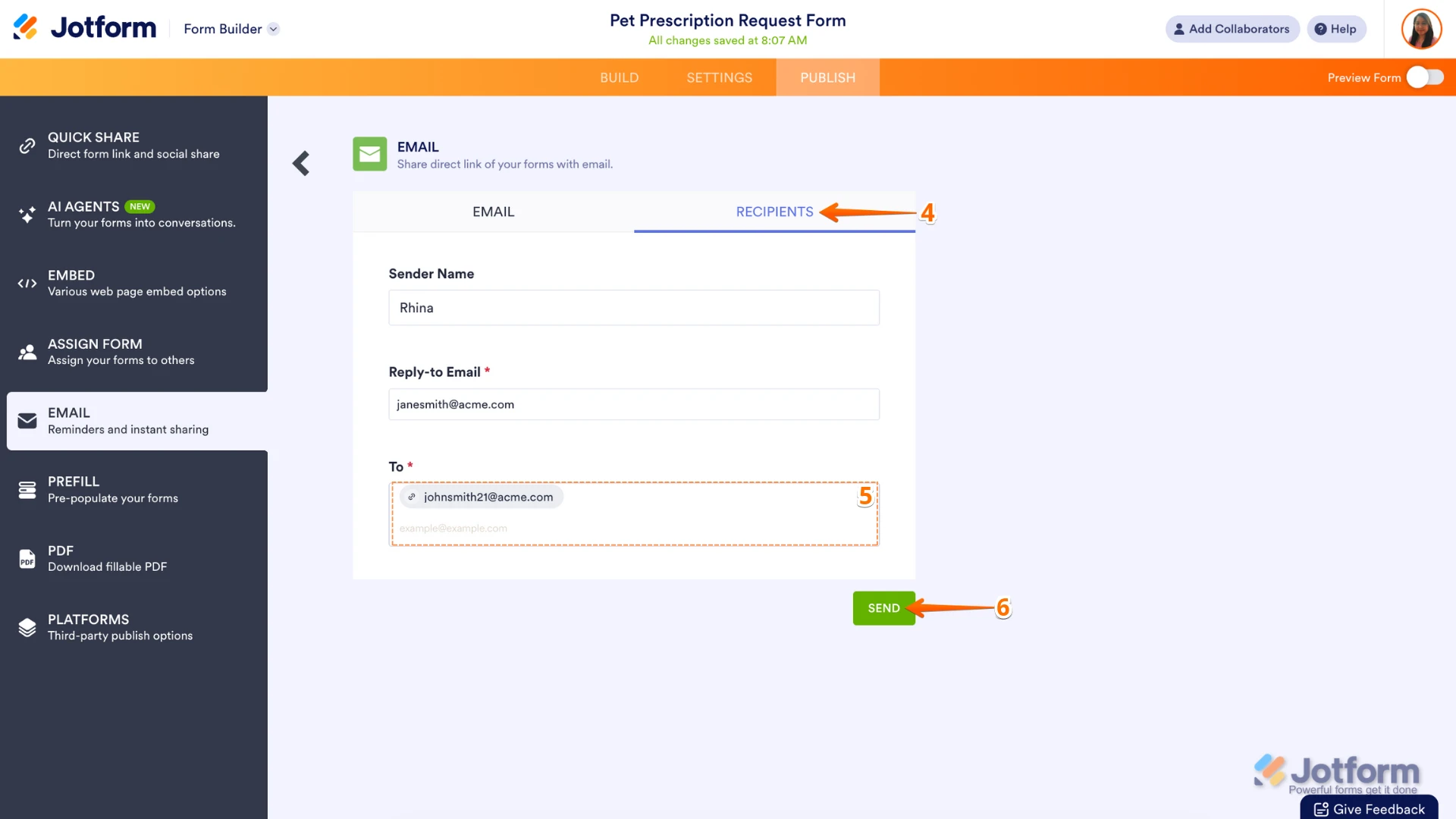
4. Next, in the Email section, go to the Recipients tab.
5. Then, enter the recipient's email address to the To section.
6. Now, in the Email section at the bottom right, click on Send.
Let us know if there's anything else we can help you with.
 After copying the form URL, you can share it to people using your own email client, or post it on social media platforms to reach a wider audience. Additionally, there's also an option in Jotform to share it via email.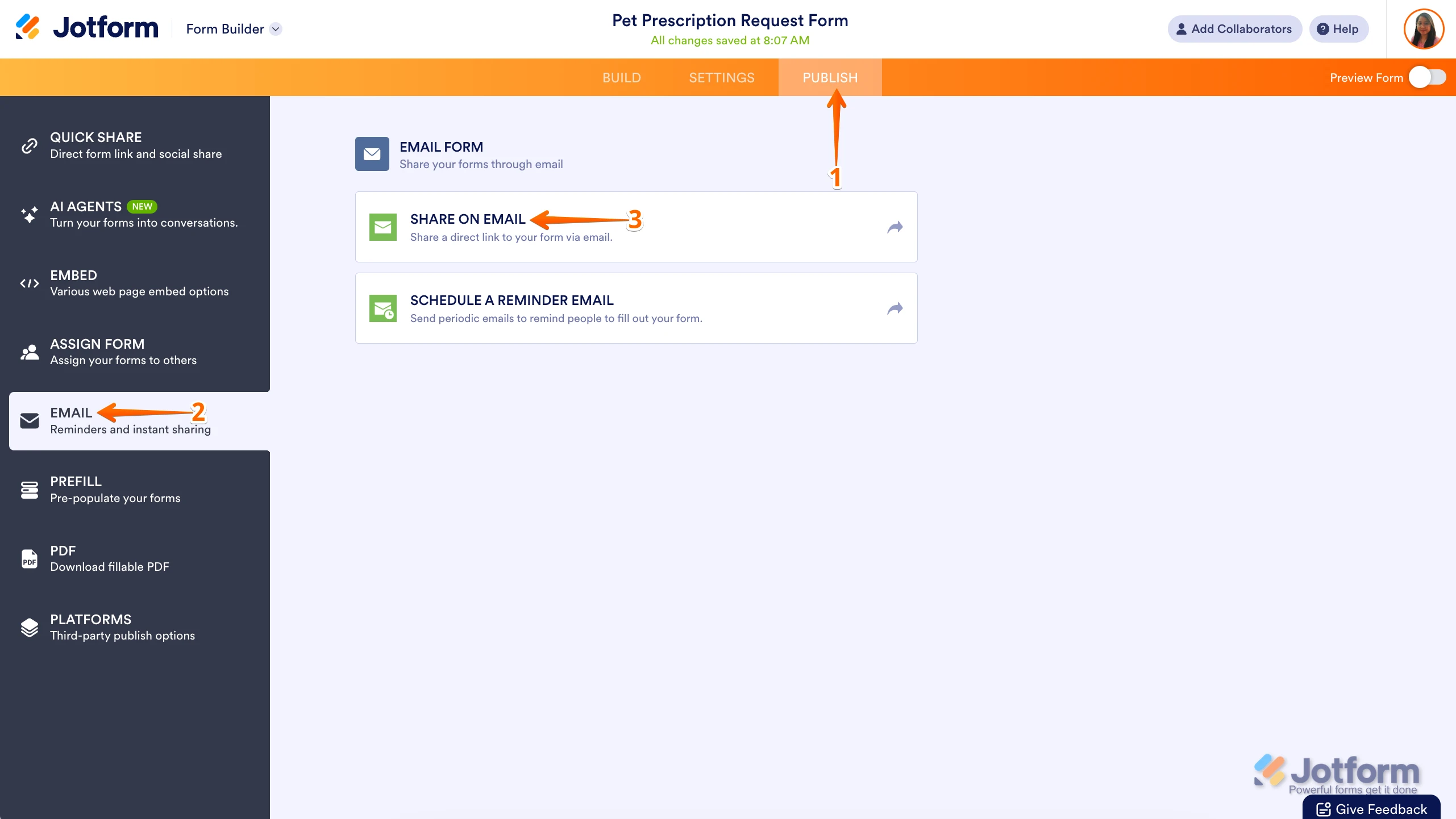
 Let us know if there's anything else we can help you with.