-
 nedistrict
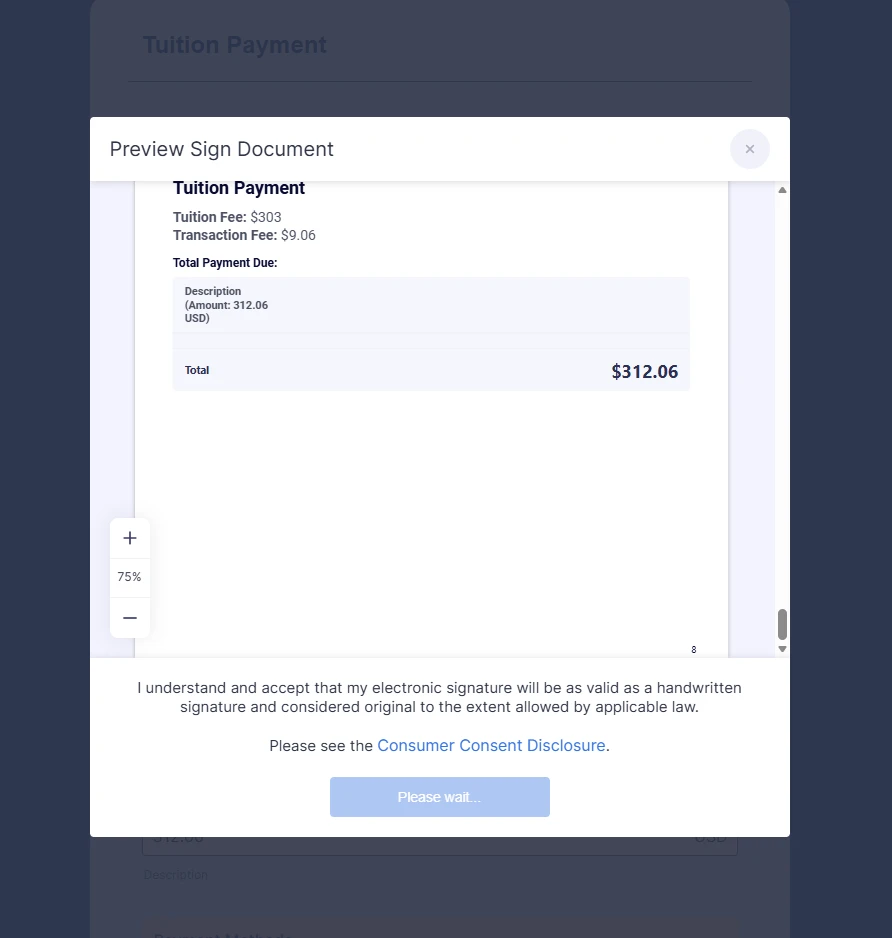
I have a form that uses both JotForm Signature and PayPal. If a user makes a mistake anywhere in the form before they click submit, the signature approval popup appears. Submitting that approval with the button at the bottom results in the button displaying "please wait..." and the popup never disappears. The 'X' at the top of the signature popup is disabled. The user is forced to reload the page without knowing what the error was and I have no way to help them diagnose what they did wrong.

-
 Podo: Support Specialist
Hi nedistrict,
Thanks for reaching out to Jotform Support. I'm an AI assistant here to assist you.
Regarding the issue with the signature approval popup locking up and displaying "please wait..." without disappearing when using both Jotform Signature and PayPal, this behavior suggests there might be a conflict or error in the form submission process before the final submit.
Unfortunately, there isn't a direct way to diagnose the exact error from the popup itself since the 'X' to close it is disabled and no error message is shown. This could be related to validation errors elsewhere in the form that prevent successful submission but trigger the signature popup prematurely.
To help prevent this issue, consider these steps:
- Ensure all required fields are correctly filled out and validated before the signature popup appears. This might involve adjusting your form logic or validation settings.
- Test the form without the PayPal integration temporarily to see if the issue persists. This can help isolate whether the payment integration is contributing to the problem.
- Check for any conditional logic or custom scripts that might trigger the signature popup prematurely.
If the issue continues, you might want to simplify the form or separate the signature and payment steps to avoid conflicts.
Give it a try and let us know how it goes.