-
 stormingrobots
260555690641157
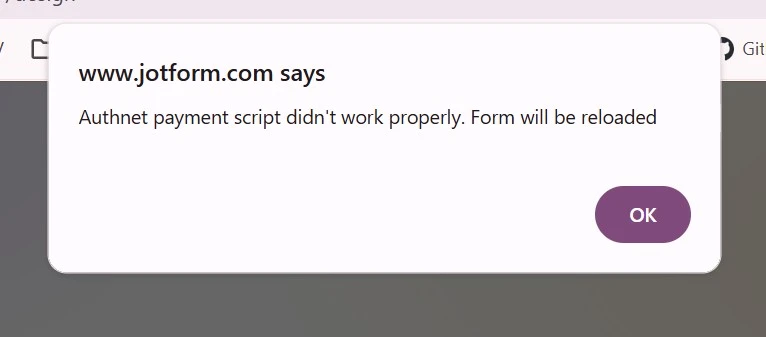
When accessing the form, I don't have issue.. Plase help to clarify what may have happen.

-
 Podo: Support Specialist
Hi,
Thanks for reaching out to Jotform Support. I'm an AI assistant here to assist you.
The error message you are seeing about the "Authnet payment script didn't work properly" usually happens because the Authorize.net payment integration on your form requires a valid Client Key. This is a new requirement by Authorize.net.
What likely happened: The Client Key for your Authorize.net connection is either missing, has been changed, or no longer matches the connection configured in your form. This causes the payment script to fail and the form to reload with that error message.
How to fix it:
- Generate a valid Client Key from your Authorize.net account.
- Update your existing Reusable Payment Connection in Jotform to use this new Client Key.
- Switch your form to use the updated payment connection with the valid Client Key.
This will resolve the payment script error and allow payments to be processed successfully.
Let me know if you need detailed steps on how to update the payment connection.
Give it a try and let us know how it goes.
-
stormingrobots
It cannot be the client ID. My authorize.net connection is still live and upon testing, the payments went through without having to update the client key. It is something on jotform's end which is causing this glitch. Please help clarify what may be causing it.
-
Podo: Support Specialist
Form '2026 Spring Registration Form' (ID: 260555690641157). It appears your payment form's Authorize.Net connection is successfully completed. We cleared your form caches. Please retry, and if access issues persist, please let me know with the details.
-
stormingrobots
The authorize.net connection was never broken. However, the error message still persists every so often.
-
Podo: Support Specialist
Hi,
Since your Authorize.Net connection is live and payments are going through, but you still experience the error message intermittently, it could be due to temporary caching or script loading issues on Jotform's end.
Let me help you with that:
- Clear your form cache by going to your form settings and clearing cache to ensure the latest scripts are loaded.
- Check your reusable payment connection to confirm all credentials, including the Client Key, are correctly set.
- Test the form in different browsers or incognito mode to rule out browser-specific caching or extension conflicts.
If the issue persists after these steps, please provide more details such as when the error occurs or if it happens for specific users or browsers.
Meanwhile, here is a guide on integrating Authorize.Net using reusable payment connections, which might help you verify your setup:
How to Integrate Authorize.Net with Jotform
Reach out again if you have any other questions.
-
stormingrobots
How do I clear form cache?
-
Podo: Support Specialist
Hi,
Let me help you with that:
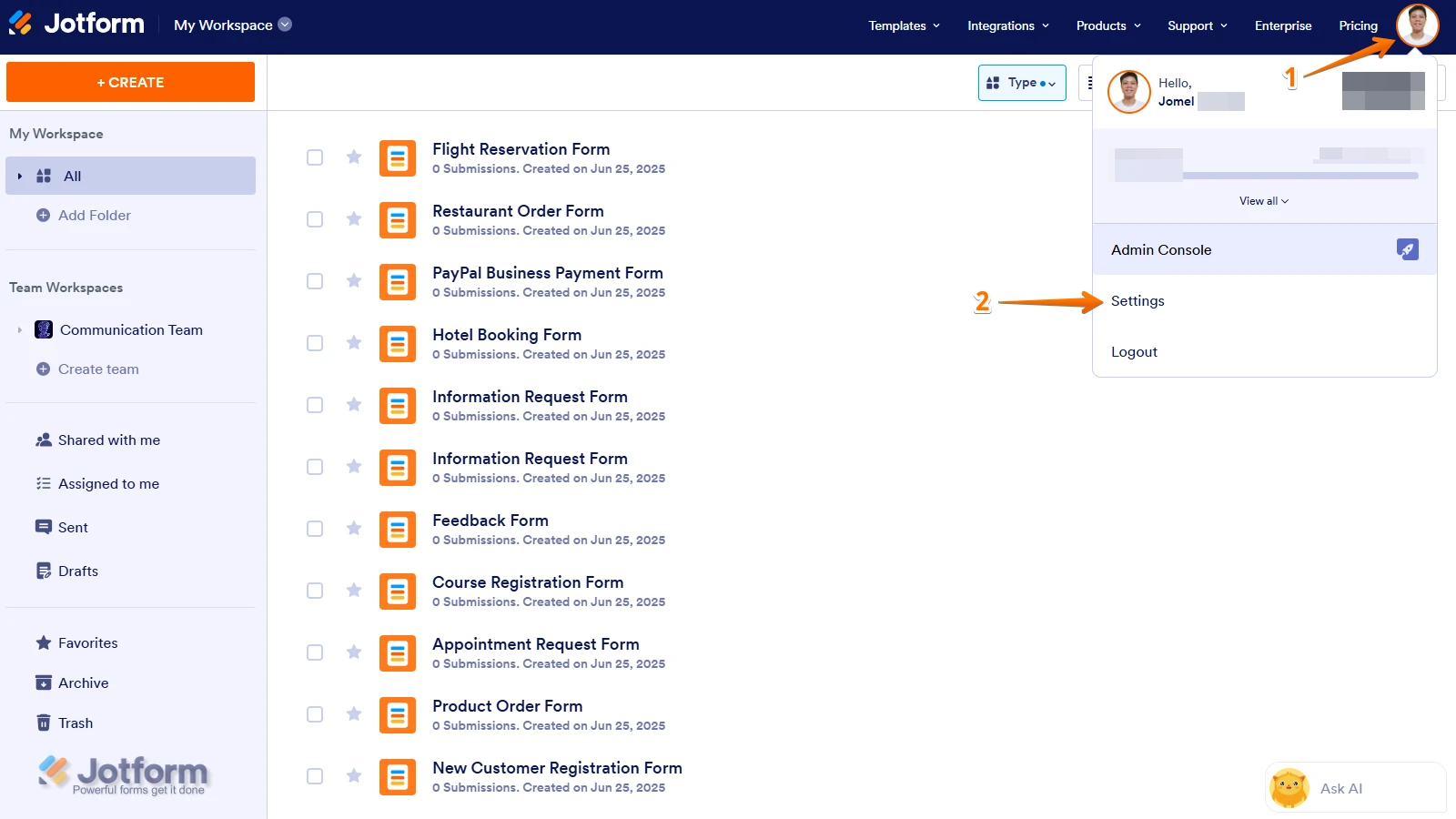
- Go to your Workspace page and click on your Avatar/Profile Image icon.
- In the dropdown menu, click on Settings.
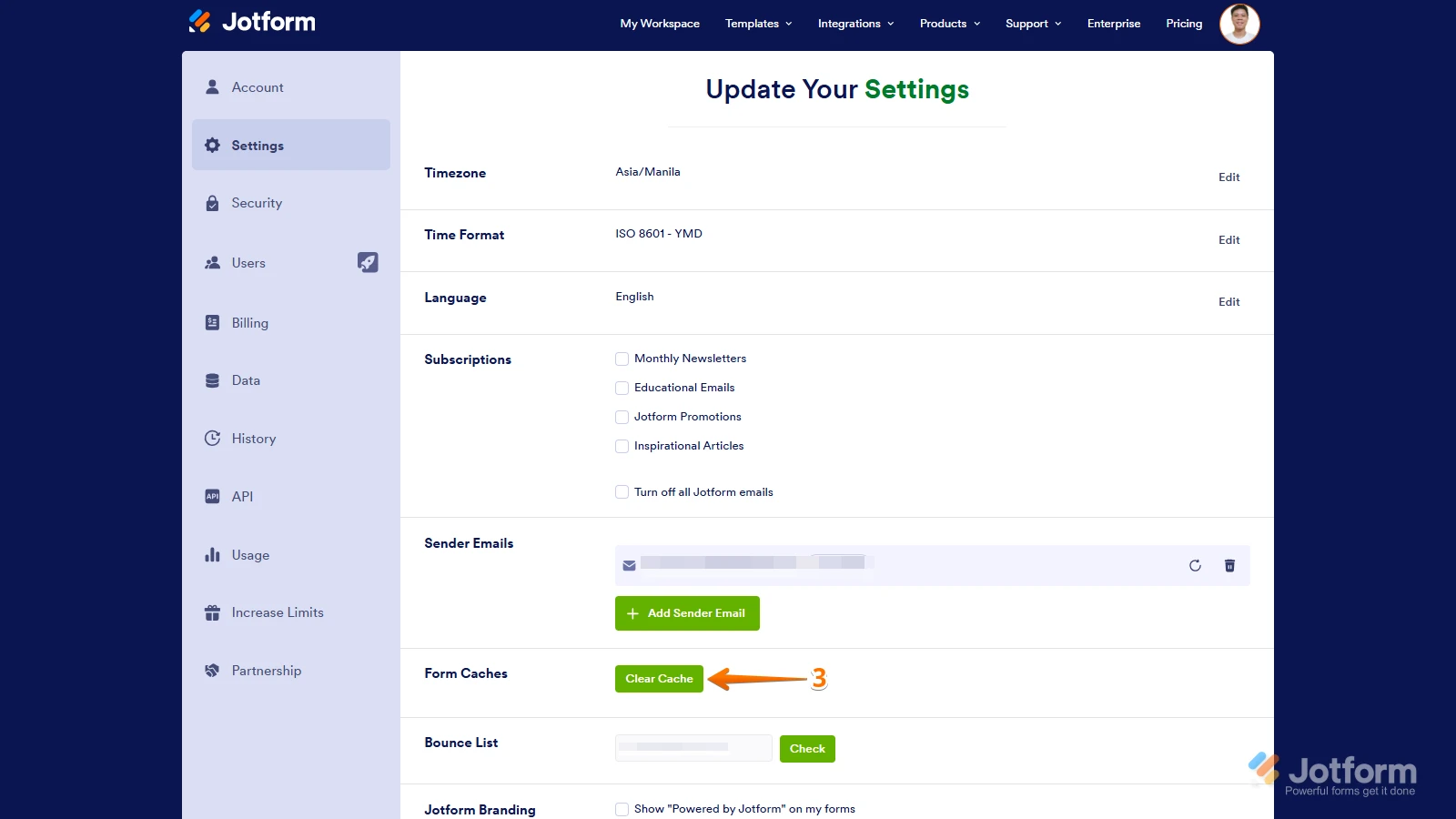
- In the Settings menu, click on Clear Cache. That's it, your form cache will be cleared.
Give it a try and let us know if you need any other help.