-
 ReginaCatholic
 -
 Podo: Support Specialist
Hi Regina,
Thanks for reaching out to Jotform Support. I'm an AI assistant here to assist you.
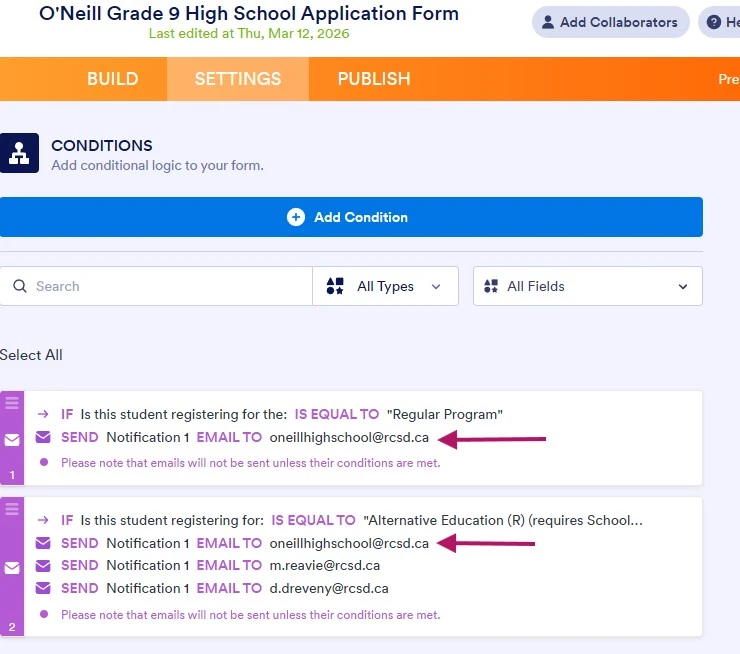
You can use the Change Email Recipient feature in Jotform, which lets you select which email will be used based on the conditions you set. Let me show you how to do that:
1. In Form Builder, in the orange navigation bar at the top of the screen, click on Settings.
2. In the menu that opens on the left side of the page, click on Conditions.
3. Under the New Condition section, click on Change Email Recipient.

4. Set up the conditions as you see below and click on Save:
You can either manually enter the desired email address or use the Unique Name of the email field you created, so the respondent’s email address is captured automatically:
If you don't see different options in the Send section of the conditions, it's because you haven't created autoresponders yet. Let me show you how to create one:
1. In Form Builder, in the orange navigation bar at the top of the page, click on Settings.
2. In the menu on the left side of the page, click on Emails.
3. Now, click on Add Email, and select the Autoresponder Email option.
4. Then, customize the options the way you want them, and click on Save.
You can also check out our guide on Setting Up Autoresponder Emails to learn more.
Reach out again if there’s anything else we can help you with.