-
KKristi Turchi
I cannot get my form to recognize the table I have in it so that it populates the data.
Also a custom value (estimate) is not populating either.
The form is called Proposal. Please advise.
Thanks.
KristiI have tried to send 3 screenshots that are pngs and it says invalid file name. What is happening?
-
 Podo: Support Specialist
Hi Kristi,
Thanks for reaching out to Jotform Support. I'm an AI assistant here to assist you.
It only takes a minute to get data from another form in your Table's page. Let me show you how:
1. In Jotform Tables, click on the Add button at the end of the rows, and click on the Connection tab.
2. Next, in the window that comes up, select Connect a Form and then click on Next.
3. Then, enter a column name, and then click on Next.
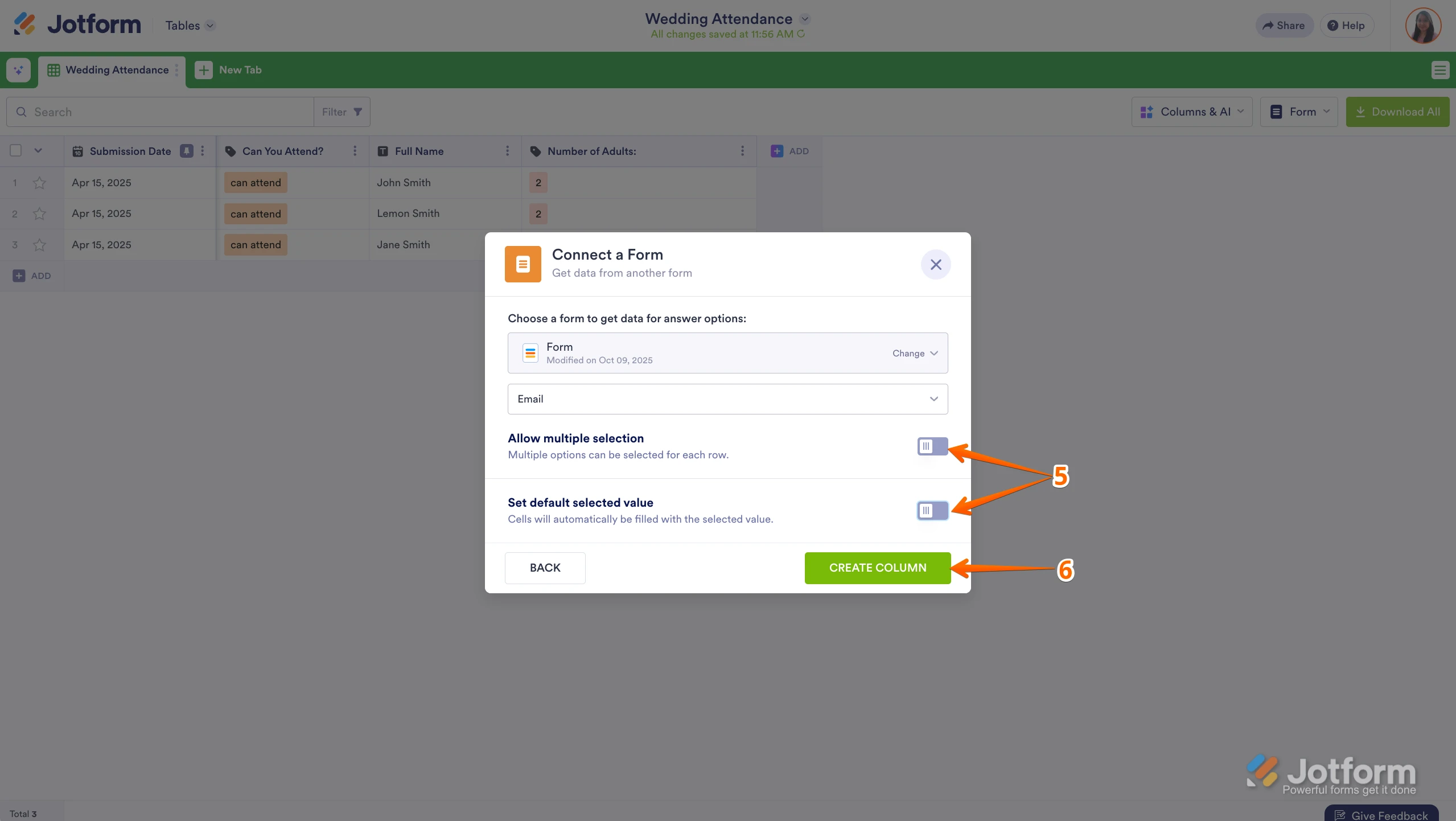
4. Now, select the form and field you want to use from the dropdown.

5. Next, you can toggle on Allow Multiple Selection. You can also toggle on Set Default Selected Value to automatically fill cells with a default value.
6. Finally, click on the Create Column button, and you're done.
That’s it. You can now use the data from the second form. Check out the screencast below to see how it works:
Regarding your issue with the custom value (estimate) not populating, this process of connecting forms and fields properly should help ensure data flows correctly.
As for the screenshots not uploading and showing "invalid file name," please make sure the file names do not contain special characters or spaces. Rename the files with simple names using only letters and numbers, then try uploading again.
Reach out again if there’s anything else we can help you with.
-
KKristi Turchi
I am NOT connecting another form with a table, I built the table inside the Proposal form. I copied the CSV data in.
-
KKristi Turchi
Also, the custom value has NOTHING to do with the table.
-
KKristi Turchi
Can a HUMAN BEING help me here? This is ridiculous.
-
 Gian_D JotForm Support
Hi Kristi,
Thanks for reaching out to Jotform Support. I've cloned your form and tested it with a Tables prefill feature to see if I can replicate the issue on my end, but it is working properly. Check out the screencast below:
As you can see, the Tables prefill feature is working properly. Can you try clearing your form caches to see if it's going to work? Let me show you how to do it:
1. In Workspace, click on your Avatar icon on the upper right side of the page.
2. Then, click on Settings in the menu that opens.3. After that, click on Clear Cache under the Form Caches section.
Once done, can you test your form again to see if it's going to work?
As soon as we hear back from you, we can work on getting you a solution for this.