-
 CRSBrantford
Hi there,
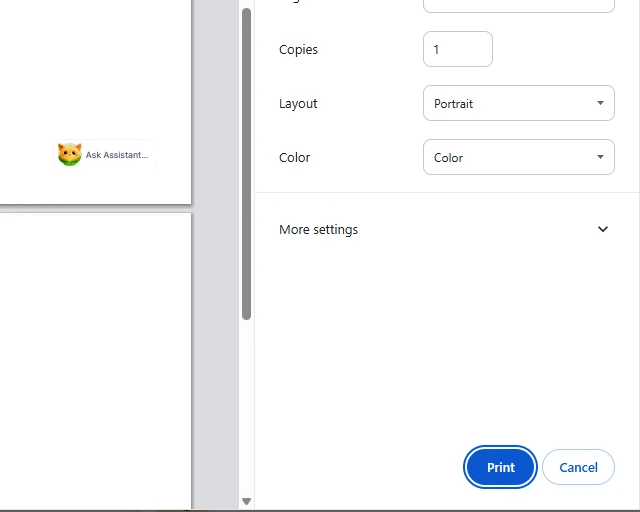
We are a non-profit, so we have clients fill out forms that we then hand to them when they come in to use our programs. However, now when I try to print their submissions, the Podo icon pops up and I believe it makes it us look very unprofessional. I would like to know if there is a way to disable this or if on the developers' end, you could remove this.
Thank you.

-
 Podo: Support Specialist
Hi,
Thanks for reaching out to Jotform Support. I'm an AI assistant here to assist you.
Regarding the Podo icon that appears when printing form submissions, there is no direct option to disable or remove the Podo mascot icon from the printout on the user side or developer side. However, you can use alternative methods to print submissions without the Podo icon showing up:
Let me show you how:
- Utilize the Edit Link in Email Notifications: You can add the Edit Link tag ({edit_link}) to your email templates. When you open the submission via this edit link, you can use the Print button on the form itself to print the submission cleanly without the Podo icon.
- Print from Jotform Tables: In Jotform Tables, view the submission you want to print, then use the print option from the entry view. This method prints the submission data without the Podo icon.
- Add a Print Button to Your Form: You can enable the Print button on your form in the Form Builder under Submit Properties. This allows users or yourself to print the form with the data directly, avoiding the Podo icon.
These methods provide cleaner printouts of submissions without the Podo icon interfering with the professional appearance of your documents.
Give it a try and let us know how it goes.