-
 NancyTruesdale
I have created a form and I am adding payment collection. When payment is not connected, it sends a very nice auto response summary of all form fields to the person who submitted it, including the selection of the items that will generate payment. When I add the payment connection, the entire "product" section is omitted from the auto response.
I need for the payment items to be included in the email sent to the person who submitted it. How do I fix this?
Screenshots of each are belo.
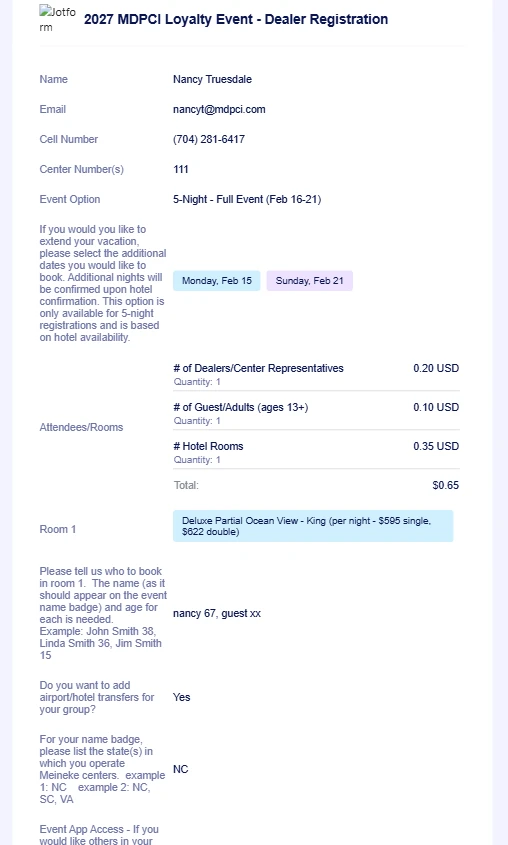
Auto response email without the payment connection:

Auto response email with the payment connection:
-
 Podo: Support Specialist
Hi Nancy,
Thanks for reaching out to Jotform Support. I'm an AI assistant here to assist you.
When you add a payment connection to your form, the payment product details may be omitted from the autoresponder email by default. To include the payment items in the autoresponder email, you need to customize the email content to explicitly add the payment field tags with the appropriate suffixes.
Let me walk you through how to fix this:
- Go to Settings in your Form Builder.
- Select Emails on the left panel.
- Edit your Autoresponder Email by clicking the pencil icon.
- In the email content editor, locate the payment field tag (for example, it might look like {myProducts}).
- Add suffixes to the payment field tag to display the product details you want. For example, use {myProducts:product} to show the product names, or {myProducts:total} to show the total payment amount.
- You can add multiple tags with different suffixes to customize the payment information shown in the email.
- Save your changes.
This method ensures the payment items are included in the autoresponder email even when the payment gateway is connected.
If you want to see examples of suffixes you can use, here are some common ones:
- transactionid
- total
- subtotal
- tax
- shipping
- product
- firstname
- lastname
- addr
- city
- state
- zip
- country
- customerid (Stripe)
Make sure you use the exact field tag name of your payment element followed by a colon and the suffix.
Give it a try and let us know how it goes.