-
KKristen Savage
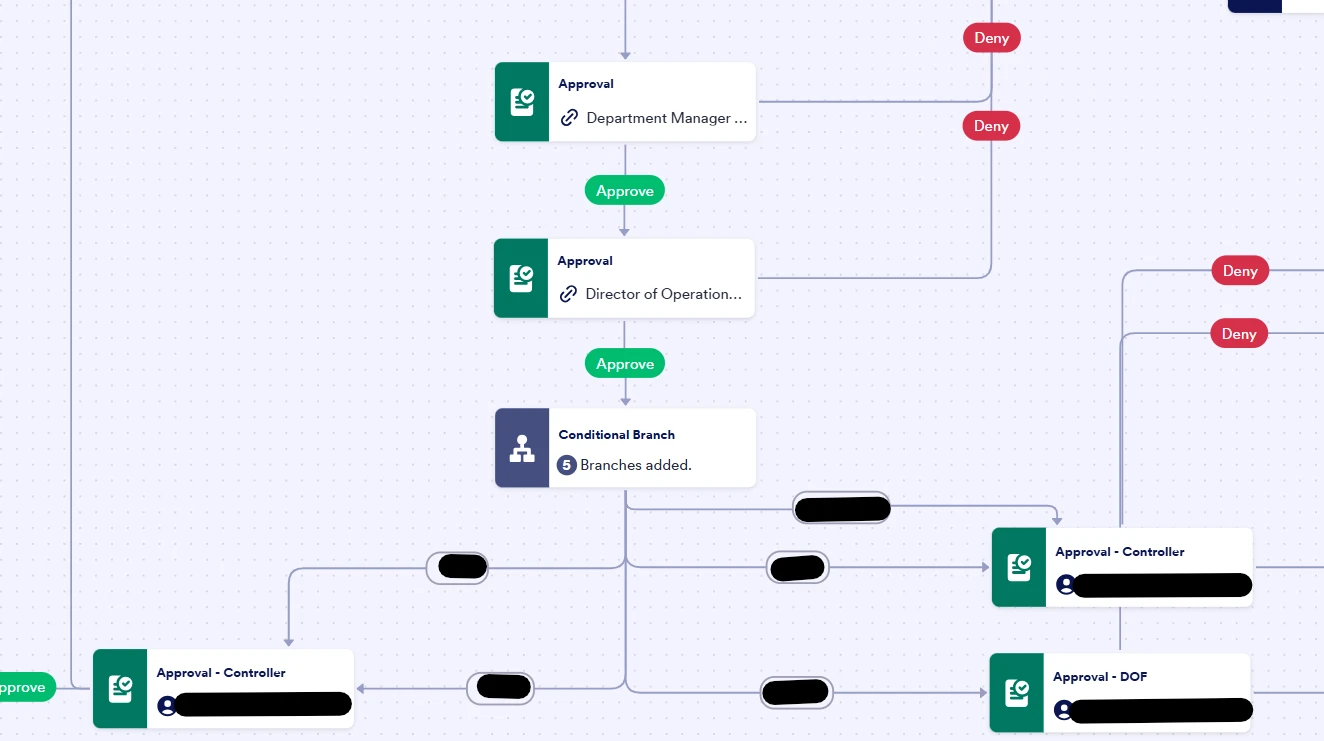
We have a form currently in testing that has approval workflows. For higher levels, we have typed in the email address of the approver in the workflow. For lower levels of management, we have several hundred employees so we are relying on the submitter to enter the email of their supervisor, which the workflow pulls from.
If a submitter mis-types an email, and the workflow tries to send the email and it is undeliverable, is there a way to inform the submitted that their submission was not recieved?
Thanks!

-
 Kyle JotForm Support
Hi Kristen,
Thanks for using Jotform. If a submitter enters an incorrect email address, the workflow will still attempt to send the notification, but the message will bounce and the approver will not receive it. Unfortunately, we don't automatically notify the submitter when an email fails to deliver. Y
You can check the account’s email history to see if messages were sent successfully or bounced, and you may also set up an additional notification to an admin inbox so someone can follow up when an approval email fails. You can easily View Your Form Email Logs in your account settings. Let me show you how:
- Go to the History tab on your Account Settings page.
- Click on All Actions in the top-right corner of the History page, and in the dropdown menu that opens, scroll down to the bottom and select Emails.
- Click on the External Link icon on the right side of the Form ID to open the email of the related submission.
Let us know if you need any more help.
-
KKristen Savage
Thank you!
How do I set up a notification to admin if an email delivery fails?
-
Kyle JotForm Support
Hi Kristen,
Currently, we don’t provide an automatic notification to admins when an approval email fails to deliver. The system will attempt to send the email, but if the address is invalid, it will bounce silently.
A practical workaround is to include the email address in your Notification Email that always goes to an admin inbox whenever a submission enters the approval flow. This way, even if the approver’s email is incorrect, the admin will still receive a copy and can spot issues quickly. You can then check the Email History in your account to confirm whether the message was delivered or bounced.
Reach out anytime if more questions come to mind.