-
 Kay_Jonathan
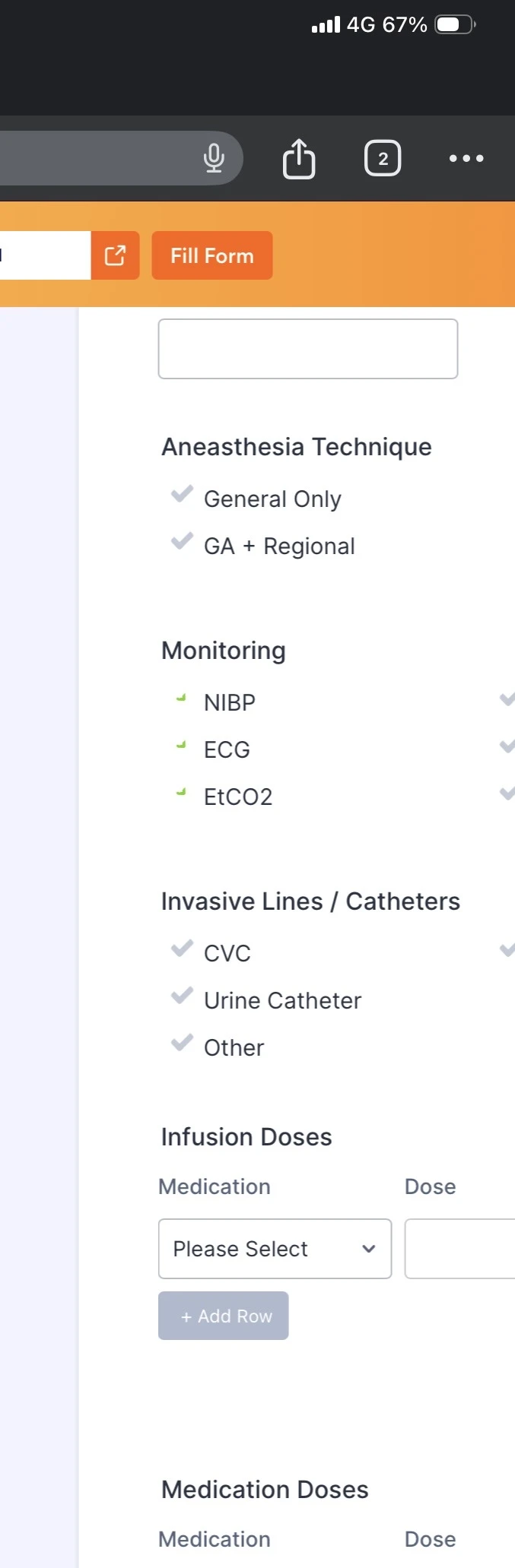
This suddenly affects all my forms. No changes or action from me resulted in this.
See picture attached.
Please advise.

-
 Podo: Support Specialist
Hi Jonathan,
Thanks for reaching out to Jotform Support. I'm an AI assistant here to assist you.
To better assist you with the issue of check boxes not displaying correctly on all your forms, could you please provide a screenshot or more details about what you are seeing? This will help me understand the problem more clearly and offer the appropriate guidance.
Once we hear back from you, we'll be able to move forward with a solution.
-
 Nikola JotForm Support
Hi Jonathan,
I checked a few of your forms, and I was able to replicate the issue. I was also able to replicate the issue on a cloned form. I'm not sure why this is happening, considering that I can't replicate the issue with my other forms or when I create a new form. I resolved the issue on my cloned forms by refreshing the form theme. Let me show you how:
- In Form Builder, click on the Paint Roller icon on the right side of the page to open Form Designer.
- Now, in the Form Designer menu, click on the Themes tab.
- Hover over any theme and click on the Use Theme button. Then, hover over Default Theme and click on the Use Theme button.
Result:
Give it a try and let us know how it goes.