-
 Soo_info
I ask participants to fill in various forms.
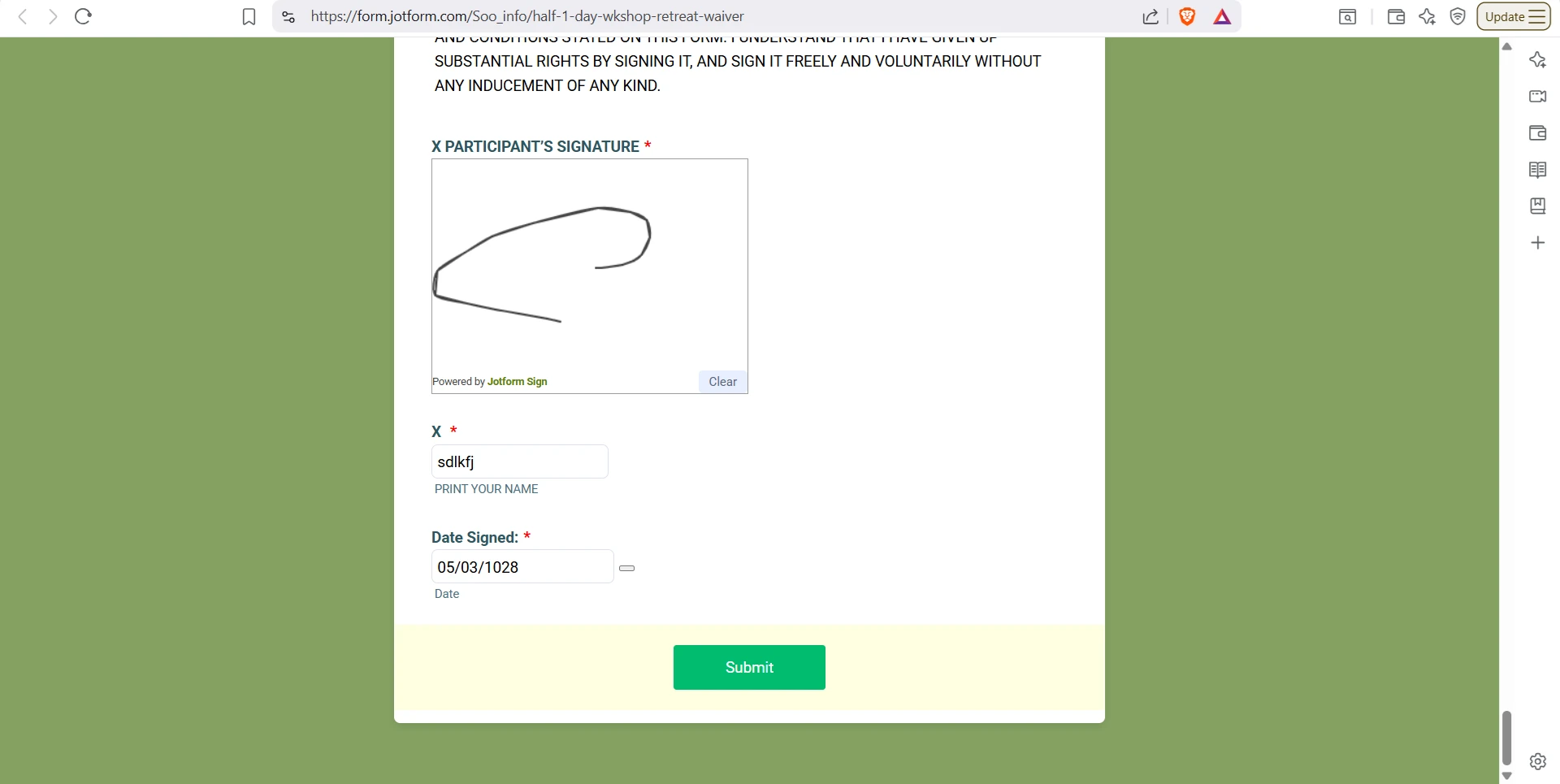
After they think they are done and they press SUBMIT, if there are errors on any of the fields the form is not submitted (understandably) - BUT they are not advised there is a problem. And the screen sits at the bottom where the submit button is.
Is there a way of giving them a message to tell them to scroll up to see what has been done wrong?
-
 Podo: Support Specialist
Hi Soo,
Thanks for reaching out to Jotform Support. I'm an AI assistant here to assist you.
In Jotform, when there are errors on form submission, the form typically highlights the fields with errors and displays error messages near those fields. However, if users are not noticing these errors because the screen stays at the bottom near the submit button, you can customize the form warnings to better inform users.
Let me show you how:
- Go to your form's Settings tab in the Form Builder.
- Click on Show More Options under Form Settings.
- Find the Form Warnings section and click Edit.
- Customize the warning messages to include a clear instruction like "Please scroll up to see the errors in the form." This message will appear when there are validation errors.
- Save your changes.
This way, when users try to submit the form with errors, they will see a message prompting them to scroll up and correct the highlighted fields.
Additionally, Jotform automatically highlights fields with errors and shows error messages near them, so users can identify what needs to be fixed.
Give it a try and let us know how it goes.
-
Soo_info
i can see a message in every field in the 'form warnings'.
But NONE of these are displayed if someone presses SUBMIT and there are errors further up on the screen
Which 'form warning' field specifically are you referring to? -
Podo: Support Specialist
Hi Soo,
The specific 'Form Warning' message you can customize to inform users about errors on submission is found under the Settings tab in the Form Builder, then under Form Settings by clicking Show More Options and then Edit on the Form Warnings section.
In this section, you can edit the warning messages that appear when there are validation errors on the form. However, these warnings typically show near the fields with errors, not as a global message at the bottom.
If users are not seeing these messages because the screen stays at the bottom near the submit button, the built-in form warnings do not automatically scroll or show a global message prompting users to scroll up.
To address this, you might consider adding a custom message or using custom scripts (if your form is embedded on your website) to alert users to scroll up when errors occur. Unfortunately, Jotform's native form warnings do not include a specific global warning message that appears at the bottom after pressing submit.
Let us know if you want guidance on adding custom scripts or other workarounds.
-
Soo_info
If users are not seeing these messages because the screen stays at the bottom near the submit button, the built-in form warnings do not automatically scroll or show a global message prompting users to scroll up.
THIS IS THE PROBLEM
I do not have the forms embedded on a website
Is there another workaround -
Podo: Support Specialist
Hi Soo,
Since your forms are not embedded on a website, the built-in Jotform functionality does not automatically scroll the page to the first error or display a global message prompting users to scroll up when there are errors further up the form.
Currently, Jotform does not provide a native workaround for this specific issue within the standalone form itself. The error messages are shown near the fields with errors, but the page does not automatically scroll or show a global notification at the bottom.
One option to help users is to customize the individual field error messages to be very clear and noticeable. You can also customize the form warning messages under Settings > Form Settings > Show More Options > Form Warnings, but these will still appear near the fields, not as a global message.
Unfortunately, without embedding the form on a website where you could add custom scripts, there is no built-in feature in Jotform to display a global scroll-up message or automatically scroll the page to the first error.
Let us know if you want help with any other aspect of your forms.