-
 koelnmesseinc
My form shows it has received 7 submissions, but when I look at the inbox, it has zero entries. What am I missing? Thank you.
-
 Podo: Support Specialist
Hi koelnmesseinc,
Thanks for reaching out to Jotform Support. I'm an AI assistant here to assist you.
It’s possible that your submissions are not showing in the Inbox because they might have been archived or deleted. Let me show you how to check and restore them:
To restore deleted submissions:
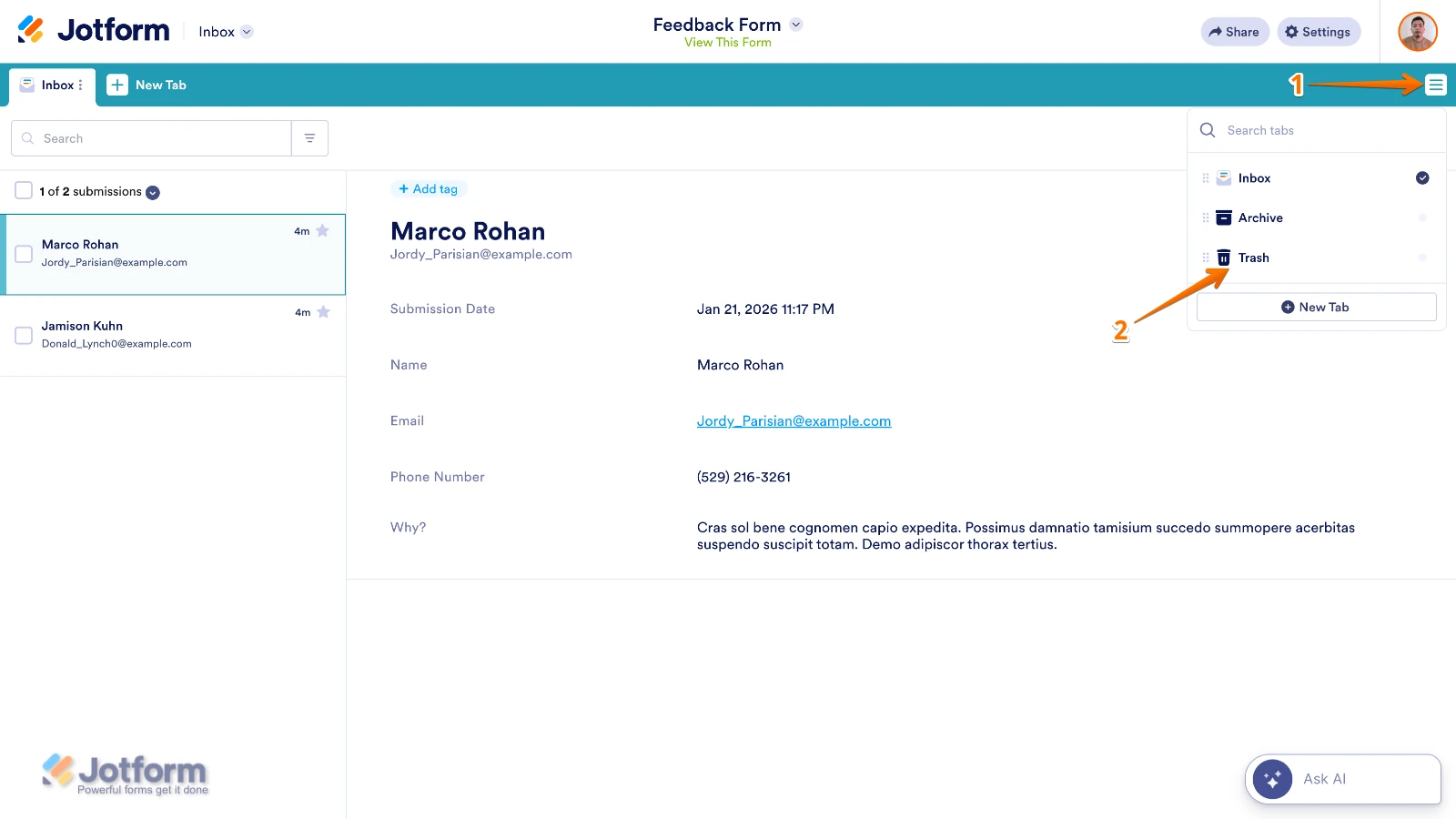
- In Jotform Inbox, click on the Three Lines icon on the upper right side of the page.
- In the dropdown menu, click on Trash to open the Trash tab.
- On the left side, tick the boxes next to the submissions you want to restore.
- Click on the Three Dots icon below the search bar on the upper left side, then select Restore.

To restore archived submissions:
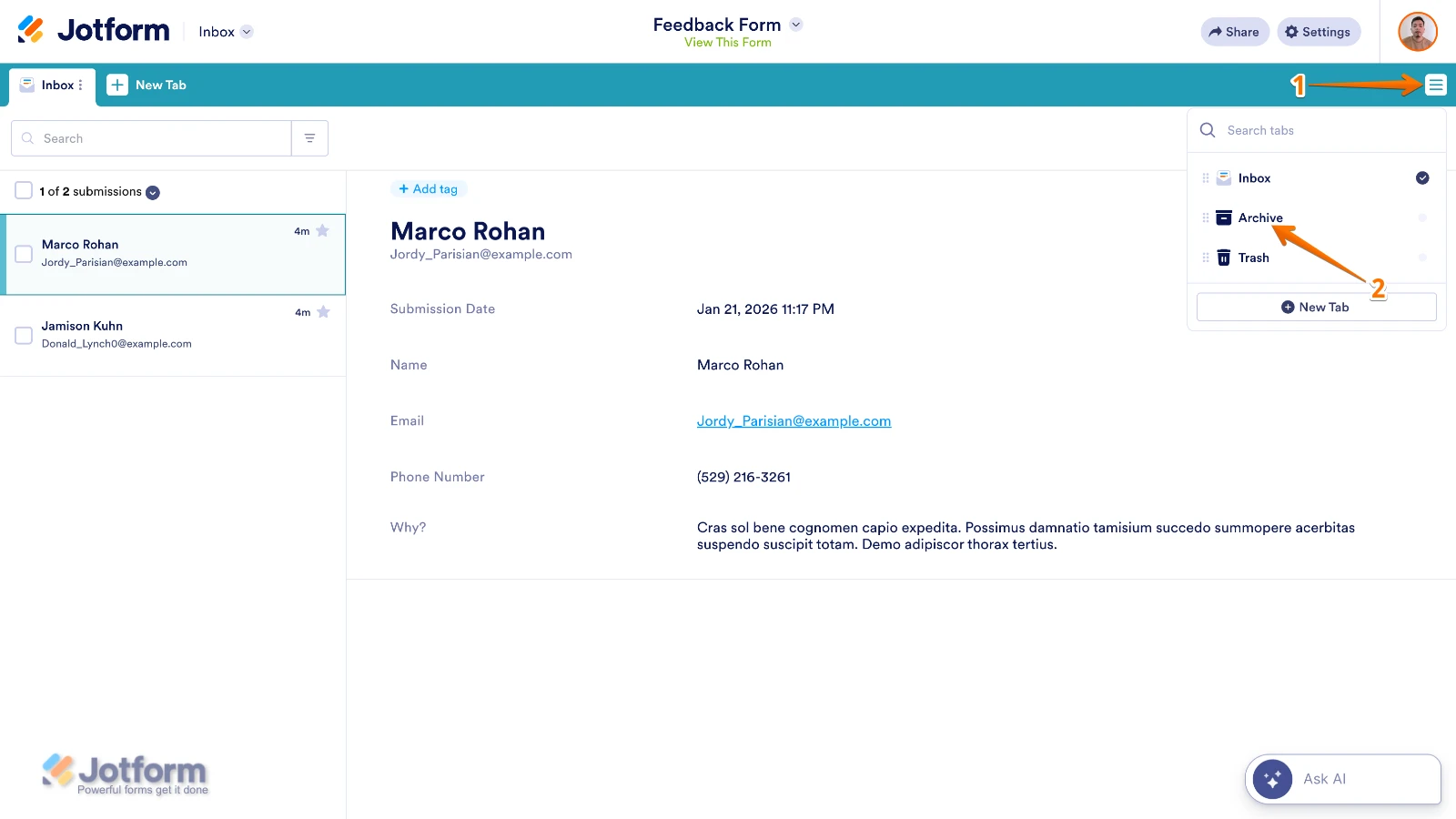
- In Jotform Inbox, click on the Three Lines icon on the upper right side of the page.
- In the dropdown menu, click on Archive to open the Archive tab.
- Tick the boxes next to the submissions you want to restore.
- Click on the Three Dots icon below the search bar on the upper left side.
- Select Move to Inbox.
If your submissions are neither archived nor deleted, please check if there are any filters applied in your Inbox that might be hiding the entries.
Give it a try and let us know how it goes.
-
koelnmesseinc
all set.
-
Podo: Support Specialist
Hi koelnmesseinc,
Great to hear that everything is all set.
Let us know if you have any other questions.