-
KKari Huizenga
I am stuck in a password reset loop and need assistance as soon as possible. I log in successfully with my password, then I get stuck on a new page where I am asked again to change my password. The issue I receive is that the current password, the one that I am logged in with, is saying it is not correct. It is correct.
-
 Podo: Support Specialist
Hi Kari,
Thanks for reaching out to Jotform Support. I'm an AI assistant here to assist you.
Resetting your Jotform account password is easy to do. Let me walk you through it:
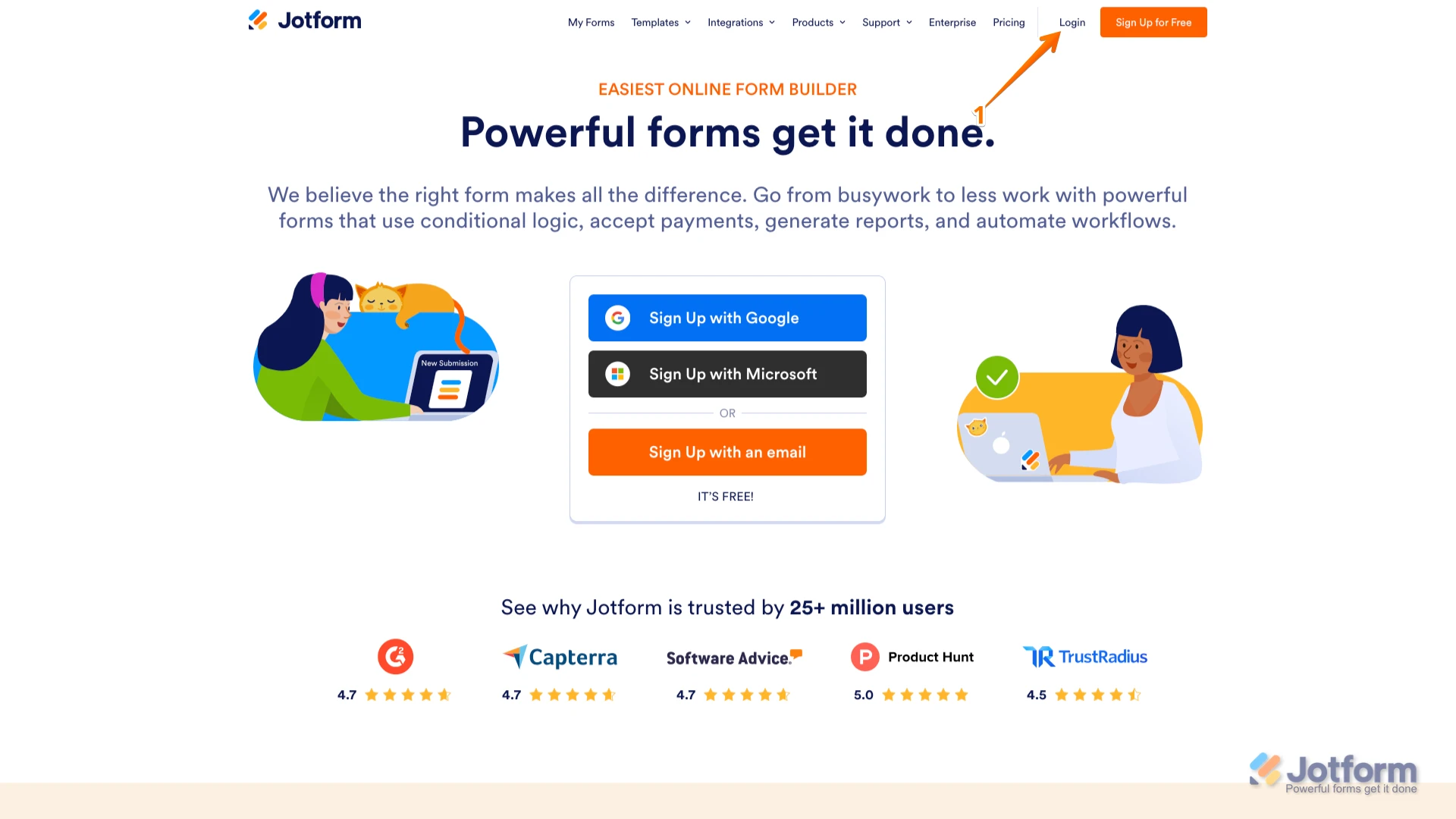
1. Go to the Jotform Main page and click on Login at the top-right corner of the page.

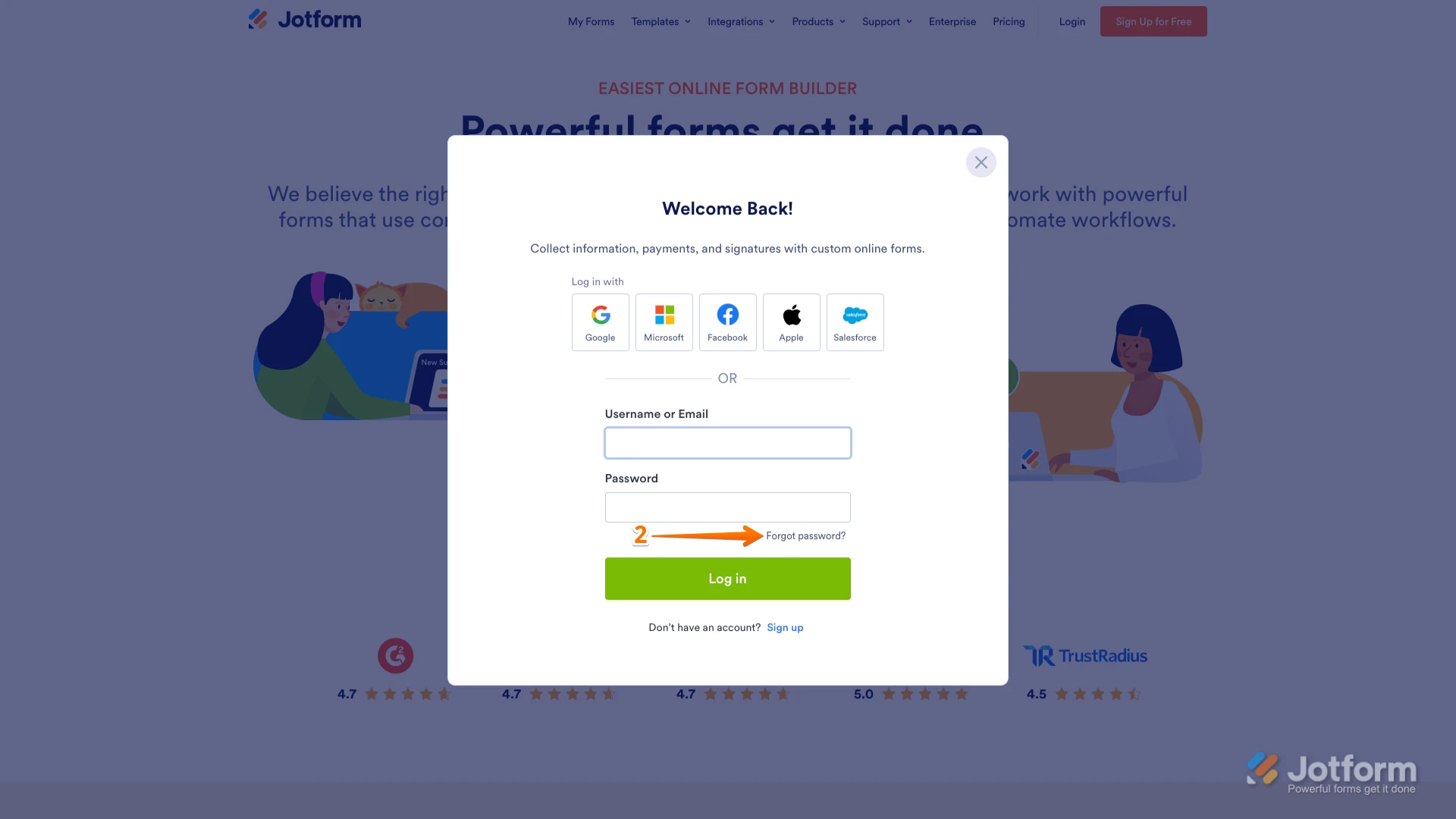
2. In the window that opens, click on Forgot Password?.
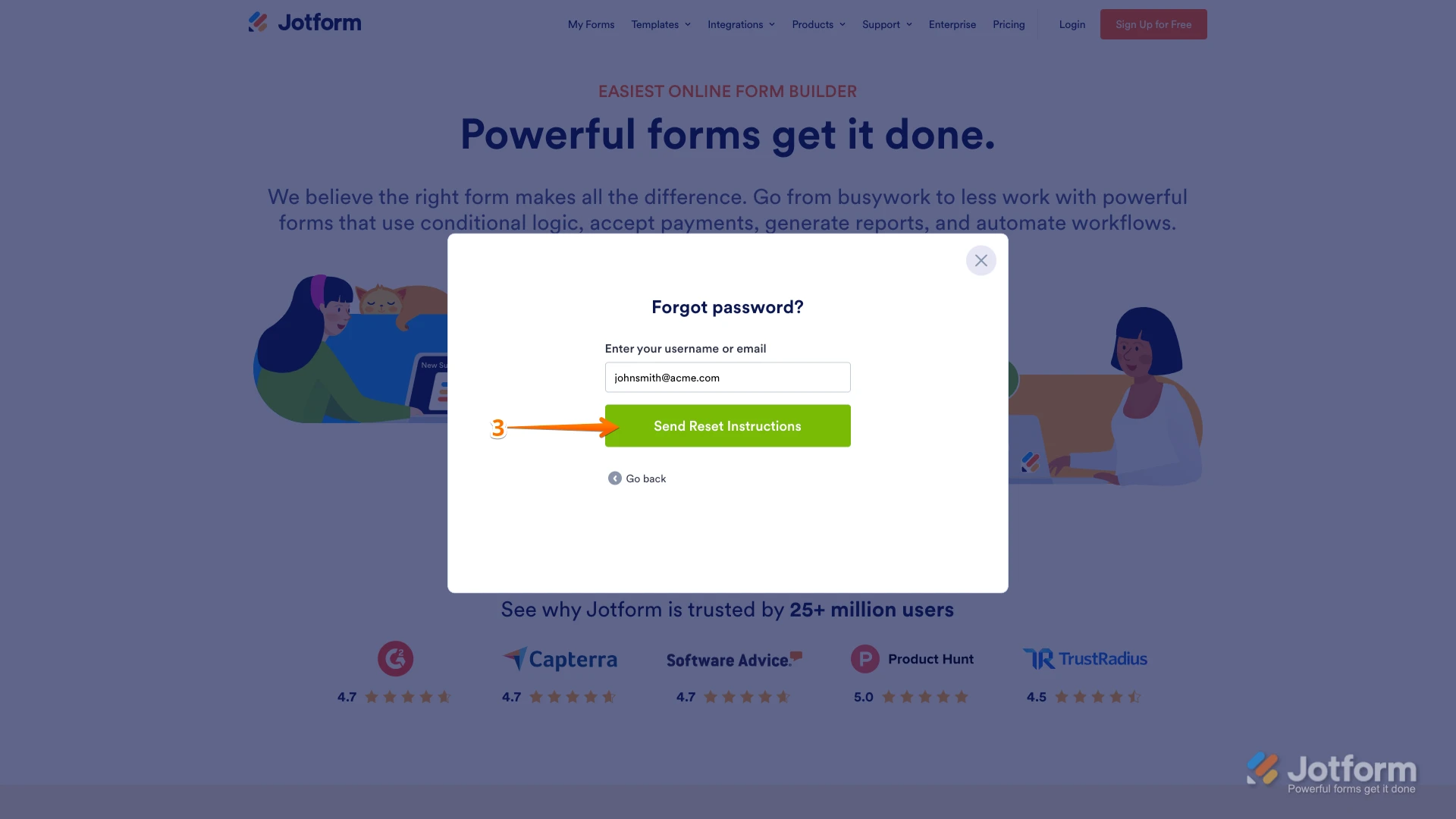
3. Enter your email address, and then click on Send Reset Instructions.
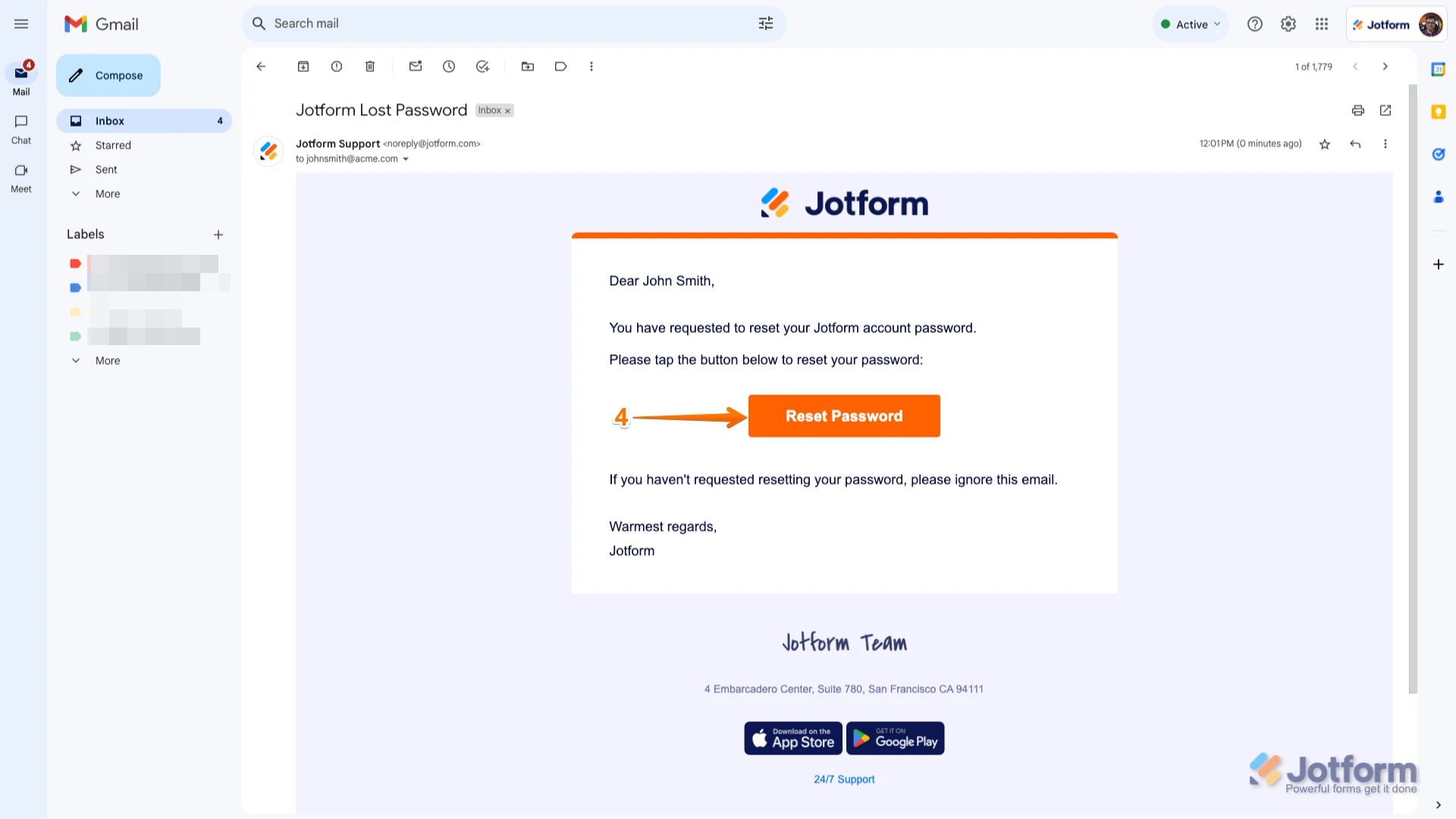
4. You'll receive an email with instructions on how to reset your password. Open the email and click on the Reset Password button.
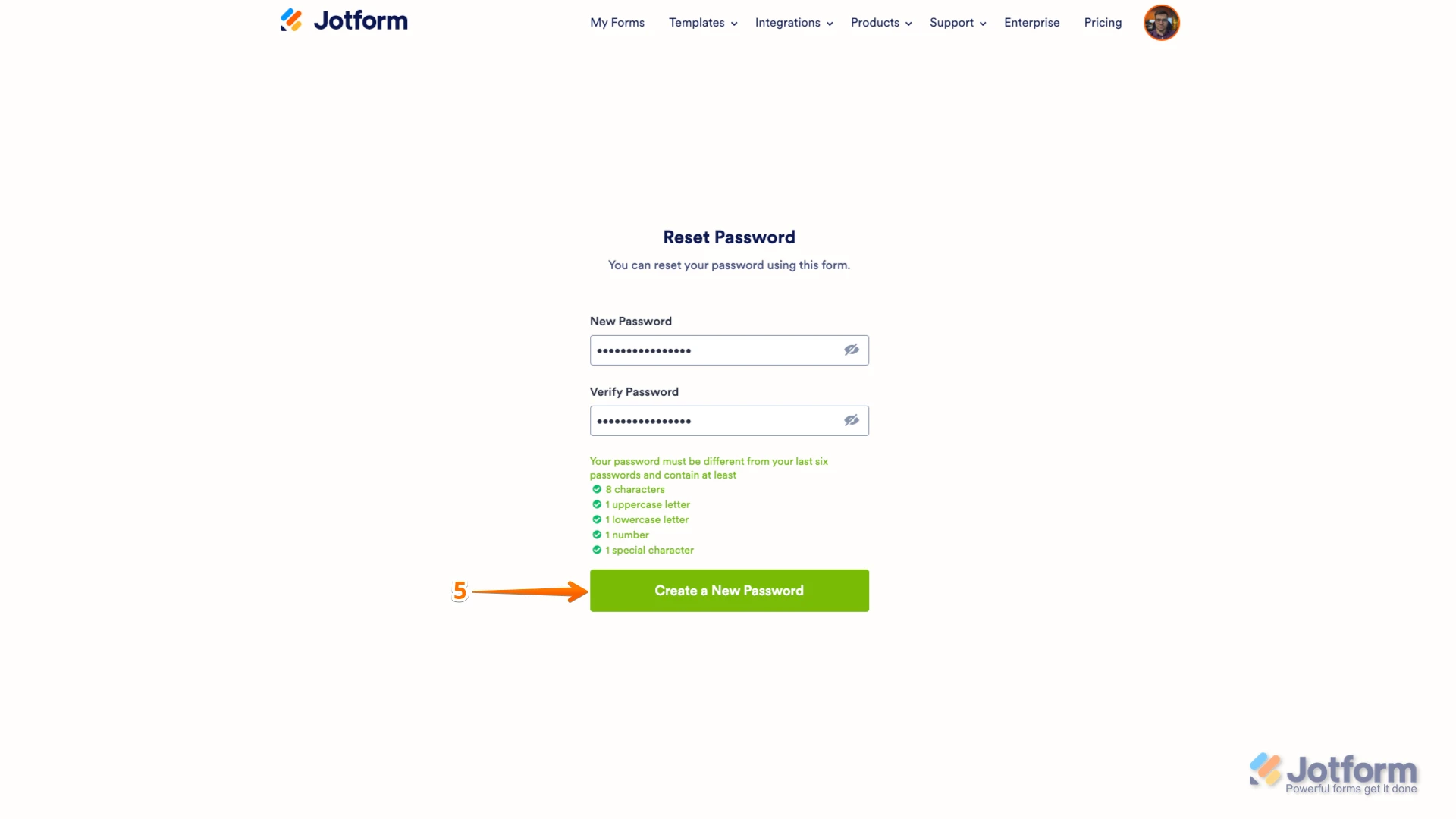
5. Enter your new password, enter it again to verify it, and then click on Create a New Password.
There you go. Your new password is now set, and you can use it to log into your Jotform account. You can also check out our How to Reset Your Jotform Password guide for more information.
Reach out again if you need any other help.
-
 Jerlan JotForm Support
Hi Kari,
This situation usually happens when the system requires you to reset your password but does not recognize the current password you entered. To resolve this, the best approach is to perform a full password reset using the password reset email instructions rather than trying to change the password while logged in.
I highly suggest clearing your web browser's cache and cookies firts before you reset the passsword.
Give it a try and let us know how it goes.