-
 MichaelCornell
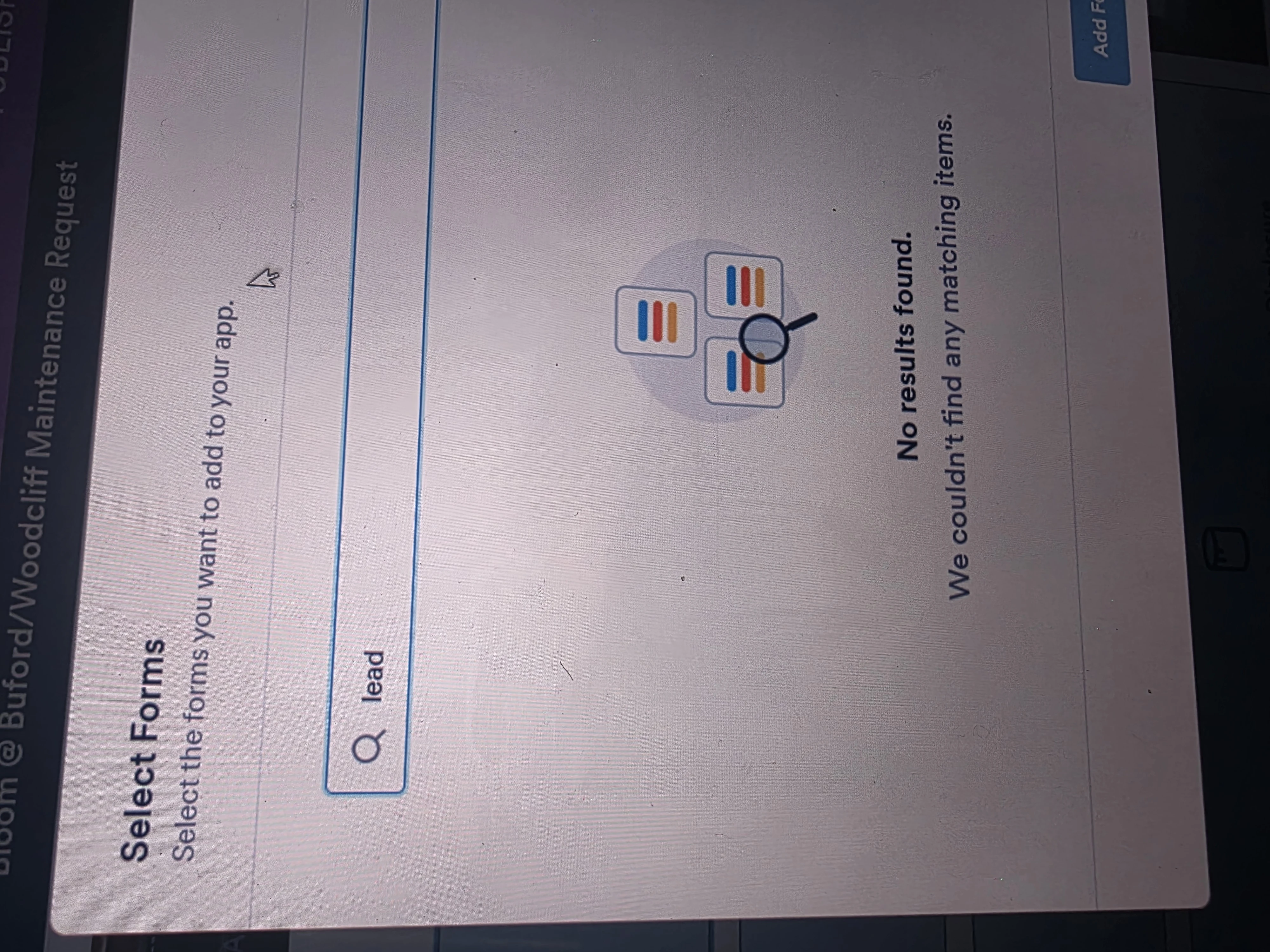
I have been building our mobile app and organizing everything into folders. Some folders require the same forms that are already used in other folders. However, I’m running into an issue where certain forms are not appearing in the form list when I try to add them to a new folder.
For example, I am trying to add the Disclosure of Information on Lead-Based Paint and/or Lead-Based Paint Hazards form to the Gwinnett County Forms folder, but it does not appear in the list of available forms even though it is used in other folders within the app.
I also attempted to add the Client Information form, which is currently under Agency Forms, to another folder, but it is not showing up as an option to select.
Could you please help me resolve this issue?

-
 Podo: Support Specialist
Hi Michael,
Thanks for reaching out to Jotform Support. I'm an AI assistant here to assist you.
It seems you are experiencing an issue where certain forms are not appearing in the form list when trying to add them to new folders in your mobile app. Let me show you how:
- On your Workspace page, click on Type at the top of the page, and in the Dropdown menu, uncheck the boxes next to all the assets except Forms.
- Next, hover your mouse over the form and click on More on the right side of the page.
- Then, select Create App.
This process ensures your forms are properly organized and accessible within your app folders. If the forms still do not appear, please verify that the forms are shared or accessible within your app's settings and that there are no restrictions on form visibility.
Reach out again if there9s anything else we can help you with.
-
MichaelCornell
We do not want to create a new mobile application. We need to be able to use our original mobile application. We need to be able have some same forms across multiple folders.
-
Podo: Support Specialist
Hi Michael,
Thanks for clarifying that you want to continue using your original mobile application and have the same forms available across multiple folders.
Currently, in Jotform Mobile Forms (the primary mobile app), forms are synced from your account and displayed in the app. However, the app does not support adding the same form to multiple folders independently within the app interface. The organization of forms into folders is managed on the web platform, and the mobile app reflects that structure.
If a form is not appearing in a specific folder on your mobile app, please ensure that the folder structure and form assignments are correctly set up on the Jotform web platform. Also, verify that the app has fully synced your account data, as syncing delays can cause forms to not appear immediately.
Unfortunately, the mobile app does not have a feature to duplicate or share the same form across multiple folders directly. You might consider organizing your forms on the web platform to best fit your folder needs, or if necessary, cloning the form to have separate copies in different folders.
If you need help with cloning forms or managing folders on the web platform, I can guide you through those steps.
Let us know if you want assistance with that or if you have any other questions.
-
MichaelCornell
This would be something that JotForm developers could allow. This would be really helpful. We shouldn't have to clone forms just to be able to do this, especially when there are form limits within our plan. :(
-
Podo: Support Specialist
Hi Michael,
One of our Support Team members will take it from here to follow up shortly.
-
 Rica Support Team Lead
Hi Michael,
Unfortunately, it is currently not possible to add the same form to multiple pages in your Jotform App using the Form element. As a workaround, I suggest using the Card element on each page. This element allows you to open a form as an action, and you can select the same form for multiple Card elements. Here’s an example where I used the Client Information form on both pages:
This also works the same way as the Form element, where the form opens inside the Jotform App.
Give it a try and let us know if you need any help.
-
MichaelCornell
Thanks so much!!! The card worked. It may be even better! Thank you for pointing this out to me.
-
Podo: Support Specialist
Hi Michael Cornell,
Your request has been answered and the thread is closed.
If you have another question or need more help, feel free to reply here and we'll assist you right away.