-
 AlphaRecreation
HI team,
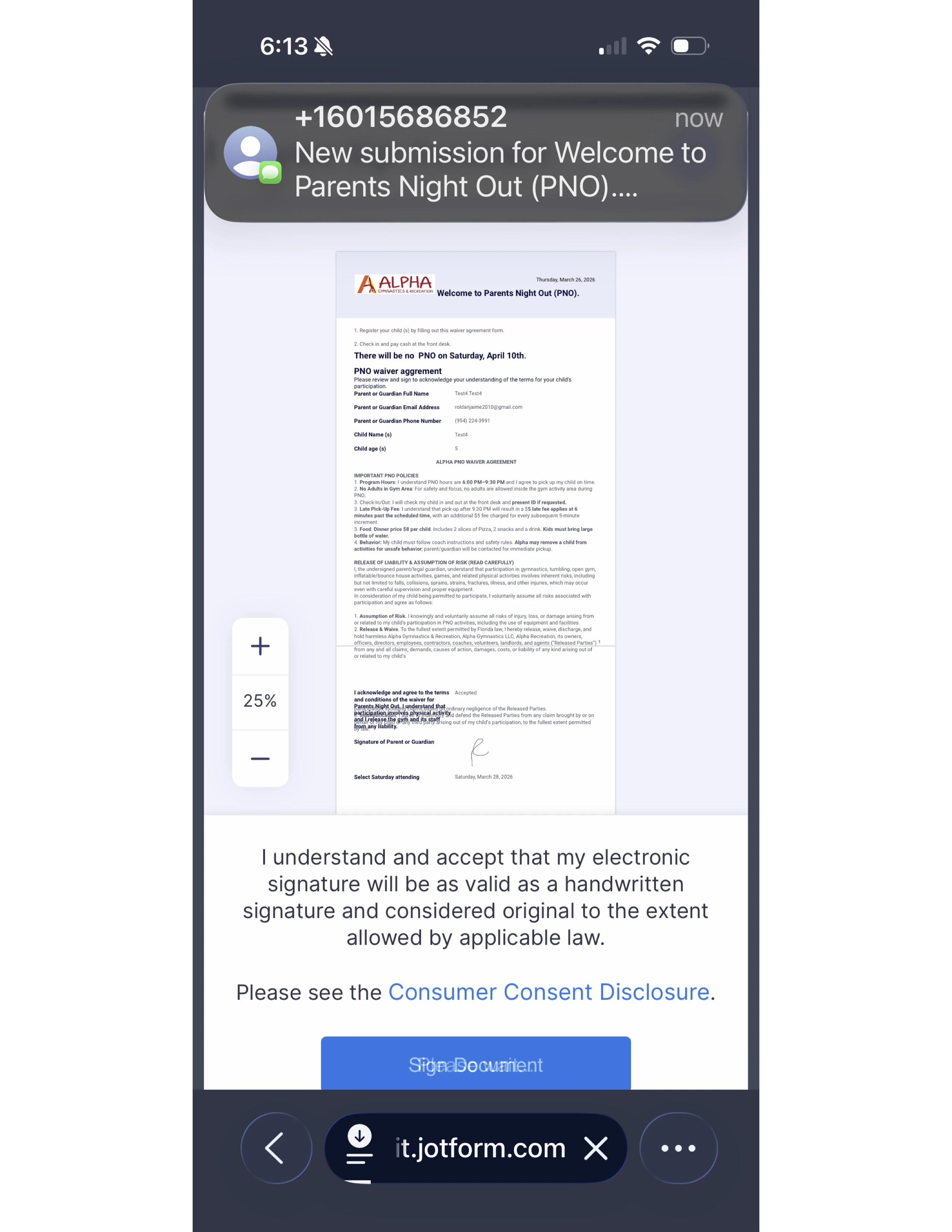
this form will not show the thank you page unless you touch another screen or link or something else. it happens on the phone after submitting the Sign Document of the preview document. Please HELP ASAP ..
thank you

-
 Podo: Support Specialist
Hi Alpha,
Thanks for reaching out to Jotform Support. I'm an AI assistant here to assist you.
Regarding the issue where the thank you page does not show immediately on phones after submitting the Sign Document, it seems like the page only appears after interacting with another screen or link.
Let me walk you through a possible way to improve the user experience by adding a Download PDF button to the Thank You Page, which might help ensure the thank you page is properly displayed and functional:
- In Form Builder, click on Settings in the orange navigation bar at the top of the page.
- In the menu on the left side, click on Thank You Page.
- In the Thank You Page Editor Toolbar, click on Action Buttons.
- In the popup window, select Download PDF.
- Enter a label for the button in the Enter a Button Name field.
- Select the PDF template in the PDFs to be Downloaded dropdown menu.
- Click Create to add the button.
This will allow users to download a PDF of their submission immediately after submitting, which might also help with the thank you page visibility issue on mobile devices.
Give it a try and let us know if you have any other questions.
-
 Reymae JotForm Support
Hi AlphaRecreation,
The reason why the Thank You page is not showing directly after clicking the Submit button is because you have enabled Jotform Sign Automation on your Signature field. With this feature, the users are required to give consent for their signatures. They simply need to click the Sign Document button. Take a look at the screencast below to see my results:
Can you go ahead and try it again and let us know how it goes? If you’re still having the same issue, we’ll look into it more to see if we can figure out what’s going on.
Reach out again if there’s anything else we can help you with.