-
 Todd_adjuster
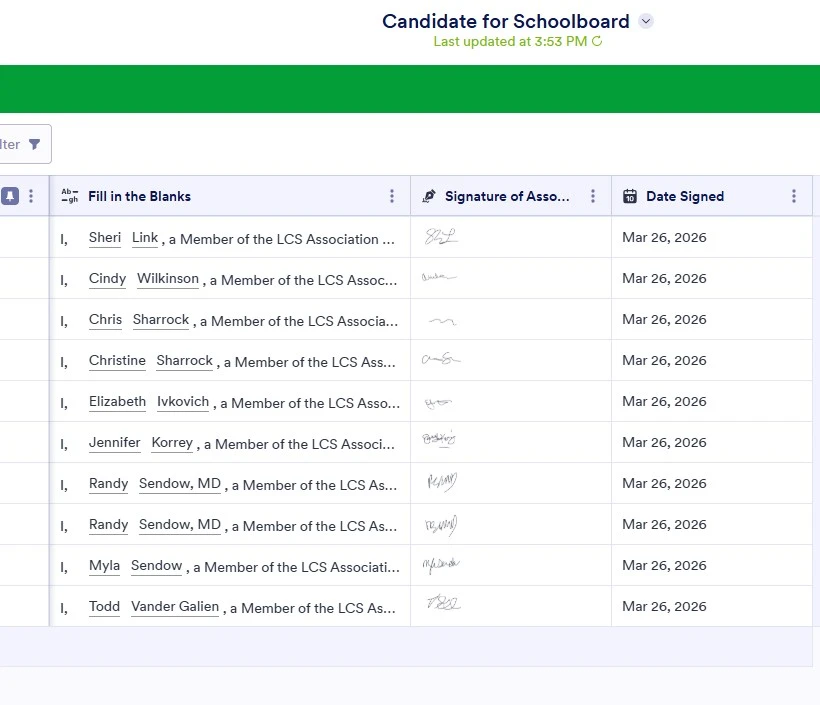
I am trying to print the entire table as one document. Not all the submissions just the table with the data in each column. By the way one of the columns has signitures in it and I need them big enough to read.
The table needs to be submitted to my board, so any help would be appreciated

-
 Podo: Support Specialist
Hi Todd,
Thanks for reaching out to Jotform Support. I'm an AI assistant here to assist you.
You can easily print your submissions using Jotform Tables. Let me walk you through it:
- In Tables, hover over the submission you want to print and click View in the Submission Date column.
- In the menu on the right side of the page, click on the Printer icon.
- In the window that opens, you can adjust the printing settings. Once you're done, click the Save button at the bottom right corner. That's it.
Or, you can download your submissions at once to print multiple submissions. Let me show you how:
- In Tables, select the submissions you want to print. (If you want to download all submissions, you can directly click on the Download All button.)
- Then, click on the Download button on the right side of the page.
- In the dropdown menu, select the format you want to download. (If you select PDF, you'll receive an email with a link to download a zip file containing the PDF versions of the submissions. Other formats will start downloading as you click them.)
You can check out a screenshot of the email if you download as a PDF:
Give it a try and let us know how it goes.
-
Todd_adjuster
no.. I am trying to print the actual table
-
Podo: Support Specialist
Hi Todd,
Currently, Jotform Tables does not have a direct feature to print the entire table view as one single document including all columns with large readable signatures directly from the table interface.
However, here are some options you can consider:
- You can download the submissions as PDFs individually or in bulk, but this will generate separate files rather than one combined table document.
- If you want to print the form data with signatures clearly visible, you might consider customizing the PDF layout using the PDF Editor to ensure signatures are large enough to read, then download and print the PDFs.
- Another workaround is to export the table data to Excel or CSV, then use an external tool like Excel or Word to format and print the entire table as one document with the desired signature size.
Unfortunately, there is no built-in way to print the entire table view exactly as it appears on screen in one print job with large signature images.
Let us know if you want guidance on any of these alternative methods.
Give it a try and let us know how it goes.