-
TTravis Van Slooten
I have tried multiple times to create a very complex, lengthy online job application and every time when I get to the end of the form to test things, the form blows up and your AI has no answers other than to tell me to start over. Now the form locks up every time I go to the builder. If I can't get your system to work, we'll have to go with another platform.
-
 Podo: Support Specialist
Hi Travis,
Thanks for reaching out to Jotform Support. I'm an AI assistant here to assist you.
You can use Conditional Logic to ensure the Submit button only appears after a specific question is answered. Let me show you how:
1. In Form Builder, in the orange navigation bar at the top of the page, click on Settings.
2. Next, click on Conditions on the left of the page.
3. Now, click on Show/Hide Field to create your condition (if you already have a condition, first click on Add Condition and then click on Show/Hide Field).

4. Set the conditions like you see below and click on Save:
The condition is configured to show the Submit button only after an email address is entered. While this example uses an email field, you can apply this logic to any field that suits your specific workflow. Check out the screencast below to see how it works:
Reach out again if there’s anything else we can help you with.
-
 Chris_L JotForm Support
Hi Travis,
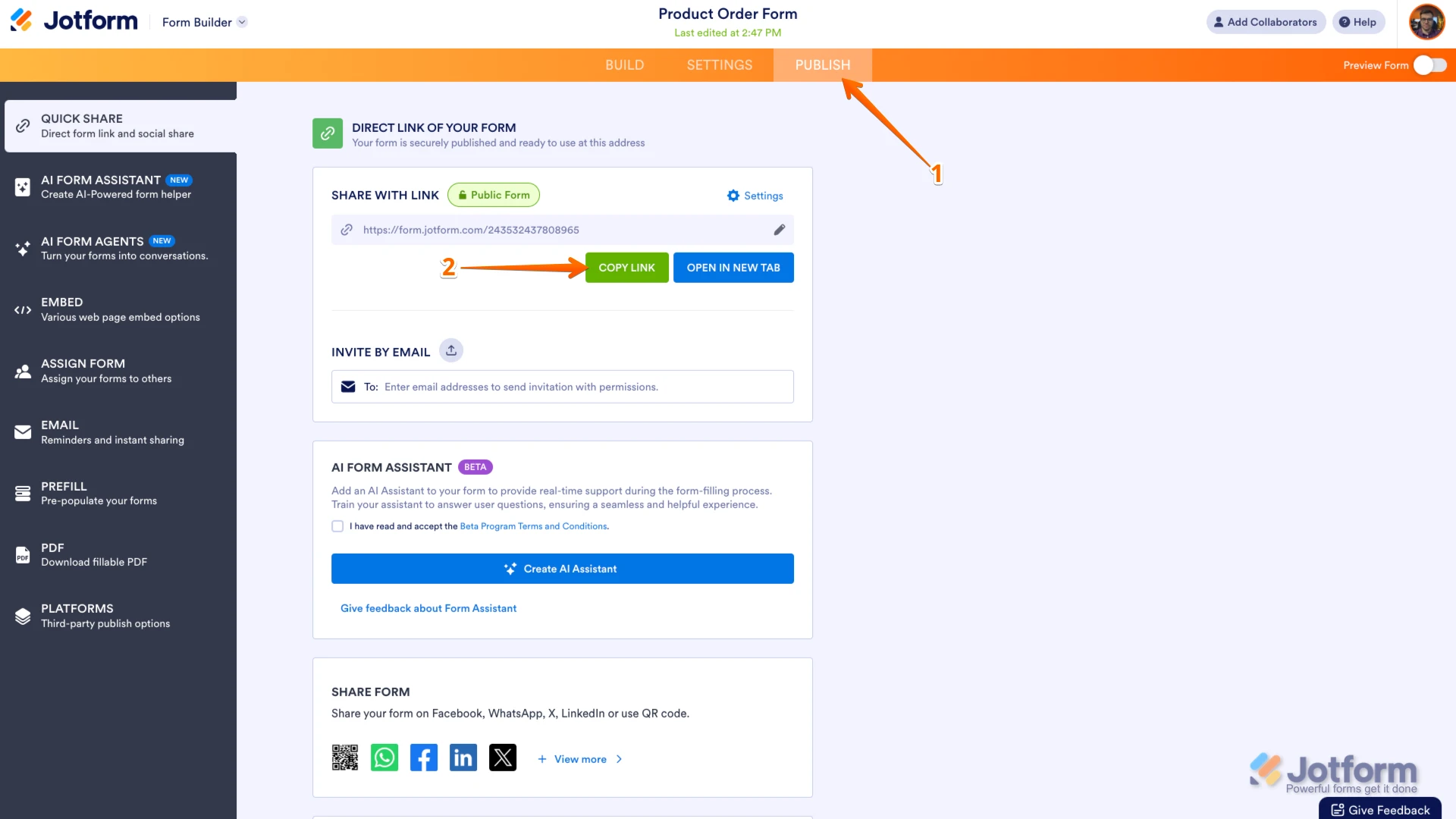
Can you share the link to the form you're working on? You can easily find your form's URL in Form Builder. Let me show you how:
- In Form Builder, in the orange navigation bar at the top of the page, click on Publish.
- In the Quick Share tab, click on Copy Link in the Share With Link section.
Also, a screen recording would help us see exactly what’s happening. You can use Loom or upload to Google Drive/Dropbox, then send us the link.
Once you share the form URL with us, we’ll be able to help you better with this.