-
 paulinelewin
Hi,
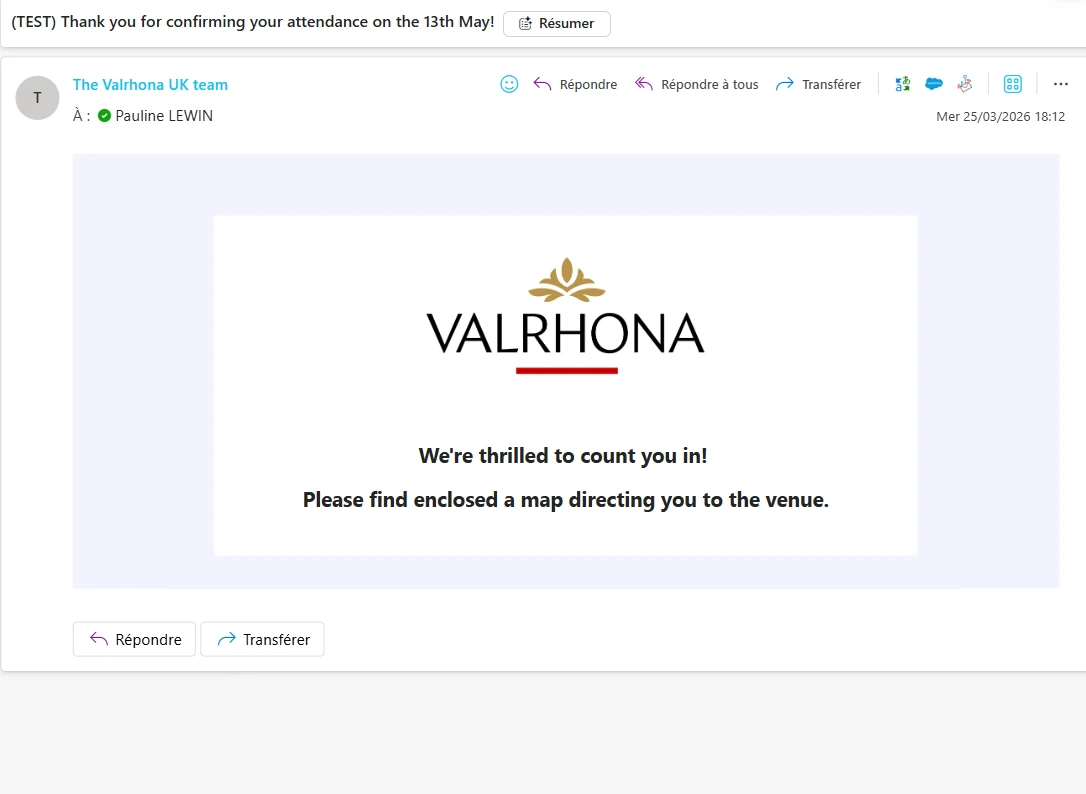
I have created an autoresponder email to my form so that each person filling it in receives an email confirming their submission. I have also attached a PDF on how to get to the event venue.
I have tried doing some test email but the PDF doesn't come through even though I think I have ticked all correct boxes.
Could you please help?
Thanks,
Pauline

-
 Podo: Support Specialist
Hi Pauline,
You can easily attach PDF submissions to your Autoresponder email. Let me show you how:
1. In Form Builder, in the orange navigation bar at the top of the page, click on Settings.
2. Then, in the menu on the left side of the page, click on Emails.
3. Now, hover your mouse over the Autoresponder Email and click on Edit.
4. Next, click on the Advanced tab, toggle on Attach PDF, and select the PDF file you created.
5. Now, scroll down, and then click on Save.
Give it a try and let us know how it goes.
-
paulinelewin
This is what I have done but it is not working.
Can you look at my account/ form and cheK?
-
 Gian_D JotForm Support
Hi Pauline,
Thanks for reaching out to Jotform Support. I've cloned your form and tested it to see if I can replicate the issue, but it is working as expected. Check out the screenshot below:
As you can see, it is working properly. Can you try to remove and re-add your Autoresponder Email to see if it's going to work? Let me show you how to do it:
1. In Form Builder, click on Settings in the orange navigation bar at the top of the screen.
2. Then, click on Emails on the left side of the page.
3. After that, click on the Gear icon of your Autoresponder Email, and click on Delete in the menu that opens.4. Next, click on Yes, Delete in the pop-up window.
Once done, can you create another Autoresponder Email with a PDF document attached to it and then test it to see if it's going to work?
As soon as we hear back from you, we can work on getting you a solution for this.
-
paulinelewin
Hi,
I have tried and done this but it is still not working, see below.
Can you please provide a resolution asap as we need to send out the invitations today and I do not understand why it is no longer working?
Is it because I am removing too many fields in the counter tab?
Is there a way of restoring the version I had a couple of days ago as it worked then? I do not want to restore the form itself though, I am now happy with it.
Thanks,
Pauline
-
 Kris Ann JotForm Support
Hi Pauline,
Can you try to set up a custom SMTP to use your email sender as provider. Let me walk you through it:
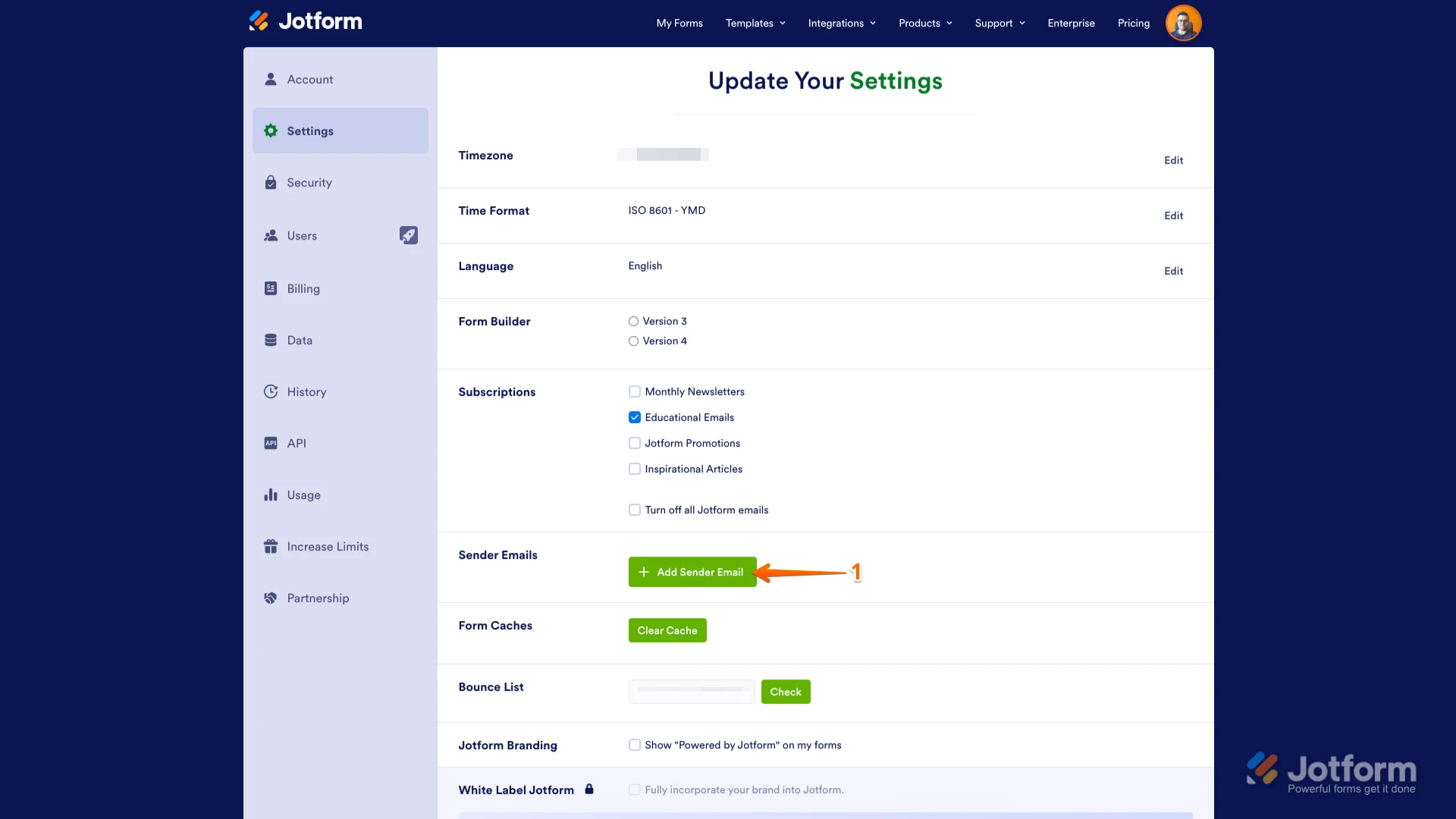
1. Go to the Settings page while logged in to your Jotform account and click on Add Sender Email in the Sender Emails section.
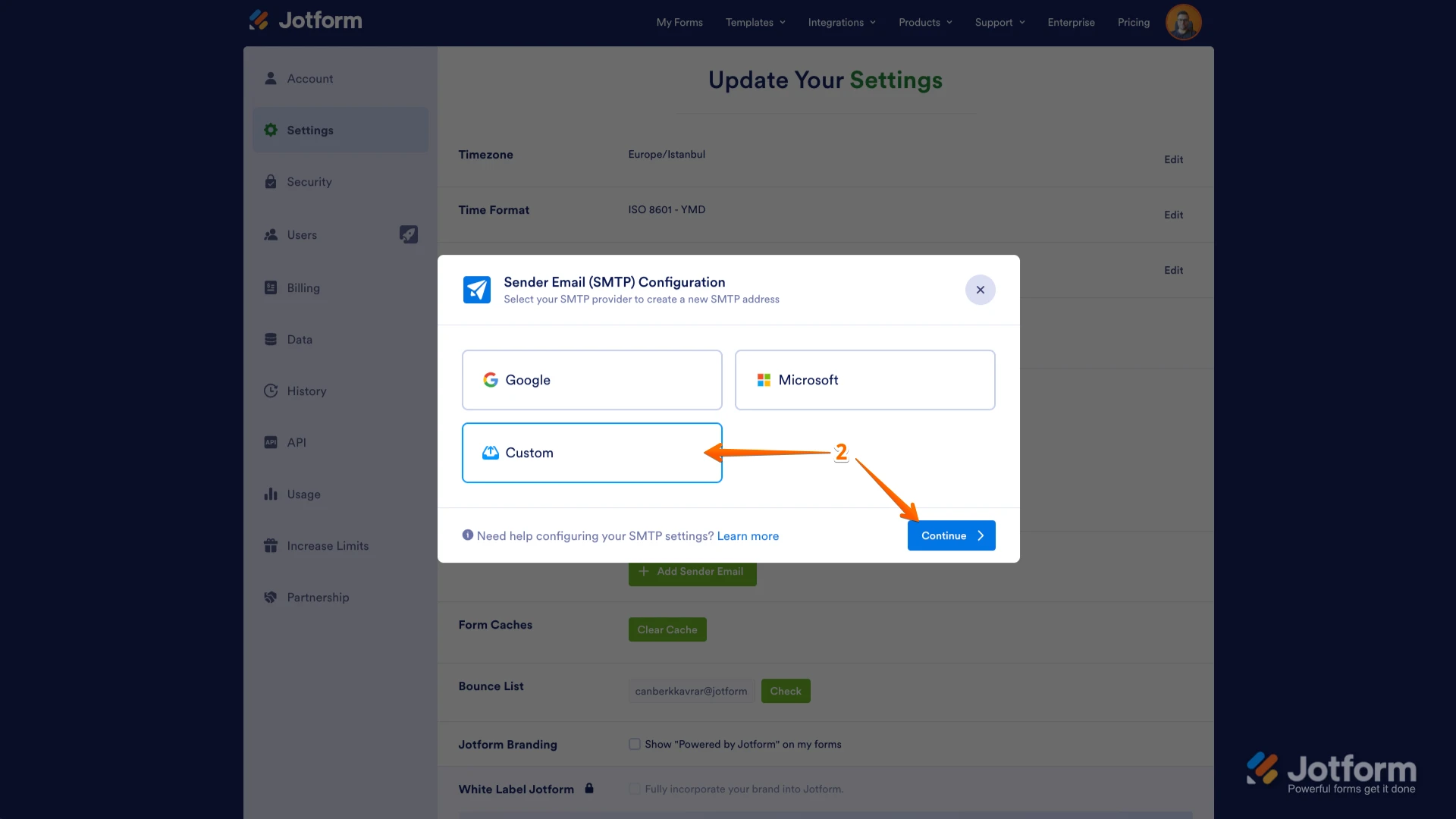
2. In the window that opens, select Custom and click on the Continue button.
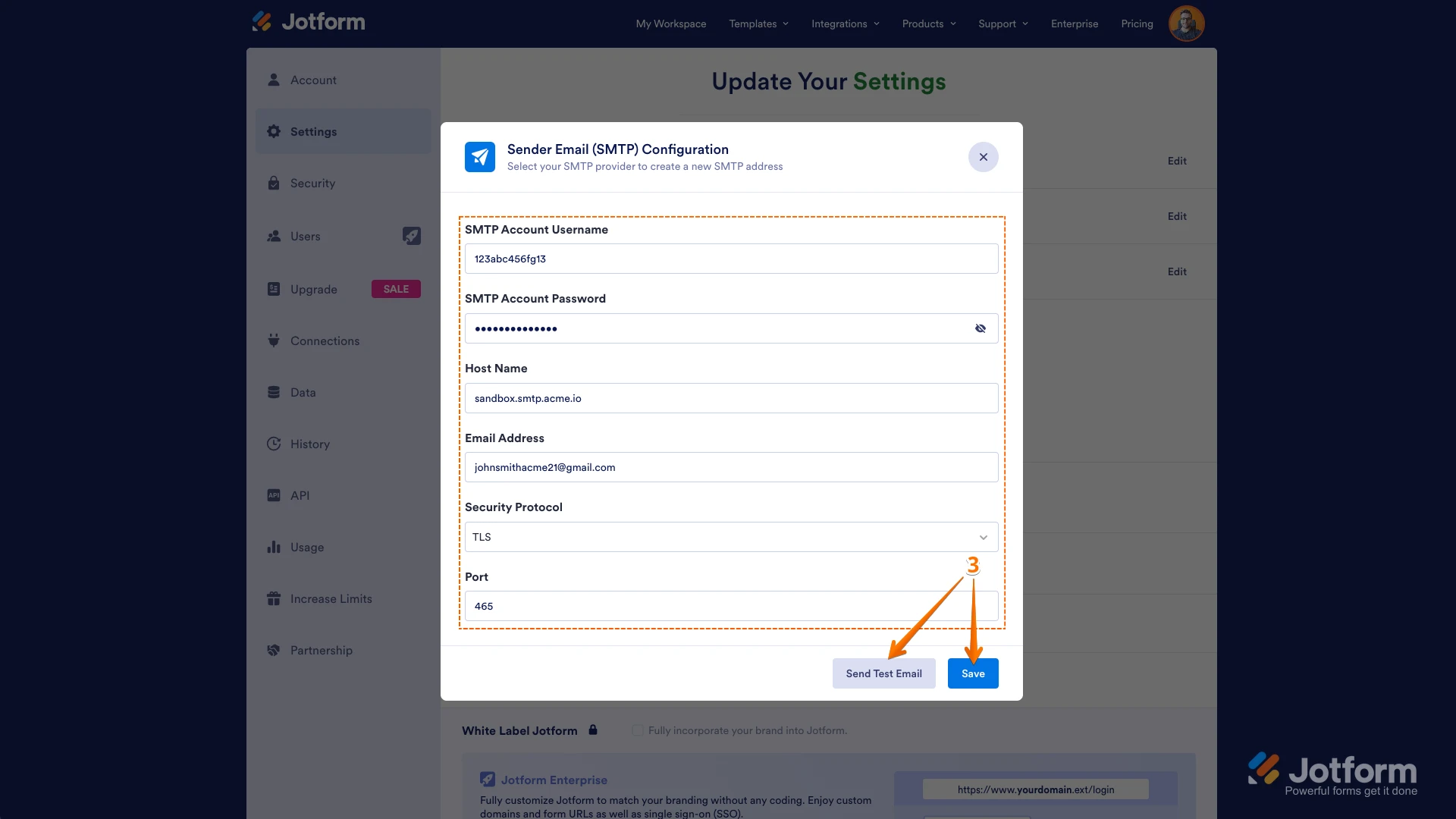
3. Enter your email provider's details, click on Send Test Email to check if it’s set up correctly, and then click on Save.
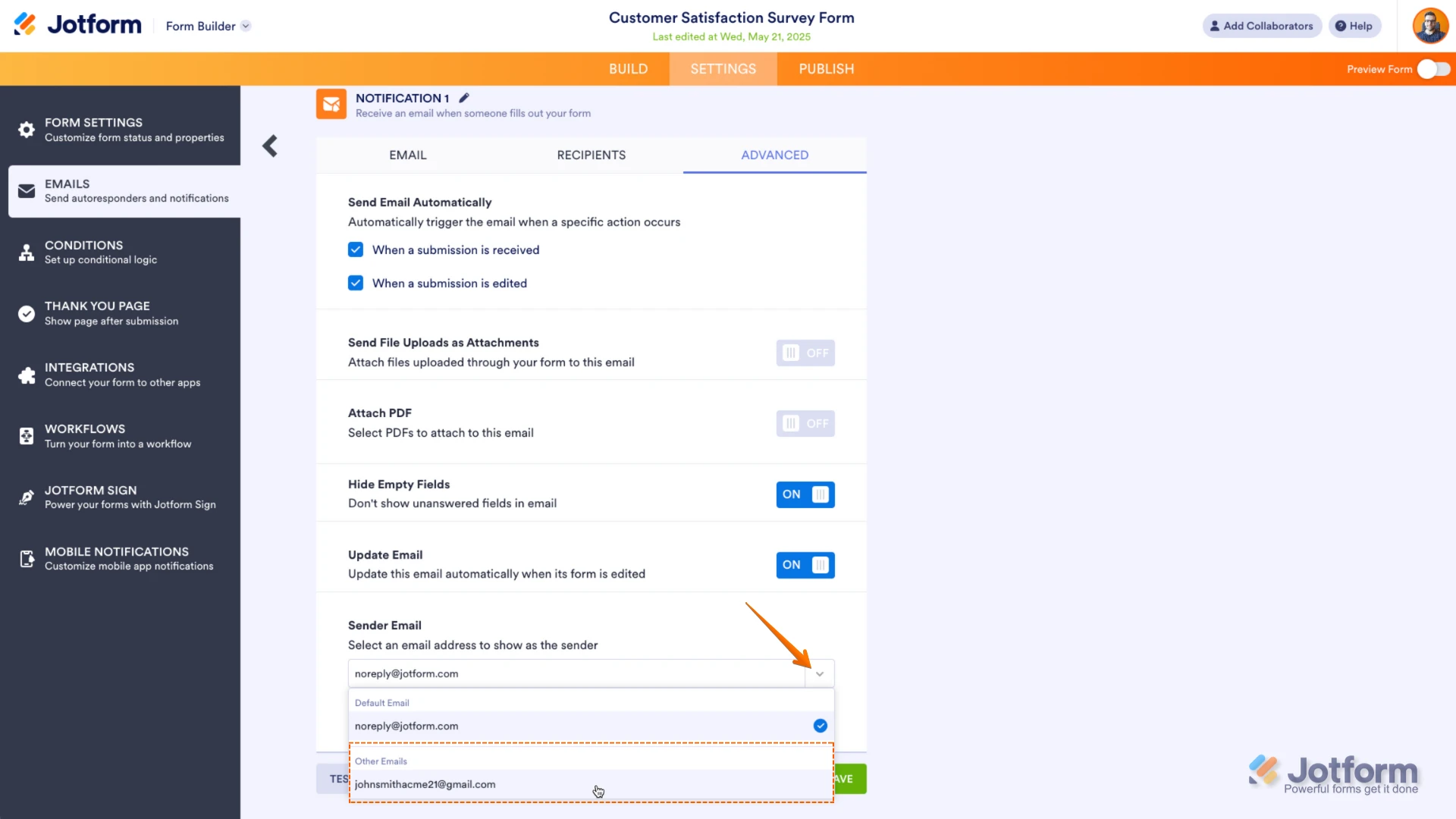
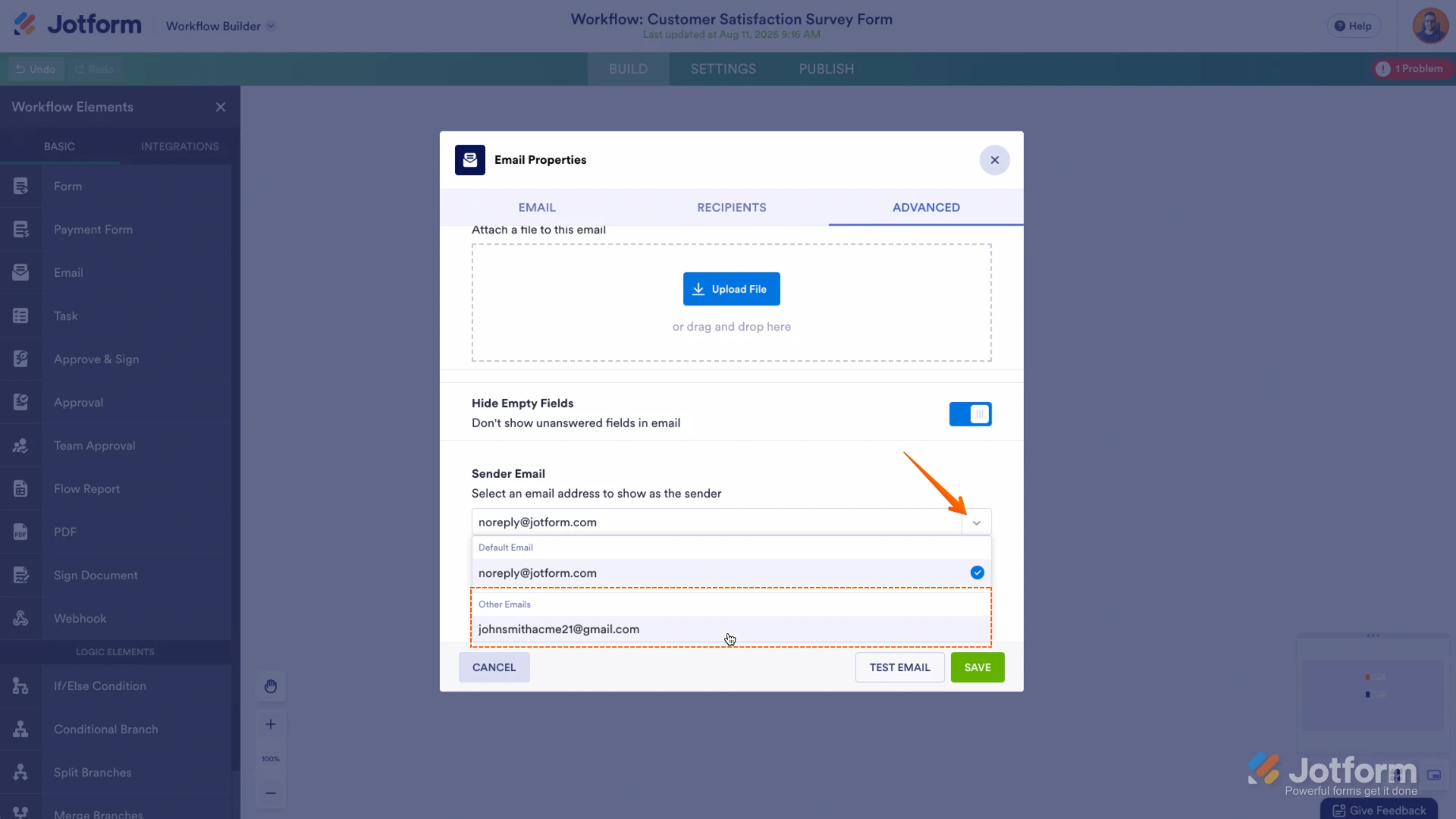
Now you should select your custom SMTP in your email properties under email settings in Form Builder, and if you’re using Workflow Builder, do the same there. Check below to see how it looks in Form Builder:And here’s how it looks in Workflow Builder:Once done, make a test submission to see if it resolves the issue. If the issue persists, will you allow us to make a test submission to your form to see if we can replicate the issue?Let us know how it turns out.



 Now you should select your custom SMTP in your email properties under email settings in Form Builder, and if you’re using Workflow Builder, do the same there. Check below to see how it looks in Form Builder:
 And here’s how it looks in Workflow Builder:
 Once done, make a test submission to see if it resolves the issue. If the issue persists, will you allow us to make a test submission to your form to see if we can replicate the issue?