-
 Gadsden_Tech
I need to allow a different person to manage my account, and I need to take my credit card inform off this account and add the College information. How do I do that?
-
 Podo: Support Specialist
Hi Doris,
Thanks for reaching out to Jotform Support. I'm an AI assistant here to assist you.
Let me show you how to update your credit card information and manage your account settings:
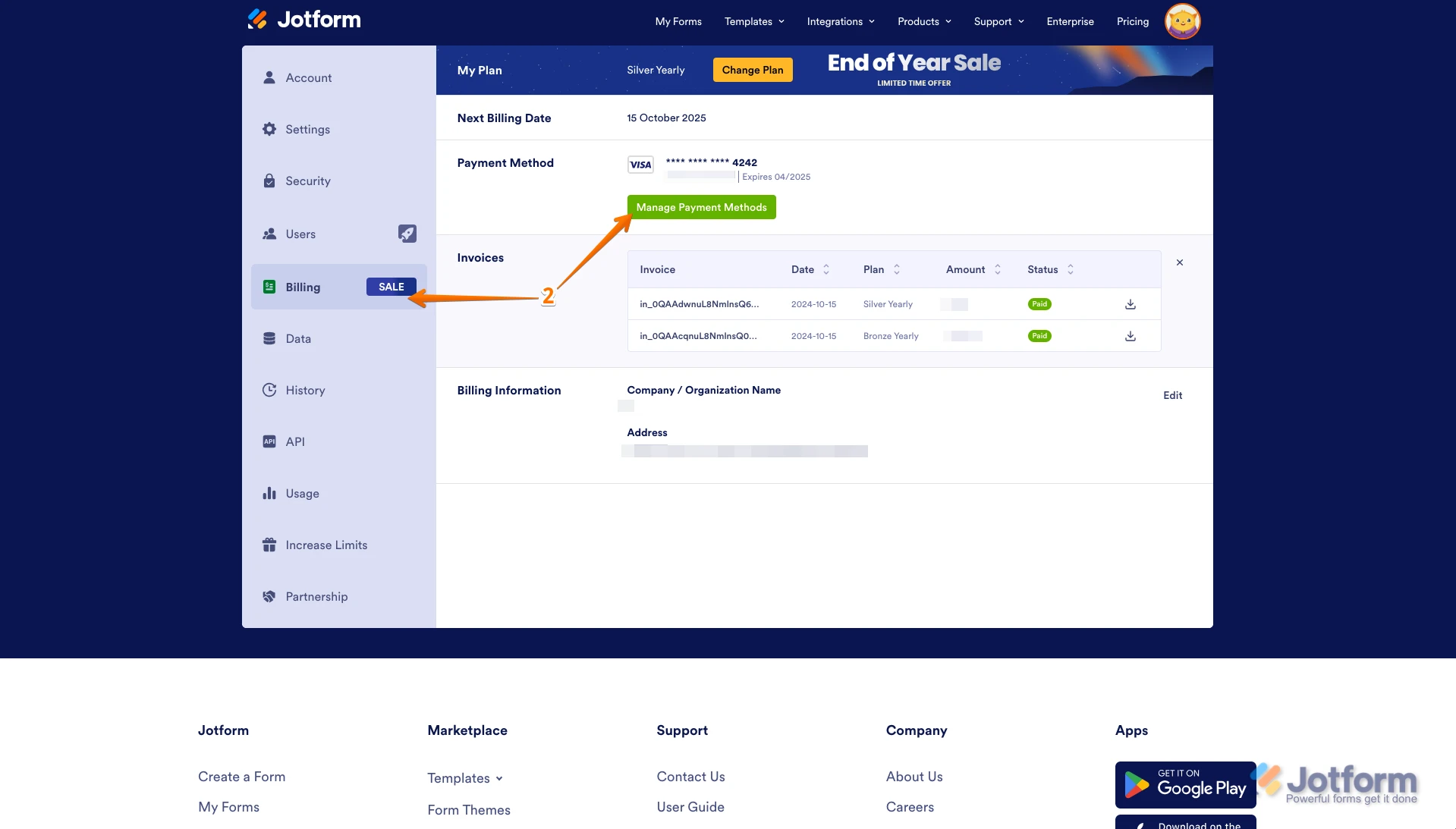
1. On your My Forms page, click on your Avatar/Profile Image at the top-right side of the page, then click on Settings.

2. Go to Billing in the menu on the left, and click on the Manage Payment Methods button.
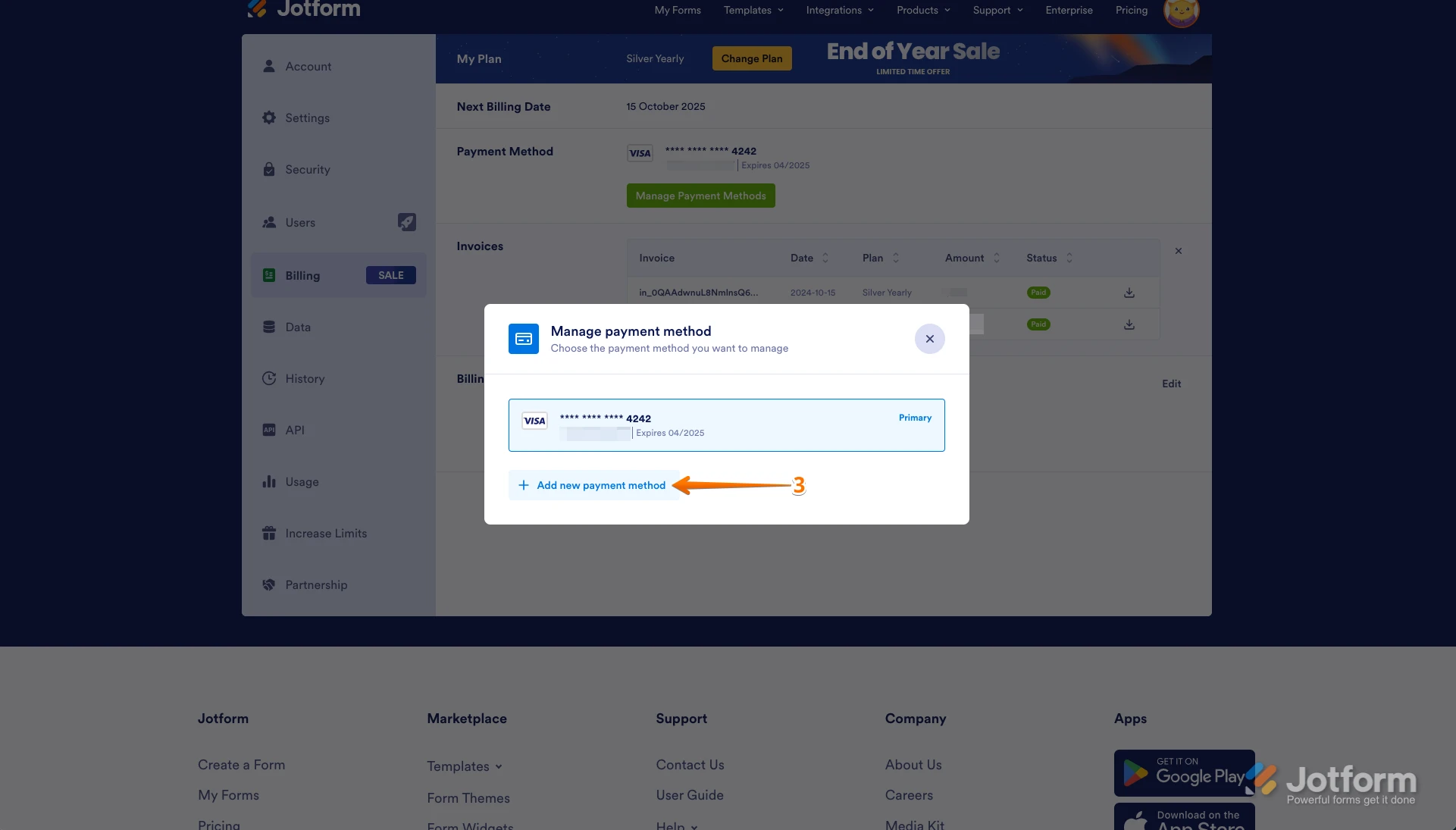
3. In the window that opens, click on Add New Payment Method.
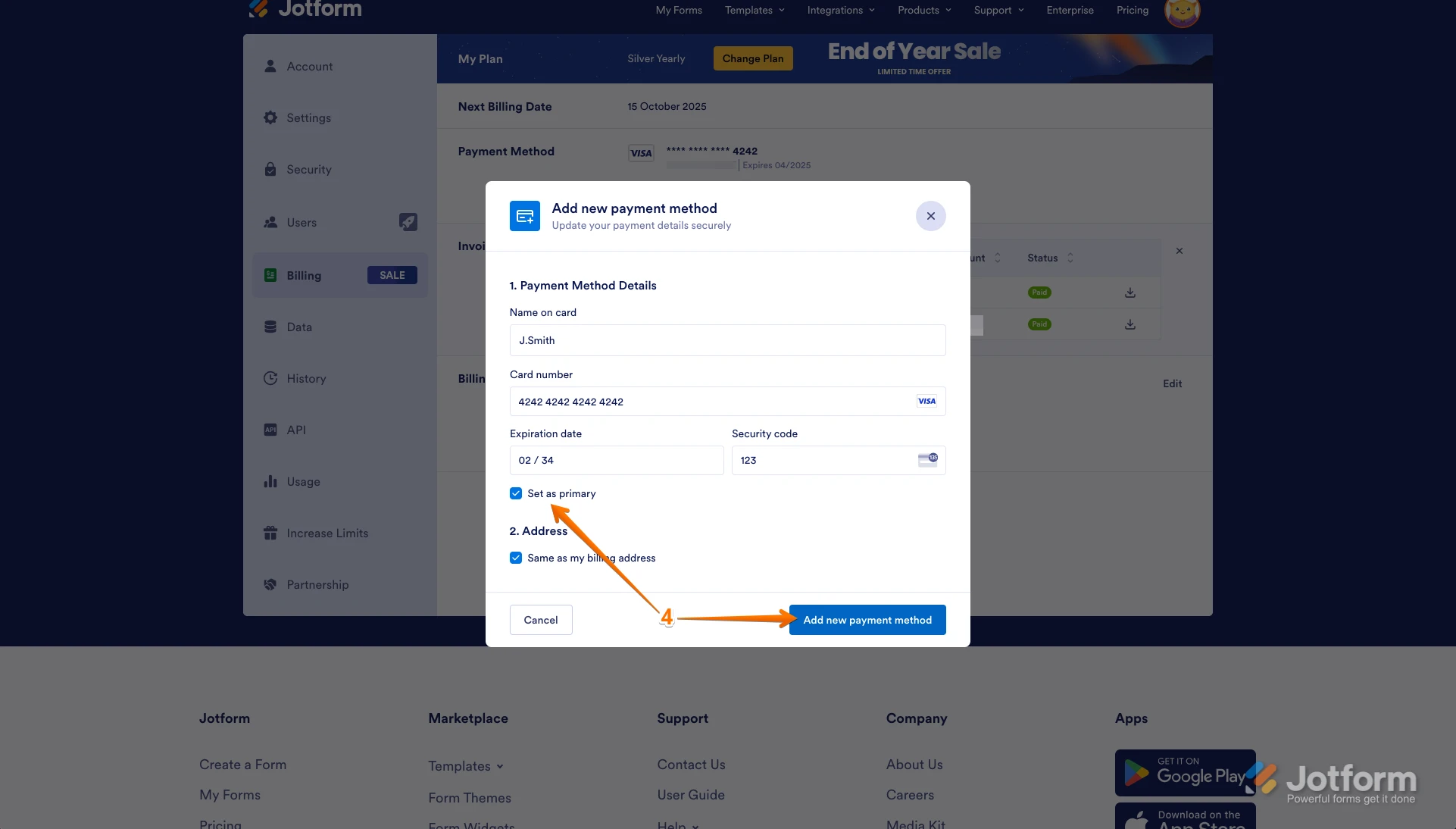
4. Enter the new credit card details, select the Set As Primary option, and click on Add New Payment Method. This will update your payment method, and the previous one will be saved as a backup.
You can also check out the How to Change and Manage Account Payment Methods guide for detailed information.
Regarding allowing a different person to manage your account and adding College information, please clarify if you mean transferring ownership or sharing access, and what exactly you want to add as College information so I can assist you further.
Let us know if you need any more help.
-
Gadsden_Tech
The College dose not allow a company to keep the credit card information on file. Is there another way to pay for Jotform other than by keeping the College's credit card information on file?
-
Podo: Support Specialist
For quotations, please send an email to our dedicated team at quotes@jotform.com following with the information requested below: Company Name Company Address Contact Name Contact Email Plan desired Billing Frequency You can also check our https://www.jotform.com/pricing">Pricing page for your reference. Note that quotations are only available for yearly plans, and if you have applied for non-profit or education discount, state this information in the email.