-
 oasisvetrva
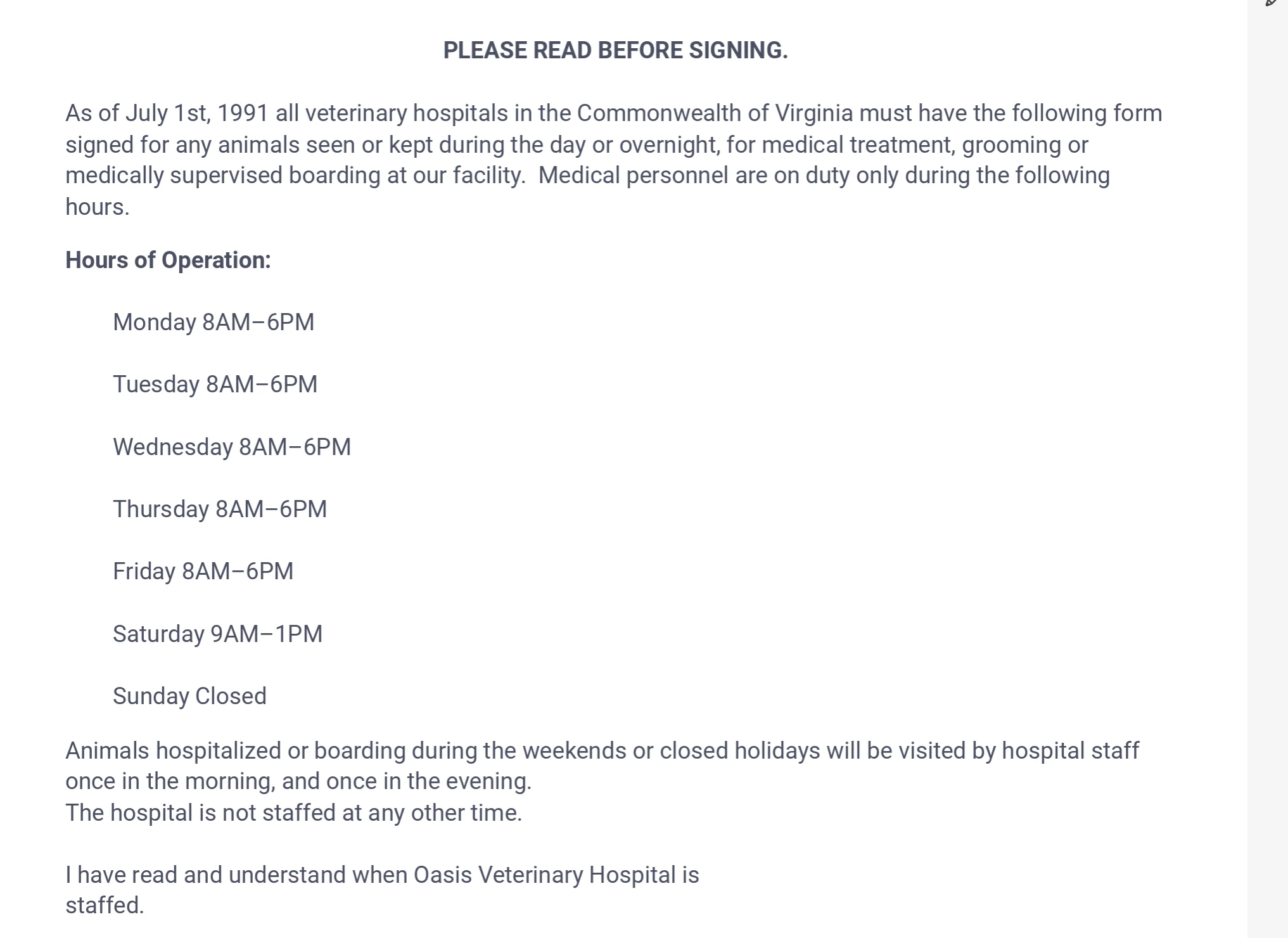
Some of the info in the .pdf that gets emailed to us after a form is complete differs from what is on the actual form. Our clinic hours displayed on the form say "Saturday Closed", but the .pdf sent back to us is showing "Saturday 9AM - 1PM"

-
 Podo: Support Specialist
Hi Brandon,
Thanks for reaching out to Jotform Support. I'm an AI assistant here to assist you.
The issue you're experiencing where the PDF attached to the email shows different clinic hours than what is displayed on the form could be related to how the PDF report is set up or customized in Jotform.
Let me help you with that:
- Check the PDF Editor: In your form, go to the PDF Editor and review the PDF layout and content. Sometimes, the PDF template may have hardcoded or outdated information that does not dynamically update based on the form fields.
- Update the PDF Content: Make sure the clinic hours field in the PDF is linked correctly to the form field that contains the current hours. If there is any static text like "Saturday 9AM - 1PM" in the PDF, replace it with the corresponding form field or update it accordingly.
- Save and Test: After making changes in the PDF Editor, save your changes and submit a test form to verify that the PDF attached to the email reflects the correct clinic hours as shown on the form.
If your form is HIPAA compliant and contains sensitive healthcare data, keep in mind that attaching PDFs to emails should be handled carefully to avoid data breaches. Password protection for PDFs is recommended.
Give it a try and let us know how it goes.
-
oasisvetrva
How do I access the PDF editor?
-
Podo: Support Specialist
Hi Brandon,
With Jotform's PDF Editor, you can easily add or edit form fields in the PDF files used for submissions. Any changes you make will be applied directly to the downloadable files. Let me show you how:
- In PDF Editor, click on the Add Element menu on the left side of the page.
- Under the Form Fields tab, click on an element that you want to add.
- Select the field you added and click on the Gear icon.
- In the menu on the right, customize your field as you want.
You might also want to check out our guide How to Create PDF Forms with PDF Editor for more information.
Give it a try and let us know if you need any help.